
VENTION FHW
VENTION Powerhive Portable Charger User Manual
Model: FHW
Introduction
This manual provides essential information for the safe and efficient operation of your VENTION Powerhive Portable Charger. Please read this manual thoroughly before using the product and retain it for future reference.
The VENTION Powerhive Portable Charger is a compact and portable power bank designed for fast charging of various electronic devices. It features a 5000 mAh capacity, built-in USB-C and Lightning cables, and bi-directional fast charging capabilities.
Safety Information
Your VENTION Powerhive Portable Charger is equipped with multiple safety mechanisms to ensure reliable operation and protect your devices. These include:
- Short Circuit Protection: Prevents damage from electrical shorts.
- Over-voltage Protection: Safeguards against excessive voltage input/output.
- Over-current Protection: Protects against excessive current flow.
- Over-discharge Protection: Prevents battery damage from deep discharge.
- Reverse Polarity Protection: Ensures correct connection of terminals.
- Overload Protection: Protects against excessive power draw.
 Image: This diagram illustrates the multiple safeguards integrated into the Lithium Polymer Battery for enhanced charging safety, including protections against short circuits, overvoltage, overcharge, over-discharge, reverse polarity, and overpower.
Always use the product in a dry environment. Avoid exposure to water, high temperatures, or direct sunlight. Do not disassemble, modify, or attempt to repair the device yourself. Keep out of reach of children.
Product Overview
The VENTION Powerhive Portable Charger is designed for convenience and portability. Its compact size, similar to a lipstick, makes it easy to carry. It features integrated charging cables for both USB-C and Lightning devices.
 Image: A close-up view of the VENTION Powerhive Portable Charger, highlighting its compact design and the integrated USB-C and Lightning cables that also serve as a lanyard.
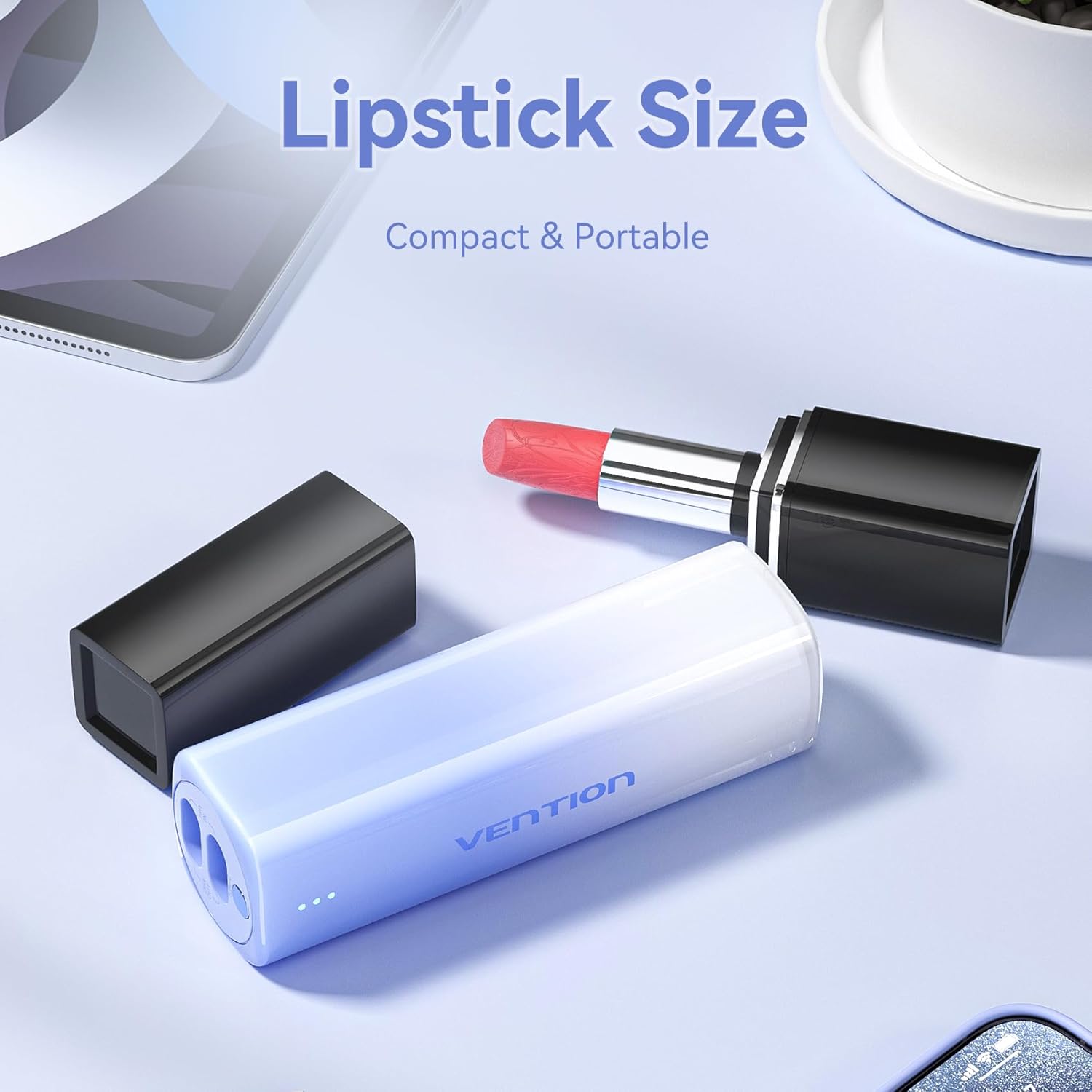 Image: This image demonstrates the compact "lipstick size" of the VENTION Powerhive Portable Charger, emphasizing its portability and ease of carrying.
 Image: A person holding the power bank by its integrated lanyard, illustrating the convenient "Lanyard Design" which allows for easy carrying or attachment to a bag.
Key Features:
- 5000 mAh Capacity: Sufficient power for at least one full smartphone charge.
- Built-in Cables: Integrated Lightning and USB-C cables for convenience.
- Bi-directional Fast Charging: Supports up to 20W output and 18W input.
- LED Indicator: Displays battery status.
- Compact and Portable: Small form factor (30mm width, 145g weight).
- Lanyard Design: Integrated cable doubles as a carrying strap.
Setup
Initial Charging of the Power Bank:
- Before first use, fully charge your VENTION Powerhive Portable Charger.
- Connect the integrated USB-C cable to a compatible power adapter (18W recommended for fast charging) and plug the adapter into a wall outlet.
- The LED indicators on the power bank will illuminate to show the charging progress. Once all LEDs are solid, the power bank is fully charged.
Operating Instructions
Charging Your Mobile Device:
The VENTION Powerhive Portable Charger features built-in Lightning and USB-C cables for direct connection to your devices.
 Image: This image details the built-in fast charging cables, showing the Lightning output (20W Max, compatible with iPhone 8-14 Series) and USB-C output (20W Max, compatible with iPhone 15/16 Series/Android Phones). It also indicates the 18W Max USB-C input for self-charging.
- Identify the correct cable for your device:
- Use the Lightning cable for Apple devices (e.g., iPhone 8-14 series, older iPads).
- Use the USB-C cable for newer Apple devices (e.g., iPhone 15/16 series, iPad Air/Pro with USB-C) and Android devices (e.g., Samsung, Huawei, Xiaomi).
- Pull out the appropriate integrated cable from its slot.
- Connect the cable to your mobile device's charging port.
- The power bank will automatically begin charging your device. The LED indicators will show the remaining battery level of the power bank.
- Once charging is complete, disconnect the cable and return it to its slot on the power bank.
Recharging the Power Bank:
The power bank can be recharged using its integrated USB-C cable.
- Pull out the integrated USB-C cable.
- Connect the USB-C end to a power adapter (e.g., wall charger, computer USB port). For optimal charging speed, use an 18W or higher power adapter.
- The LED indicators will flash to show the charging status. When all LEDs are solid, the power bank is fully charged.
- Disconnect the cable and store it back in its slot.
LED Indicator Status:
The power bank features an LED display to indicate its battery level and charging status.
 Image: A close-up shot highlighting the LED display on the VENTION Powerhive Portable Charger, which makes power management visible by indicating the battery level.
- Solid LEDs: Indicate remaining battery capacity. More solid LEDs mean more charge.
- Flashing LEDs: Indicate that the power bank is currently being charged.
- Refer to the product's packaging or specific model details for precise LED indicator meanings (e.g., number of LEDs corresponding to percentage).
Maintenance
- Cleaning: Use a soft, dry cloth to clean the surface of the power bank. Do not use liquid cleaners or abrasive materials.
- Storage: Store the power bank in a cool, dry place away from direct sunlight and extreme temperatures. If storing for extended periods, charge the power bank to approximately 50% every 3-6 months to maintain battery health.
- Handling: Avoid dropping or subjecting the power bank to strong impacts.
Troubleshooting
| Problem | Possible Cause | Solution |
|---|---|---|
| Power bank not charging device. | Low battery on power bank; incorrect cable connection; device not compatible. | Recharge power bank; ensure cable is fully inserted; verify device compatibility. |
| Power bank not recharging. | Faulty charging adapter/cable; power outlet issue. | Try a different power adapter and outlet; ensure USB-C cable is fully inserted. |
| Slow charging. | Device not supporting fast charging; using a low-power adapter for recharging. | Ensure your device supports fast charging; use an 18W or higher adapter for power bank recharge. |
| LED indicators not working. | Power bank completely discharged; internal fault. | Attempt to recharge the power bank for an extended period. If still unresponsive, contact support. |
Specifications
| Feature | Detail |
|---|---|
| Model Number | FHW |
| Battery Capacity | 5000 mAh |
| Lightning Output | 20W Max (Compatible with iPhone 8-14 Series) |
| USB-C Output | 20W Max (Compatible with iPhone 15/16 Series, Android Phones) |
| USB-C Input (for self-charging) | 18W Max |
| Product Dimensions | 5.3 x 3.9 x 1.3 inches |
| Item Weight | 6 ounces |
| Color | Red (as per product data, though images show pink/blue/white) |
| Special Features | Fast Charging, Over Charging Protection, Pocket Size, Scratch Resistant |
Warranty and Support
For warranty information and customer support, please refer to the documentation included with your purchase or contact the seller directly. The seller for this product is Vention Official Store.
For further assistance, you may visit the official VENTION store on Amazon: VENTION Store
Related documentsFHW


Ask a question about this manual
Ask about setup, troubleshooting, compatibility, parts, safety, or missing instructions. Manuals+ will review the question and use this page’s manual context to help answer it.