
Mesqool CR1030
Mesqool CR1030 Solar Emergency Radio User Manual
Model: CR1030
Brand: Mesqool
Introduction
This manual provides detailed instructions for the Mesqool CR1030 Solar Emergency Radio. This device is designed to provide reliable communication, lighting, and power in various situations, including emergencies, outdoor activities, and daily use. It features multiple power sources, AM/FM/NOAA radio reception, a powerful flashlight, a reading lamp, and a mobile phone charging function.
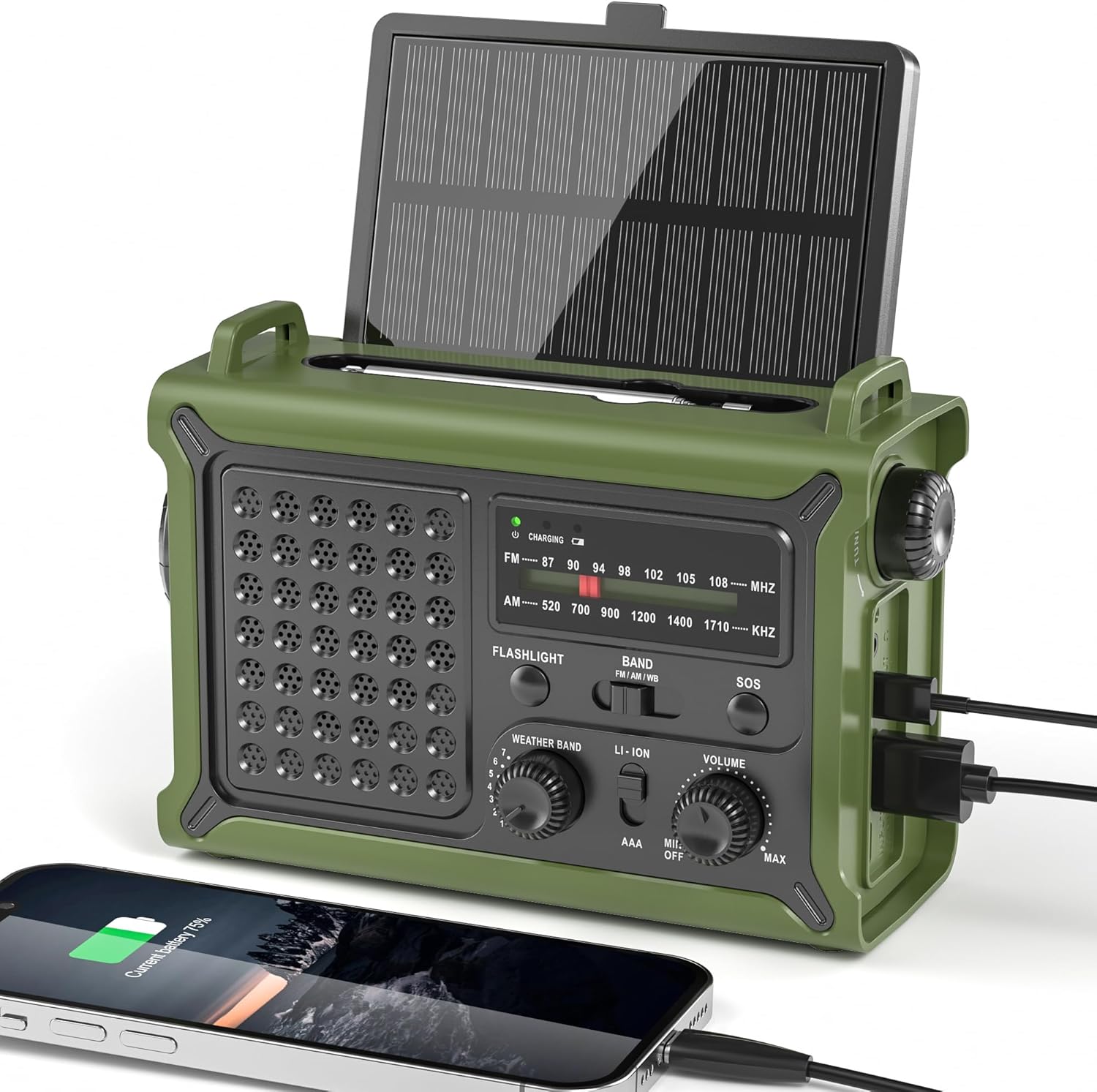
Image: The Mesqool CR1030 Solar Emergency Radio in Army Green, showcasing its solar panel, radio interface, and charging capabilities.
Product Overview and Features
The Mesqool CR1030 is equipped with several key features to ensure functionality in diverse environments:
- Multi-Band Radio Reception: Reliable NOAA/AM/FM reception with a high-sensitivity signal chip, noise-reduction circuitry, and an extended antenna for clear sound.
- Multiple Power Sources: Five distinct ways to power the device: an extra-large solar panel, a high-efficiency hand crank, a built-in 12000mAh lithium battery, Type-C input (5V/2A), and 3 AAA batteries (not included).
- High-Capacity Power Bank: A true 12000mAh lithium battery provides long-lasting power for the radio and can charge external devices via dual USB outputs.
- Versatile Lighting: Includes a powerful LED flashlight with a beam distance of up to 260 feet and a frosted reading lamp, both offering two brightness levels.
- SOS Alarm Function: An integrated SOS alarm with a loud siren and flashing red light for emergency signaling.
- Ergonomic Design: Compact dimensions (6.8"L x 4.7"W x 2.9"H) and a weight of 1.59 pounds, designed for comfortable handling with a large tuning knob, responsive buttons, clear labels, and a non-slip grip.
- Water Resistance: IPX6 water-resistant rating, providing protection against strong jets of water.

Image: An overview of the Mesqool CR1030's features, including NOAA/AM/FM multi-bands, strong clear reception, 13.18in² solar panel, fast hand crank, 12000mAh Li-ion battery, 5 power sources, 4 light modes, and dual outputs.
Setup
Initial Charging
Before first use, it is recommended to fully charge the internal 12000mAh lithium battery. Use the included Type-C USB cable to connect the radio to a standard USB power adapter (not included) or a computer USB port. The charging indicator light will illuminate during charging and turn off when fully charged.

Image: A close-up of the Type-C fast charging port on the side of the Mesqool CR1030 radio, with a charging cable connected.
Inserting AAA Batteries (Optional)
For an additional power backup, you can insert 3 AAA batteries (not included) into the designated battery compartment. Ensure correct polarity (+/-) when inserting the batteries.

Image: An illustration showing the compartment for 3 AAA batteries on the Mesqool CR1030 radio.
Operating Instructions
Powering On/Off and Volume Control
To turn the radio on or off, rotate the VOLUME knob. Continue rotating to adjust the volume level. The radio features clear labels for easy operation.
Radio Tuning (AM/FM/NOAA)
- Extend the telescopic antenna for optimal reception.
- Select the desired band (AM, FM, or NOAA) using the BAND switch.
- Rotate the large TUNING knob to find your desired station. The frequency display will show the current station.
For NOAA weather broadcasts, select the NOAA band and tune to one of the seven available frequencies (162.400, 162.425, 162.450, 162.475, 162.500, 162.525, 162.550 MHz) for local weather alerts.

Image: The Mesqool CR1030 radio with its antenna extended, demonstrating stable reception of NOAA, FM, and AM signals.
Using the Flashlight and Reading Lamp
The radio features both a flashlight and a reading lamp:
- Flashlight: Press the FLASHLIGHT button to cycle through its two brightness modes (High/Low) and off.
- Reading Lamp: Flip up the frosted panel on the top of the radio to activate the reading lamp. Press the READING LAMP button (if separate, or cycle through modes with flashlight button if combined) to select between its two brightness levels.

Image: A person walking on a dark path, illuminated by the powerful beam of the Mesqool CR1030's flashlight.
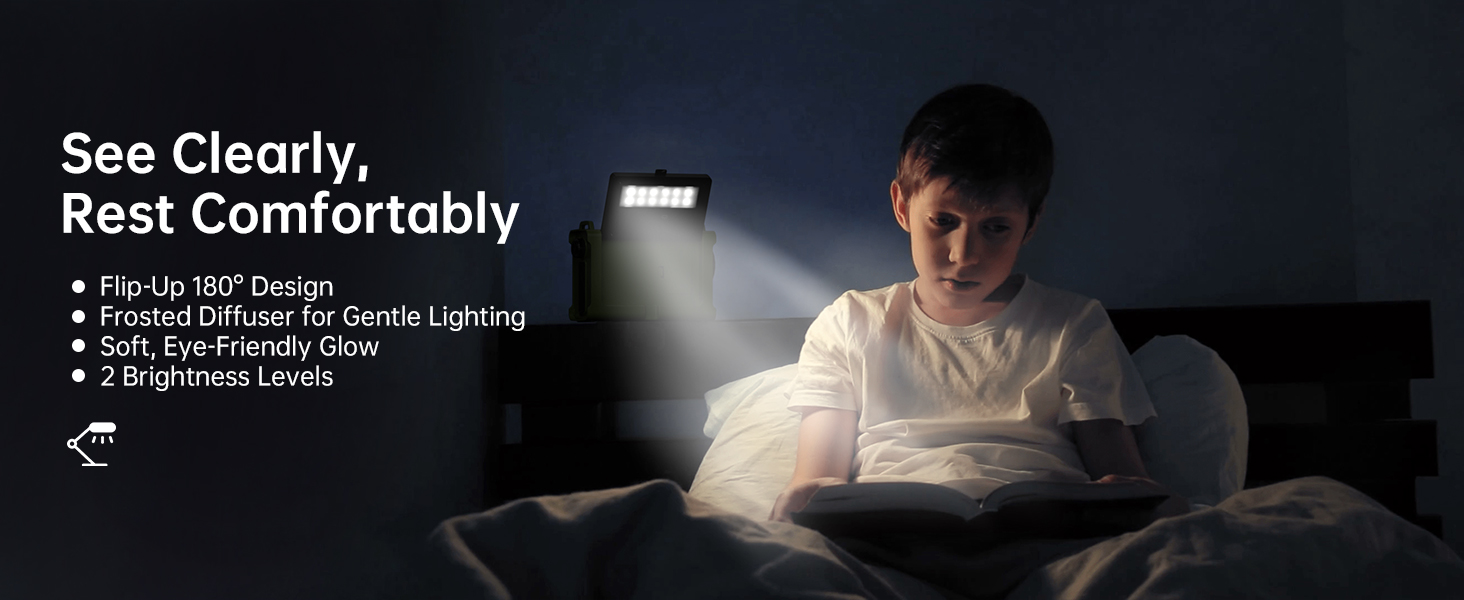
Image: A child reading a book in bed, comfortably lit by the soft glow of the Mesqool CR1030's flip-up reading lamp.
Charging the Radio (Solar & Hand Crank)
- Solar Charging: Place the radio with the solar panel facing direct sunlight. The solar panel is designed for efficient charging even in low-light conditions.
- Hand Crank Charging: Unfold the hand crank handle located on the side of the radio. Rotate the handle clockwise or counter-clockwise at a steady pace. A few minutes of cranking can provide power for radio operation or a short phone call.
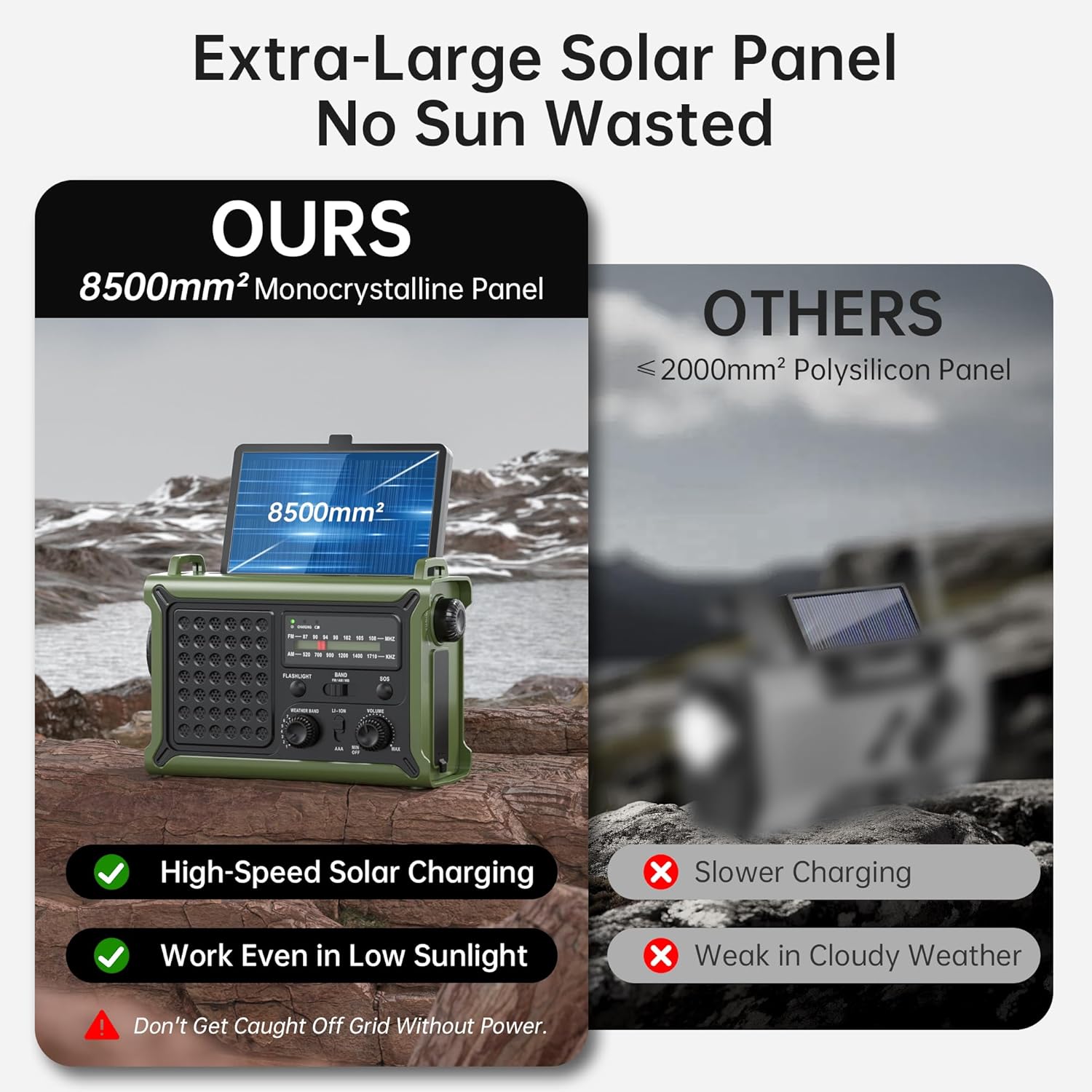
Image: The Mesqool CR1030 radio highlighting its large 8500mm² monocrystalline solar panel, emphasizing its high-speed charging capability even in low sunlight compared to smaller polysilicon panels.
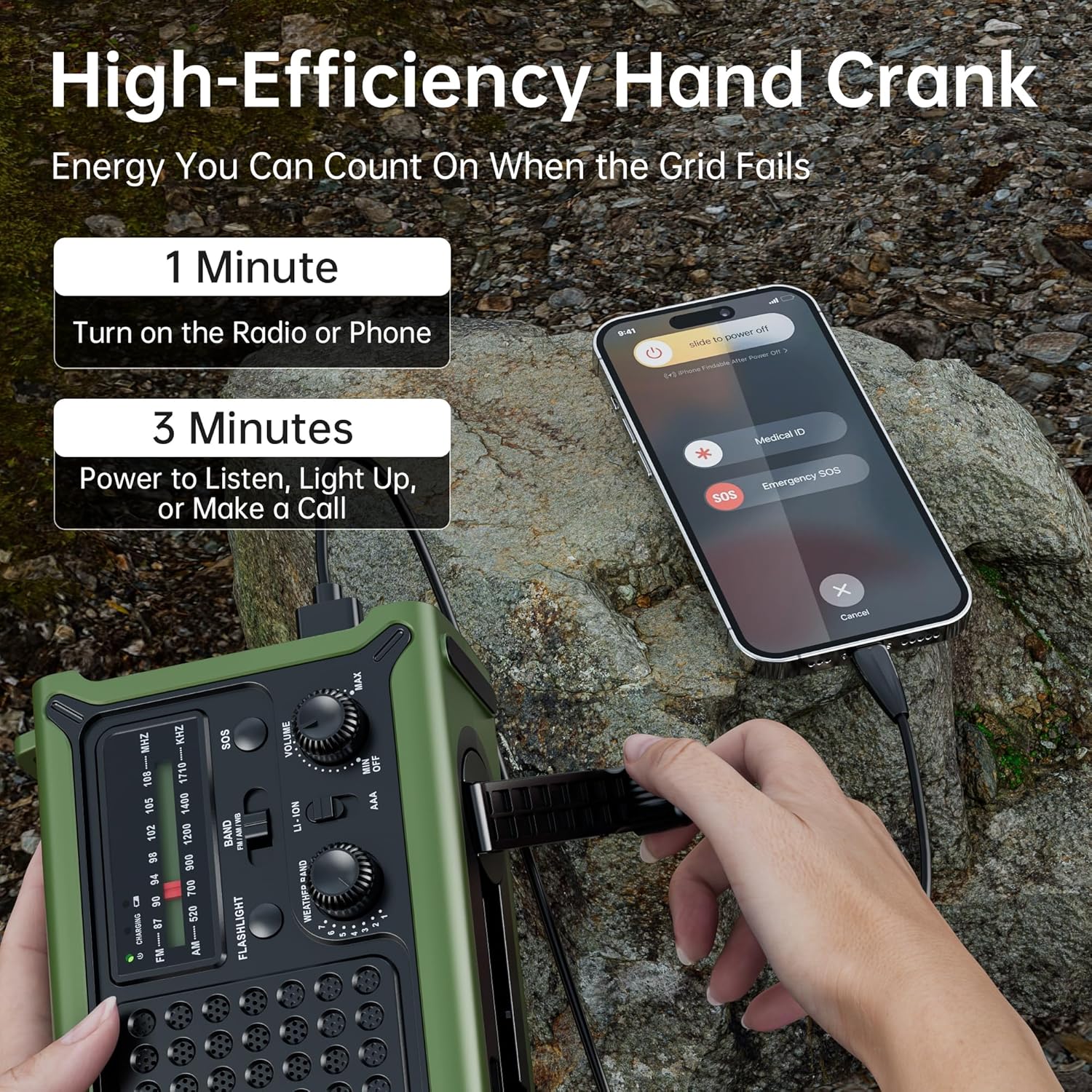
Image: A person using the high-efficiency hand crank of the Mesqool CR1030 to generate power, simultaneously charging a smartphone connected via USB.
Charging External Devices
The Mesqool CR1030 can act as a power bank to charge your mobile devices. Connect your device to one of the dual USB output ports using a compatible charging cable. The 12000mAh battery capacity allows for multiple charges of smaller devices.
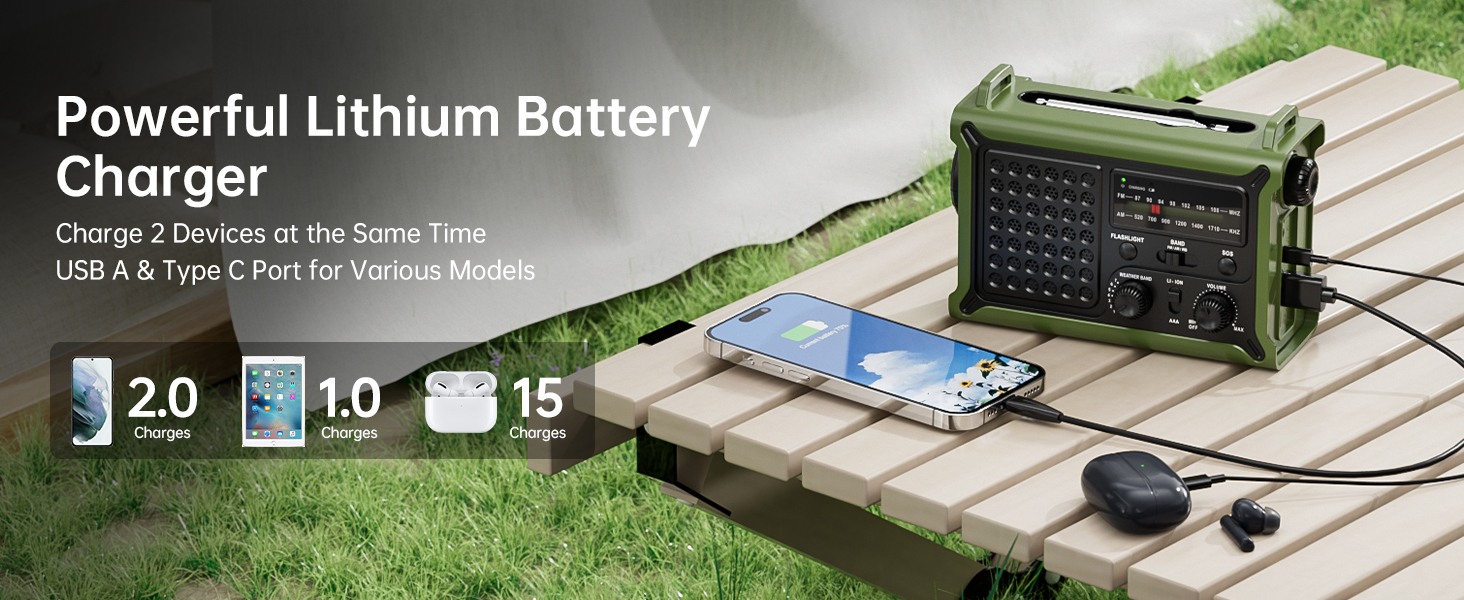
Image: The Mesqool CR1030 radio charging a smartphone and wireless earbuds simultaneously via its dual USB output ports.
Activating the SOS Alarm
In an emergency, press and hold the SOS button to activate the loud alarm and flashing red light. This feature is designed to attract attention for rescue. Press the button again to deactivate.

Image: A man in an outdoor setting activating the SOS mode on the Mesqool CR1030, which emits a loud alarm and flashing red light.
Using the Headphone Jack
For private listening, plug standard 3.5mm headphones into the headphone jack located on the side of the radio. This allows you to listen to broadcasts without disturbing others.

Image: A man relaxing in a camping chair, listening to the Mesqool CR1030 radio through headphones, connected via the 3.5mm headphone jack.
Maintenance
- Cleaning: Wipe the radio with a soft, damp cloth. Do not use harsh chemicals or abrasive cleaners.
- Storage: Store the radio in a cool, dry place away from direct sunlight when not in use for extended periods. Ensure the internal battery is partially charged (around 50%) before long-term storage to prolong battery life.
- Water Resistance: The radio is IPX6 water-resistant, meaning it can withstand strong water splashes. However, it is not designed for submersion. Ensure all port covers are securely closed to maintain water resistance.
- Battery Care: If using AAA batteries, remove them if the radio will not be used for an extended period to prevent leakage.

Image: The Mesqool CR1030 radio placed outdoors in the rain, illustrating its IPX6 water-resistant capability.
Troubleshooting
- No Power:
- Ensure the internal lithium battery is charged. Connect to a power source via Type-C, solar, or hand crank.
- If using AAA batteries, check if they are inserted correctly and are not depleted.
- Poor Radio Reception:
- Fully extend the telescopic antenna.
- Adjust the radio's position or orientation.
- Try tuning to a different frequency or band.
- Move away from sources of electronic interference.
- External Device Not Charging:
- Ensure the radio's internal battery has sufficient charge.
- Check the charging cable and ensure it is securely connected to both the radio and the external device.
- Verify that the external device is compatible with USB charging.
- Flashlight/Reading Lamp Not Working:
- Check the radio's power level.
- Ensure the correct button is pressed for the desired light function.
Specifications
| Feature | Specification |
|---|---|
| Model Number | CR1030 |
| Product Dimensions | 6.8"L x 4.7"W x 2.9"H |
| Item Weight | 1.59 pounds |
| Internal Battery | 12000mAh Lithium Battery (included) |
| External Battery Option | 3 AAA Batteries (not included) |
| Power Sources | Solar Panel, Hand Crank, 12000mAh Lithium Battery, Type-C Input 5V/2A, 3 AAA Batteries |
| Radio Bands Supported | NOAA, FM, AM |
| Flashlight Beam Distance | Up to 260 feet |
| Light Modes | Flashlight (2 modes), Reading Lamp (2 modes) |
| Connectivity | USB (for charging external devices), Type-C (for charging radio) |
| Special Features | 5-Way Powered, Emergency Cellphone Charger, LED Flashlight & Reading Lamp, Portable, SOS Alarm |
| Water Resistance | IPX6 |
What's in the Box
The Mesqool CR1030 Solar Emergency Radio package includes:
- Mesqool CR1030 Weather Radio
- Power Cord (USB Type-C)
- Carrying Strip
- Owner's Manual (this document)

Image: The Mesqool CR1030 radio, its packaging, power cord, carrying strap, and owner's manual laid out.
Related documentsCR1030


Ask a question about this manual
Ask about setup, troubleshooting, compatibility, parts, safety, or missing instructions. Manuals+ will review the question and use this page’s manual context to help answer it.