
1. Introduction
The Mesqool Solar Radio Emergency Hand Crank 12000mAh is a versatile and reliable device designed to keep you connected and informed during emergencies, outdoor activities, or power outages. It features multiple power sources, including solar, hand crank, and a large capacity internal battery, along with AM/FM/NOAA radio reception, a powerful flashlight, a reading lamp, and a mobile phone charging function.
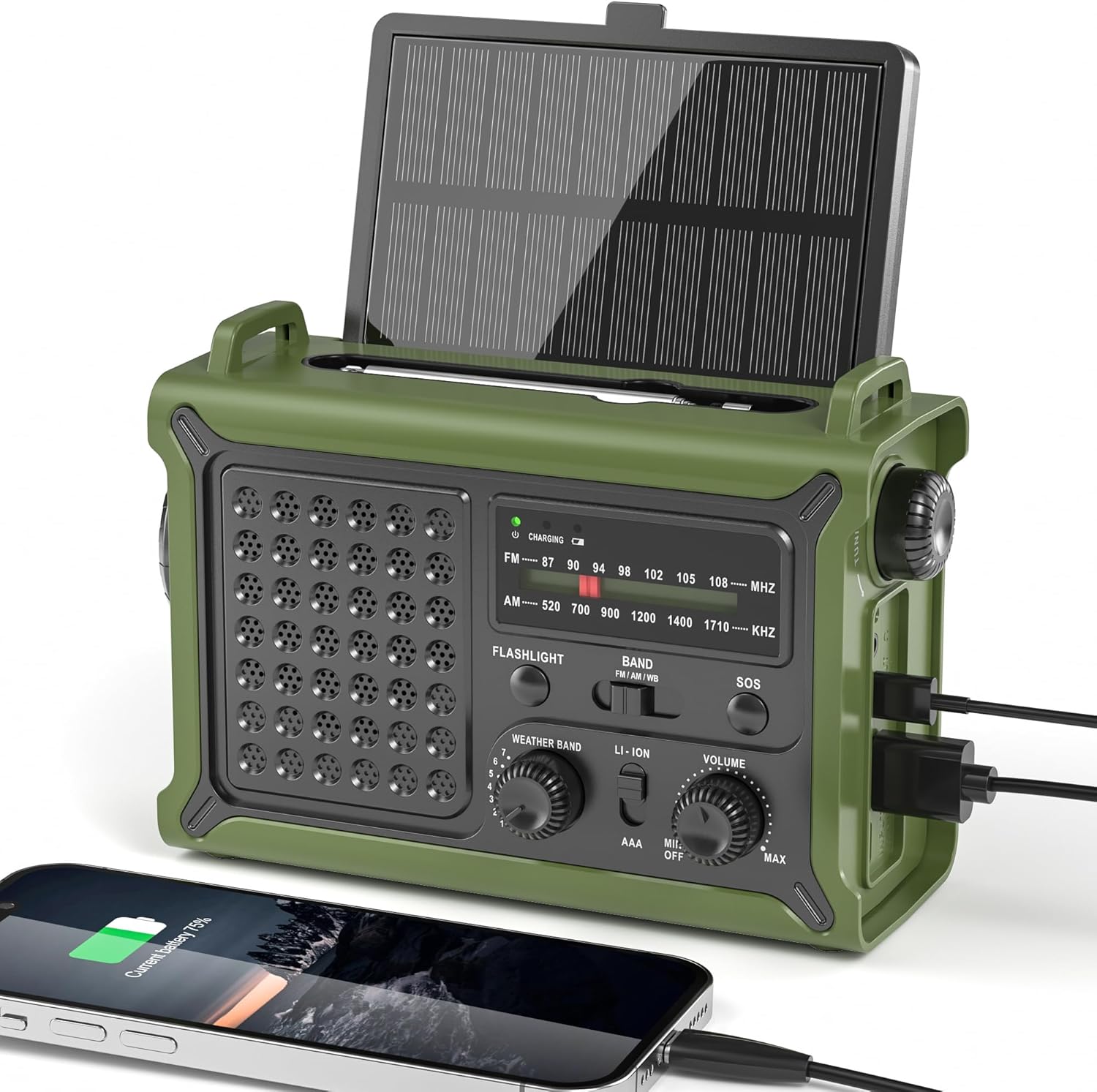
Figure 1.1: Mesqool Solar Radio, showing its compact design and charging capabilities.
2. Product Features
- Reliable NOAA/AM/FM Reception: Equipped with a high-sensitivity signal chip and noise-reduction circuitry for clear and stable reception across all bands.
- High-Efficiency Solar Charging: Features an extra-large 8500mm² monocrystalline solar panel for faster charging, even in low-light conditions.
- High-Torque Hand Crank Power: Upgraded internal generator with a larger copper coil and reinforced magnet provides efficient manual charging.
- True 12000mAh Power Capacity: A genuine 12000mAh lithium battery ensures long-lasting power for the radio, lights, and external device charging.
- Versatile Emergency Lighting: Includes a powerful LED flashlight with a 260-foot beam distance and a soft, eye-friendly reading lamp, both with two brightness levels.
- Ergonomic Design: Shaped for comfortable grip and easy operation with a large tuning knob, responsive buttons, and clear labels.
- Multiple Power Outputs: Dual USB-A and USB-C outputs for charging various mobile devices.
- SOS Alarm Function: Activates a loud siren and flashing red light for emergency signaling.
- 3.5mm Headphone Jack: For private listening.
- IPX6 Water Resistant: Provides protection against strong jets of water, suitable for outdoor use.

Figure 2.1: Overview of the radio's key features, including multi-band reception, solar panel, hand crank, battery capacity, light modes, and dual outputs.
3. Package Contents
Please check the package contents upon unboxing to ensure all items are present:
- Mesqool Emergency Weather Radio
- USB-C Charging Cable (Power Cord)
- Carrying Strap
- Owner's Manual (this document)

Figure 3.1: The radio, charging cable, carrying strap, and owner's manual as included in the package.
4. Product Diagram and Components
Familiarize yourself with the various parts of your Mesqool Emergency Radio:
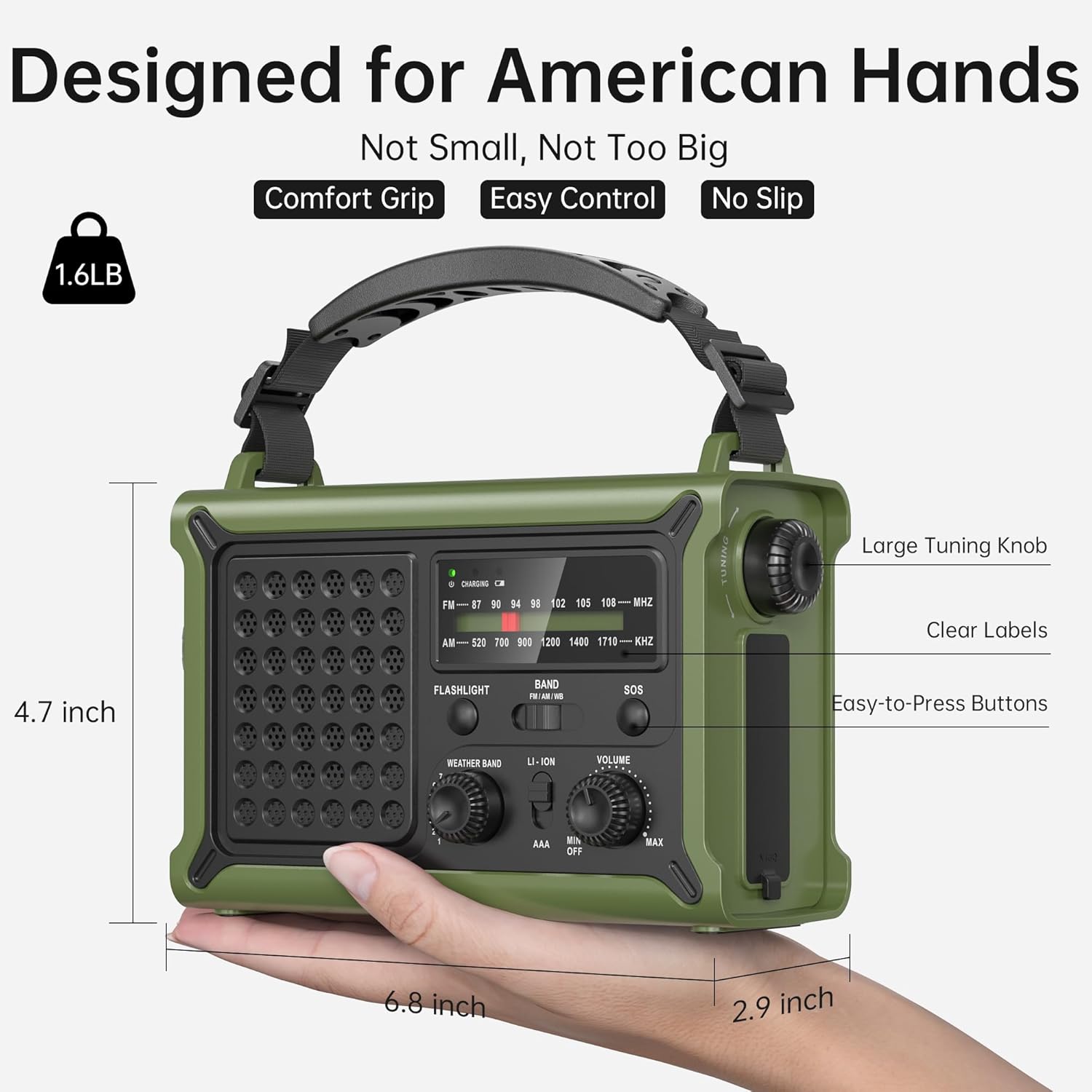
Figure 4.1: Front and side view of the radio highlighting key controls and ports such as the large tuning knob, easy-to-press buttons, clear labels, flashlight, and USB ports.
- Solar Panel: Located on top, can be angled for optimal sunlight.
- Telescopic Antenna: Extend for better radio reception.
- Flashlight: Front-facing LED light.
- Reading Lamp: Located on the underside of the solar panel.
- Tuning Knob: For selecting AM/FM frequencies.
- Band Selector: Switch between AM, FM, and NOAA Weather Band.
- Weather Band Selector: Dedicated knob for NOAA channels.
- Volume Knob: Adjusts audio output.
- SOS Button: Activates emergency alarm.
- USB-A Output Port: For charging external devices.
- USB-C Input/Output Port: For charging the radio or external devices.
- Hand Crank: Foldable crank for manual power generation.
- AAA Battery Compartment: Located behind the solar panel (AAA batteries not included).
- 3.5mm Headphone Jack: For connecting headphones.
5. Setup
5.1 Initial Charge
Before first use, it is recommended to fully charge the internal 12000mAh lithium battery using the USB-C charging cable. Connect the USB-C cable to the radio's USB-C port and the other end to a standard USB power adapter (not included) or a computer USB port. The charging indicator light will illuminate.
5.2 AAA Battery Installation (Optional)
For an additional power backup, you can install 3 AAA batteries (not included) into the compartment located behind the solar panel. Ensure correct polarity. The radio can operate directly from AAA batteries when selected via the power source switch.

Figure 5.1: Location of the AAA battery compartment, requiring 3 AAA batteries (not included).
6. Operating Instructions
6.1 Power On/Off and Volume
Rotate the Volume Knob clockwise to turn the radio on and increase the volume. Rotate counter-clockwise to decrease volume and turn off.
6.2 Radio Tuning (AM/FM/NOAA)
- Extend the Telescopic Antenna for optimal reception.
- Use the Band Selector switch to choose between FM, AM, or Weather Band (WB).
- For FM/AM: Rotate the large Tuning Knob to find your desired station.
- For NOAA Weather Band: Switch the Band Selector to WB. Then, use the dedicated Weather Band Selector knob to cycle through the 7 NOAA channels (162.400, 162.425, 162.450, 162.475, 162.500, 162.525, 162.550 MHz) to find the strongest signal in your area.

Figure 6.1: The radio's ability to receive stable signals across NOAA, FM, and AM bands, indicating the telescopic antenna for improved reception.
6.3 Headphone Use
Insert a 3.5mm headphone jack into the designated port for private listening. The speaker will automatically mute when headphones are connected.

Figure 6.2: A user enjoying private listening with headphones connected to the radio, ideal for quiet environments or not disturbing others.
7. Charging Methods
The Mesqool Emergency Radio offers five ways to charge its internal 12000mAh battery:

Figure 7.1: Visual representation of the five charging methods: Solar Panel, Type-C Charging, 3 Pcs AAA Battery (Not Included), Rechargeable Battery (internal), and Hand Crank.
7.1 USB-C Charging
Connect the provided USB-C cable to the radio's USB-C input port and a 5V/2A power source. This is the fastest method for a full charge.
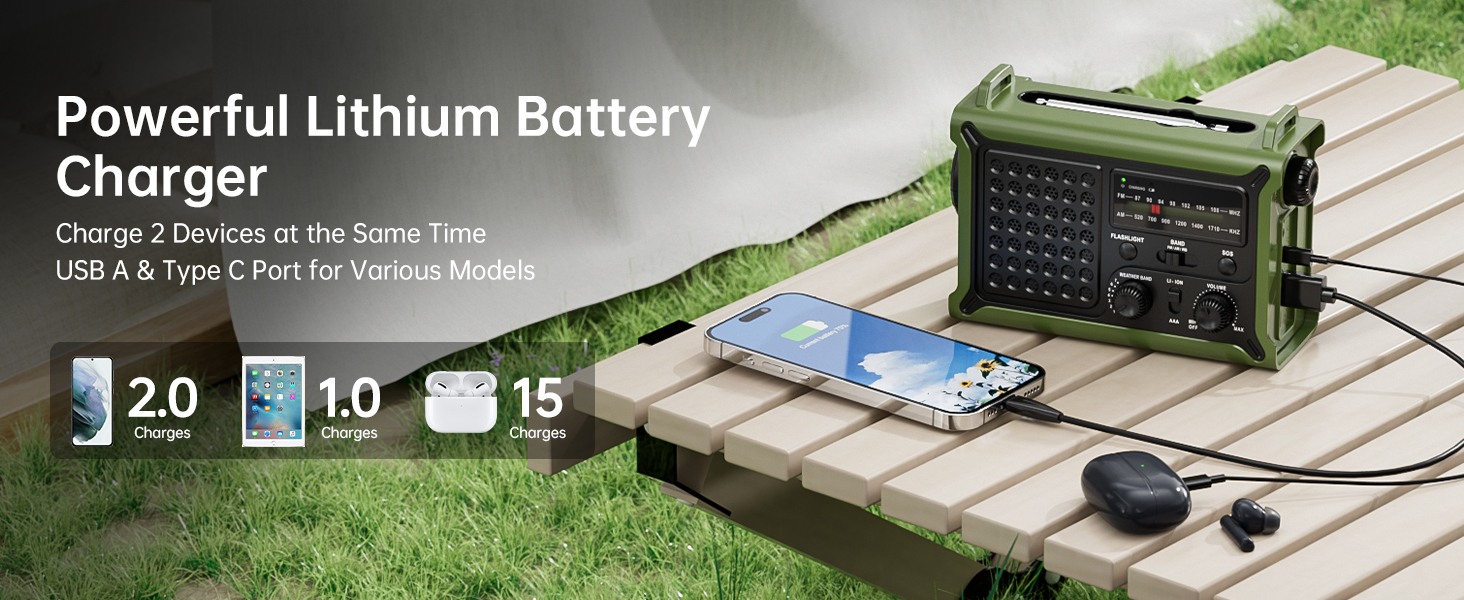
Figure 7.2: The USB-C port on the side of the radio, illustrating its fast charging capability.
7.2 Solar Charging
Place the radio in direct sunlight with the solar panel facing upwards. For best results, angle the solar panel towards the sun. This method is ideal for maintaining charge or slow charging in outdoor environments.
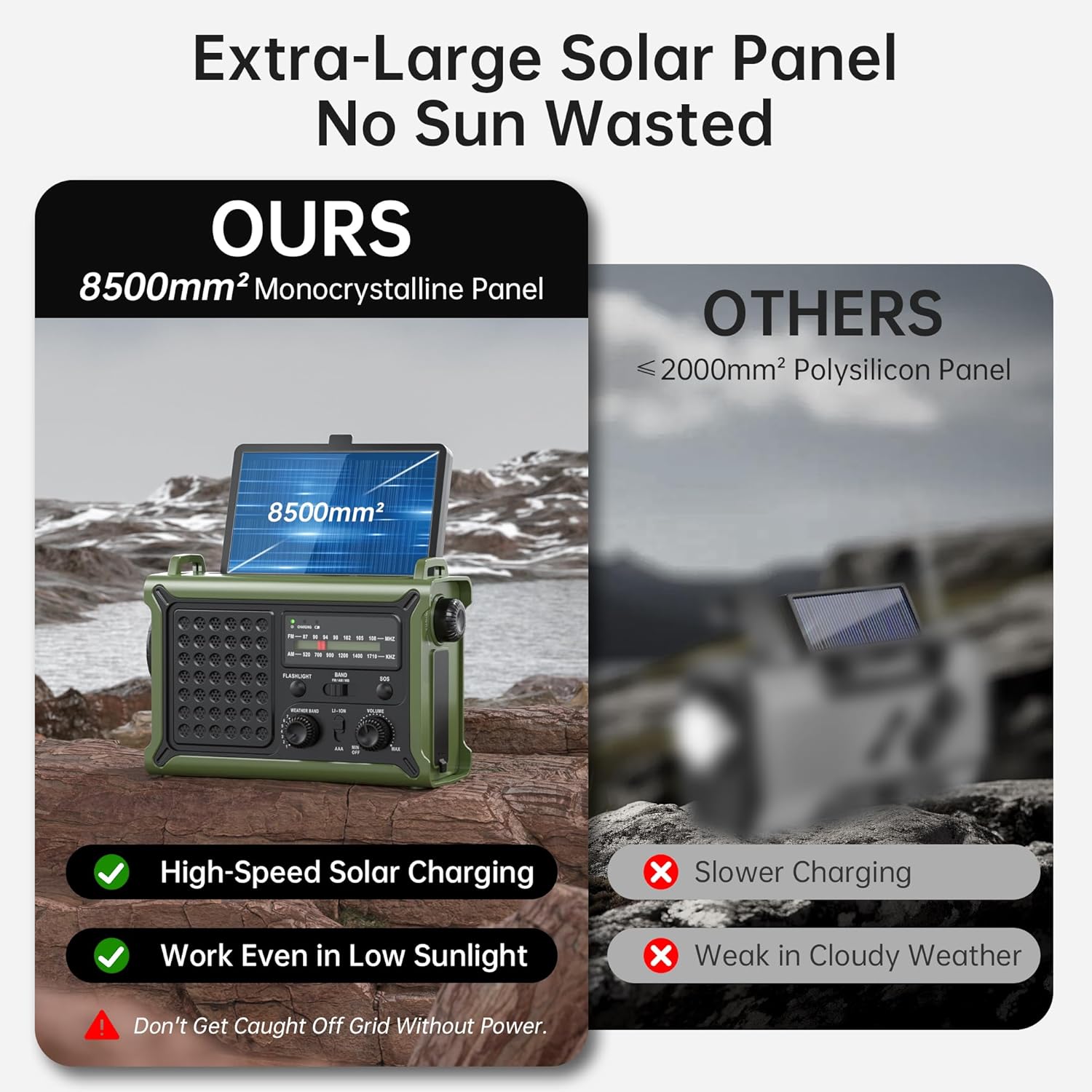
Figure 7.3: The large 8500mm² monocrystalline solar panel on the radio, designed for efficient charging even in low sunlight.
7.3 Hand Crank Charging
Unfold the hand crank located on the bottom of the radio. Rotate the crank clockwise or counter-clockwise at a steady pace (approximately 130-150 RPM) to generate power. A few minutes of cranking can provide enough power for short-term radio use or a quick phone charge.
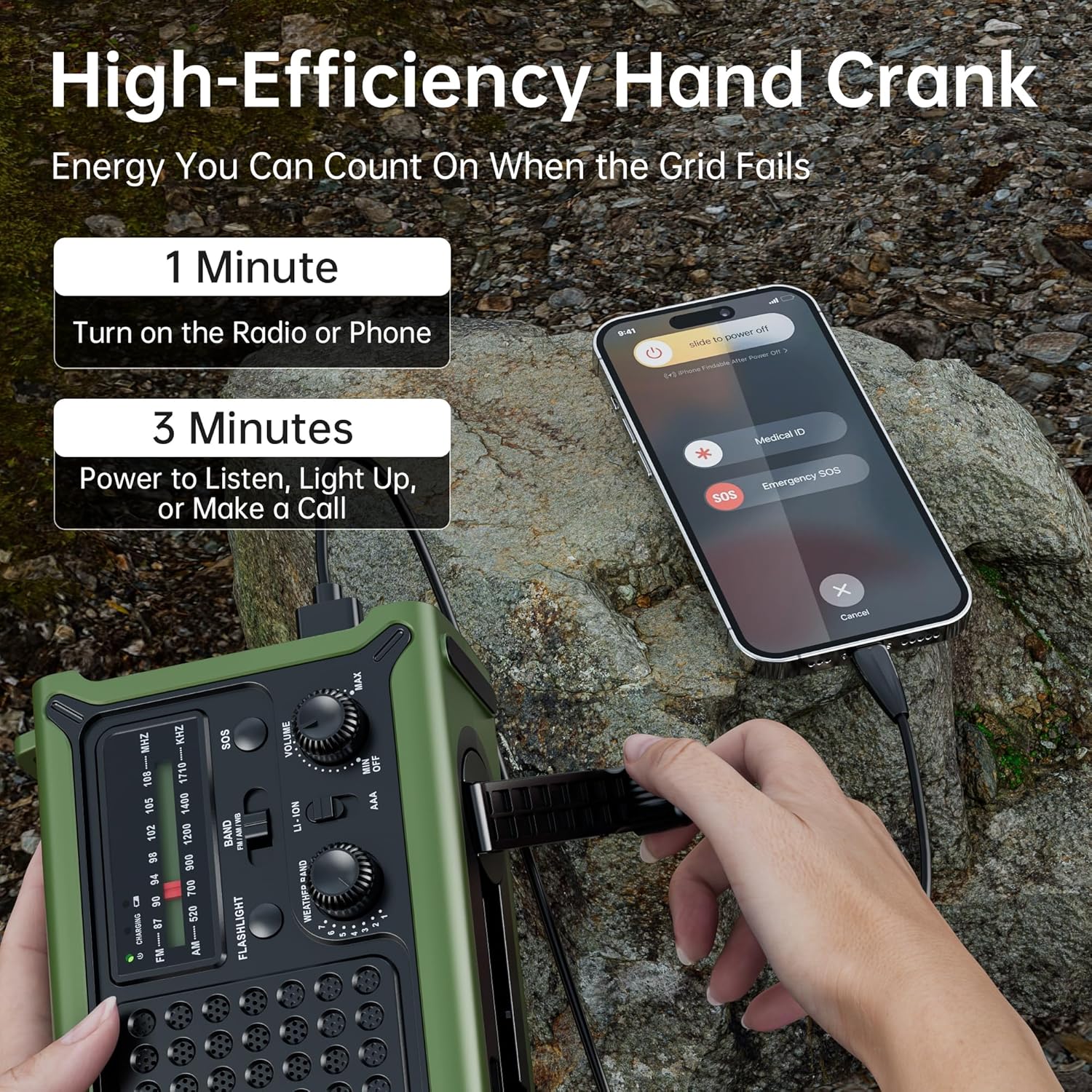
Figure 7.4: A user operating the high-efficiency hand crank to charge the radio and a connected smartphone, demonstrating quick power generation.

Figure 7.5: Internal diagram illustrating the upgraded crank generator with enhanced magnet core, large copper coil, and lengthened crank arm for efficient power generation.
7.4 AAA Batteries
As mentioned in Section 5.2, 3 AAA batteries can be installed for an alternative power source. Ensure the power source switch is set to AAA when using this option.
8. Flashlight and Reading Light Operation
8.1 Flashlight
Press the Flashlight Button once for low brightness, a second time for high brightness, and a third time to turn it off. The flashlight provides a focused beam up to 260 feet.

Figure 8.1: The powerful flashlight illuminating a path, demonstrating its 260ft beam distance and utility in dark environments.
8.2 Reading Light
Flip up the solar panel to reveal the reading lamp. Press the dedicated Reading Light Button once for low brightness, a second time for high brightness, and a third time to turn it off. The frosted diffuser provides a soft, warm glow.

Figure 8.2: The reading light providing a gentle, eye-friendly illumination, perfect for reading in low-light conditions.
9. SOS Alarm Function
In an emergency, press and hold the SOS Button for 3 seconds to activate the loud 115dB siren and flashing red light. This feature is designed to attract attention for rescue. Press the button again to deactivate the alarm.

Figure 9.1: A person activating the SOS mode on the radio, which triggers a loud alarm and flashing red light for emergency signaling.
10. Power Bank Function
The Mesqool Emergency Radio can be used as a power bank to charge your mobile devices. Connect your device's charging cable to either the USB-A output port or the USB-C output port on the side of the radio. The radio's 12000mAh battery provides ample power for multiple charges.

Figure 10.1: The radio charging a smartphone, illustrating its long-lasting 12000mAh battery capacity and runtime for various functions.
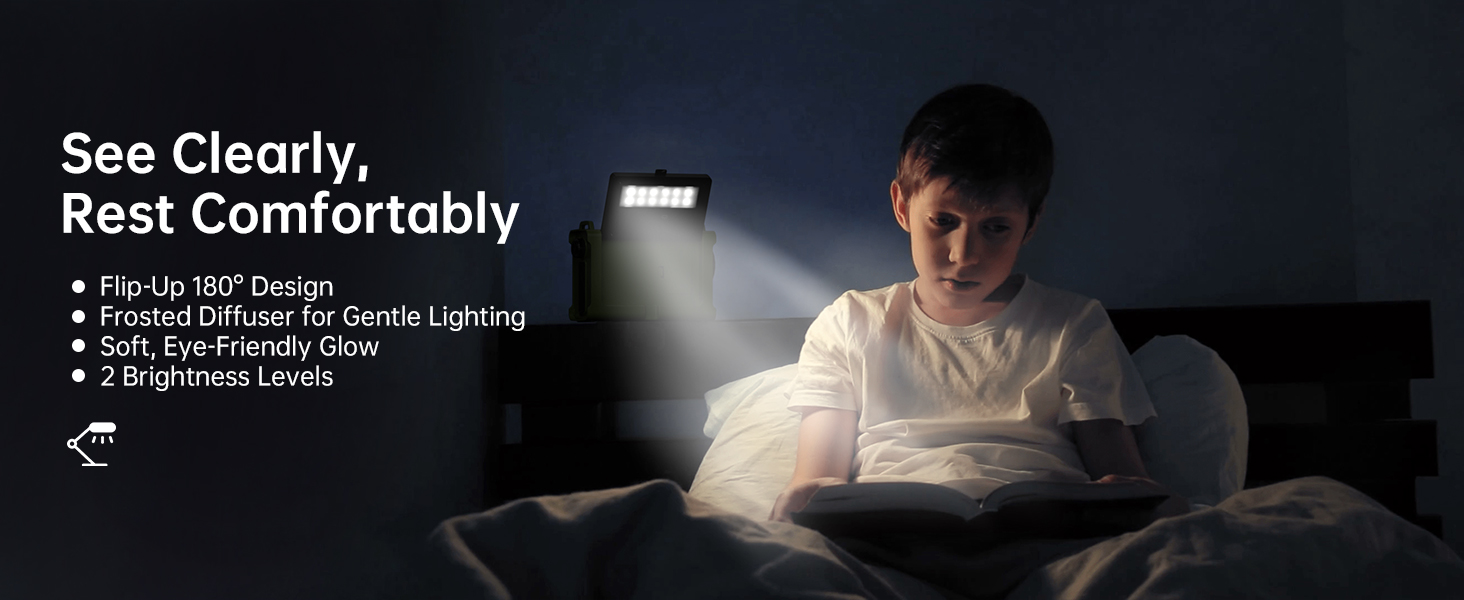
Figure 10.2: The radio's capability to charge two devices simultaneously using its USB-A and Type-C output ports, suitable for various models.
11. Maintenance
- Cleaning: Wipe the radio with a soft, damp cloth. Do not use harsh chemicals or abrasive cleaners.
- Storage: Store the radio in a cool, dry place away from direct sunlight and extreme temperatures. If storing for extended periods, ensure the battery is charged to at least 50% every 3-6 months to preserve battery life.
- Water Resistance: While the radio is IPX6 water resistant, it is not submersible. Avoid prolonged exposure to heavy rain or submersion in water. Ensure all port covers are securely closed when exposed to moisture.
- Antenna Care: Handle the telescopic antenna gently to prevent bending or breaking.

Figure 11.1: The radio demonstrating its IPX6 water resistance, suitable for use in rainy conditions but not for submersion.
12. Troubleshooting
| Problem | Possible Cause | Solution |
|---|---|---|
| Radio not turning on. | Battery is depleted. | Charge the radio using USB-C, solar, or hand crank. Ensure the power source switch is set to LI-ION or AAA if using AAA batteries. |
| Poor radio reception. | Antenna not extended; weak signal area; interference. | Fully extend the telescopic antenna. Try repositioning the radio. For NOAA, cycle through all 7 channels to find the strongest signal. |
| Hand crank is stiff or not charging. | Crank mechanism needs lubrication; internal issue. | Ensure the crank arm rotates freely. If persistent, contact customer support. |
| Flashlight/Reading light not working. | Battery depleted; light button not pressed correctly. | Charge the radio. Press the respective light button multiple times to cycle through modes. |
| Cannot charge external devices. | Radio battery too low; incorrect cable; device not compatible. | Ensure the radio's battery has sufficient charge. Use the correct charging cable for your device. Some high-power devices may not be fully supported. |
13. Specifications
| Feature | Detail |
|---|---|
| Model Number | CR1030 |
| Dimensions (L x W x H) | 6.8 x 4.7 x 2.9 inches |
| Item Weight | 1.59 pounds |
| Battery Type | 12000mAh Lithium Battery (included), 3 x AAA Batteries (not included) |
| Radio Bands Supported | NOAA Weather Band (7 channels), FM (87-108 MHz), AM (520-1710 KHz) |
| Solar Panel Size | 8500mm² Monocrystalline |
| Flashlight Beam Distance | Up to 260 feet |
| Water Resistance | IPX6 |
| Connectivity | USB-A Output, USB-C Input/Output, 3.5mm Headphone Jack |
| Manufacturer | Mesqool E-commerce Co.,Ltd |
| Country of Origin | China |
14. Safety Information
- Do not expose the radio to extreme temperatures, direct flame, or prolonged direct sunlight beyond charging needs.
- Do not disassemble or modify the radio. This will void the warranty and may cause damage or injury.
- Keep out of reach of children.
- Do not immerse the radio in water, despite its water resistance rating.
- Use only specified charging cables and power adapters.
- Dispose of batteries responsibly according to local regulations.
15. Warranty and Support
Mesqool products are designed for reliability and performance. For warranty information, technical support, or any inquiries regarding your Mesqool Emergency Radio, please visit the official Mesqool website or contact their customer service directly. Please retain your purchase receipt for warranty claims.
You can find more information and support at the Mesqool Store on Amazon.

