
Thunelec U9-2
Thunelec U9-2 Wireless Earbuds User Manual
Model: U9-2
Introduction
This manual provides comprehensive instructions for the safe and effective use of your Thunelec U9-2 Wireless Earbuds. Please read this manual thoroughly before operating the device and retain it for future reference.

Image: The Thunelec U9-2 Wireless Earbuds, showcasing the earbuds within their charging case, which features an LED display. The display shows battery levels and a "Screen Lock" interface.
Package Contents
Verify that all items are present in your package:
- U9 Wireless Earbuds (2)
- Multifunctional Touch Charging Case (1)
- Charging Cable (1)
- User Manual (1)
- Eartips (S/M/L)

Image: An overhead view of the Thunelec U9-2 product box, the user manual, the USB-C charging cable, a set of eartips, and the earbuds in their charging case, illustrating the complete package contents.
Setup
1. Initial Charging
Before first use, fully charge the earbuds and the charging case. Connect the provided charging cable to the case and a USB power source. The LED display on the case will indicate charging status.
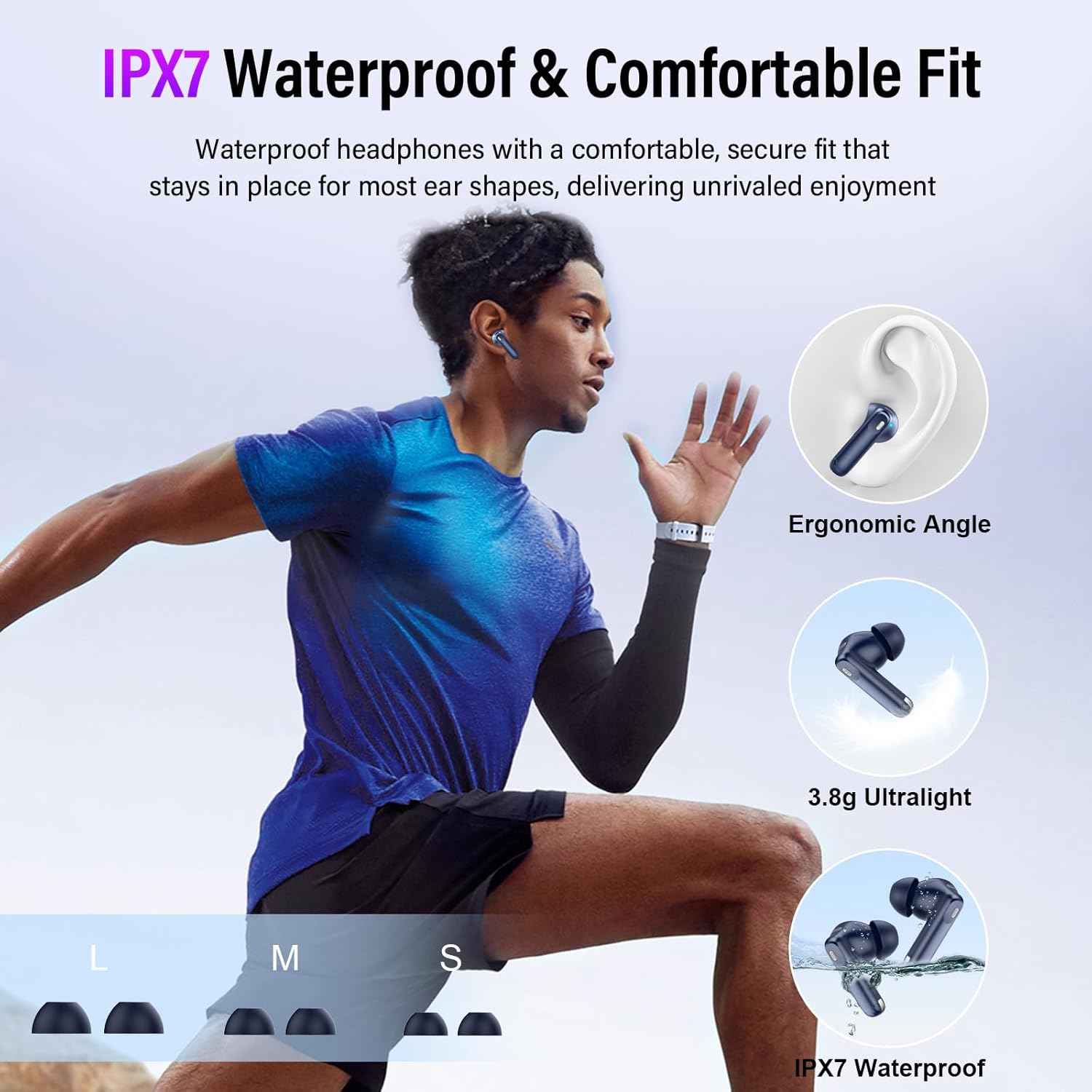
Image: The Thunelec U9-2 charging case connected via a USB-C cable, with the earbuds placed inside. Icons indicate single charge playtime (6-8 hours), charging box capacity (40 hours), and fast charging time (1.5 hours).
2. Pairing with Your Device
The U9-2 earbuds feature one-step auto pairing for convenience.
- Ensure Bluetooth is enabled on your mobile phone, tablet, or laptop.
- Open the charging case. The earbuds will automatically enter pairing mode.
- On your device, search for Bluetooth devices and select "U9" from the list.
- Once connected, the earbuds will indicate successful pairing.
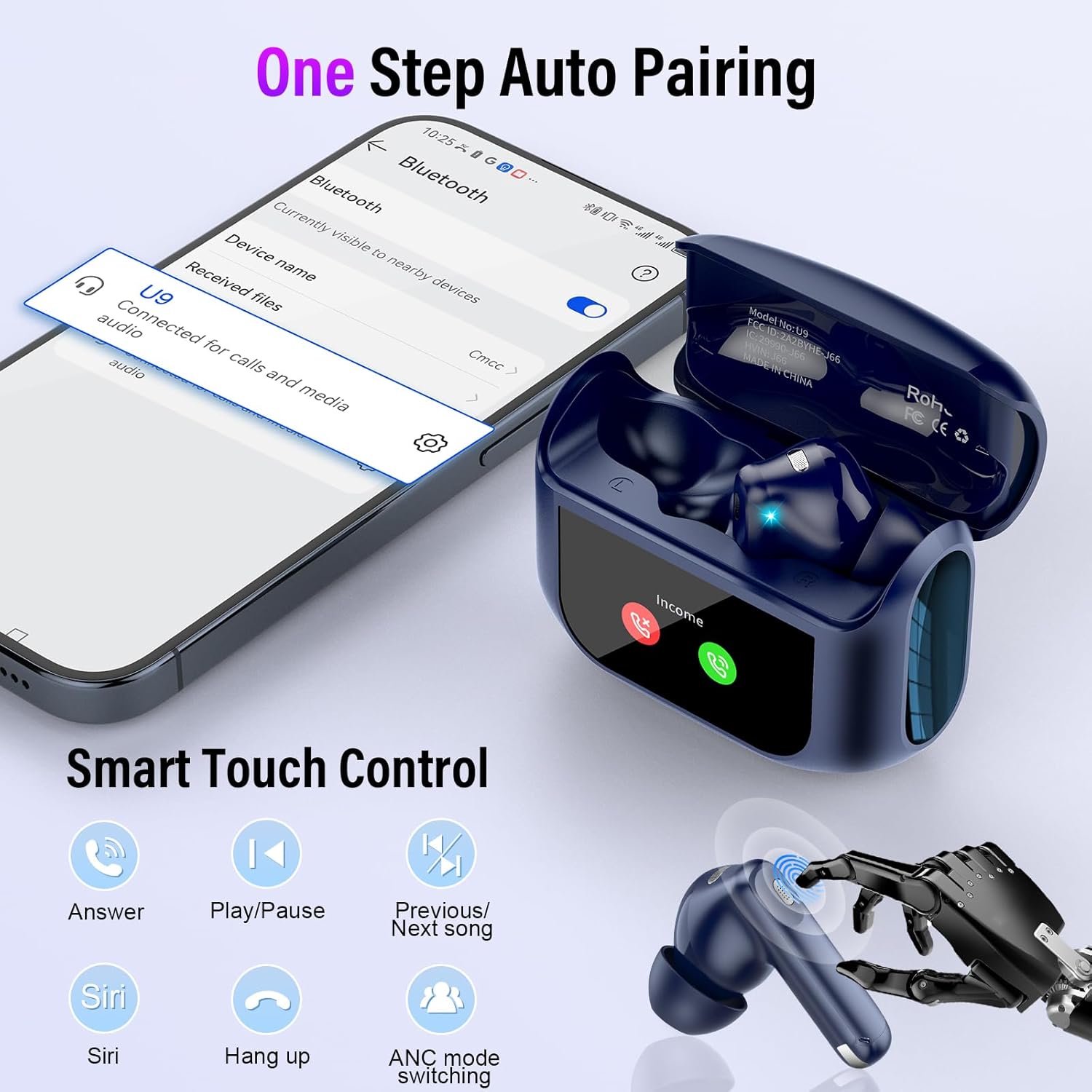
Image: A smartphone displaying its Bluetooth settings, showing "U9" as a connected device. The Thunelec U9-2 charging case is open with earbuds inside, illustrating the automatic pairing process.
The earbuds are compatible with almost all devices that support Bluetooth audio, including mobile phones, tablets, and laptops running various operating systems.

Image: Various devices including a laptop, tablet, and smartphone, alongside the Thunelec U9-2 earbuds and charging case, demonstrating wide compatibility with iOS, Android, and Windows operating systems.
Operating Instructions
Smart Touch Control
The U9-2 earbuds feature intuitive touch controls on each earbud. Refer to the table below for common functions:
| Action | Function |
|---|---|
| Click 1 time (Either Earbud) | Answer Call |
| Click 2 times (Either Earbud) | Play/Pause Music |
| Long press L/R 2s | Previous/Next Song |
| Click 3 times (Either Earbud) | ANC Mode Switching |
| Click 3 times (Either Earbud) | Activate Voice Assistant (Siri) |
| Long press (Either Earbud) | Hang Up Calls or Reject Calls |
Note: Volume control can only be operated on the charging case screen or your mobile device.

Image: A diagram illustrating the various touch control gestures on the Thunelec U9-2 earbuds, including single, double, triple clicks, and long presses for functions like answering calls, playing music, skipping tracks, and activating ANC mode or voice assistant.
ANC & ENC Noise Cancellation
The U9-2 earbuds feature advanced Active Noise Cancellation (ANC) and Environmental Noise Cancellation (ENC) technology. ANC reduces ambient noise by up to 45dB, creating a quieter listening experience. ENC ensures clear call quality by minimizing background noise during conversations.
You can switch between different noise control modes using the touch controls or the charging case screen:
- Normal Mode: Standard audio playback without noise cancellation.
- Noise Cancellation Mode: Activates ANC to reduce external noise.
- Transparent Mode: Allows you to hear your surroundings while listening to audio, enhancing awareness.
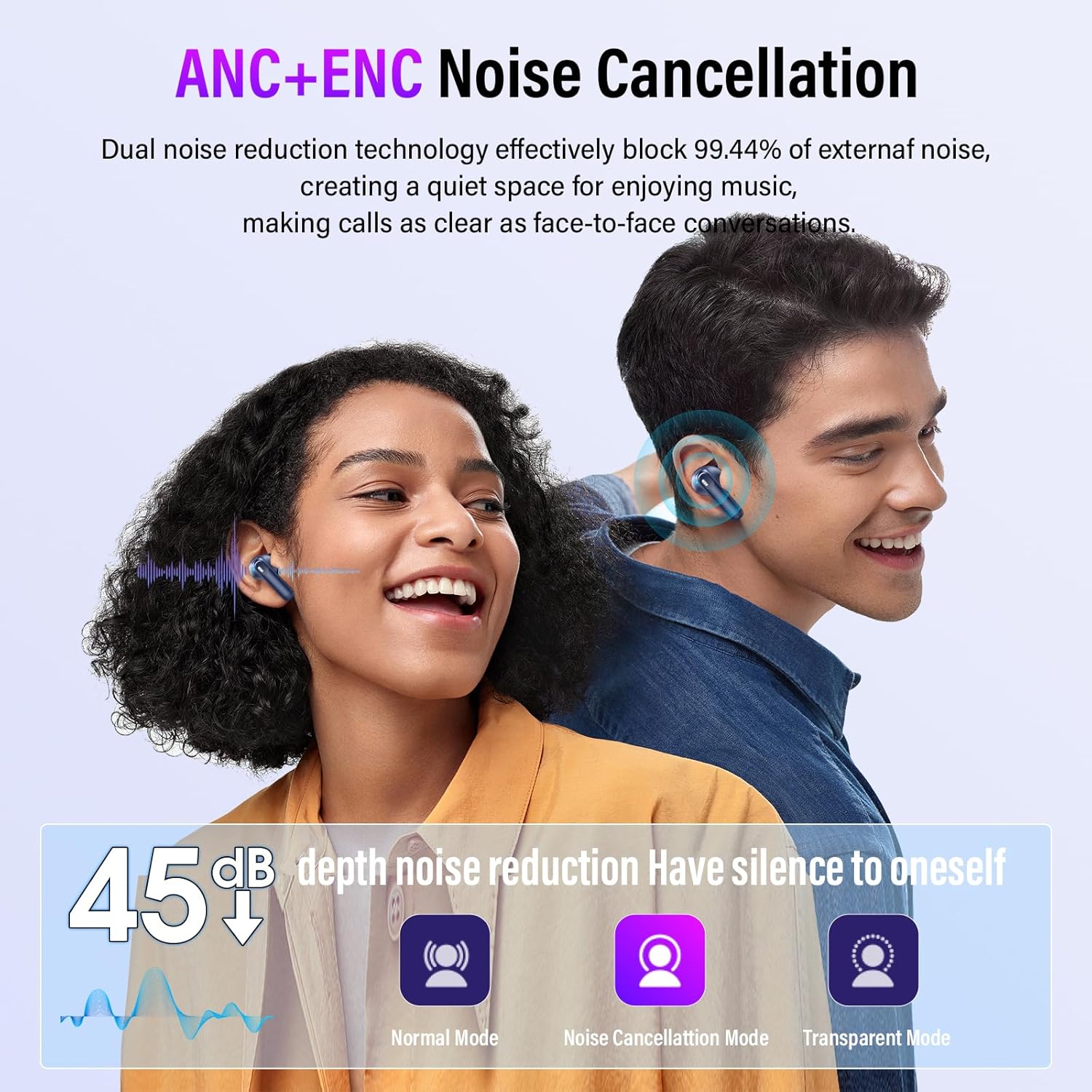
Image: Two individuals wearing Thunelec U9-2 earbuds, illustrating the effectiveness of ANC and ENC. Below them are icons representing Normal Mode, Noise Cancellation Mode, and Transparent Mode, with a graphic showing 45dB depth noise reduction.

Image: A split image showing a woman with earbuds experiencing noise reduction, a cyclist using transparent mode to be aware of surroundings, and the earbuds with a waveform graphic representing 3D Spatial Audio.
LED Full-Color Touch Screen
The charging case features an interactive full-color touch screen, providing access to various settings and functions without needing your phone.

Image: The Thunelec U9-2 charging case with its LED full-color touch screen, displaying various interface options such as "Find My Earphone" (Left/Right), time and date settings, "Screen Lock," and "Play Music."

Image: A comprehensive display of the Thunelec U9-2 charging case's intelligent touch screen functions, showing various icons and menus for noise cancellation mode, incoming calls, music playback, volume control, timer, repeat settings, light level, language selection, screen lock, and earphone location.
3D Spatial Audio and Music Modes
Experience immersive listening with 3D Spatial Audio. The earbuds also offer built-in music modes to optimize your audio experience for different genres:
- Normal
- Jazz
- Rock
- Pop
- Classics

Image: Two Thunelec U9-2 charging cases floating, displaying "Pop" and "Normal" music modes on their screens. Below, icons represent the five built-in music modes: Normal, Jazz, Rock, Pop, and Classics, highlighting the 3D Spatial Audio feature.
Maintenance
Cleaning
Regular cleaning helps maintain optimal performance and hygiene. Use a soft, dry, lint-free cloth to wipe the earbuds and charging case. For stubborn dirt, slightly dampen the cloth with water. Do not use abrasive cleaners or solvents.
Remove eartips and clean them separately with mild soap and water, then rinse and dry thoroughly before reattaching.
Battery Care
To prolong battery life, avoid fully discharging the earbuds and case frequently. Store them in a cool, dry place when not in use. Charge the device regularly, even if not used for extended periods.
Water Resistance (IPX7)
The Thunelec U9-2 earbuds are rated IPX7 waterproof, meaning they can withstand immersion in water up to 1 meter for 30 minutes. This makes them suitable for workouts and light rain. However, they are not designed for swimming or prolonged submersion. Ensure the earbuds are dry before placing them back in the charging case to prevent damage.

Image: A person running while wearing Thunelec U9-2 earbuds, demonstrating their secure and comfortable fit during physical activity. Insets highlight features like ergonomic angle, ultralight weight (3.8g), and IPX7 waterproof rating, along with different eartip sizes (L, M, S).

Image: A woman performing squats outdoors, wearing Thunelec U9-2 earbuds, with "IPX7 waterproof" text overlaid, emphasizing the earbuds' water resistance for active use.
Troubleshooting
If you encounter issues with your Thunelec U9-2 Wireless Earbuds, refer to the following common solutions:
| Problem | Possible Cause | Solution |
|---|---|---|
| Earbuds not pairing | Bluetooth off, earbuds not in pairing mode, interference | Ensure Bluetooth is on. Place earbuds in case, close, then open to re-enter pairing mode. Move closer to device. Forget "U9" on device and re-pair. |
| No sound from one earbud | Low battery, earbud not connected, individual earbud issue | Check battery level. Place both earbuds in case, close, then open. Try re-pairing. |
| Charging case not charging | Faulty cable, power source issue | Try a different USB-C cable and power adapter. Ensure connections are secure. |
| Touch controls unresponsive | Dirty sensor, temporary glitch | Clean the touch sensor area on the earbuds. Place earbuds in case, close, then open to reset. |
| Poor sound quality | Improper fit, low battery, interference | Adjust earbud fit and try different eartip sizes. Charge earbuds. Move away from sources of interference. |
Specifications
| Feature | Detail |
|---|---|
| Model Name | U9-2 |
| Connectivity Technology | Wireless (Bluetooth) |
| Bluetooth Version | 5.4 |
| Noise Control | Active Noise Cancellation, Passive Noise Cancellation, Sound Isolation |
| Control Type | Touch Control |
| Earpiece Shape | In-ear |
| Water Resistance Level | IPX7 Waterproof |
| Frequency Range | 50Hz - 5kHz |
| Audio Driver Type | Dynamic Driver |
| Single Charge Playtime | 6-8 hours |
| Total Playtime (with case) | Up to 48 hours |
| Charging Time | Approx. 1.5 hours (fast charging) |
| Item Weight | 3.2 ounces |
| Color | Blue |
| Manufacturer | Thunelec |

Image: An exploded diagram of a Thunelec U9-2 earbud, highlighting internal components such as the speaker driver, 14.2mm drivers, and composite dynamic coil horn, illustrating the design for superior Hi-Fi stereo sound quality. Also shows icons for 14.2MM Drivers, Crystal Clear Calls, and Bluetooth 5.4.
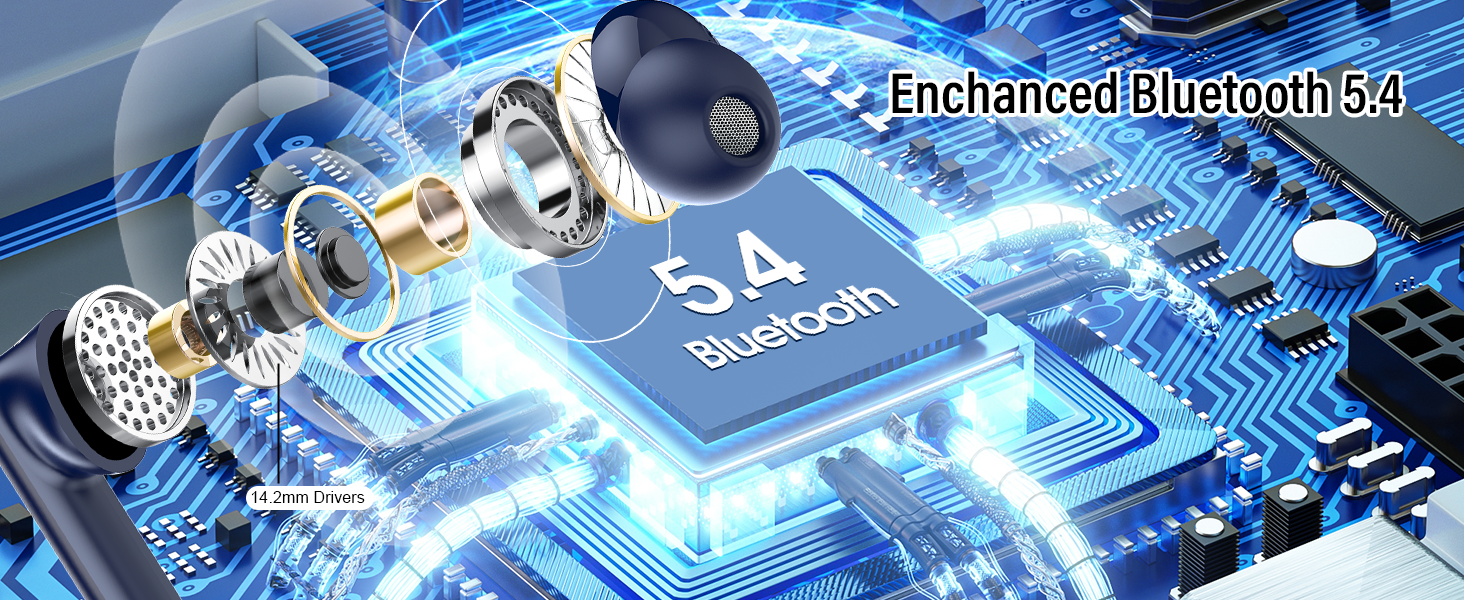
Image: A close-up, schematic view of an earbud's internal circuitry, emphasizing the "Bluetooth 5.4" chip and "14.2mm Drivers," illustrating the enhanced Bluetooth technology.
Warranty and Support
For warranty information or technical support, please visit the official Thunelec store or contact their customer service through the platform where you purchased the product.
You can find more information and contact details at the Thunelec Store on Amazon.
Safety Information
- Do not expose earbuds to extreme temperatures or humidity.
- Avoid dropping or subjecting the earbuds to strong impacts.
- Do not disassemble or attempt to repair the earbuds or charging case.
- Use only the provided charging cable or a certified equivalent.
- Prolonged exposure to loud sounds can cause hearing damage. Adjust volume to a safe level.
- Be aware of your surroundings when using earbuds, especially in traffic or hazardous environments.
Ask a question about this manual
Ask about setup, troubleshooting, compatibility, parts, safety, or missing instructions. Manuals+ will review the question and use this page’s manual context to help answer it.