1. Introduction
Thank you for purchasing the IRRADIO IR-M5 Classic Portable Speaker. This manual provides essential information for the safe and efficient operation of your device. Please read it thoroughly before use and keep it for future reference.
2. Safety Information
- Do not expose the speaker to extreme temperatures or direct sunlight for prolonged periods.
- Avoid dropping or subjecting the speaker to strong impacts.
- Do not disassemble, repair, or modify the device yourself. Refer to qualified service personnel.
- Keep the speaker away from medical devices, as it contains magnets.
- Ensure the charging port is dry before connecting the charging cable.
- This device is IPX7 water-resistant, meaning it can be submerged in up to 1 meter of water for 30 minutes. Do not intentionally submerge it for longer periods or deeper than specified.
3. Package Contents
Please check the package for the following items:
- IRRADIO IR-M5 Classic Portable Speaker
- USB Charging Cable
- User Manual
4. Product Overview
Familiarize yourself with the speaker's components and controls.

Figure 4.1: Front view of the IRRADIO IR-M5 Classic speaker, showing the speaker grille, IRRADIO logo, and RGB LED light bar.
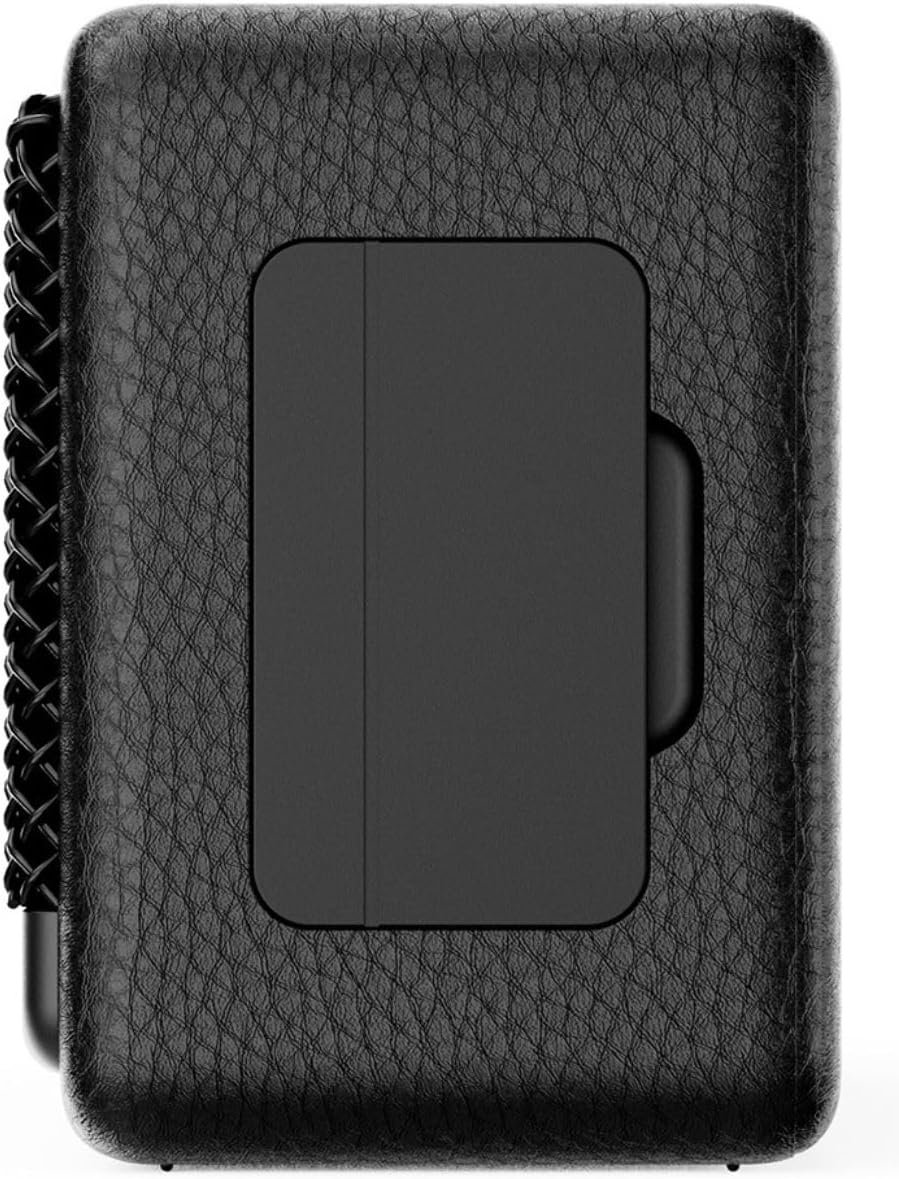
Figure 4.2: Back view of the IRRADIO IR-M5 Classic speaker, highlighting the passive subwoofer panel.

Figure 4.3: Side view of the IRRADIO IR-M5 Classic speaker, showing the integrated strap for portability.
Controls and Ports:
- Power Button: Press and hold to turn on/off.
- Volume Up/Next Track: Short press for volume up, long press for next track.
- Volume Down/Previous Track: Short press for volume down, long press for previous track.
- Play/Pause/Call Button: Press to play/pause music or answer/end calls.
- Mode Button (M): Press to switch between Bluetooth and USB playback modes.
- RGB LED Button: Press to cycle through RGB lighting modes or turn off the lights.
- USB-C Charging Port: For charging the speaker.
- USB-A Port: For external USB music playback.
- AUX Input (3.5mm Mini Jack): For wired audio connection.
5. Setup
5.1 Charging the Speaker
Before first use, fully charge the speaker. Connect the provided USB charging cable to the USB-C port on the speaker and the other end to a compatible USB power adapter (not included).
- The LED indicator will show charging status.
- A full charge takes approximately 3.5 hours.
5.2 Power On/Off
- To power on, press and hold the Power button until you hear an audible prompt.
- To power off, press and hold the Power button again until the speaker shuts down.
5.3 Bluetooth Pairing
- Turn on the speaker. It will automatically enter Bluetooth pairing mode, indicated by a flashing LED.
- On your device (smartphone, tablet, laptop), enable Bluetooth and search for available devices.
- Select "IR-M5 Classic" from the list of devices.
- Once paired, the LED indicator will stop flashing and remain solid. You are now ready to play music.
6. Operating Instructions
6.1 Music Playback
- Bluetooth Mode: After successful pairing, play music from your connected device.
- USB Playback: Insert a USB drive with MP3/WAV files into the USB-A port. The speaker will automatically switch to USB mode and begin playback. Use the Mode button to switch if necessary.
- AUX Mode: Connect an audio device using a 3.5mm AUX cable to the AUX input. The speaker will automatically switch to AUX mode.
6.2 Volume Control
- Press the Volume Up (+) button to increase volume.
- Press the Volume Down (-) button to decrease volume.
6.3 Track Navigation
- Long press the Volume Up (+) button for the next track.
- Long press the Volume Down (-) button for the previous track.
6.4 True Wireless Stereo (TWS) Function
To pair two IR-M5 Classic speakers for a stereo experience:
- Ensure both speakers are powered on and not connected to any Bluetooth device.
- On one speaker, double-press the Play/Pause button. It will enter TWS pairing mode.
- The speakers will automatically connect to each other. You will hear a confirmation sound.
- Once TWS paired, connect your device to one of the speakers via Bluetooth as described in section 5.3. Both speakers will now play in stereo.
6.5 RGB LED Lighting
Press the RGB LED button to cycle through different lighting modes or to turn the lights off.
7. Maintenance
- Clean the speaker with a soft, dry cloth. Do not use abrasive cleaners or solvents.
- Store the speaker in a cool, dry place when not in use.
- If the speaker will not be used for an extended period, charge it every 3 months to maintain battery health.
8. Troubleshooting
| Problem | Possible Cause | Solution |
|---|---|---|
| Speaker does not turn on. | Low battery. | Charge the speaker fully. |
| Cannot pair via Bluetooth. | Speaker is not in pairing mode or already connected to another device. | Ensure speaker is in pairing mode. Disconnect from other devices. Restart speaker and device. |
| No sound. | Volume too low; incorrect input mode; device not playing. | Increase volume. Check input mode (Bluetooth/USB/AUX). Ensure source device is playing. |
| TWS pairing fails. | Speakers are already connected to a device or each other. | Ensure both speakers are disconnected from all devices before initiating TWS pairing. |
9. Specifications
| Feature | Detail |
|---|---|
| Model Name | IR-M5 Classic |
| Brand | IRRADIO |
| Output Power | 20W (Rated), 28W (Music) |
| Drivers | 2 x 50mm Full-Range, 1 x Passive Subwoofer |
| Frequency Response | 85Hz - 20kHz |
| Bluetooth Version | 5.4 |
| Wireless Range | Up to 10 meters (unobstructed) |
| Battery Capacity | 2000mAh (3.7V, 7.4 Wh) |
| Playback Time | Approx. 8 hours (at 50% volume) |
| Charging Time | Approx. 3.5 hours |
| Water Resistance | IPX7 |
| Dimensions (L x W x H) | 17.4 x 8 x 5.3 cm (6.8 x 3.15 x 2.1 inches) |
| Weight | 506 grams (0.506 kg) |
| Supported Audio Formats | MP3, WAV |
10. Warranty and Support
This product comes with a standard manufacturer's warranty. For detailed warranty terms and conditions, please refer to the warranty card included in your package or contact your local distributor. For technical support or service inquiries, please visit the official IRRADIO website or contact their customer service.
Note: Product specifications and design are subject to change without notice for improvement.


