
JAGJOG JT31-1
JAGJOG Walking Pad Treadmill with Incline User Manual
Model: JT31-1
Introduction
Welcome to your new JAGJOG Walking Pad Treadmill with Incline. This manual provides essential information for the safe and efficient operation, maintenance, and troubleshooting of your treadmill. Please read it thoroughly before initial use and retain it for future reference.
Safety Information
To ensure safe operation, please observe the following precautions:
- Read all instructions carefully before using the treadmill.
- Keep children and pets away from the treadmill during operation.
- Place the treadmill on a flat, stable surface with adequate clearance around it.
- Do not use the treadmill if it is damaged or malfunctioning.
- Consult a physician before starting any new exercise program.
- The maximum user weight for this treadmill is 265 lbs (120 kg).
- Unplug the treadmill from the power outlet when not in use or before performing any cleaning or maintenance.
- Wear appropriate athletic footwear during use.
Package Contents
Please verify that all the following components are present in your package:
- Treadmill (Fully Assembled) x1
- Silicone Oil x1
- User Manual x1
- L-shaped wrench with Cross Screwdriver x1
- Remote Control (with Built-in Battery) x1
- Battery x1 (for remote, if not pre-installed)
- Front Foot Cushion x2

Image: Contents of the JAGJOG Walking Pad Treadmill package.
Product Features
- 15° Manual Incline Adjustment: This feature allows for a realistic climbing experience, which can boost calorie burning and enhance workout intensity. Simply deploy the front support feet to engage the incline.
- Automatic Belt Centering: The treadmill is equipped with an automatic self-adjusting function that ensures the running belt remains perfectly aligned, preventing deviations during use.
- Spacious Running Surface: A 40” x 15.3” rubber running surface provides ample space for walking or jogging, designed with anti-slip and shock-absorbing properties for comfort and stability.
- 4-in-1 Versatile Modes: Offers four distinct modes to suit various fitness needs:
- Working Mode: 0.6-1.5 mph, ideal for use under a standing desk.
- Walking Mode: 0.6-1.8 mph, suitable for casual walking.
- Jogging Mode: 2.5-3.8 mph, for more intense cardio workouts.
- Climbing Mode: Utilizes the 15° manual incline for an uphill simulation.
- Powerful & Quiet 2.5 HP Motor: Equipped with a robust 2.5 horsepower motor that operates quietly (below 45 dB), making it suitable for home and office environments without causing disturbance.
- Deep Shock Absorption: Features 8 silicone shock-absorbers and a 5-layer non-slip running belt designed to reduce impact on joints, providing a comfortable workout experience.
- Remote Control & LED Display: An intuitive LED display tracks time, distance, speed, and calories. The included remote control allows for easy adjustment of speed and other settings.
- Compact & Portable Design: Weighing 37.5 lbs and equipped with wheels, this treadmill is designed for easy movement and storage, fitting conveniently under beds, sofas, or in corners.

Image: Illustration of the 15-degree manual incline feature.
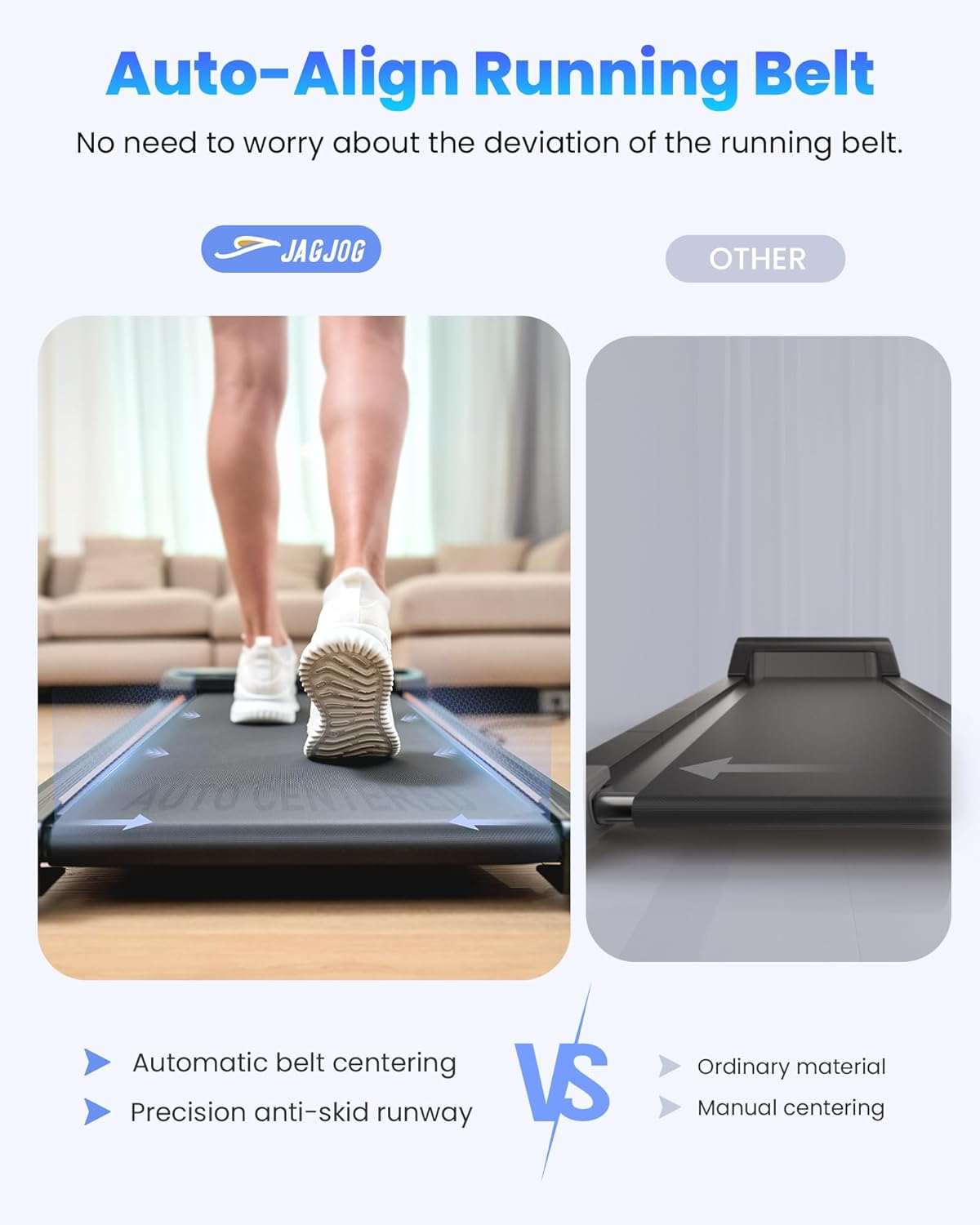
Image: Automatic belt centering mechanism.

Image: Overview of the 4-in-1 operating modes.

Image: The 2.5 HP quiet motor design.

Image: Deep shock absorption system for joint protection.

Image: Remote control and LED display in use.

Image: JAGJOG Walking Pad Treadmill in a home setting.
Setup
Unpacking
Carefully remove the treadmill and all accessories from the packaging. Place the treadmill on a flat, stable surface, ensuring there is sufficient space around it for safe operation.
Incline Adjustment
To activate the 15° manual incline, locate the adjustable feet at the front of the treadmill. Kick open these incline adjustment feet and ensure the middle foot cushions are firmly positioned on the ground for stability.

Image: Adjusting the manual incline.
Power Connection
Connect the power cord securely to the treadmill's power input, then plug the other end into a grounded electrical outlet.
Operating Instructions
Remote Control
The treadmill is primarily operated using the included remote control. Ensure the battery is correctly installed before use.
- Power Button: Press to turn the treadmill on or off.
- Start/Stop Button: Press to begin or pause the running belt.
- Speed Adjustment Buttons (+/-): Use these buttons to increase or decrease the speed of the running belt.
LED Display
The integrated LED display provides real-time feedback on your workout:
- Time: Displays the duration of your current workout session.
- Distance: Shows the total distance covered during your workout.
- Speed: Indicates the current speed of the running belt in miles per hour (mph).
- Calories: Provides an estimated number of calories burned.

Image: LED display showing workout data.
Operating Modes
Select the desired mode using the remote control:
- Working Mode: Speed range 0.6-1.5 mph. Designed for light activity while working, such as under a standing desk.
- Walking Mode: Speed range 0.6-1.8 mph. Suitable for a relaxed pace or warm-up.
- Jogging Mode: Speed range 2.5-3.8 mph. For moderate intensity cardiovascular exercise.
- Climbing Mode: Engage the 15° manual incline for an uphill walking or jogging experience.
Maintenance
Cleaning
Regularly wipe down the treadmill's surfaces with a damp cloth. Avoid using abrasive cleaners or solvents, as these can damage the finish.
Lubrication
To ensure smooth operation and extend the life of the running belt, apply silicone oil every 3-6 months, or after approximately 100 hours of use. Refer to the instructions provided with the silicone oil for proper application technique.
Belt Alignment
The treadmill features an automatic belt centering function to maintain proper alignment. If you observe persistent belt misalignment, refer to the troubleshooting section or contact customer support for assistance.

Image: Automatic running belt alignment.
Troubleshooting
| Problem | Possible Cause | Solution |
|---|---|---|
| Treadmill does not start | Power cord not connected; Power switch off; Remote control battery low | Check power connection; Turn on power switch; Replace remote control battery |
| Running belt slips or stops | Belt too loose; Insufficient lubrication; Overload | Tighten belt (consult customer support if unsure); Apply silicone oil; Ensure user weight is within limits |
| Unusual noise during operation | Loose parts; Motor issue; Belt friction | Check for and tighten any loose screws; Apply silicone oil; If noise persists, contact customer support |
| Inaccurate display readings | Sensor issue; Electronic malfunction | Restart treadmill; If issue persists, contact customer support |
Specifications
- Brand: JAGJOG
- Model Name: JT31-1
- Color: Black
- Product Dimensions (LxWxH): 41.7" x 19" x 4.2"
- Item Weight: 37.5 Pounds
- Material: Alloy Steel
- Maximum Speed: 3.8 Miles per Hour
- Maximum Horsepower: 2.5 HP
- Maximum Incline Percentage: 15° (Manual)
- Maximum Weight Recommendation: 265 Pounds
- Display Type: LED
- Power Source: Corded Electric
- Connectivity Technology: Power cord
- Included Components: User Manual, Remote Control, Lubricant, Tool Kit
- Metrics Measured: Calories Burned, Distance, Speed, Time
Warranty and Support
The JAGJOG Walking Pad Treadmill (Model JT31-1) includes a 12-month warranty from the date of purchase. This warranty covers manufacturing defects and material flaws under normal use conditions.
For warranty claims, technical assistance, or any questions regarding your product, please refer to the contact information provided in the included User Manual or visit the official JAGJOG website for support.
Ask a question about this manual
Ask about setup, troubleshooting, compatibility, parts, safety, or missing instructions. Manuals+ will review the question and use this page’s manual context to help answer it.