
1. Introduction and Overview
The RANVOO AICE 3 is an advanced AI-powered neck air conditioner designed to provide personal cooling and heating. It features ICEMAX technology for rapid temperature adjustment, a 7000mAh battery for extended use, and integrated health monitoring capabilities. This manual provides essential information for the safe and effective operation of your device.
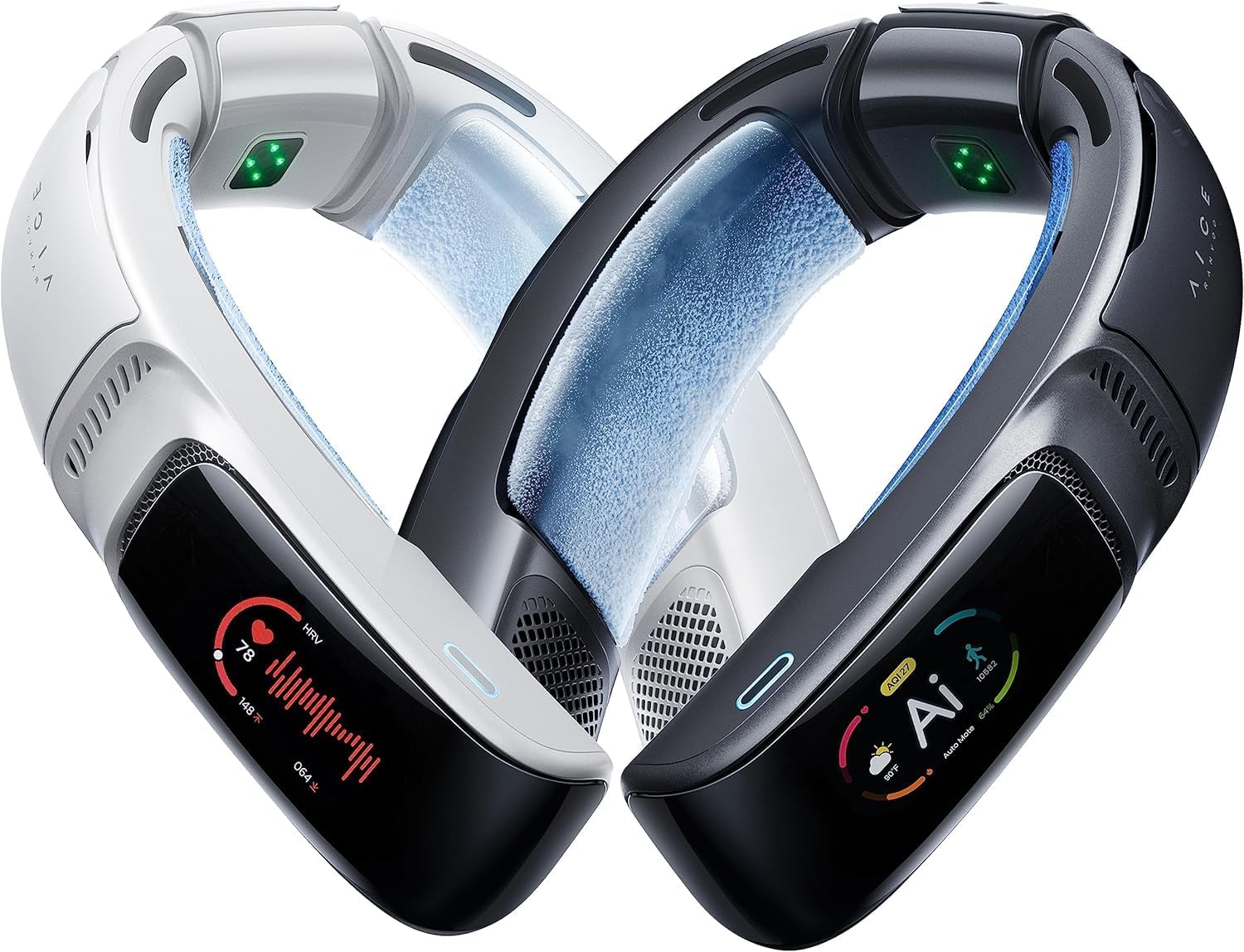
Image 1.1: The RANVOO AICE 3 AI Neck Air Conditioner, showcasing its ergonomic design and display.
2. Safety Information
Please read all safety instructions before using the device to prevent injury or damage. Keep this manual for future reference.
- Do not expose the device to extreme temperatures, direct sunlight, or high humidity.
- Avoid dropping or subjecting the device to strong impacts.
- Keep out of reach of children and pets.
- Do not attempt to disassemble, repair, or modify the device yourself. Contact customer support for assistance.
- Use only the provided charging cable and a compatible power adapter.
- If the device exhibits unusual behavior, emits smoke, or becomes excessively hot, discontinue use immediately and contact support.
- Consult a medical professional before use if you have any pre-existing medical conditions, especially related to temperature sensitivity or skin conditions.
3. Package Contents
Verify that all items are present in your product package:
- RANVOO AICE 3 Device x1
- Desktop Stand x1 (Note: This model is listed as '[No Stand Version]' in the product title, but the 'What's in the Box' image indicates a stand. Please verify your specific package contents.)
- Power Cable (USB-A&C to C) x1
- Carry Bag x1
- Brand Brochure x1
- Quick Guide x1
- Safety Guide x1

Image 3.1: Illustration of the items included in the RANVOO AICE 3 product box.
4. Product Overview
The AICE 3 features a wearable design with integrated cooling/heating elements and air ducts. Key components include:
- Cooling/Heating Plates: Located on the inner side of the neckband, these plates utilize ICEMAX technology for direct temperature transfer.
- Air Ducts: Multiple air ducts distribute cooled or heated air around the neck and body.
- Touch Screen Display: A 1.9-inch touch screen provides real-time information and allows for direct control of settings.
- Control Buttons: Physical buttons for power and basic mode adjustments.
- Sensors: Integrated sensors for vital signs and ambient temperature monitoring.
- Charging Port: USB-C port for charging the device.
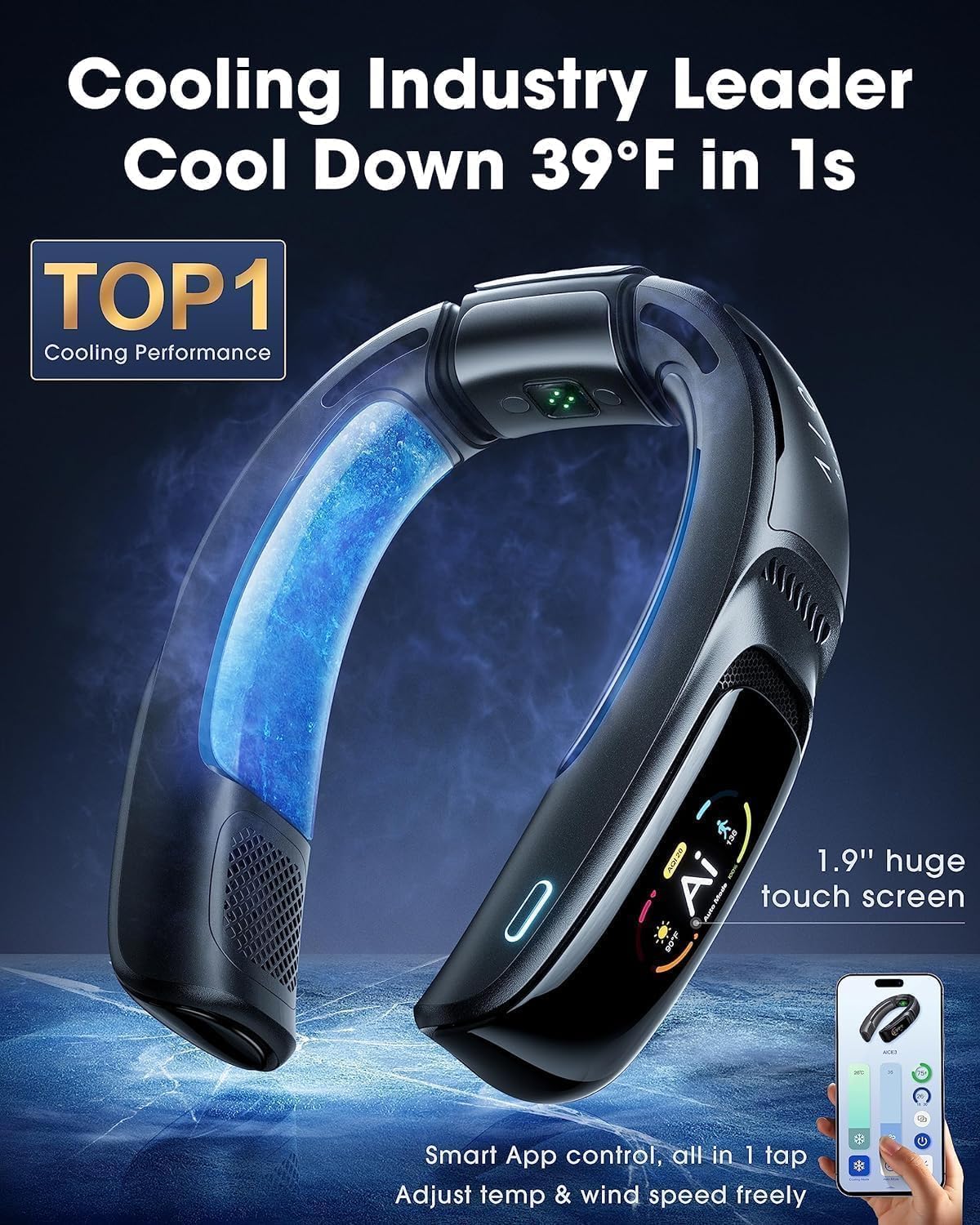
Image 4.1: Detailed view of the AICE 3's touch screen and cooling elements.
5. Setup
5.1 Initial Charge
Before first use, fully charge your AICE 3 device. Connect the provided USB-C cable to the charging port on the device and the other end to a compatible USB power adapter (not included). The device supports 22W fast charging. The display will indicate charging status.
5.2 App Installation and Pairing
For full control and access to advanced features, download the official RANVOO app. Scan the QR code provided in the Quick Guide or search for 'RANVOO' in your device's app store. Once installed:
- Ensure Bluetooth is enabled on your smartphone.
- Power on the AICE 3 device.
- Open the RANVOO app and follow the on-screen instructions to pair your device.

Image 5.1: Using the RANVOO smartphone app to control the AICE 3 device.
6. Operating Instructions
6.1 Power On/Off
Press and hold the power button (location specified in Quick Guide) for a few seconds to turn the device on or off. The display will illuminate upon power-on.
6.2 Basic Mode Selection (Cooling/Heating)
The AICE 3 offers cooling and heating functions. You can switch between modes using the physical buttons or the touch screen. For precise control, use the RANVOO app.
- Cooling Mode: Activates the ICEMAX engines and fans to provide a cooling sensation.
- Heating Mode: Activates heating elements to provide warmth.

Image 6.1: The AICE 3 providing cooling in an outdoor setting.
6.3 AI Mode
The AI Mode automatically adjusts cooling or heating based on your vital signs and ambient temperature. The device uses 6 vital sign sensors and ambient temperature sensors to respond to slight changes, aiming to maintain optimal comfort. This mode is ideal for dynamic environments where manual adjustments would be frequent.
6.4 App Control
The RANVOO app provides comprehensive control over your AICE 3 device. Through the app, you can:
- Adjust cooling/heating intensity and fan speed.
- Select different operating modes (Cooling, Heating, AI, Silent, Battery First).
- Monitor health data.
- Perform firmware upgrades (OTA).

Image 6.2: The RANVOO app interface for adjusting temperature and wind speed.
6.5 Music Playback and Call Functions
The AICE 3 supports music playback and call functions. Connect the device to your smartphone via Bluetooth. You can manage music playback (play/pause, skip tracks) and answer/end calls directly through the device's controls or the connected app. This allows for audio enjoyment and communication without the need for separate headphones.
6.6 Health Monitoring
The AICE 3 includes sensors for health monitoring, providing data such as:
- Heart Rate (HR) Monitor
- Blood Oxygen Saturation (SpO2) Monitor
- Body Temperature
- Workout Data (Steps, Distance, Calories)
This data is displayed on the device's screen and can be viewed in detail within the RANVOO app. The health monitoring features contribute to the AI mode's ability to auto-adjust temperature for your comfort and protection.
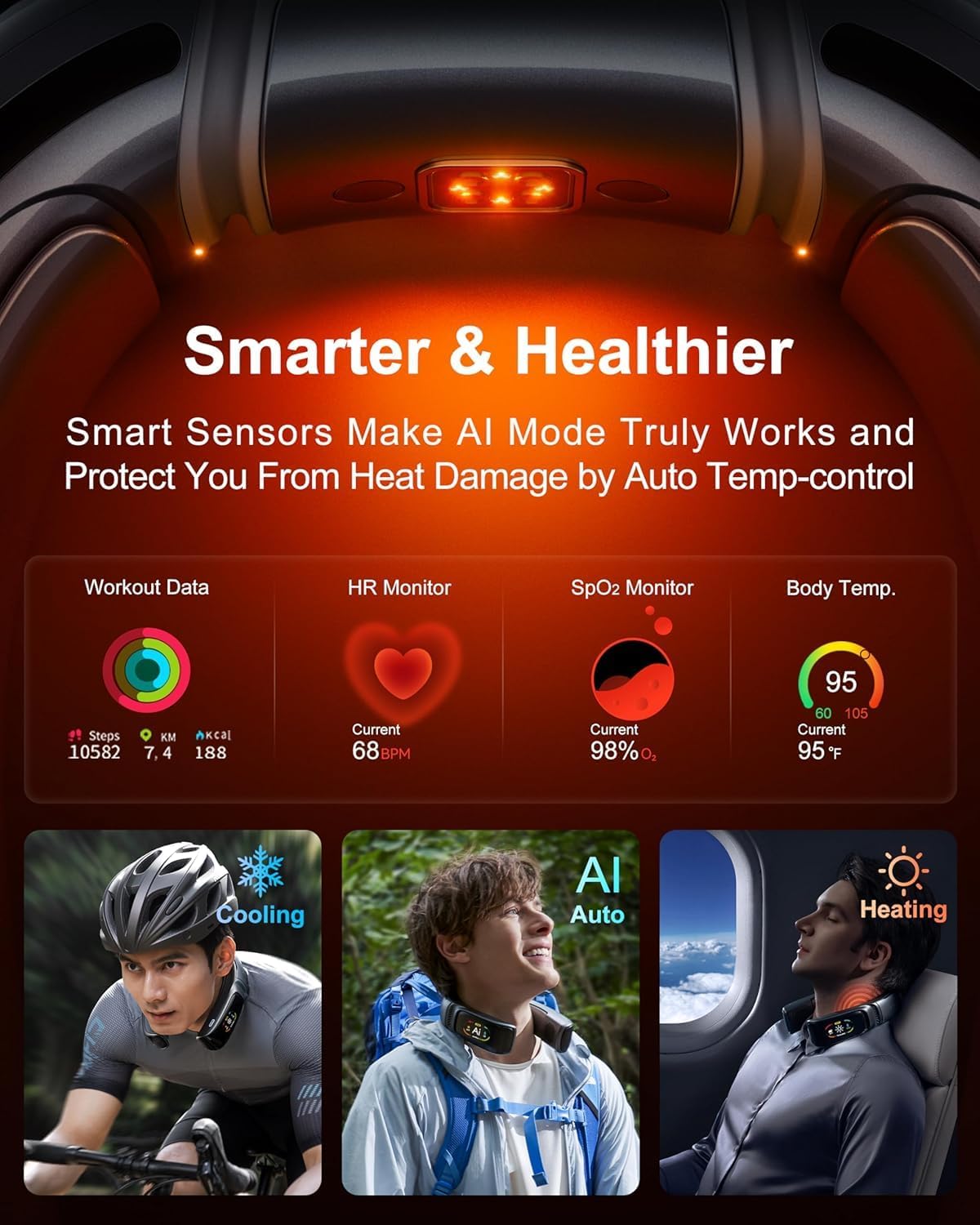
Image 6.3: Health monitoring data displayed on the AICE 3 screen.
7. Charging
The AICE 3 is equipped with a 7000mAh curved battery, providing up to 30 hours of use depending on the mode and intensity. To charge the device:
- Connect the USB-C charging cable to the device's charging port.
- Connect the other end of the cable to a 22W compatible USB power source.
- The device can be used while charging.
- A full charge typically takes approximately 2-3 hours with a 22W charger.

Image 7.1: Battery capacity and charging information on the AICE 3 display.
8. Maintenance
Proper maintenance ensures the longevity and optimal performance of your AICE 3 device.
- Cleaning: Wipe the device with a soft, dry, or slightly damp cloth. Do not use abrasive cleaners, solvents, or immerse the device in water.
- Storage: Store the device in a cool, dry place away from direct sunlight and extreme temperatures when not in use. Use the provided carry bag for protection.
- Sensor Care: Keep the health monitoring sensors clean and free from debris for accurate readings.
9. Troubleshooting
If you encounter issues with your RANVOO AICE 3, refer to the following common solutions:
| Problem | Possible Cause | Solution |
|---|---|---|
| Device does not power on | Low battery; Device malfunction | Charge the device fully; Contact customer support if issue persists. |
| No cooling/heating effect | Incorrect mode selected; Low battery; Device malfunction | Verify mode settings; Charge the device; Contact customer support. |
| App cannot connect to device | Bluetooth off; Incorrect app version; Device not in pairing mode | Ensure Bluetooth is on; Download the official RANVOO app; Restart device and app; Re-pair device. |
| Inaccurate health readings | Sensors obstructed or dirty; Improper fit | Clean sensors; Adjust device for a snug fit on the neck. |
If these solutions do not resolve the issue, please contact RANVOO customer support.
10. Specifications
| Feature | Detail |
|---|---|
| Brand | RANVOO |
| Model Name | AICE 3 (FG7 2025) |
| Color | Space Black (as per current product) |
| Electric Fan Design | Wearable Fan |
| Power Source | Battery Powered |
| Battery Capacity | 7000mAh (2 x 9V batteries included) |
| Wattage | 22 watts |
| Product Dimensions | 8.4"D x 7.14"W x 2.62"H |
| Item Weight | 2.9 pounds (1.32 Kilograms) |
| Special Feature | App Operable, AI Mode, Health Monitor |
| Control Method | App, Touch |
| Indoor/Outdoor Usage | Indoor, Outdoor |
11. Warranty and Support
RANVOO provides a 365-day warranty for the AICE 3 device. This warranty covers manufacturing defects and ensures a free replacement if issues arise, with no repairs needed. For any problems or inquiries, please contact the professional 7x12 hours support team.
- Warranty Period: 365 Days
- Support Availability: 7 days a week, 12 hours a day
- Email Support: support@ranvoo.com

Image 11.1: RANVOO customer support and warranty details.


