
1. Important Safety Instructions
Please read all instructions carefully before using the ecozy IM-ND481B Nugget Ice Maker and Water Dispenser. Retain this manual for future reference.
- Ensure the appliance is placed on a stable, level surface away from direct sunlight and heat sources.
- Do not immerse the appliance, power cord, or plug in water or other liquids.
- Use only potable water in the water tank.
- Unplug the appliance before cleaning, maintenance, or when not in use for extended periods.
- Keep children away from the appliance during operation.
- This model supports drain connection only and does not support a direct water inlet. Ensure proper drain setup.
- Do not operate the appliance with a damaged cord or plug. Contact customer support for assistance.
2. Product Overview
The ecozy IM-ND481B is a smart 2-in-1 nugget ice maker and water dispenser designed for countertop use. It features a full-color smart panel, app control, self-cleaning function, and a TDS monitor.
Components:
- IceLumix Full-Color Smart Panel: Displays time, temperature, TDS levels, and operational status.
- Ice Dispenser: Provides touchless nugget ice dispensing.
- Water Dispenser: Offers measured water dispensing.
- Removable Water Tank: For easy filling and cleaning.
- Drain Connection Port: For water drainage (drain hose included).
- Ice Basket: Collects produced nugget ice.
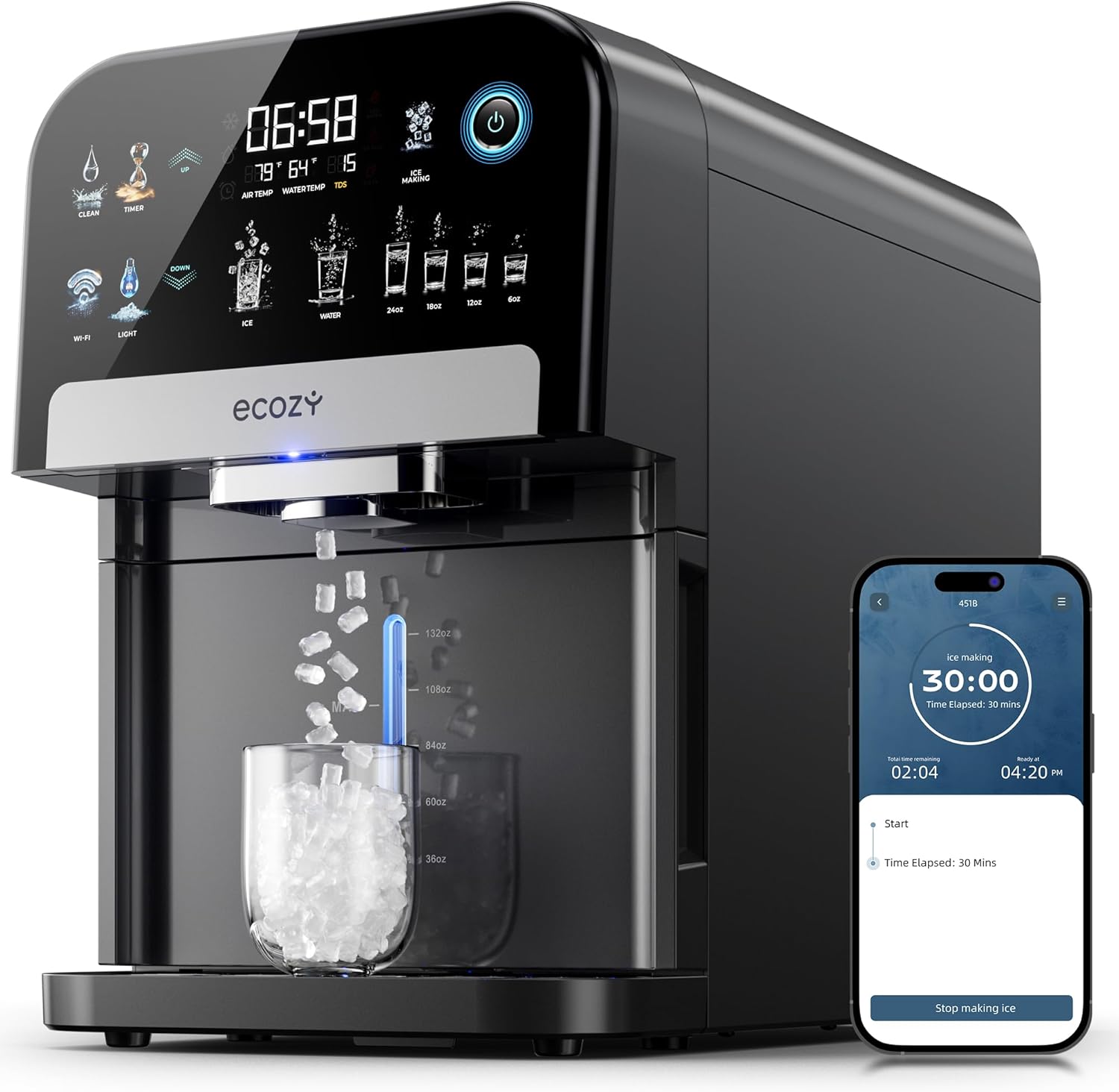
Image 2.1: Front view of the ecozy IM-ND481B Nugget Ice Maker and Water Dispenser, showing the control panel, ice/water dispenser, and a glass filled with ice.
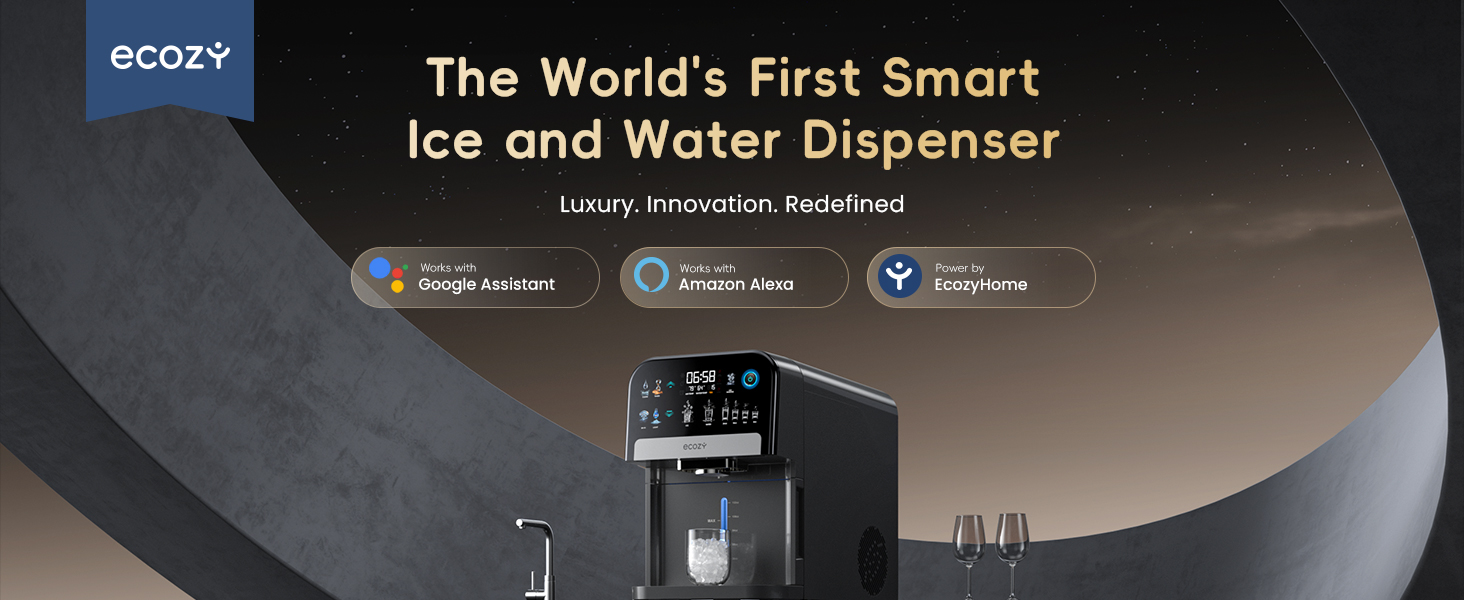
Image 2.2: Close-up of the IceLumix Full-Color Smart Panel, highlighting its various icons and information display.
3. Setup and Installation
- Unpacking: Carefully remove the ice maker from its packaging. Inspect for any shipping damage.
- Placement: Place the unit on a flat, stable, and heat-resistant countertop. Ensure there is adequate ventilation around the appliance (at least 5 inches from walls). The dimensions are approximately 19.33"D x 10.83"W x 16.34"H.
- Drain Connection: This model requires a drain connection. Connect the provided drain hose (length: 13.8", inner diameter: 5/16", outer diameter: 1/2") to the drain port at the back of the unit and route it to a suitable drain (e.g., sink). Ensure the hose is not kinked and allows for continuous drainage.
- Initial Cleaning: Before first use, clean the water tank and ice basket. Refer to the 'Maintenance' section for detailed cleaning instructions.
- Fill Water Tank: Pull out the water tank, fill it with potable water, and reinsert it firmly until you hear a soft click. If the display shows "OPEN", the tank is not fully inserted.
- Power Connection: Plug the power cord into a grounded electrical outlet (115 Volts).

Image 3.1: Illustration of the drain hose connection at the back of the ice maker, showing the hose routed to a sink.

Image 3.2: The removable water tank being filled, demonstrating its accessibility for cleaning and refilling.
4. Operating Instructions
4.1 Power On/Off
Press the power button on the IceLumix Full-Color Smart Panel to turn the unit on or off. The panel will illuminate upon activation.
4.2 Ice Making
- Ensure the water tank is filled and the drain hose is properly connected.
- Select the ice-making function from the smart panel or via the EcozyHome app.
- The unit will begin producing nugget ice. Production capacity is up to 33 pounds per day.
- To dispense ice, place a glass under the ice dispenser and press the ice dispensing button on the panel. The unit features 100% touchless dispensing.
- Soft ambient lighting will activate automatically when dispensing ice or water.

Image 4.1: A glass receiving nugget ice from the dispenser, illustrating the touchless operation.
4.3 Water Dispensing
- Place a glass under the water dispenser.
- Select the desired water portion (e.g., 8oz, 12oz) from the smart panel or press the water dispensing button for continuous flow. The unit offers measured dispensing.

Image 4.2: The ice maker dispensing both ice and water, demonstrating its dual functionality.
4.4 Smart App and Voice Control
- Download the EcozyHome app from your smartphone's app store.
- Follow the in-app instructions to connect your ecozy IM-ND481B to your Wi-Fi network.
- Once connected, you can start/stop ice making, schedule operations, and monitor the unit remotely.
- The unit is compatible with Amazon Alexa and Google Assistant for voice control. Refer to the app for integration instructions.

Image 4.3: Screenshot of the EcozyHome app interface, showing options for controlling the ice maker and scheduling.
4.5 TDS Monitoring
- The IceLumix panel displays real-time TDS (Total Dissolved Solids) levels of the water.
- If the TDS level exceeds 200, an icon on the smart panel will illuminate. This indicates that water quality may lead to slushy ice or cause the machine to stop making ice.
- For optimal performance and ice quality, it is recommended to use purified water, especially in areas with high TDS levels.

Image 4.4: The smart panel displaying TDS levels, indicating water quality.
5. Maintenance and Cleaning
5.1 Auto-Cleaning Function
- The unit features an auto-cleaning function for effortless maintenance.
- Press the 'Clean' button on the smart panel or activate it via the EcozyHome app.
- The machine will initiate a cleaning cycle, circulating water to clean internal components. Ensure the drain hose is properly positioned during this cycle.

Image 5.1: Diagram illustrating the internal self-cleaning process of the ice maker.
5.2 Manual Cleaning and Descaling
- Water Tank: The pull-out water tank design allows for full access. Remove the tank and wash it with mild soap and water. Rinse thoroughly before reinserting.
- Ice Basket: Remove and clean the ice basket regularly with mild soap and water.
- Descaling: To prevent mineral buildup, especially in hard water areas, descaling is recommended.
- For slightly to moderately hard water areas, descale monthly.
- For hard to very hard water areas, descale every two weeks.
- Use a descaling solution suitable for ice makers or a mixture of white vinegar and water. Follow the descaling agent's instructions or run a cleaning cycle with the vinegar solution.
- Exterior: Wipe the exterior with a soft, damp cloth. Do not use abrasive cleaners.
6. Troubleshooting
| Problem | Possible Cause | Solution |
|---|---|---|
| Display shows "OPEN" | Water tank not fully inserted. | Ensure the water tank is pushed in completely until you hear a soft click. |
| No ice production or slushy ice | Low water level; High TDS level; Water temperature too high. | Refill water tank. Check TDS reading on panel; use purified water if TDS is high. Ensure water is cold. |
| Ice maker stops unexpectedly | Ice basket full; Water tank empty; High TDS level. | Empty ice basket. Refill water tank. Check TDS reading. |
| Unusual noise during operation | Unit not level; Internal components vibrating; Normal compressor noise. | Ensure the unit is on a level surface. Some operational noises are normal. If noise is excessive, contact support. |
| App control not working | Wi-Fi connectivity issue; App not updated. | Check Wi-Fi connection. Restart the app and the ice maker. Ensure the app is updated to the latest version. |
7. Specifications
| Feature | Detail |
|---|---|
| Brand | ecozy |
| Model Name | IM-ND481B |
| Product Dimensions (D x W x H) | 19.33" x 10.83" x 16.34" |
| Ice Production Capacity | 33 Pounds/Day |
| Voltage | 115 Volts |
| Refrigerant | R600a |
| Item Weight | 42.6 pounds |
| Material | Plastic |
| Color | Dark Gray |
| UPC | 850074197102 |
| Drain Hose Length | 13.8" |
| Drain Hose Inner Diameter | 5/16" |
| Drain Hose Outer Diameter | 1/2" |
8. Warranty and Customer Support
ecozy products are designed for reliability and performance. For specific warranty details, please refer to the warranty card included with your product or visit the official ecozy website.
If you encounter any issues or have questions regarding your ecozy IM-ND481B Nugget Ice Maker and Water Dispenser, please contact our customer support team:
- Website: Visit the ecozy Store on Amazon (for general information and product range)
- Email: Refer to your product packaging or the ecozy website for direct support contact information.
- Phone: Refer to your product packaging or the ecozy website for direct support contact information.
Please have your model number (IM-ND481B) and purchase date ready when contacting support.