
ZWP SF20250911B0F4KM45RD
ZWP Projector Replacement Remote Control
User Manual
Model: SF20250911B0F4KM45RD
1. Introduction
This manual provides comprehensive instructions for the ZWP Projector Replacement Remote Control. This remote is designed for seamless compatibility with various projector models, including ONOAYO ONO3 Pro, Lisowod L61Pro, HAPPRUN H11, Jimveo E88, and Vegoos yg381 Smart Outdoor Projectors. Please read this manual carefully to ensure proper setup and operation.

Figure 1: ZWP Projector Replacement Remote Control. This image displays the front view of the remote control, highlighting its ergonomic design and button layout.
2. Setup
2.1 Battery Installation
The remote control requires two AAA batteries (not included). Follow these steps to install them:
- Locate the battery compartment cover on the back of the remote control.
- Slide the cover downwards to open the compartment.
- Insert two AAA batteries, ensuring the positive (+) and negative (-) terminals align correctly with the markings inside the compartment.
- Slide the cover back into place until it clicks securely.

Figure 2: Battery installation. This image illustrates the battery compartment on the back of the remote control and the correct orientation for inserting two AAA batteries.
2.2 Pairing Instructions
To establish a connection between the remote control and your projector, follow these pairing steps:
- Ensure your projector is powered on and within range.
- Press and hold the Vol + (Volume Up) and Vol - (Volume Down) buttons on the remote control simultaneously.
- Hold both buttons until the remote enters pairing mode.
- Follow any on-screen instructions that may appear on your projector for Bluetooth pairing.
Tip: For optimal performance, it is recommended to pair the remote control via Bluetooth by following the on-screen instructions when initially turning on the projector. If you skip the Bluetooth pairing step, ensure you point the remote control at the IR sensor on the projector when in use.
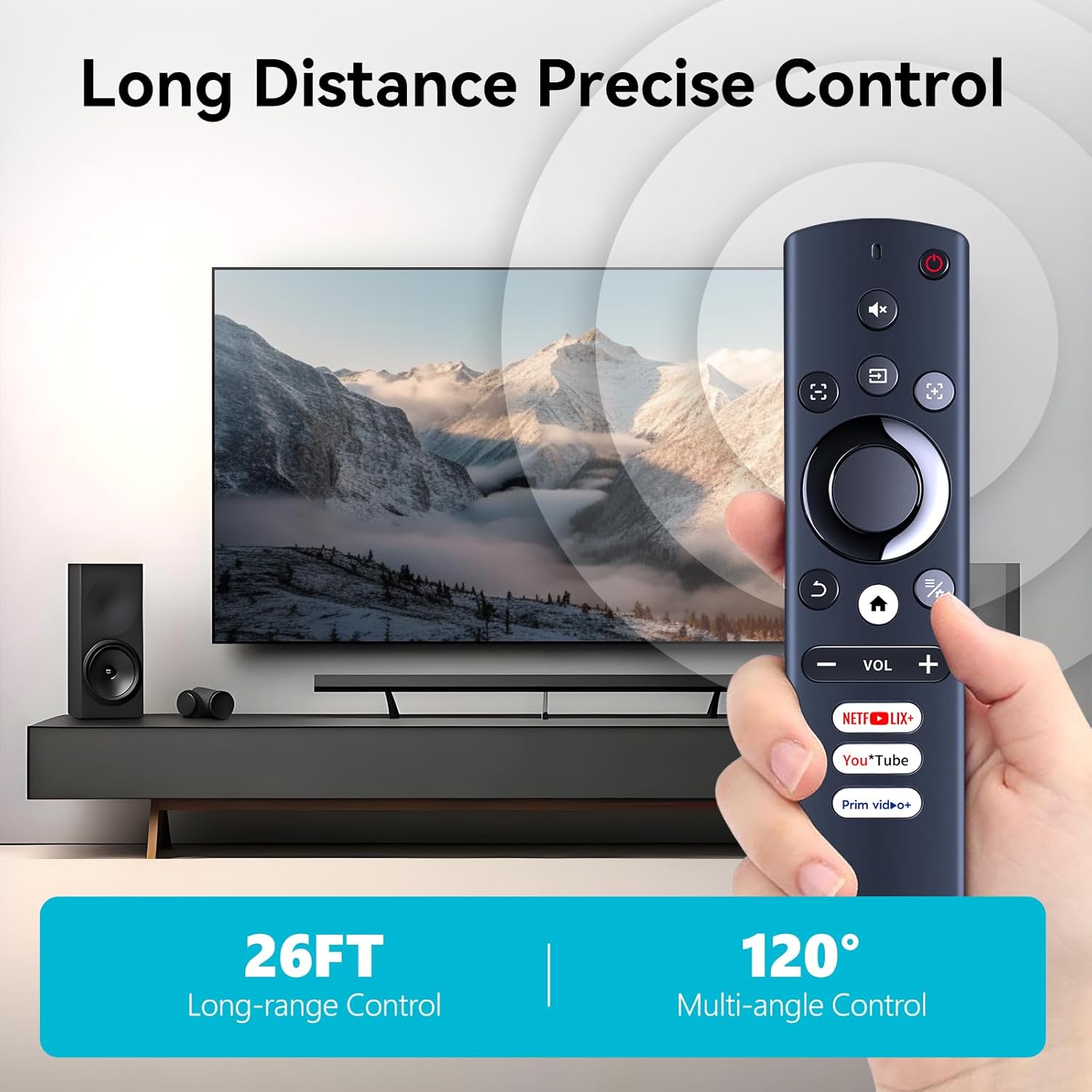
Figure 3: Remote control pairing. This image visually demonstrates pressing the Volume Up and Volume Down buttons simultaneously to initiate the pairing process.
3. Operating the Remote Control
The ZWP remote control features an intuitive layout for easy navigation and control of your compatible projector. Below are the primary functions:
- Power Button: Turns the projector on or off.
- Mute Button: Mutes or unmutes the audio.
- Navigation Pad (Circular): Use the directional buttons (Up, Down, Left, Right) to navigate menus and the central button to select items.
- Volume Buttons (Vol + / Vol -): Adjust the audio volume.
- Home Button: Returns to the projector's main menu or home screen.
- Back Button: Returns to the previous screen or menu.
- Quick Access Buttons: Dedicated buttons for popular streaming services (e.g., Netflix, YouTube, Prime Video) for direct access.
- Settings/Menu Button: Accesses the projector's settings or options menu.
The remote offers a responsive and stable connection, allowing for long-distance and multi-angle control, typically up to 26 feet and within a 120-degree range.

Figure 4: Long-distance and multi-angle control. This image illustrates the remote control's effective operating range and angle, showing it can control a projector from up to 26 feet away and within a 120-degree field.

Figure 5: Quick response. This image highlights the remote's fast signal transmission and extended service life, indicating efficient and durable performance.
4. Maintenance
4.1 Cleaning
To maintain the remote control's appearance and functionality, clean it regularly:
- Use a soft, dry cloth to wipe the surface.
- For stubborn dirt, slightly dampen the cloth with water or a mild, non-abrasive cleaner.
- Avoid using harsh chemicals or abrasive materials, as these can damage the remote's finish or internal components.
4.2 Battery Replacement
Replace batteries when the remote's response becomes sluggish or it stops functioning. Refer to Section 2.1 for battery installation instructions.
4.3 Storage
When not in use for extended periods, store the remote control in a cool, dry place away from direct sunlight and extreme temperatures. Consider removing the batteries to prevent leakage.
5. Troubleshooting
If you encounter issues with your ZWP Projector Replacement Remote Control, refer to the following common problems and solutions:
| Problem | Possible Cause | Solution |
|---|---|---|
| Remote not responding. | Dead or incorrectly installed batteries. | Replace batteries with new AAA batteries, ensuring correct polarity. Refer to Section 2.1. |
| Remote not pairing with projector. | Incorrect pairing procedure or projector not in pairing mode. | Repeat the pairing steps as described in Section 2.2. Ensure the projector is ready to pair. |
| Intermittent control. | Obstruction between remote and projector, or low battery. | Ensure a clear line of sight. Replace batteries if they are low. |
| Buttons are sticky or unresponsive. | Dirt or debris under the buttons. | Clean the remote control as described in Section 4.1. |
6. Specifications
- Brand: ZWP
- Model Number: SF20250911B0F4KM45RD
- Compatible Projectors: ONOAYO ONO3 Pro, Lisowod L61Pro, HAPPRUN H11, Jimveo E88, Vegoos yg381 Smart Outdoor Projector
- Package Dimensions: 6.8 x 2.3 x 1 inches
- Item Weight: 2.08 ounces
- Color: Black
- Max Number of Supported Devices: 1
- Special Feature: Ergonomic design
7. Warranty and Support
For any questions, concerns, or assistance regarding your ZWP Projector Replacement Remote Control, please do not hesitate to contact our customer support. We are committed to helping you resolve any issues you may encounter.
Please refer to your purchase documentation or the seller's contact information for specific support channels.
Ask a question about this manual
Ask about setup, troubleshooting, compatibility, parts, safety, or missing instructions. Manuals+ will review the question and use this page’s manual context to help answer it.