
Introduction
This manual provides detailed instructions for the installation, operation, and maintenance of your Bruni Screen Protector, specifically designed for the Xtrons TID701L. This protective film is engineered from scratch-resistant, highly transparent PET material, precision laser-cut for an accurate fit. It is designed for easy, bubble-free application and optimal touch display performance.
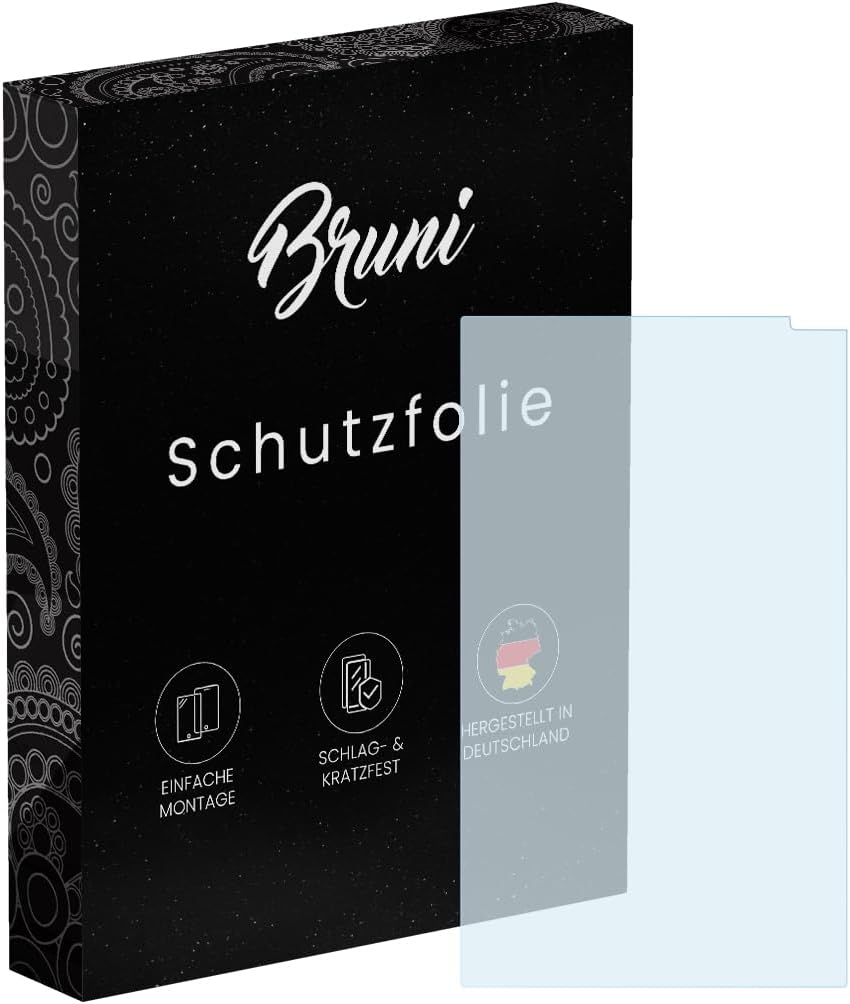
Image: Bruni Screen Protector packaging and film. This image displays the product packaging and the clear protective film itself, indicating 'simple assembly'.
Setup and Installation
Proper installation is crucial for optimal performance of your screen protector. Please follow these steps carefully.
Package Contents:

Image: Contents of the Bruni Screen Protector package. This graphic illustrates the items included: the display protection film, a mounting tool, a microfiber cloth, and mounting instructions.
- Bruni Screen Protector Film (2X)
- Mounting Tool (Squeegee)
- Microfiber Cleaning Cloth
- Detailed Mounting Instructions
Installation Steps:
- Clean the Screen: Use the provided microfiber cloth to thoroughly clean the device screen. Ensure there are no dust particles, smudges, or fingerprints. For stubborn marks, a screen cleaner (not included) can be used, followed by drying with the microfiber cloth.
- Align the Protector: Carefully peel back a small portion of the protective layer (usually marked 'Step 1' or similar) from one end of the screen protector. Align the exposed edge of the screen protector with the corresponding edge of your device screen.
- Apply Gradually: Slowly peel off the rest of the protective layer while simultaneously applying the screen protector to the device screen. Use the mounting tool (squeegee) to gently push out any air bubbles towards the edges as you apply.
- Remove Bubbles: If bubbles remain, use the squeegee to push them towards the nearest edge. For persistent bubbles, you may gently lift a small section of the protector near the bubble and reapply, pushing the air out.
- Final Polish: Once applied, use the microfiber cloth to gently wipe down the screen protector, ensuring a clean and smooth finish.

Image: Hands applying the screen protector to a device. This image demonstrates the process of applying the film, emphasizing 'SUPER SIMPLE ASSEMBLY'.
Operating the Screen Protector
The Bruni Screen Protector is designed to integrate seamlessly with your device, maintaining full functionality.
Touch Sensitivity:
The film is optimized for use on touch displays, ensuring unadulterated display of screen contents and no impairment of usability. It provides fast, highly sensitive, and precise touch response.

Image: Finger interacting with a screen protected by the film, illustrating touch sensitivity. The image highlights 'Faster-Touch' capabilities.
Display Clarity:
The crystal clear material ensures that the original colors and brightness of your device's screen are preserved without any attenuation. The film is ultra-transparent.

Image: Smartphone display showing vibrant colors through the clear screen protector. The image emphasizes 'Real Colors' and no color attenuation.
Maintenance
To ensure the longevity and clarity of your Bruni Screen Protector, follow these simple maintenance guidelines:
- Cleaning: Use a soft, lint-free cloth, such as the provided microfiber cloth, to gently wipe the screen protector. For smudges or fingerprints, lightly dampen the cloth with water or a screen-safe cleaning solution. Avoid harsh chemicals or abrasive materials.
- Avoid Sharp Objects: While the protector is scratch-resistant, extreme pressure or sharp objects can still cause damage.
- Storage: If you remove the protector or have spare films, store them in a clean, dry environment away from direct sunlight and extreme temperatures.
Troubleshooting
Here are solutions to common issues you might encounter:
- Bubbles After Installation:
- Small bubbles often disappear within 24-48 hours as the film adheres completely.
- For larger bubbles, gently lift the nearest edge of the protector with a clean fingernail or card, then slowly reapply, pushing the air out with the squeegee.
- Dust particles trapped underneath are a common cause of bubbles. If a dust particle is visible, you may need to carefully lift the protector, use a dust-removal sticker (not included, but often found in screen protector kits) to remove the dust, and then reapply.
- Misalignment: If the protector is significantly misaligned, it can be carefully removed and repositioned. Ensure your hands are clean and avoid touching the adhesive side.
- Reduced Touch Sensitivity: Ensure the screen protector is fully adhered without any lifted edges or large air pockets. If the issue persists, verify that your device's touch settings are calibrated correctly.
Specifications
| Feature | Detail |
|---|---|
| Product Dimensions | 6.81 x 3.94 x 0.5 inches (Packaging) / 6.8"L x 3.9"W (Film) |
| Item Weight | 0.459 ounces |
| ASIN | B0F4KK3H56 |
| Item Model Number | Bruni Basics-Clear 4053664716301 |
| Special Features | Made in Germany, Residue-free removable, Very easy to apply, Crystal clear Protector Film |
| Color | Basics-Clear |
| Manufacturer | atFoliX GmbH |
| Compatible Devices | Xtrons TID701L |
| Material | Polyethylenterephthalat |
| Item Hardness | 4H |
| Finish Type | Glänzend (Glossy) |
| Screen Surface Description | Glatt (Smooth) |
Warranty and Support
For specific warranty information or technical support, please refer to the documentation included with your product or contact Bruni customer service directly. Contact details can typically be found on the product packaging or the manufacturer's official website.