
1. Introduction
This manual provides essential instructions for the safe operation, assembly, and maintenance of your TODIMART T3 Electric Scooter. Please read it thoroughly before your first ride to ensure proper usage and to maximize the lifespan of your scooter. The TODIMART T3 features a powerful 350W motor, a range of 30-35 km, a top speed of 25 km/h, app control, 8.5-inch solid tires, and a convenient foldable design.
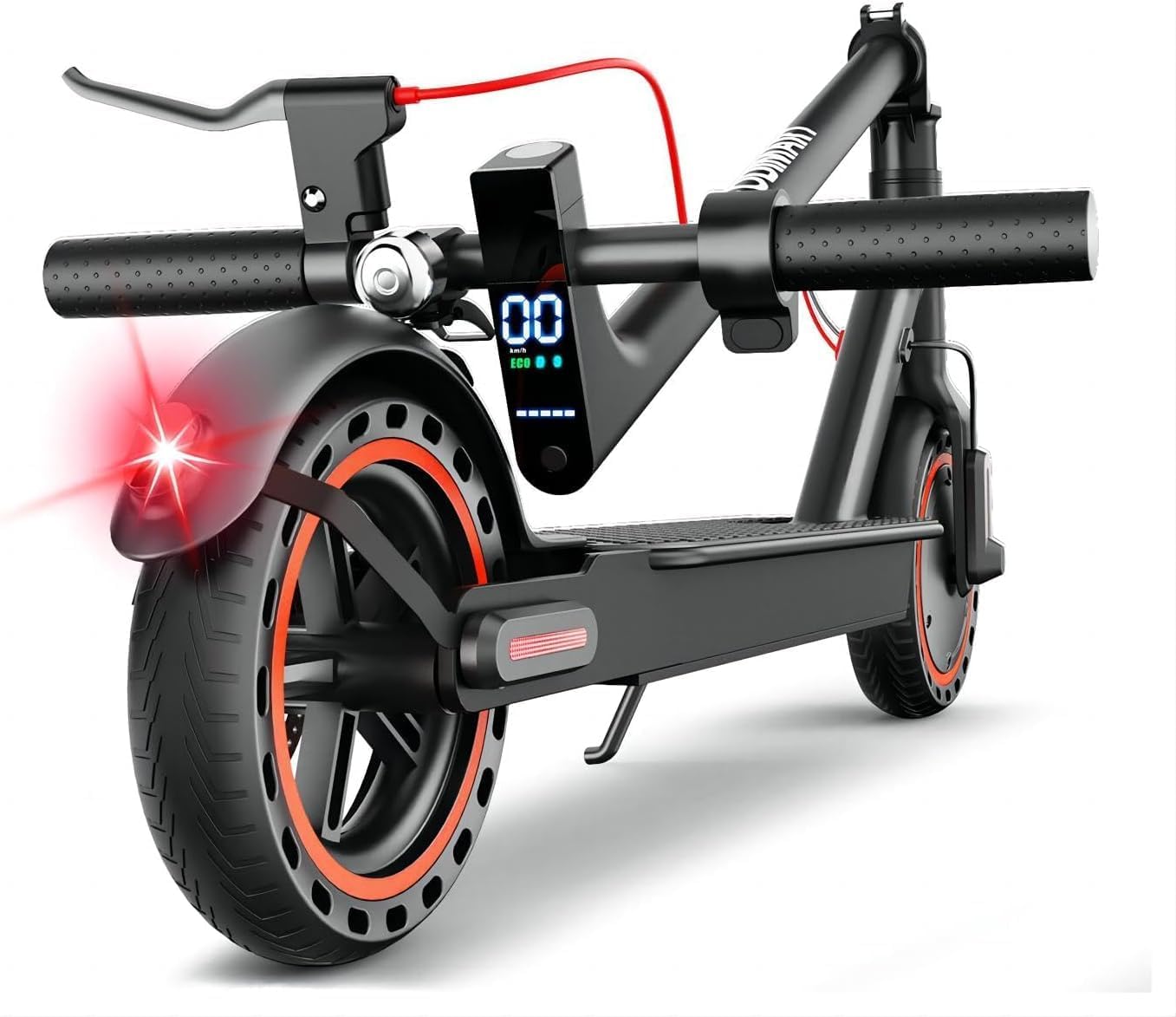
Image 1.1: The TODIMART T3 Electric Scooter, showcasing its sleek design and integrated lights.
2. Safety Information
Your safety is paramount. Always adhere to the following guidelines:
- Always wear a helmet and appropriate protective gear (knee pads, elbow pads) while riding.
- Familiarize yourself with and obey all local traffic laws and regulations regarding electric scooters.
- Perform a pre-ride check: ensure brakes are functional, lights are working, and tires are in good condition.
- Do not ride in heavy rain, on slippery surfaces, or in extreme weather conditions.
- Avoid riding with passengers. The maximum load capacity is 120 kg.
- Maintain a safe distance from other vehicles and pedestrians.
- Do not perform stunts or dangerous maneuvers.
- Children under 12 years old should not operate the scooter. Adult supervision is recommended for riders aged 12-16.
3. Package Contents
Upon opening the package, please verify that all the following items are included:
- TODIMART T3 Electric Scooter
- Battery Charger
- User Manual (this document)
- Assembly Tools
- Head Fastening Screws
If any items are missing or damaged, please contact customer support immediately.
4. Setup and Assembly
Your TODIMART T3 Electric Scooter requires minimal assembly to get you started. Follow these steps:
- Unfold the Scooter: Carefully lift the handlebar stem until it locks into the upright position. Ensure the folding mechanism is securely latched.
- Attach Handlebar Components: If necessary, attach the handlebar grips, bell, and brake levers. Use the provided tools and fastening screws to secure them firmly.
- Initial Charge: Before your first ride, fully charge the scooter's battery. Refer to Section 6 for detailed charging instructions.
- Pre-Ride Check: Before each use, inspect the brakes, lights, and tires for proper function and condition.

Image 4.1: The TODIMART T3 Electric Scooter in its folded state, ready for transport.
5. Operating Instructions
5.1 Power On/Off
To turn the scooter on, press and hold the power button on the display until the screen illuminates. To turn it off, press and hold the power button again until the display turns off.
5.2 Driving Modes
The TODIMART T3 offers multiple driving modes to suit your preference and riding conditions. While the scooter is on, press the power button once to cycle through the available modes:
- ECO Mode: For maximum battery efficiency and a smoother, slower ride.
- Standard Mode: A balanced mode for everyday commuting.
- Sport Mode: Provides maximum power and speed for dynamic riding.
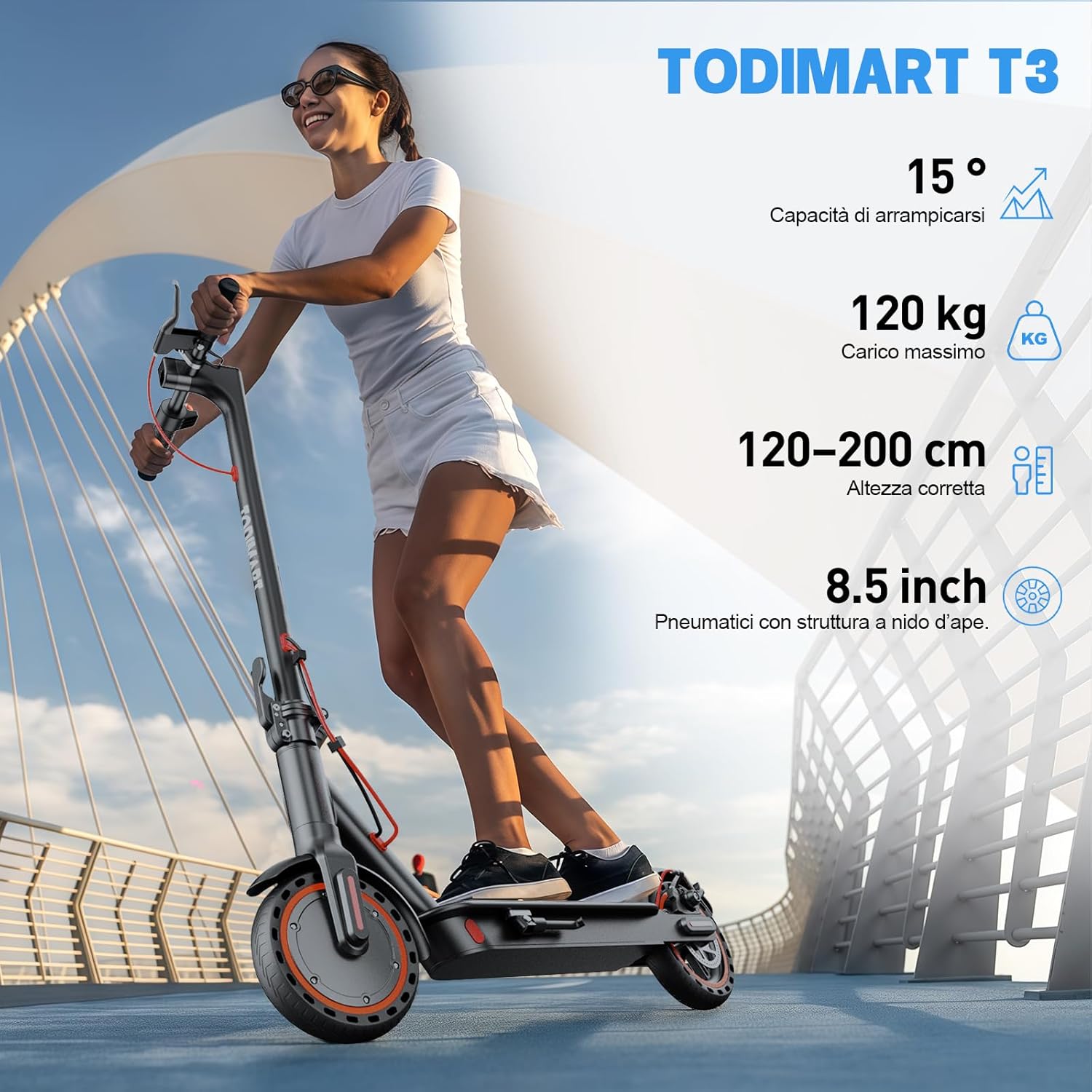
Image 5.1: A rider demonstrating the TODIMART T3 Electric Scooter in use, highlighting its performance capabilities.
5.3 App Control
Enhance your riding experience by connecting your TODIMART T3 to the dedicated mobile application via Bluetooth. The app provides additional functionalities:
- Remote anti-theft locking
- Customizable speed mode selection
- Control over lighting system
- Cruise control activation
- Real-time scooter status display (speed, battery level, mileage)
Video 5.1: Demonstration of connecting the TODIMART T3 Electric Scooter to the mobile application.

Image 5.2: The scooter's display and mobile app interface for control and monitoring.
5.4 Lights and Horn
The scooter is equipped with a bright front headlight, a rear brake light, and turn signals to ensure visibility and safety, especially during night rides. Use the integrated horn to alert others when necessary.

Image 5.3: Close-up of the scooter's front headlight for improved visibility.

Image 5.4: The scooter's rear brake light, enhancing safety during braking.
5.5 Braking System
The TODIMART T3 features a reliable dual braking system for effective stopping power. It includes both a drum brake and an EABS anti-lock brake on the rear wheel, ensuring a safe and controlled stop.
5.6 Folding and Transport
The scooter's foldable design allows for easy storage and transport. To fold, locate the folding mechanism at the base of the handlebar stem, release the latch, and fold the stem downwards until it locks into place. The lightweight aluminum frame (12 kg) makes it convenient to carry or store in a car trunk.

Image 5.5: The folded scooter easily fits into a car trunk for convenient transport.
6. Charging
To charge your TODIMART T3 Electric Scooter:
- Ensure the scooter is turned off.
- Locate the charging port on the scooter.
- Connect the charger cable to the charging port.
- Plug the charger into a standard power outlet.
- The indicator light on the charger will typically show red during charging and turn green when fully charged.
- A full charge usually takes approximately 5-6 hours. Do not overcharge the battery.

Image 6.1: Illustration of the scooter's battery compartment and charging time.
7. Maintenance
Regular maintenance ensures the longevity and optimal performance of your scooter:
- Tires: The 8.5-inch honeycomb solid tires are designed to be puncture-proof and require no inflation. Regularly inspect them for any signs of wear, cracks, or damage.
- Cleaning: Clean the scooter regularly with a soft, damp cloth. Avoid using high-pressure water jets, abrasive cleaners, or harsh chemicals, as these can damage electronic components or the finish.
- Brakes: Periodically check the brake levers and cables for proper tension and responsiveness. If you notice any degradation in braking performance, have it inspected by a qualified technician.
- Storage: When not in use for extended periods, store the scooter in a cool, dry place away from direct sunlight and extreme temperatures. For long-term storage, ensure the battery is charged to approximately 50% to preserve its health.
- Fasteners: Periodically check all screws and bolts to ensure they are tight and secure.

Image 7.1: Close-up of the 8.5-inch honeycomb solid tires, designed for a smooth and puncture-free ride.
8. Troubleshooting
If you encounter any issues with your TODIMART T3 Electric Scooter, please refer to the following common troubleshooting steps:
- Scooter not turning on: Check if the battery has sufficient charge. Ensure the power button is pressed and held correctly.
- Reduced range or speed: Verify that the battery is fully charged. Consider factors like rider weight, terrain (steep inclines), and ambient temperature, which can affect performance. Ensure you are not in ECO mode if you desire higher speed.
- App connectivity issues: Make sure Bluetooth is enabled on your mobile device and the scooter is powered on. Try restarting both the app and the scooter. Ensure the app is updated to the latest version.
- Brakes not responding: Check the brake levers and cables for any obstructions or damage. If the issue persists, do not ride the scooter and contact customer support.
For issues not covered here or if problems persist, please contact TODIMART customer support.
9. Specifications
| Feature | Specification |
|---|---|
| Model | TODIMART T3 |
| Motor Power | 350W (Nominal), 650W (Maximum) |
| Battery Capacity | 36V/7.8Ah |
| Max Range | 30-35 km |
| Max Speed | 25 km/h |
| Wheel Size | 8.5 inches (Honeycomb Solid Tires) |
| Braking System | Dual (Front & Rear Drum Brake, EABS) |
| Frame Material | Aluminum |
| Product Dimensions (Unfolded) | 112 x 43 x 108 cm |
| Product Weight | 12 kg |
| Max Load Capacity | 120 kg |
| Charging Time | 5-6 hours |
| Max Incline | 15° |
10. Warranty and Support
Your TODIMART T3 Electric Scooter is covered by a 1-year quality guarantee from the date of purchase. This warranty covers manufacturing defects under normal use conditions.
For any questions, technical assistance, troubleshooting not covered in this manual, or to make a warranty claim, please contact TODIMART customer service. Our dedicated support team is available to assist you.
Please retain your proof of purchase for warranty validation.


