
Viamotion Viamotion Walking pad
Viamotion Walking Pad with Incline User Manual
Model: Viamotion Walking pad | Brand: Viamotion
1. Introduction
Thank you for choosing the Viamotion Walking Pad with Incline. This manual provides essential information for the safe and effective use, setup, operation, and maintenance of your new walking pad. Please read this manual thoroughly before first use and retain it for future reference.
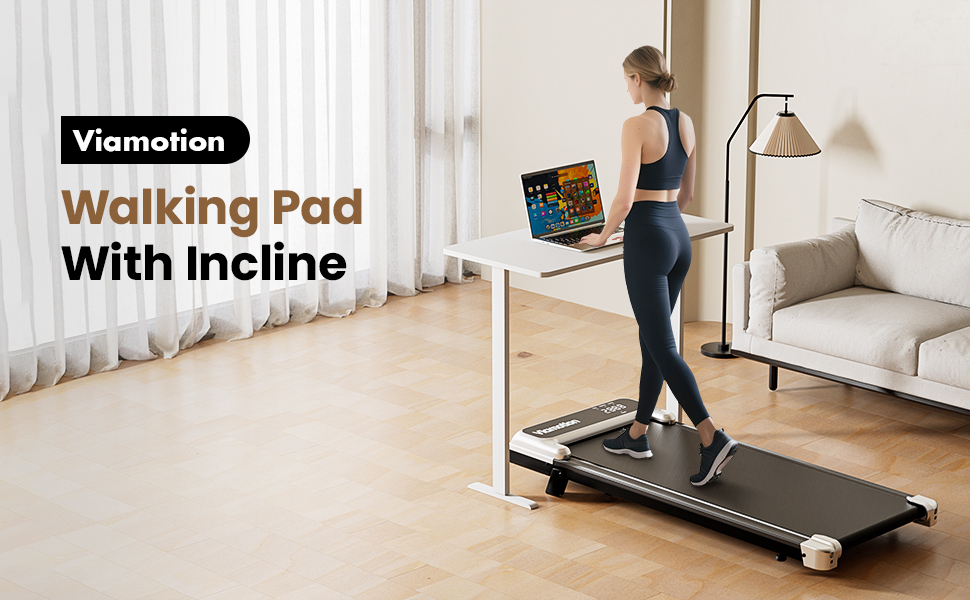
Image: A woman walking on the Viamotion Walking Pad, which is positioned under a standing desk, demonstrating its use in a home office environment.
2. Safety Information
To ensure safe operation and prevent injury, please adhere to the following safety guidelines:
- Always place the walking pad on a flat, stable surface.
- Ensure adequate clear space around the walking pad during operation.
- Do not exceed the maximum weight capacity of 265 pounds (120 kg).
- Keep children and pets away from the walking pad during operation.
- Wear appropriate athletic footwear when using the walking pad.
- If you experience pain, dizziness, or shortness of breath, stop exercising immediately.
- Unplug the walking pad from the power outlet when not in use or before cleaning/maintenance.
- The running belt features a five-layer anti-slip design for user safety and to reduce impact on joints.
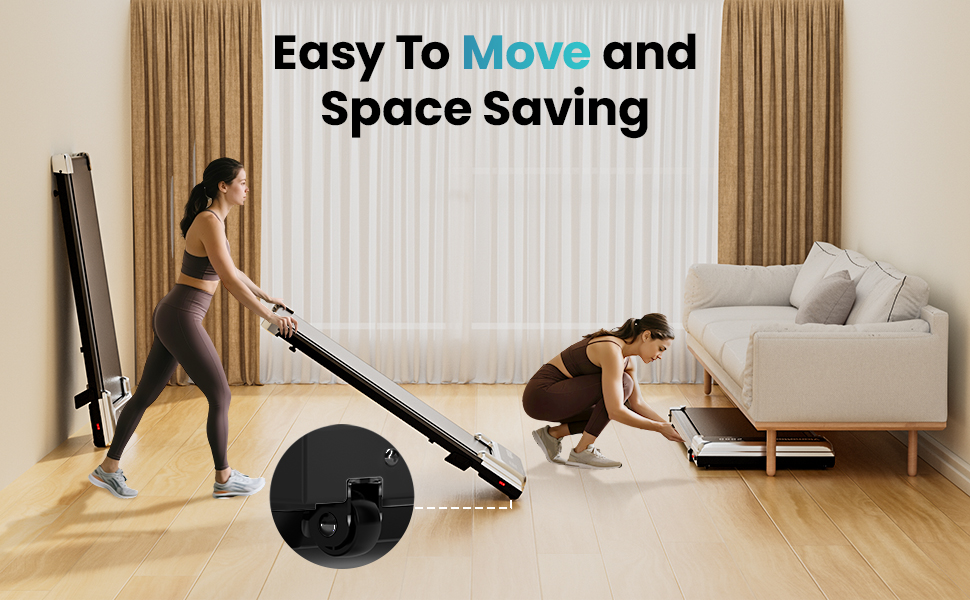
Image: A graphic illustrating the shock absorption technology and five-layer anti-slip running belt designed to protect knees and ankles during use.
3. Package Contents
Verify that all components are present in the package:
- Viamotion Walking Pad Unit
- Remote Control (x1)
- Hexagon Spanner (x1)
- Lubricating Oil (x2 bottles)
- User Manual (x1)
- Power Cord
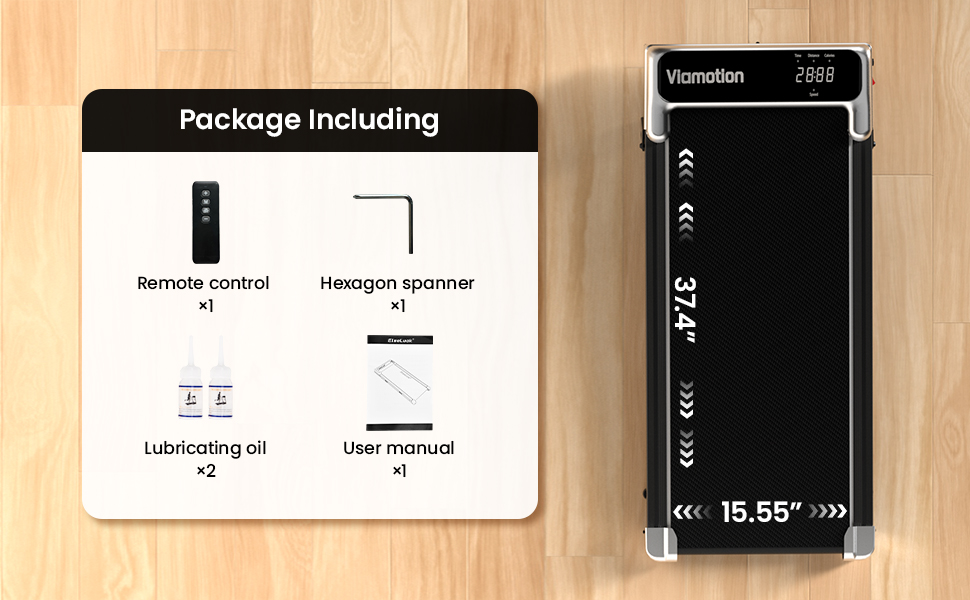
Image: A visual representation of the Viamotion Walking Pad alongside its accessories, including the remote control, hexagon spanner, lubricating oil, and the user manual.
4. Setup
Follow these steps to set up your Viamotion Walking Pad:
- Unpack: Carefully remove the walking pad and all accessories from the packaging.
- Placement: Place the walking pad on a firm, level surface. Ensure there is sufficient space around the unit for safe operation and movement.
- Power Connection: Connect the power cord to the walking pad's power input port and then plug it into a grounded electrical outlet.
- Incline Adjustment: The walking pad features an 8% manual incline. To activate the incline, lift the rear of the walking pad and secure the incline support legs into position. Ensure they are firmly locked before use.
- Initial Check: Before first use, ensure the running belt is centered and free from any obstructions.
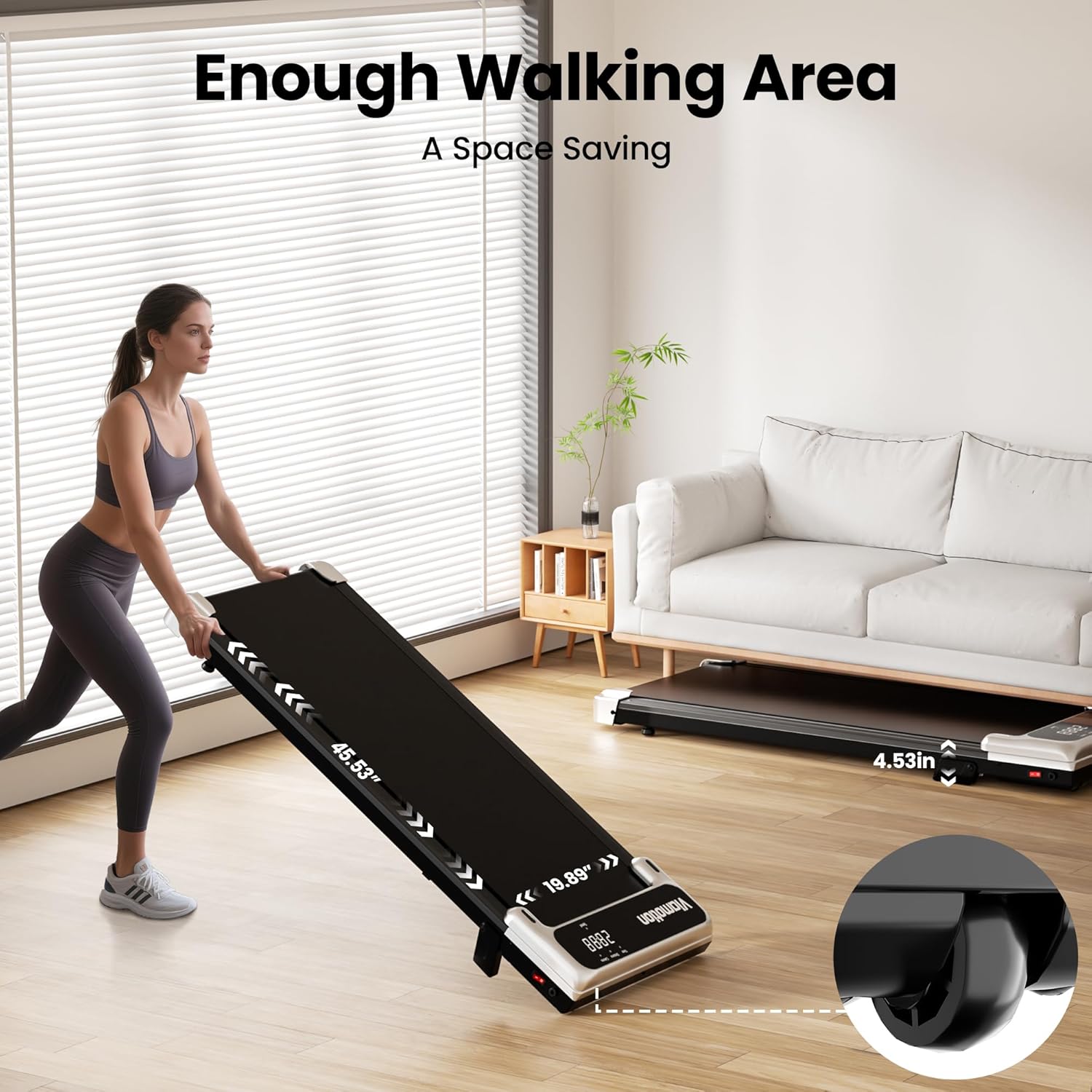
Image: A woman demonstrating the ease of moving and storing the Viamotion Walking Pad, showcasing its compact dimensions (45.53" x 19.39" walking area, 4.53" height) and built-in transport wheels for convenient storage under furniture.
5. Operating Instructions
Your Viamotion Walking Pad is designed for intuitive operation using the included remote control.
5.1 Powering On/Off
- To turn on, ensure the power cord is connected and press the power button on the walking pad or the remote control.
- To turn off, press the power button on the remote control or unplug the unit.
5.2 Using the Remote Control
The multi-functional remote control allows you to manage all features:
- Start/Stop: Press to begin or end your workout.
- Speed Adjustment: Use the '+' and '-' buttons to increase or decrease speed. The speed range is 0.6 to 3.8 MPH.
- Mode Selection: Cycle through display modes (Time, Distance, Speed, Calories) on the LED screen.
5.3 LED Display
The high-definition LED screen displays real-time workout data:
- Time: Duration of your workout.
- Distance: Total distance walked.
- Speed: Current walking speed.
- Calories: Estimated calories burned.
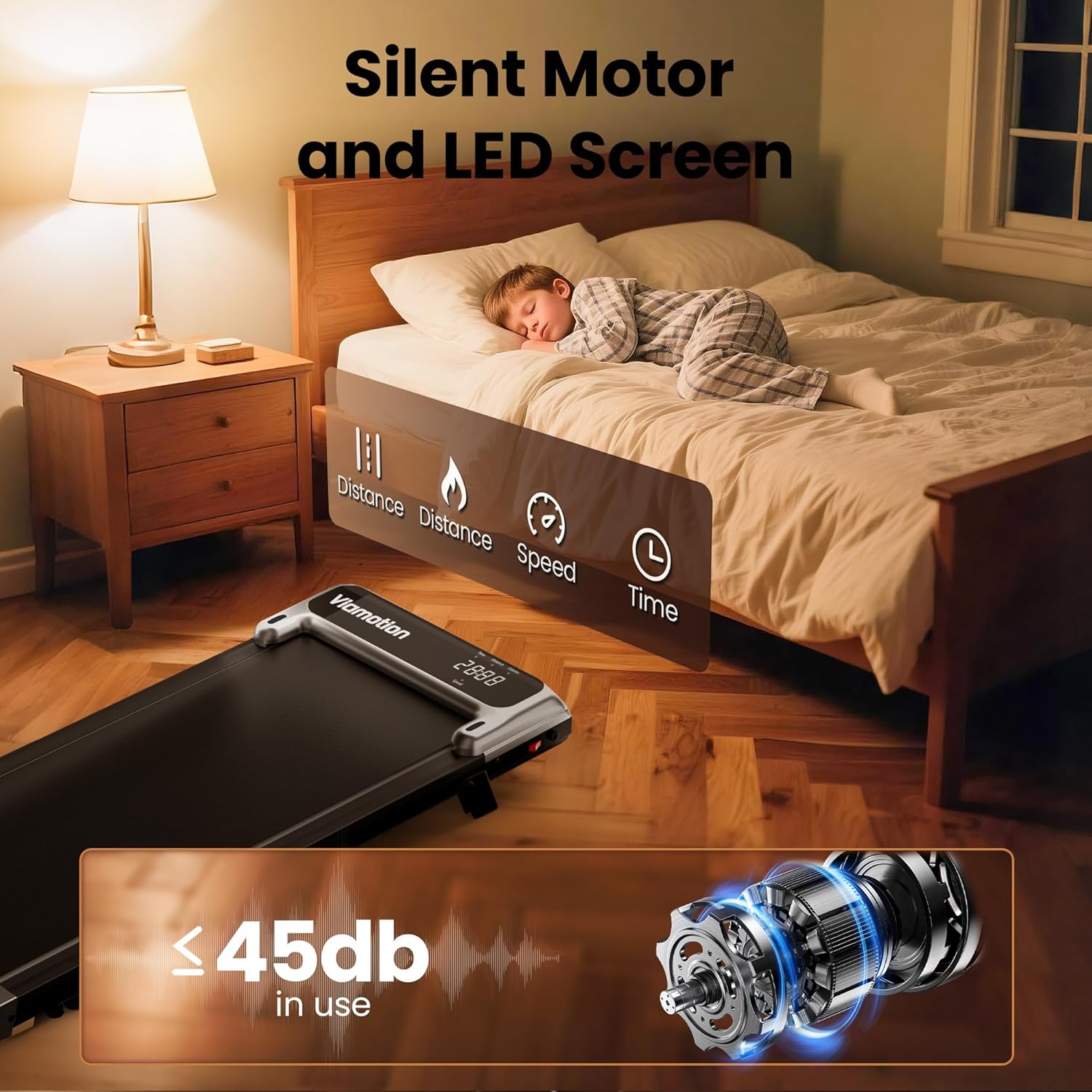
Image: The Viamotion Walking Pad's LED display showing various metrics (distance, speed, time). A child sleeping peacefully in the background illustrates the quiet operation (less than 45 decibels).
5.4 Incline Feature
The walking pad features an 8% manual incline to enhance your workout and increase calorie expenditure. Ensure the incline support legs are properly engaged before starting your exercise.
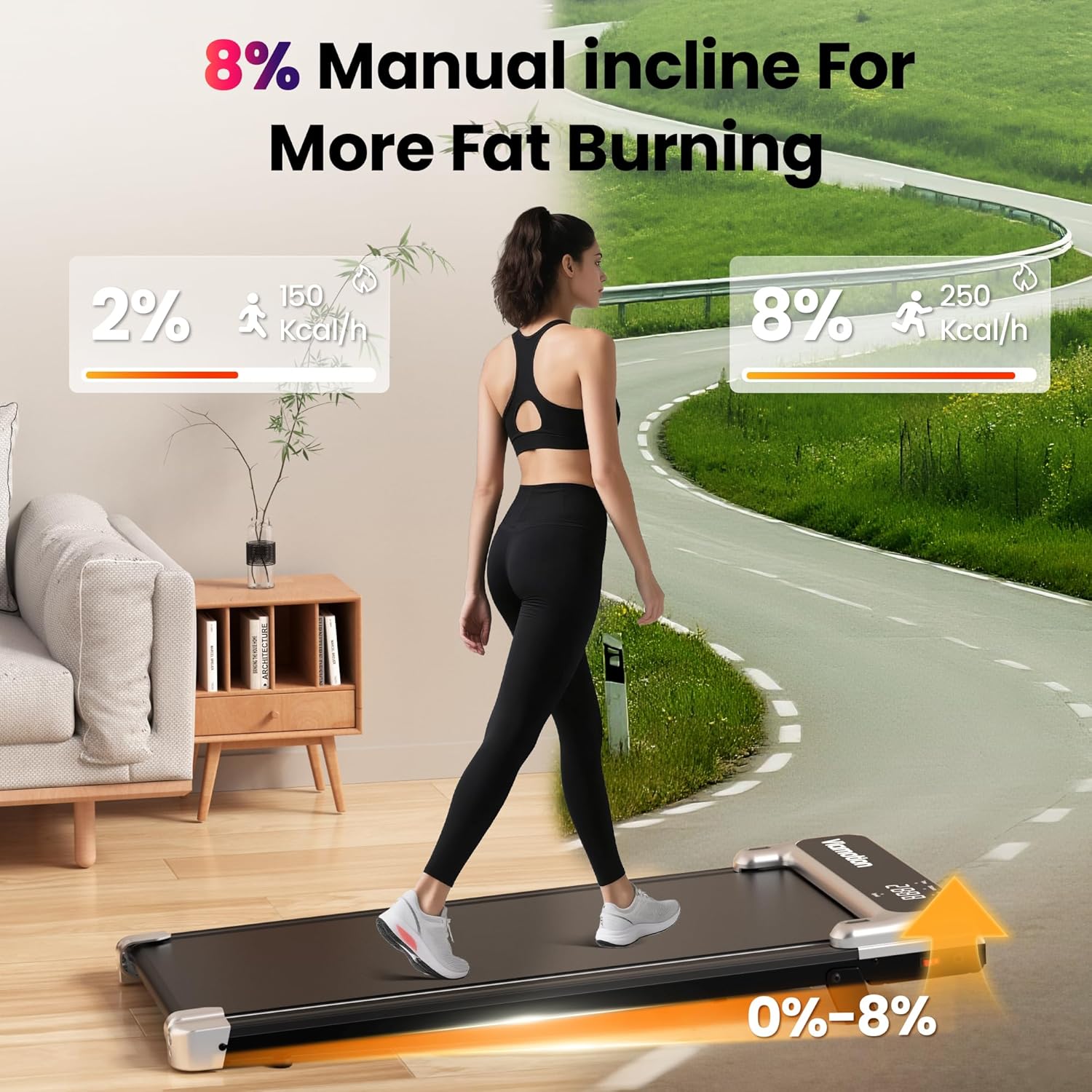
Image: A woman walking on the Viamotion Walking Pad, which is set at an 8% manual incline. The image highlights the benefit of incline walking for increased fat burning compared to flat ground.
6. Maintenance
Regular maintenance ensures the longevity and optimal performance of your walking pad.
6.1 Lubrication
The running belt requires periodic lubrication to reduce friction and extend its lifespan. Use the provided lubricating oil.
- Turn off and unplug the walking pad.
- Lift the edge of the running belt.
- Apply a small amount of lubricating oil evenly under the center of the belt.
- Plug in the walking pad and run it at a low speed (e.g., 1 MPH) for 1-2 minutes to distribute the oil.
- Lubricate every 3-6 months depending on usage.
6.2 Cleaning
- Wipe down the walking pad with a damp cloth after each use to remove sweat and dust.
- Do not use abrasive cleaners or solvents.
6.3 Belt Adjustment
If the running belt shifts to one side or slips, it may need adjustment. Use the hexagon spanner provided.
- Centering: If the belt drifts to the left, turn the left rear roller bolt clockwise a quarter turn. If it drifts to the right, turn the right rear roller bolt clockwise a quarter turn. Run the walking pad for a minute and re-check. Repeat if necessary.
- Tensioning: If the belt slips during use, turn both rear roller bolts clockwise a quarter turn simultaneously. Test the belt and repeat if necessary. Do not overtighten.
7. Troubleshooting
Refer to this section for common issues and their solutions.
| Problem | Possible Cause | Solution |
|---|---|---|
| Walking pad does not power on. | Power cord not connected; outlet issue; power switch off. | Ensure power cord is securely plugged in. Check the wall outlet. Verify the main power switch on the unit is ON. |
| Running belt slips during use. | Belt tension is too loose. | Adjust belt tension as described in Section 6.3. |
| Running belt drifts to one side. | Belt is off-center. | Adjust belt centering as described in Section 6.3. |
| Remote control not responding. | Low battery in remote; obstruction; remote not paired. | Replace remote control battery. Ensure no obstructions between remote and walking pad. Refer to pairing instructions if applicable (not explicitly provided, but common). |
| Unusual noise during operation. | Lack of lubrication; loose components. | Lubricate the running belt (Section 6.1). Check for any loose screws or parts and tighten them. |
If the issue persists after attempting these solutions, please contact customer support.
8. Specifications
| Feature | Detail |
|---|---|
| Brand | Viamotion |
| Model Name | Viamotion Walking pad |
| Color | Black |
| Product Dimensions (LxWxH) | 44.48"D x 18.5"W x 4.52"H |
| Item Weight | 14.5 Kilograms |
| Material | Alloy Steel |
| Maximum Speed | 3.8 Miles per Hour |
| Maximum Horsepower | 3.8 Horsepower (Motor: 2.5HP) |
| Special Feature | Portable, Incline |
| Maximum Weight Recommendation | 265 Pounds |
| UPC | 721545362087 |

Image: A detailed view of the Viamotion Walking Pad's powerful 2.5HP motor, highlighting its 265 lbs weight capacity, speed range of 0.6-3.8 MPH, and quiet operation at less than 45 decibels.
9. Warranty and Support
Warranty: The Viamotion Walking Pad comes with a 1-Year Manufacturer Warranty, covering defects in materials and workmanship under normal use.
Customer Service: Viamotion is committed to providing exceptional customer service. Our professional and efficient customer service team is available 24/7 to assist with any questions or after-sales issues you may encounter. Please refer to the contact information provided on the product packaging or the official Viamotion website for support.
Related documentsViamotion Walking pad

Ask a question about this manual
Ask about setup, troubleshooting, compatibility, parts, safety, or missing instructions. Manuals+ will review the question and use this page’s manual context to help answer it.