
Introduction
This manual provides essential instructions for the safe and efficient operation of your DARAN Portable Power Station 300W with 30W Solar Panel. Please read this manual thoroughly before use and retain it for future reference.
Safety Instructions
- Do not expose the device to extreme temperatures or direct sunlight for prolonged periods.
- Keep away from water and moisture.
- Do not disassemble or attempt to repair the device.
- Use only approved charging cables and accessories.
- Ensure proper ventilation during use and charging.
- Keep out of reach of children.
- Note: Not suitable for high-power appliances such as rice cookers, hair dryers, or mini-fridges.
Product Overview
The DARAN Portable Power Station 300W is a compact and lightweight power solution designed for various applications, including outdoor adventures and emergency backup. It features multiple output ports and can be recharged via AC, solar, or car.
Main Unit Features

Included 30W Solar Panel
The kit includes a 30W high-efficiency solar panel for convenient outdoor recharging.
Setup
Initial Charge
For optimal performance, complete two full charge and discharge cycles after receiving the product.
Connecting the Solar Panel
Unfold the 30W solar panel and position it in direct sunlight. Connect the solar panel's output cable to the "INPUT" port on the power station.
Charging the Power Station
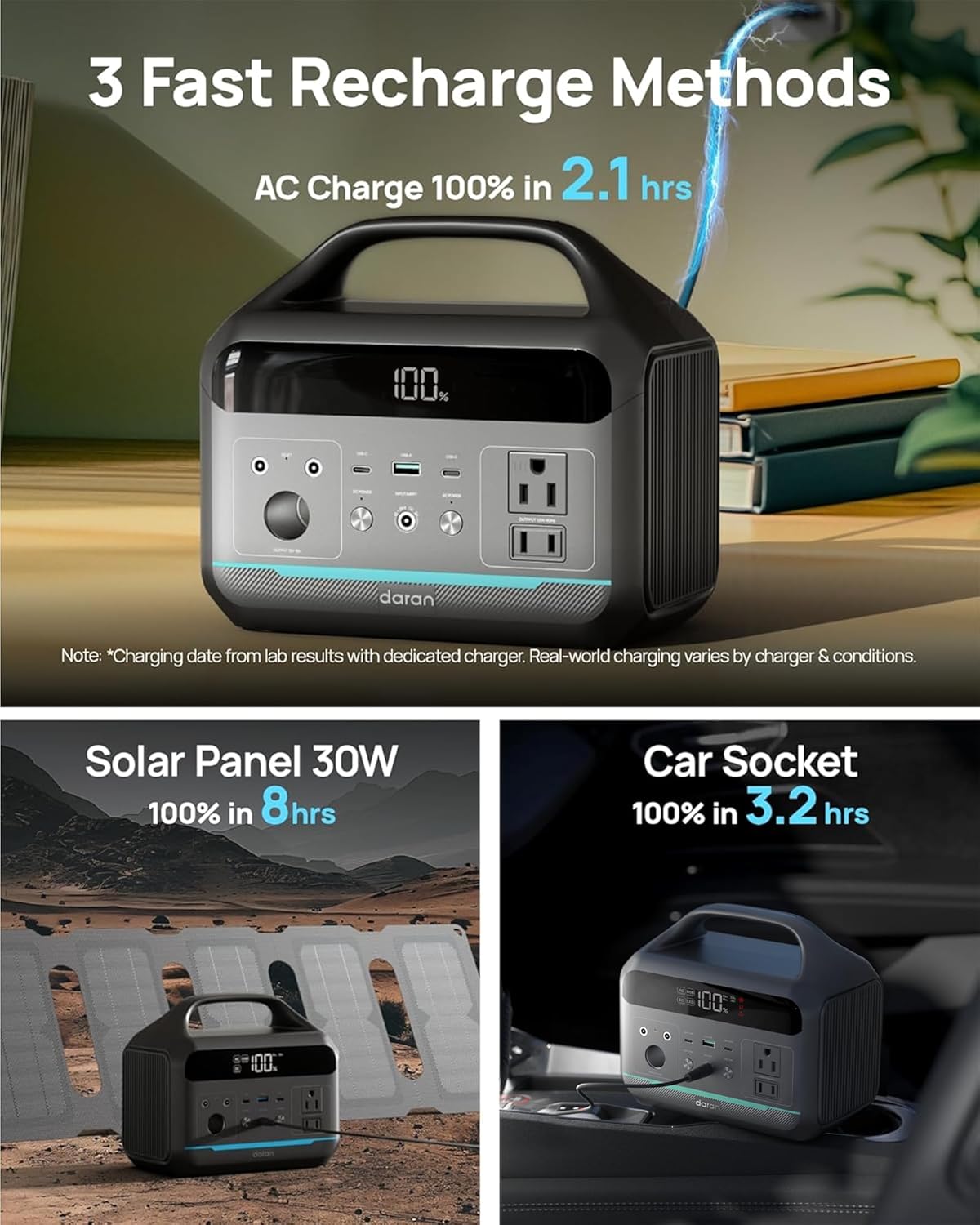
AC Wall Charging
Use the provided AC fast charging cable to connect the power station to a standard wall outlet. The display will indicate charging status.

Solar Charging
Connect the 30W solar panel to the "INPUT" port. Ensure the solar panel is positioned to receive maximum sunlight. A 30W solar panel takes approximately 8 hours to fully charge the power station. For daily charging, an 80-100W solar panel is recommended (not included).
Car Charging
The power station can be charged via a 12V car socket. A vehicle charging cable is not included and must be purchased separately.

Operating Instructions
Powering On/Off
Press and hold the respective "DC ON/OFF" or "AC ON/OFF" buttons to activate or deactivate the DC or AC outputs. The display will show the battery percentage and active outputs.
Using Output Ports
- AC Outlets (2x 300W): Plug in small electronics and appliances rated under 300W. The pure sine wave output protects sensitive devices.
- USB-C PD (2x 60W Max): For fast charging compatible USB-C devices.
- USB-A QC 3.0 (1x 18W): For quick charging compatible USB-A devices.
- DC5521 (2x 60W): For DC-powered devices.
- 12V Car Port (1x): For 12V car accessories.
LED Light Function
The power station includes an LED light on the back with multiple modes: bright, dim, and SOS flash. Press and hold the LED button to cycle through modes.

Maintenance
- Recharge the battery generator every 1-2 months for better maintenance.
- Store in a cool, dry place away from direct sunlight.
- Keep the device clean and free from dust.
Troubleshooting
Device Not Charging
Ensure all cables are securely connected. Verify the power source is active. If using solar, ensure the panel is in direct sunlight.
Device Not Powering On
Check the battery level on the display. If the battery is depleted, recharge the unit.
Output Ports Not Working
Ensure the respective DC or AC output buttons are pressed and the indicators are lit. Check the power consumption of your device to ensure it is within the power station's limits.
If issues persist, please contact customer support.
Specifications
| Feature | Specification |
|---|---|
| Model Number | NEO |
| Battery Capacity | 192Wh (60000mAh) |
| Battery Type | LiFePO4 |
| AC Output | 2x 300W Pure Sine Wave (600W Surge), 110V |
| USB-C Output | 2x PD (60W Max) |
| USB-A Output | 1x QC 3.0 (18W) |
| DC Output | 2x DC5521 (60W), 1x 12V Car Port |
| Solar Panel Included | 30W High-Efficiency Solar Panel |
| Dimensions | 8.41 x 5.28 x 7.44 inches |
| Item Weight | 5.84 pounds |
| Charging Cycles | Over 3,500 cycles |
Warranty & Support
If you encounter any issues while using your portable power station, please do not hesitate to contact us. We will make every effort to provide a satisfactory solution for you.

For detailed warranty information, please refer to the product packaging or contact DARAN customer service.


