
1. Introduction
This manual provides detailed instructions for the installation, operation, and maintenance of your Ctronics 2K 100% Wireless Battery Indoor Security Camera, model CTIPC-920. This camera is designed for indoor surveillance, offering 2K resolution, infrared night vision, and flexible storage options. Please read this manual thoroughly before using the product to ensure proper function and safety.
2. Package Contents
Verify that all items listed below are included in your package:
- Ctronics 2K Wireless Battery Indoor Security Camera (CTIPC-920)
- Charging Cable
- Instruction Manual
3. Product Overview
The Ctronics CTIPC-920 camera features a compact, dome-shaped design for discreet indoor placement. It includes a high-resolution lens, infrared LEDs for night vision, a PIR motion sensor, a microphone, and a speaker for two-way audio. A reset button and a Micro SD card slot are also integrated.

Figure 3.1: Front view of the Ctronics CTIPC-920 camera, showing the lens and status indicator.
4. Setup Guide
4.1 Charging the Camera
Before initial use, fully charge the camera using the provided charging cable. The camera is 100% wire-free and battery-powered, allowing flexible placement without power outlets.

Figure 4.1: The camera is designed for 100% wire-free operation, powered by a rechargeable battery.
4.2 App Installation and Pairing
- Download the Ctronics Pro app from your smartphone's app store (iOS or Android).
- Create an account and log in.
- Follow the in-app instructions to add your camera. The camera supports Bluetooth setup for quick and easy pairing.
- Ensure your camera is within range of your 2.4GHz Wi-Fi network during setup.

Figure 4.2: Bluetooth setup facilitates fast and easy connection of the camera to your device.
4.3 Micro SD Card Installation (Optional)
For local storage, insert a Micro SD card (up to 128GB, not included) into the designated slot on the camera. Ensure the camera is powered off before inserting or removing the card.

Figure 4.3: The camera supports Micro SD cards up to 128GB for local video storage.
4.4 Camera Placement
Place the camera on a flat surface or mount it on a wall using appropriate hardware (not included). Position it to cover the desired indoor area. The camera's compact size allows for versatile placement.

Figure 4.4: The camera can be placed in various indoor locations, ready for use in seconds.
5. Operating Instructions
5.1 Live View and Remote Access
Access the live video feed from your camera via the Ctronics Pro app on your smartphone or tablet, or through the PC client (HiP2P Client). This allows you to monitor your indoor space from anywhere.

Figure 5.1: Remote access is available via the Ctronics Pro app for mobile devices and the HiP2P Client for PC.
5.2 Video Quality and Night Vision
The camera provides clear 2K (2304x1296P) video resolution. It features infrared night vision with a range of up to 20 meters, ensuring visibility in low-light or dark conditions without disturbing white lights.

Figure 5.2: The camera offers smooth and sharp 2K video with infrared night vision up to 20m.
5.3 PIR Motion Detection and Alerts
The integrated Passive Infrared (PIR) sensor detects human movement, minimizing false alarms. When motion is detected, you will receive instant notifications on your connected device. Sensitivity settings can be adjusted in the app.

Figure 5.3: Smart PIR motion detection alerts you only when relevant movement is detected.
5.4 Two-Way Audio
Utilize the built-in microphone and speaker to communicate remotely with individuals near the camera. This feature is useful for checking on family members or pets.

Figure 5.4: The camera allows you to feel close and communicate with those at home, no matter the distance.
5.5 Video Storage Options
Recordings can be stored in multiple ways:
- Micro SD Card: Supports up to 128GB for local storage.
- Cloud Storage: Securely store footage in the cloud (subscription may be required).
- FTP Server: Upload recordings to an FTP server.

Figure 5.5: Keep your footage safe with flexible storage options including TF card, FTP, or cloud.
5.6 Custom Alarm Sounds
The Ctronics Pro app allows you to customize alarm sounds, providing flexibility for different environments or preferences.
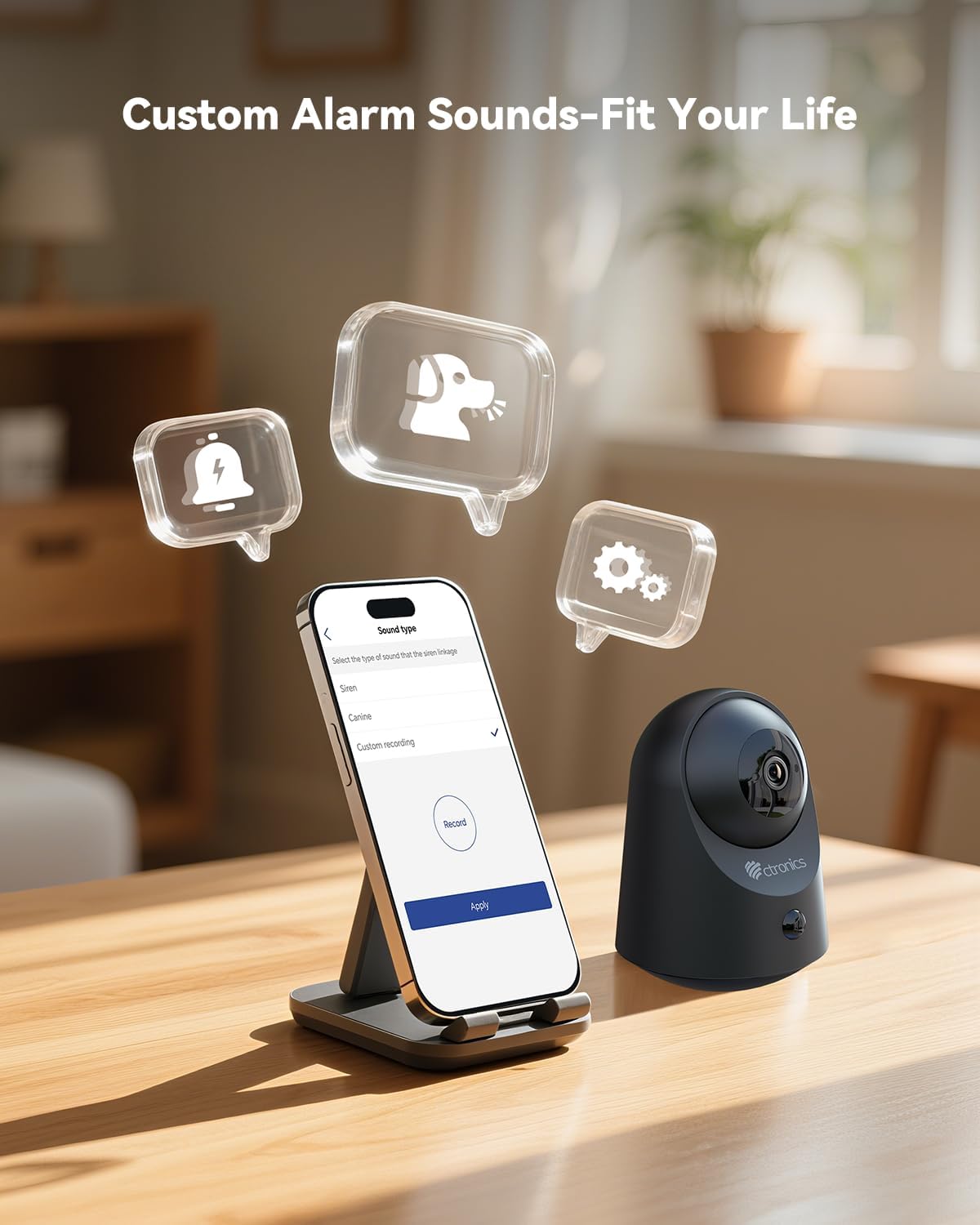
Figure 5.6: Customize alarm sounds to fit your specific needs and environment.
6. Maintenance
6.1 Battery Management
Regularly check the battery level via the app. Recharge the camera promptly when the battery is low to ensure continuous operation. Use only the provided charging cable or a compatible 5V power adapter.
6.2 Cleaning
Wipe the camera lens and body with a soft, dry cloth. Avoid using liquid cleaners or abrasive materials that could damage the device.
6.3 Firmware Updates
Periodically check the Ctronics Pro app for available firmware updates. Keeping your camera's firmware up-to-date ensures optimal performance and access to new features.
7. Troubleshooting
| Problem | Possible Cause | Solution |
|---|---|---|
| Camera not connecting to Wi-Fi | Incorrect Wi-Fi password, 5GHz network, camera too far from router. | Ensure correct 2.4GHz Wi-Fi password. Move camera closer to router. Reset camera and try pairing again. |
| No motion detection alerts | PIR sensitivity too low, detection zone not set, app notifications disabled. | Adjust PIR sensitivity in the app. Check detection zone settings. Enable notifications for the Ctronics Pro app. |
| Poor video quality | Weak Wi-Fi signal, dirty lens. | Ensure strong Wi-Fi signal. Clean the camera lens with a soft cloth. |
| Two-way audio not working | Microphone/speaker muted in app, volume too low. | Check app settings to ensure microphone and speaker are enabled and volume is adequate. |
| Micro SD card not recording | Card full, corrupted, or not formatted correctly. | Format the SD card via the app. Replace with a new card if corrupted. Ensure recording settings are enabled. |
8. Specifications
| Feature | Detail |
|---|---|
| Model Number | CTIPC-920 |
| Indoor/Outdoor Usage | Indoor |
| Video Capture Resolution | 2K (2304x1296P) |
| Effective Still Resolution | 3 MP |
| Power Source | Battery Powered |
| Connectivity Protocol | Wi-Fi (2.4GHz) |
| Controller Type | Ctronics APP |
| Night Vision Range | 20 Meters (Infrared) |
| PIR Motion Detection | Yes |
| Two-Way Audio | Yes |
| Storage Options | Micro SD (up to 128GB), Cloud, FTP |
| Material | Acrylonitrile Butadiene Styrene (ABS) |
| Dimensions (L x W x H) | 5.12 x 2.36 x 5.12 inches |
| Item Weight | 15.8 ounces |
| Color | Black |
9. Official Product Video
Watch the official product video for a visual guide on the Ctronics 2K 3MP Indoor Security Camera's features and usage.
Video Description: This video provides an overview of the Ctronics 2K 3MP Indoor Security Camera, demonstrating its wire-free installation, night vision capabilities, two-way audio, and remote monitoring features. It shows the camera in various home settings, highlighting its use for monitoring children and pets, and its ease of setup and access via mobile app and PC.
10. Warranty and Support
For warranty information, technical support, or any inquiries regarding your Ctronics product, please refer to the official Ctronics website or contact their customer service directly. Contact details are typically found on the product packaging or the official Ctronics support page.


