
1. Introduction
Thank you for choosing the ModernMate F1 71-inch Electric Height Adjustable Standing Executive Desk. This manual provides essential information for the safe assembly, operation, and maintenance of your new desk. Please read it thoroughly before use and retain it for future reference.

Figure 1: ModernMate F1 71-inch Electric Height Adjustable Standing Executive Desk in Black Walnut finish.
2. Safety Information
Important Safety Instructions:
- Always follow the assembly instructions carefully to avoid injury.
- Ensure the desk is properly anchored to prevent tipping.
- Do not attempt to lift the desk when it is at its maximum height or carrying heavy loads, as this could cause injury or damage to the desk.
- Keep children and pets away from the desk during operation.
- Ensure no obstacles are in the path of the desk's movement during height adjustment.
- Do not sit or stand on the desk.
- Disconnect power before cleaning or maintenance.
3. Package Contents
Your ModernMate F1 desk is delivered in multiple packages for safe transport and easier handling. Please verify all components are present before beginning assembly.
- Desk Top (One-Piece 71" x 30")
- Electric Height Adjustable Frame (Alloy Steel)
- Control Panel with Memory Presets
- Power Adapter
- Under-Desk Storage Units (integrated)
- Privacy Panel
- Assembly Hardware Kit
- Detailed Installation Instructions
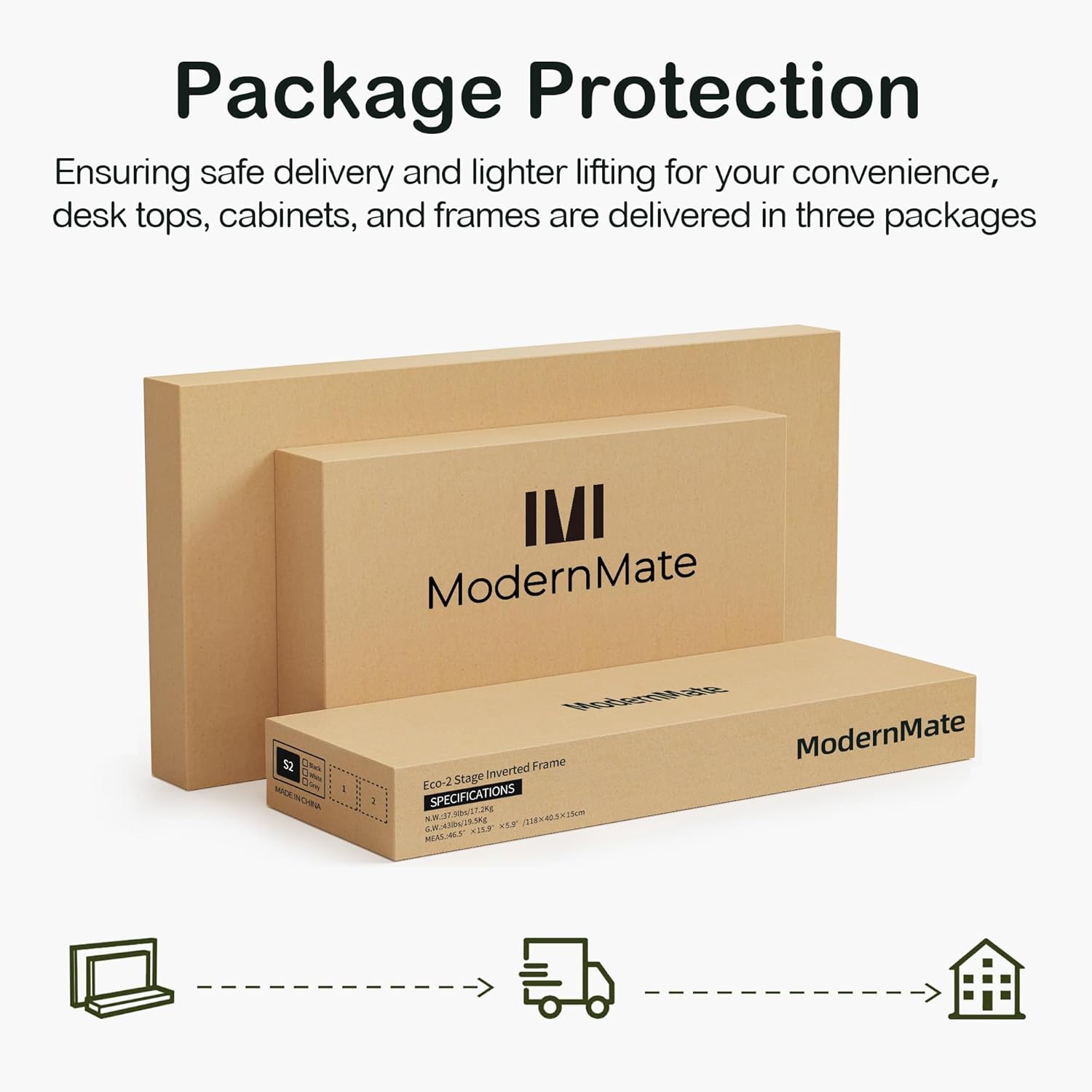
Figure 2: The desk components are shipped in multiple packages for protection and convenience.
4. Assembly Instructions
The ModernMate F1 desk comes with detailed and clear instructions for assembly. Please follow these instructions step-by-step. While assembly can be done by one person, having assistance is recommended for certain steps, especially when handling the large desktop.
- Unpack all components and verify against the package contents list.
- Lay out all parts and hardware in an organized manner.
- Begin by assembling the electric frame according to the provided manual.
- Attach the under-desk storage units and privacy panel as instructed.
- Carefully place and secure the one-piece desktop onto the assembled frame and storage units.
- Connect all electrical components (control panel, power adapter) as shown in the manual.
- Ensure all screws and fasteners are tightened securely before use.

Figure 3: Detailed dimensions and frame performance specifications to aid in assembly and planning.
5. Operating Instructions
5.1. Electric Height Adjustment
The desk features an electric height adjustment system, allowing you to seamlessly switch between sitting and standing positions. The height can be adjusted from 27.9 inches to 45.7 inches (excluding desktop height).
- Adjusting Height: Use the up (↑) and down (↓) arrow buttons on the control panel to raise or lower the desk to your desired height. The current height will be displayed on the panel.
- The lifting process is designed to be quiet, with noise levels below 50 dB.
Video 1: Demonstration of the ModernMate F1 desk's electric height adjustment feature. This video showcases the desk transitioning between sitting and standing positions, highlighting its smooth and quiet operation.

Figure 4: Illustration of the desk's quiet operation during height adjustment, comparing its noise level to common sounds.
5.2. Memory Presets
The control panel includes 2 memory buttons (labeled 1 and 2) to store your preferred sitting and standing heights for quick adjustment.
- Setting a Memory Preset: Adjust the desk to your desired height using the up/down arrows. Press and hold one of the memory buttons (1 or 2) until the display flashes or beeps, indicating the height has been saved.
- Recalling a Memory Preset: Press the corresponding memory button (1 or 2) once. The desk will automatically move to the saved height.

Figure 5: Close-up of the control panel with memory presets and the integrated power outlet.
5.3. Integrated Charging Station
The desk features a built-in power outlet for convenient charging of your devices. Ensure the desk is connected to a power source.
- Plug your devices into the available outlets on the desk's surface.
- Note: When the desk is at its lowest seating position, the built-in plug may be close to the floor. Ensure cables are managed to avoid interference.
5.4. Storage Features
The executive desk is designed with integrated under-desk storage space to help keep your workspace organized.
- The right-side under-desk space is suitable for placing a computer host.
- The left-side under-desk space provides shelving for books and small items.

Figure 6: Overview of the integrated storage system, including side storage shelves, front open cubes, and under-desk storage areas.
5.5. Privacy Panel
A privacy panel is integrated into the front of the desk, providing a more focused and comfortable working environment.

Figure 7: The desk featuring its extended front privacy panel, designed to create a comfortable self-working space.
6. Maintenance
- Cleaning: Wipe the desk surfaces with a soft, damp cloth. Avoid harsh chemicals or abrasive cleaners that could damage the finish.
- Motor Care: The motor is designed for durability (50,000 lift cycles). No special maintenance is required for the motor itself.
- Cable Management: Periodically check and organize cables to prevent tangling or damage during height adjustments.
- Fasteners: Occasionally check all screws and fasteners to ensure they remain tight. Retighten if necessary.
7. Troubleshooting
If you encounter any issues with your ModernMate F1 desk, please refer to the following common troubleshooting tips:
- Desk Not Moving:
- Ensure the power adapter is securely plugged into both the desk and a working wall outlet.
- Check for any obstructions under or around the desk that might be preventing movement.
- If the control panel displays an error code, consult the detailed instruction manual provided with the product for specific error interpretations.
- Unstable Desk:
- Verify that all assembly screws are tightened.
- Ensure the desk is placed on a level surface.
- Do not exceed the maximum weight capacity of 176 pounds.
- Memory Presets Not Working:
- Re-program the memory presets by following the instructions in section 5.2.
For further assistance, please contact ModernMate customer service.
8. Specifications
| Feature | Detail |
|---|---|
| Brand | ModernMate |
| Model Number | F1 |
| Product Dimensions (D x W x H) | 30"D x 71"W x 27.9"H |
| Minimum Height | 27.9 Inches |
| Maximum Height | 45.7 Inches |
| Desktop Material | Engineered Wood (Black Walnut finish) |
| Base Material | Alloy Steel |
| Maximum Weight Capacity | 176 Pounds |
| Noise Level (during adjustment) | Below 50 dB |
| Special Features | Adjustable Height, Built-in Power Outlet, Integrated Storage, Privacy Panel |
| Required Assembly | Yes |
| Included Components | Hand Control, Installation Instructions, Power Adapter, Standing Desk |
9. Warranty and Support
Warranty: The ModernMate F1 desk comes with a Limited Warranty. Please refer to the warranty card included in your package for specific terms and conditions.
Customer Service: If you have any questions, require assistance with assembly, or need support for your product, please do not hesitate to contact ModernMate customer service. Contact information can typically be found in your product packaging or on the official ModernMate website.

