
1. Introduction
Thank you for choosing the LMBGM K-27R 8-Channel UHF Wireless Microphone System. This system is designed to provide high-quality audio transmission for various applications, including stage performances, church events, DJ sets, weddings, and karaoke. Please read this manual thoroughly before operating the system to ensure proper setup, optimal performance, and safe use. Keep this manual for future reference.
2. Product Overview
2.1 Key Features
- Outstanding Technology and Sound Effect: Adopting advanced circuit design and a UHF professional chip, this system delivers full sound effects with clear highs, mids, and lows. It ensures stable signal reception without dead zones.
- Adjustable Frequency: Each wireless microphone offers 5 frequency options, providing a total of 40 options for 8 microphones (8 x 5). This allows up to 40 systems to be used simultaneously, ensuring uninterrupted performance with seamless frequency switching.
- High-Performance Audio: Features ultra-low latency (<5ms), 24-bit/96KHz high-definition audio resolution for complete detail restoration, and a wide frequency response of 50Hz-20KHz.
- High-Quality Materials: Handheld microphones are constructed from sturdy metal for a comfortable grip and durability. Bodypack microphones are made of ABS material, offering excellent impact and corrosion resistance.
2.2 Packing List
The LMBGM K-27R system includes the following components:
- Receiver x 1
- Transmitter (Handheld Microphones and Bodypack Transmitters) x 8
- Antenna x 4
- 6.35MM Audio Cable x 1
- Power Cable x 1
- Instruction Manual x 1

Figure 1: LMBGM K-27R Receiver Front and Back Panel. Shows power input, XLR outputs, 6.35mm mix out, and antenna connections.
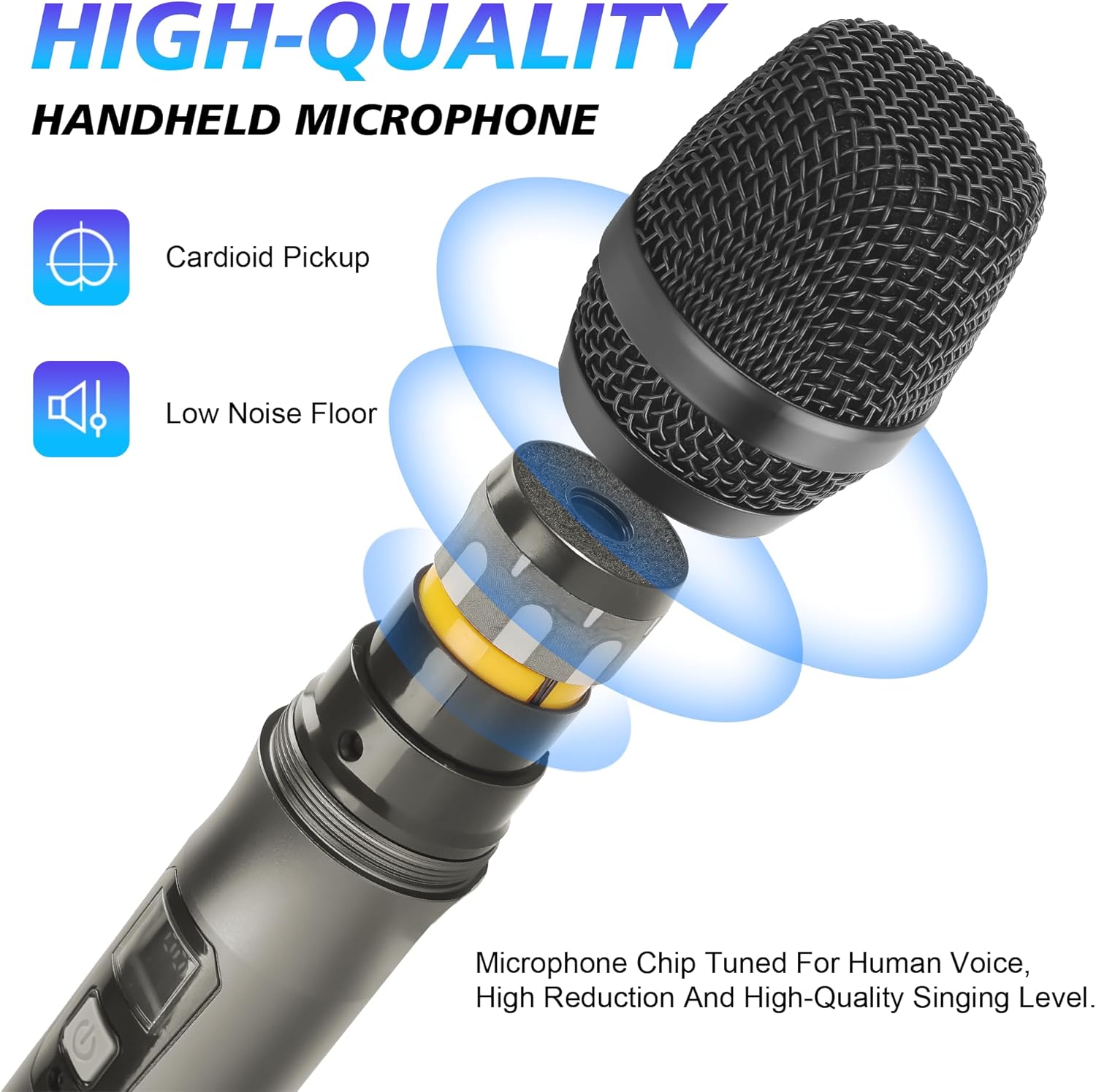
Figure 2: High-Quality Handheld Microphone. Features a cardioid pickup pattern and low noise floor for clear vocal reproduction.
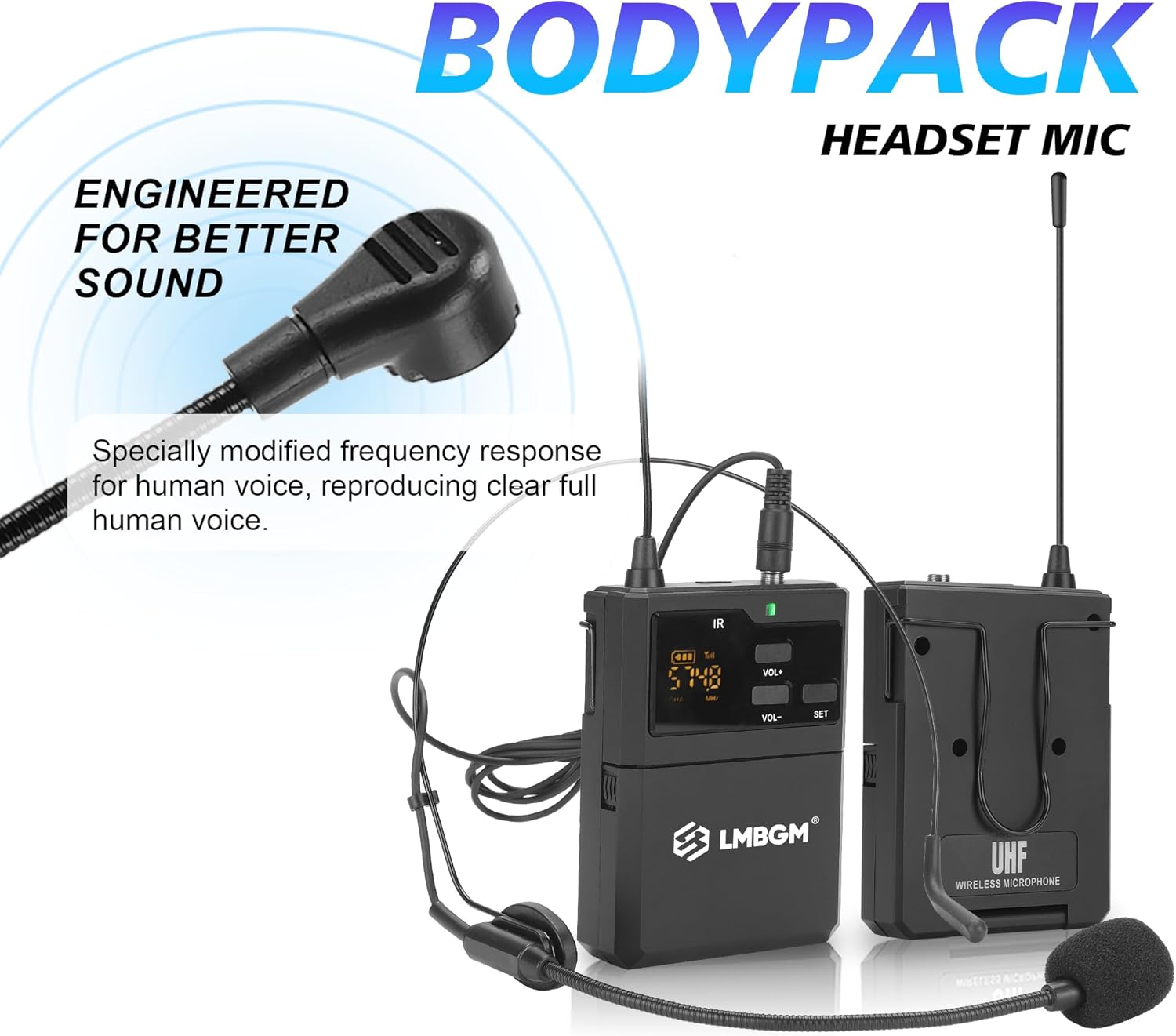
Figure 3: Bodypack Transmitter and Headset Microphone. Engineered for clear human voice reproduction.
3. Setup Instructions
3.1 Receiver Placement and Connections
- Place the receiver on a stable, flat surface, away from potential sources of interference such as large metal objects, digital devices, or other wireless equipment.
- Connect the four antennas to the corresponding antenna ports on the rear of the receiver. Ensure they are securely tightened.
- Connect the power cable to the DC 12-15V power input on the receiver and then to a suitable power outlet.
- Connect the receiver's audio output to your mixer, amplifier, or PA system using the provided 6.35mm audio cable (Mix Out) or individual XLR cables (Balanced 1-8 outputs).
3.2 Microphone Battery Installation
Both handheld microphones and bodypack transmitters require 2 AA batteries each.
- For handheld microphones, unscrew the bottom part of the microphone to reveal the battery compartment. Insert two AA batteries, observing the correct polarity (+/-). Screw the bottom part back on.
- For bodypack transmitters, open the battery compartment cover. Insert two AA batteries, observing the correct polarity (+/-). Close the cover securely.

Figure 4: Battery Installation. Both handheld and bodypack microphones use 2 AA batteries.
3.3 Initial Power On and Pairing
- Turn on the receiver by pressing the power button. The display will illuminate.
- Turn on each microphone (handheld or bodypack).
- The system features automatic frequency technology. Press the 'SET' button on the microphone or the 'FM' button (if available) to initiate automatic frequency pairing with the receiver. The microphone and receiver channel displays should synchronize.
- Repeat for all microphones.
Video 1: LMBGM K-27R Wireless Microphone System Overview. This video demonstrates the system components, battery installation, and automatic frequency pairing process.
4. Operating Instructions
4.1 Volume Control
Each channel on the receiver has an independent volume control knob. Adjust these knobs to achieve the desired audio level for each microphone. Additionally, some microphones may have volume controls directly on the unit.
4.2 Frequency Adjustment
While the system features automatic frequency pairing, manual adjustment may be necessary in environments with high interference. Refer to the receiver's display and the microphone's display to select a clear frequency. Each microphone has 5 frequency options to choose from.
4.3 Using Handheld Microphones
Hold the handheld microphone firmly. Ensure the microphone head is pointed towards the sound source. The metal construction provides a comfortable grip for extended use.
4.4 Using Bodypack Transmitters and Headset Microphones
Attach the bodypack transmitter to your belt or clothing. Connect the headset microphone to the bodypack. Position the headset microphone near your mouth for optimal sound capture. The bodypack's ABS material ensures durability.
4.5 Transmission Range
The system offers a reliable wireless signal range of up to 50 meters (160 feet) in optimal conditions. Ensure a clear line of sight between the microphones and the receiver for best performance.
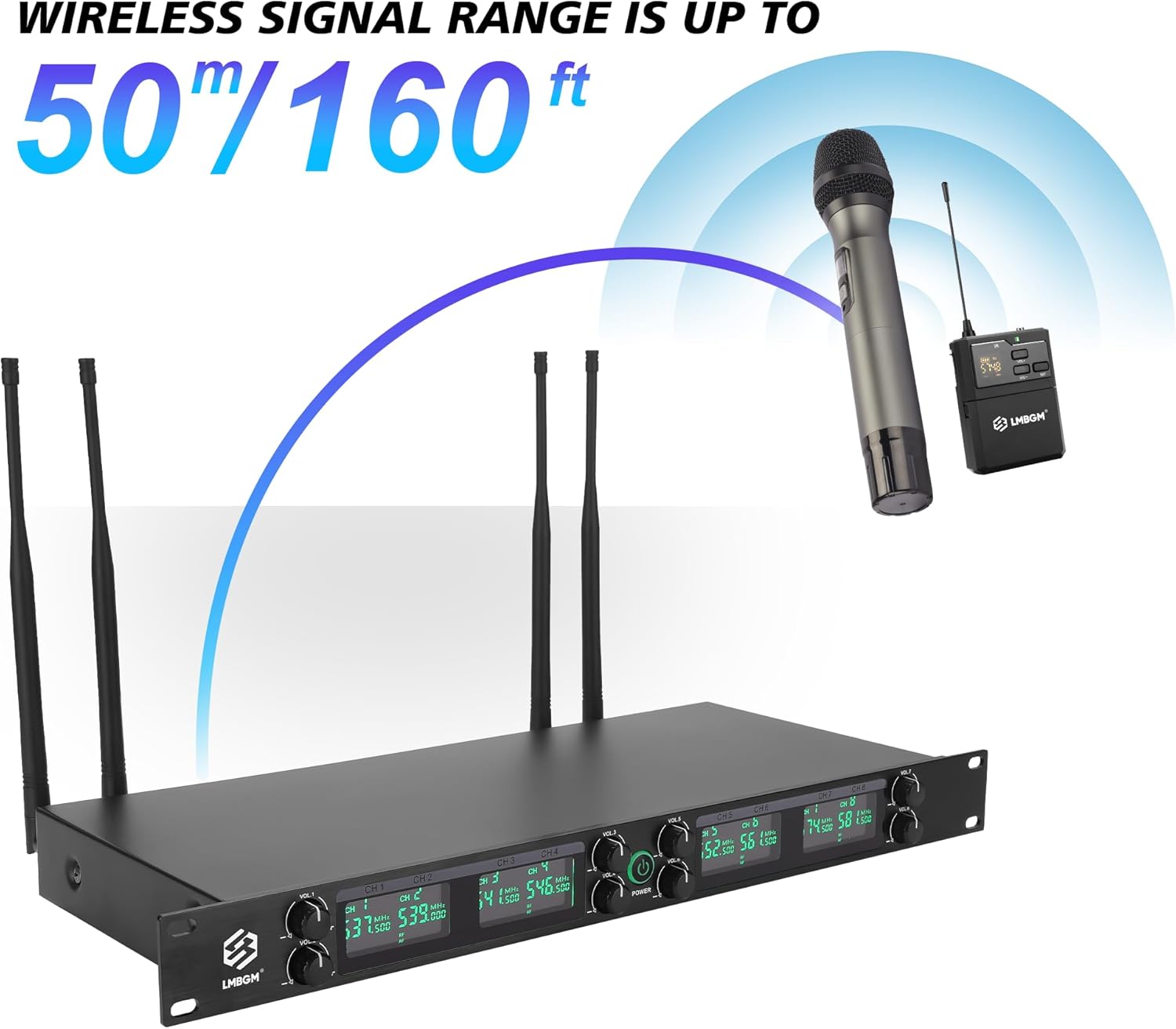
Figure 5: Wireless Signal Range. The system provides a stable transmission distance of up to 50 meters (160 feet).
5. Maintenance
5.1 Cleaning
Regularly clean the receiver and microphones with a soft, dry cloth. Do not use liquid cleaners or solvents, as they may damage the components. For microphone grilles, use a soft brush to remove dust or debris.
5.2 Battery Care
Remove batteries from microphones and bodypack transmitters if the system will not be used for an extended period to prevent leakage and damage. Always use fresh, high-quality AA batteries for optimal performance.
5.3 Storage
Store the system in a cool, dry place, away from direct sunlight, extreme temperatures, and high humidity. Keep all components in their original packaging or a protective case when not in use.
6. Troubleshooting
6.1 No Sound Output
- Ensure the receiver is powered on and connected correctly to your audio system.
- Check that microphones are powered on and have fresh batteries.
- Verify that the microphone and receiver channels are paired and on the same frequency. Re-pair if necessary.
- Adjust the volume knobs on the receiver and your audio system.
6.2 Interference or Dropouts
- Move the receiver away from other electronic devices that may cause interference.
- Change the operating frequency of the affected microphone. Each microphone has 5 frequency options.
- Ensure antennas are properly connected and positioned for optimal reception.
- Check the distance between the microphone and receiver; stay within the recommended 50-meter range.
6.3 Poor Sound Quality
- Check microphone battery levels. Low batteries can affect sound quality.
- Ensure the microphone is positioned correctly relative to the sound source.
- Verify that the audio cables are securely connected and not damaged.
- Adjust gain settings on your mixer or amplifier if the signal is too weak or distorted.
7. Specifications

Figure 6: System Dimensions and Technical Specifications.
| Feature | Detail |
|---|---|
| Brand | LMBGM |
| Model Name | K-27R |
| Connectivity Technology | UHF |
| Number of Channels | 8 |
| Frequency Response | 50 Hz - 20 KHz |
| Latency | <5ms |
| Audio Resolution | 24-bit/96KHz |
| Polar Pattern | Hyper Cardioid (Handheld) |
| Microphone Form Factor | Microphone System (Handheld & Bodypack) |
| Enclosure Material | Metal (Handheld), ABS (Bodypack) |
| Power Supply (Transmitters) | 2 x AA Batteries per unit |
| Power Supply (Receiver) | DC 12-15V |
| Item Weight | 5.21 Kilograms (System) |
| Item Dimensions (Receiver) | 18.9 x 7.09 x 1.77 inches |
| Recommended Uses | Karaoke, Stage Performances, Church, DJ, Weddings |
8. Warranty and Support
8.1 Manufacturer's Warranty
This LMBGM K-27R Wireless Microphone System comes with a 1-Year Manufacturer's Warranty from the date of purchase. This warranty covers defects in materials and workmanship under normal use. It does not cover damage caused by misuse, accidents, unauthorized modifications, or improper installation.
8.2 Customer Support
For technical assistance, troubleshooting, or warranty claims, please contact LMBGM customer support through the retailer where the product was purchased or visit the official LMBGM website for contact information. Please have your purchase receipt and product model number (K-27R) ready when contacting support.