
PHXIN Bluetooth Intercom T9S
PHXIN T9S Motorcycle Bluetooth Headset User Manual
Model: Bluetooth Intercom T9S
Introduction
The PHXIN T9S Motorcycle Bluetooth Headset is designed to provide clear and reliable communication for motorcycle riders. Featuring advanced Bluetooth technology, it supports group intercom for up to 10 riders, music sharing, FM radio, and hands-free calling. Its robust IP67 waterproof design ensures performance in various weather conditions, making it suitable for long rides and diverse outdoor activities.
What's in the Box
Please verify that all components are present in your package:
- Bluetooth Device x1
- Microphone x 2 (Including Hard & Soft)
- 40mm HiFi Speaker x1
- 3M plastic base x1
- Fixed base x1
- USB Cable x1
- Allen Key x1
- User Manual x1
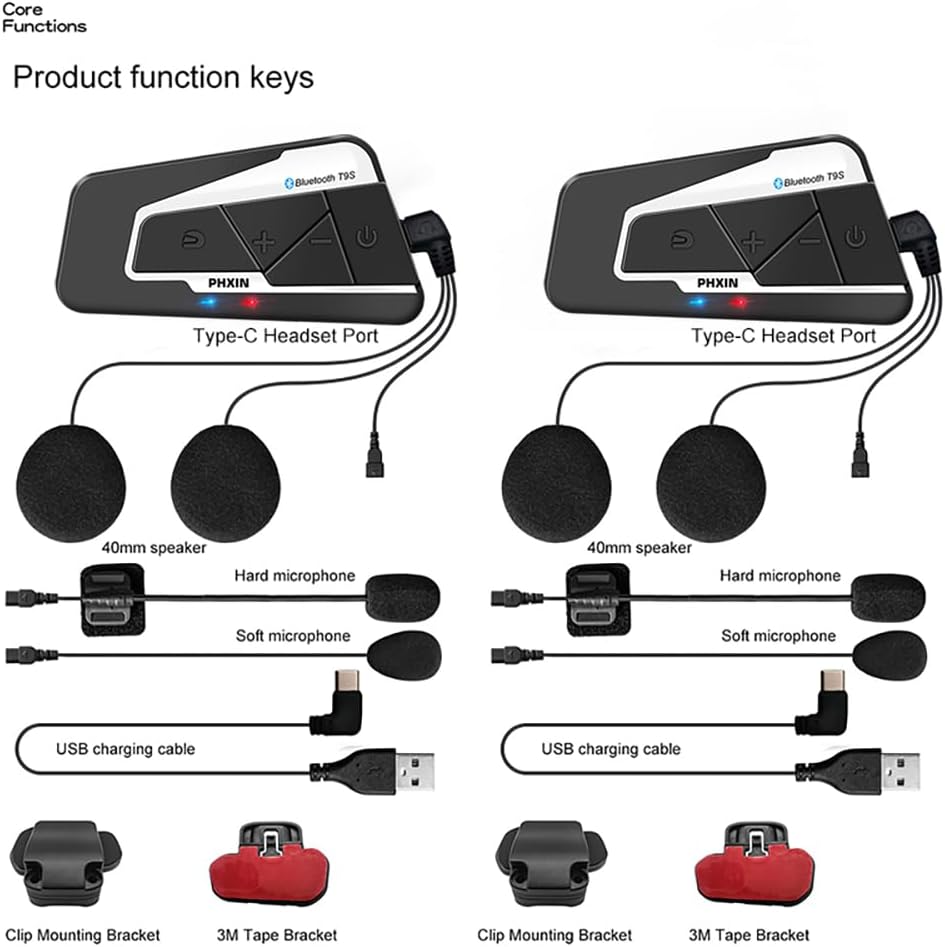
Figure 1: Included components of the PHXIN T9S Bluetooth Headset. This image displays the main Bluetooth unit, two types of microphones (hard and soft), 40mm HiFi speakers, a USB charging cable, a 3M plastic base, and a clip mounting bracket.
Setup and Installation
1. Mounting the Headset Unit
The PHXIN T9S unit can be mounted to your helmet using either the clip mounting bracket or the 3M adhesive base.
- Clip Mounting: Slide the clip between the helmet shell and the inner padding. Ensure it is securely fastened.
- 3M Adhesive Mounting: Clean the desired area on the helmet surface thoroughly. Peel off the protective film from the 3M plastic base and firmly press it onto the helmet for at least 30 seconds. Allow 24 hours for the adhesive to cure before attaching the headset unit.
2. Installing Speakers and Microphone
Choose the appropriate microphone for your helmet type:
- Boom Mic (Hard Microphone): Recommended for open-face or flip-face helmets. Attach the microphone to the inside of the helmet near your mouth.
- Button Mic (Soft Microphone): Recommended for full-face helmets. Position the microphone inside the helmet near your mouth, typically within the chin bar.
Place the 40mm HiFi speakers inside the helmet's ear pockets, ensuring they are aligned with your ears for optimal sound quality. Connect the speaker and microphone cables to the Type-C headset port on the main unit. Ensure all connections are firmly inserted to maintain IP67 waterproofing.
Operating Instructions
1. Power On/Off and Pairing
- Power On: Press and hold the Power Button (U-shaped icon) for approximately 3 seconds until the indicator light flashes.
- Power Off: Press and hold the Power Button for approximately 3 seconds until the indicator light turns off.
- Bluetooth Pairing (First Time): With the device off, press and hold the Power Button for about 5-7 seconds until the indicator light flashes red and blue alternately. On your mobile device, search for "PHXIN T9S" in the Bluetooth settings and select to pair.
- Universal Pairing: The T9S supports pairing with most other motorcycle headsets. For specific instructions on pairing with other brands, refer to the other device's manual. For LEXIN models (T10S, V10S, B4FM, G2P, GTX, G16, MeshCom, Novus), follow their respective pairing procedures.

Figure 2: PHXIN T9S Bluetooth Headset units with visible control buttons for power, volume, and intercom.
2. Intercom Communication
The T9S supports full-duplex intercom among up to 10 users within a 2000-meter range (optimal performance for 4 riders).
- Initiate Intercom: After pairing multiple T9S units, a short press of the Intercom Button (S-shaped icon) will initiate or end an intercom conversation.
- Automatic Fleet Networking: Once connected, there is no need to push buttons for conversation. The system maintains an open line for communication.
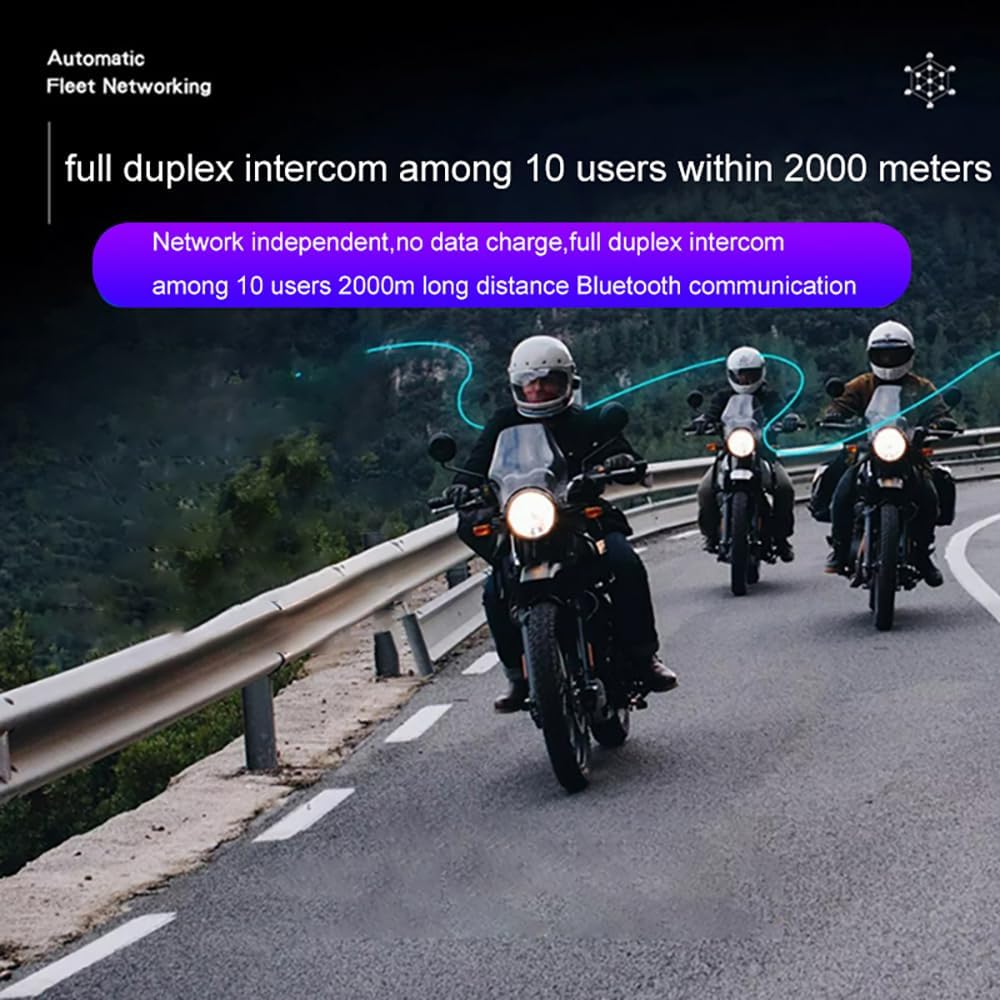
Figure 3: Illustration of the T9S's full-duplex intercom capability, allowing communication among up to 10 users over a 2000-meter range.
3. Music Playback and Sharing
- Play/Pause Music: Short press the Power Button.
- Next Song: Short press the "+" button.
- Previous Song: Short press the "-" button.
- Music Sharing: With two T9S units connected, double-click the Power Button on one unit to share the currently playing music with the other unit.

Figure 4: The music sharing feature allows two riders to listen to the same song simultaneously.
4. Phone Calls and Voice Assistant
- Answer Incoming Call: Short press the Power Button.
- End Call: Short press the Power Button during a call.
- Reject Call: Press and hold the Power Button for 2 seconds during an incoming call.
- Redial Last Number: Double-click the Power Button.
- Activate Voice Assistant (Siri/Google Assistant): Triple-click the Power Button.
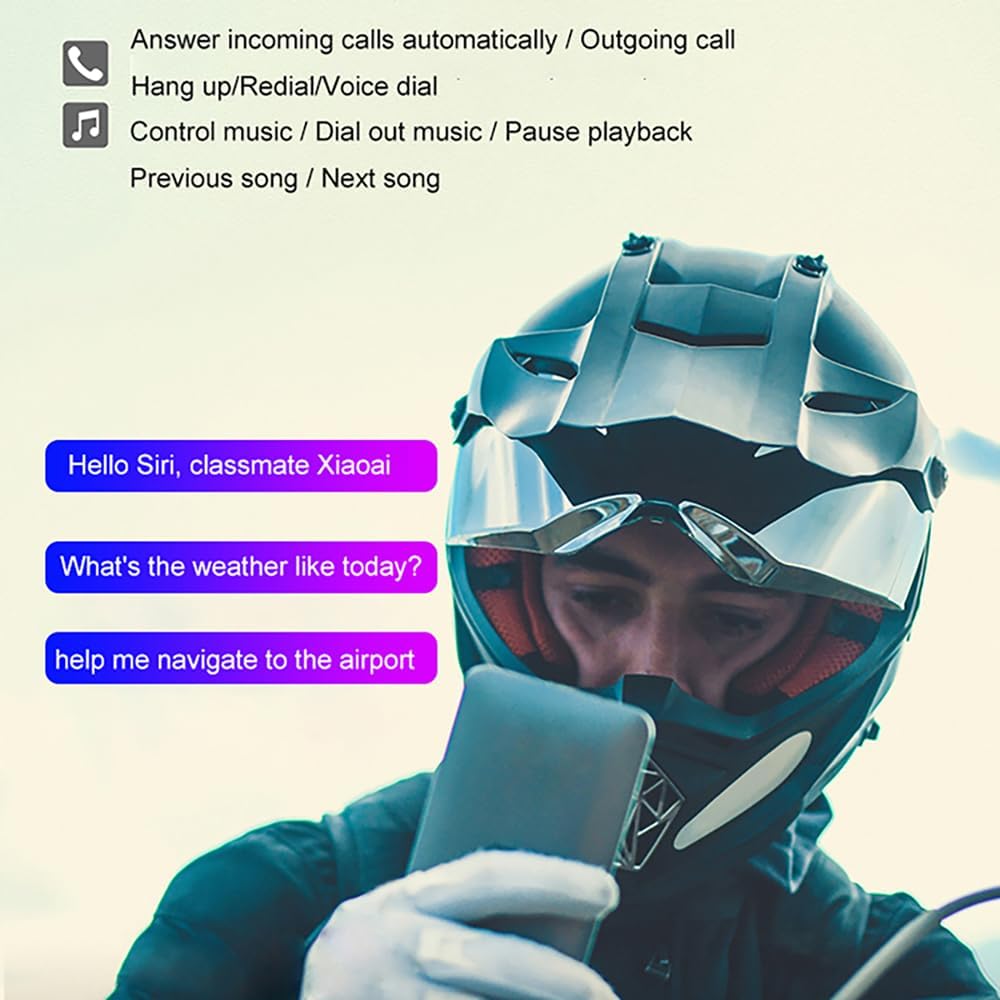
Figure 5: The T9S supports hands-free calls and voice assistant activation for navigation, weather, and other commands.
5. FM Radio
- Turn On/Off FM Radio: Press and hold the "+" button for 2 seconds to turn on the FM radio. Press and hold the "+" button for 2 seconds again to turn it off.
- Scan Stations: The device will automatically scan and save available FM stations.
- Change Station: Short press the "+" or "-" button to switch between saved stations.

Figure 6: The built-in FM radio allows users to listen to news and traffic updates without a phone connection.
Maintenance
- Cleaning: Wipe the unit with a soft, damp cloth. Do not use harsh chemicals or abrasive cleaners.
- Waterproofing: The T9S is IP67 waterproof. Ensure all ports (especially the Type-C headset port) are securely closed or have cables firmly inserted to maintain water resistance. Avoid submerging the device for extended periods.
- Storage: Store the device in a cool, dry place when not in use. Avoid extreme temperatures.
- Battery Care: To prolong battery life, avoid fully discharging the battery frequently. Charge the device regularly, especially if stored for long periods.

Figure 7: The IP67 waterproof design ensures the headset functions reliably in wet conditions.
Troubleshooting
| Problem | Possible Cause | Solution |
|---|---|---|
| Device does not power on. | Low battery. | Charge the device for at least 3 hours. |
| Cannot pair with phone/other headset. | Not in pairing mode; device too far; interference. | Ensure device is in pairing mode (red/blue flashing). Move closer to the other device. Restart both devices. |
| Intercom connection unstable or drops. | Out of range; obstacles; too many riders. | Stay within 2000m range. Reduce number of active intercom users (optimal for 4). Avoid large obstacles. |
| Poor audio quality/noise. | Microphone/speaker placement; wind noise; high speed. | Adjust microphone and speaker position. The device features DSP/CVC noise cancellation for speeds up to 120km/h. |
| Music sharing not working. | Incorrect procedure; only 2 units supported. | Ensure both units are connected and follow the double-click Power Button procedure. Music sharing is limited to two units. |

Figure 8: The T9S utilizes DSP/CVC technology for effective noise cancellation, ensuring clear audio even at high speeds.
Specifications
| Feature | Detail |
|---|---|
| Model Name | T9S |
| Connectivity Technology | Wireless (Bluetooth) |
| Noise Control | Active Noise Cancellation (DSP/CVC) |
| Headphones Jack | Type-C |
| Battery Capacity | 800mAh |
| Charging Time | 3 Hours |
| Music Playback Time | Up to 15 hours |
| Talk Time (Intercom) | Up to 15 hours |
| Standby Time | Over 168 hours |
| Intercom Range | Up to 2000m (1.2 miles) for 10 riders (best for 4) |
| Waterproof Rating | IP67 |
| Operating Temperature | Effective down to -22°F |
| Product Dimensions | 3.5 x 0.79 x 1.81 inches |
| Material | Plastic |
| Manufacturer | PHXIN |

Figure 9: The T9S offers extended battery life for long rides.
Ask a question about this manual
Ask about setup, troubleshooting, compatibility, parts, safety, or missing instructions. Manuals+ will review the question and use this page’s manual context to help answer it.