
1. Introduction
This manual provides instructions for the Miracase Full-Body Protective Case, designed to offer comprehensive protection for your iPhone SE (3rd/2nd Generation 2022/2020) or iPhone 8 (4.7 Inch). The case integrates a built-in glass screen protector and features a heavy-duty, shockproof design for 360-degree device safety.
2. Product Features
- Bubble-Free Built-in 9H Glass Screen Protector: Protects your phone screen from scratches and cracks without bubbles, ensuring sensitive touch response.
- 360° Full-Body Protection: Military-grade drop tested (8000 times) with a dual-layer design for complete protection.
- Raised Camera Edge: Protects the camera lens without affecting picture quality.
- Wireless Charging Compatibility: Supports wireless charging without needing to remove the case.

Image: Components of the Miracase Full-Body Protective Case.

Image: Illustration of 9H Tempered Glass Film durability.

Image: Raised bezels for screen and camera protection.
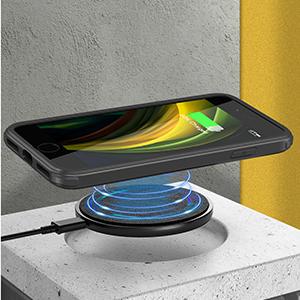
Image: Wireless charging compatibility.
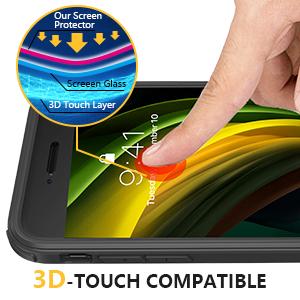
Image: 3D-Touch compatibility.
3. Setup and Installation
The Miracase Full-Body Protective Case is designed for easy, one-second installation without the need for calibration or tools. It supports repeated use.
- Separate the front cover from the back cover of the case.
- Install your iPhone into the front cover first.
- Align and snap the back cover onto the front cover, ensuring all edges are securely fastened.
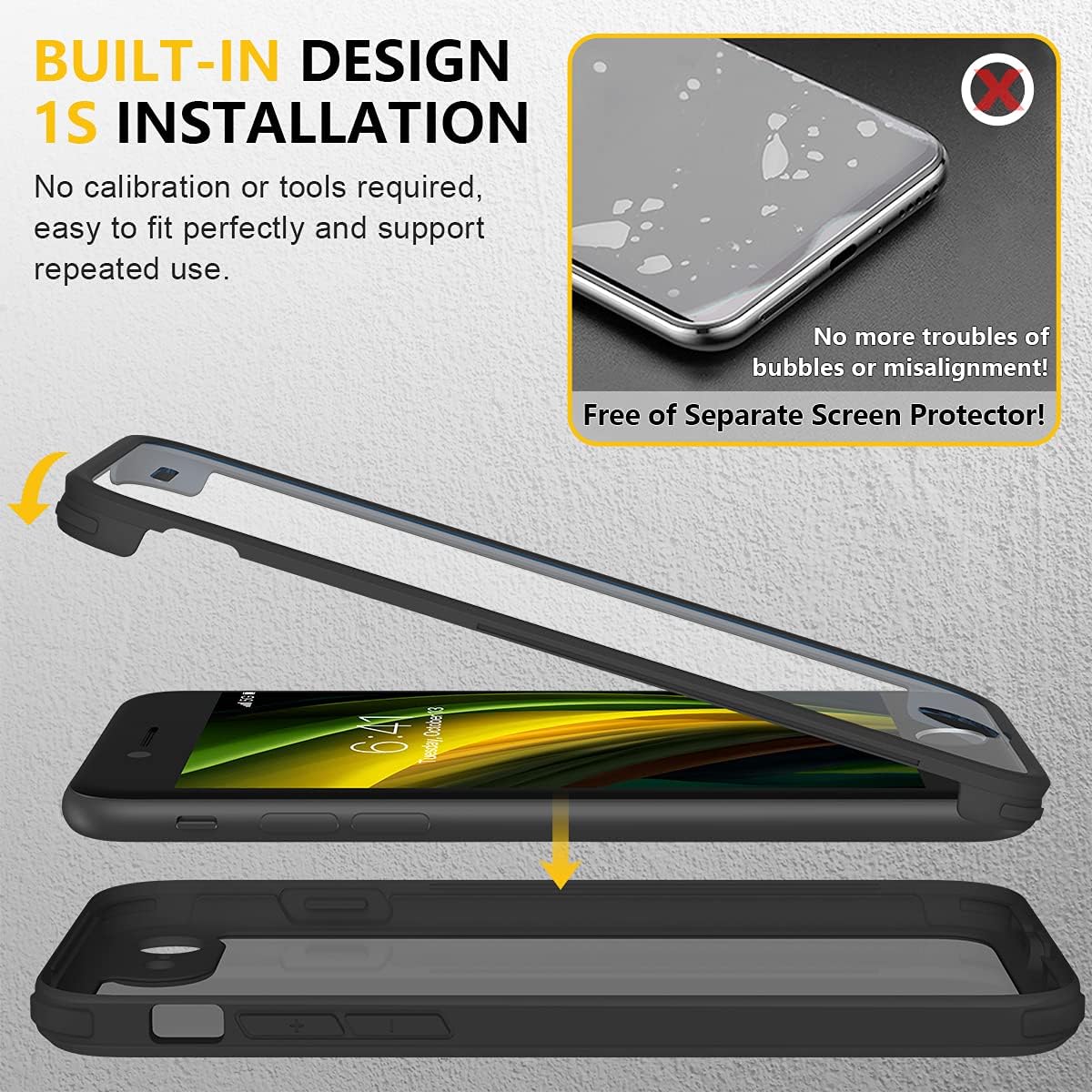
Image: Installation steps for the Miracase case.
Video: Demonstrates the two-piece installation process and the secure fit of the case, highlighting camera protection and MagSafe compatibility.
4. Operating Instructions
Once installed, your iPhone SE/8 is ready for use with enhanced protection. The built-in screen protector ensures full touch functionality, including 3D Touch, without interference. The case is designed to be compatible with wireless charging, allowing you to charge your device conveniently without removal.
Video: Highlights the benefits and functionality of the built-in screen protector for phone protection.
5. Maintenance
To maintain the clarity and effectiveness of your Miracase protective case, regular cleaning is recommended. Over time, debris may accumulate within the case, which can be removed by carefully separating the two parts and wiping down your phone and the case interior with a soft, lint-free cloth. Avoid using harsh chemicals or abrasive materials that could damage the case or your device.
6. Troubleshooting
Case Not Fitting Properly:
Ensure you have the correct model case for your iPhone SE (3rd/2nd Gen) or iPhone 8. Verify that no other screen protectors or camera protectors are installed on your phone, as these can interfere with the case's fit.
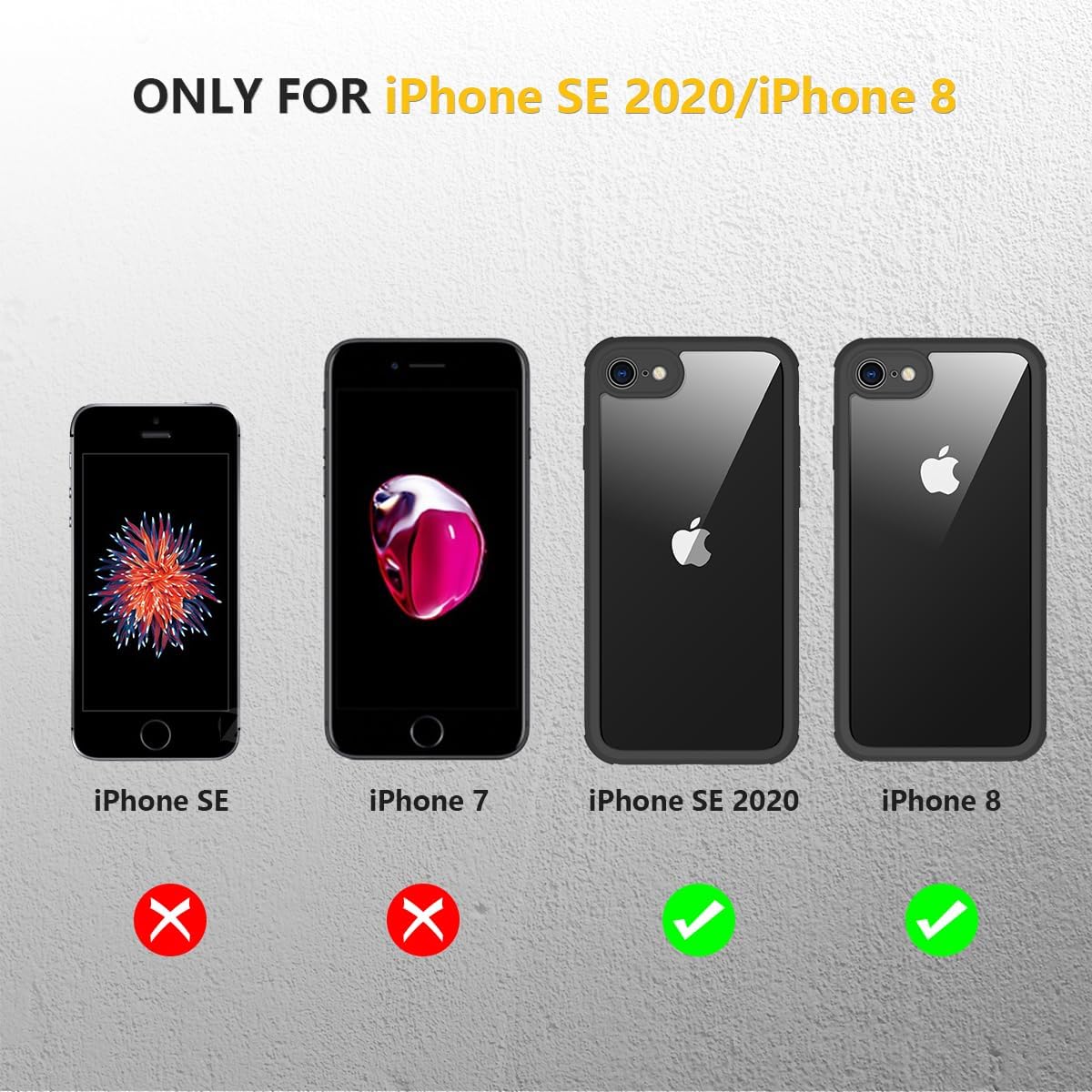
Image: Compatibility chart for iPhone models.
Screen Protector Shattered After Drop:
While the case is designed for heavy-duty protection, severe impacts can cause the built-in glass screen protector to shatter. This indicates the case absorbed the impact, protecting your phone. In such instances, the case should be replaced to ensure continued protection.
Dust/Debris Under Screen Protector:
If dust or debris appears under the screen protector, carefully remove the case, clean both your phone screen and the inside of the case with a microfiber cloth, and then reassemble the case following the installation instructions.
7. Specifications
| Feature | Detail |
|---|---|
| Brand | Miracase |
| Compatible Phone Models | iPhone SE/8 |
| Color | Black |
| Material | Tempered Glass |
| Water Resistance Level | Not Water Resistant |
| Additional Features | 360 Degree Protection, Built-in Camera Protector, Built-in Screen Protector |
| Screen Size | 4.7 Inches |
| Pattern | Solid |
| Theme | Military |
| Finish | Glossy |
| Model Number (Mfr Part Number) | 901MBIPSEBLK-N |
| Number of Items | 1 |
| Manufacturer | Miracase |
8. Warranty and Support
This Miracase product comes with a 1 Year Manufacturer Warranty. For any product issues or to request a replacement, please contact Miracase customer support. When contacting support, please provide your purchase details and a description of the issue.