
1. Introduction
Thank you for choosing the Voistek Bone Conduction Headphones. This manual provides essential information for the safe and effective use of your new device. Please read it thoroughly before use and retain it for future reference.
Safety Information
- Do not disassemble or modify the device.
- Avoid exposing the headphones to extreme temperatures or direct sunlight for prolonged periods.
- While the headphones are IP68 waterproof, ensure the charging port is dry before charging to prevent damage.
- Using headphones at high volume for extended periods may cause permanent hearing damage.
- Maintain awareness of your surroundings, especially when using the headphones in traffic or other potentially hazardous environments.
2. Package Contents
Verify that all items are present in your package:
- Voistek Bone Conduction Headphones
- Charging Cable
- User Manual
3. Product Overview
The Voistek Bone Conduction Headphones are designed for comfort and versatility, featuring an open-ear design and dual modes for various activities.

Figure 3.1: Front view of the Voistek Bone Conduction Headphones.
Key Features
- IP68 Waterproof: Suitable for swimming up to 2 meters for 2 hours.
- Built-in 32GB MP3 Player: Store music directly on the device for phone-free listening.
- Open-Ear Design: Allows awareness of surroundings.
- Bluetooth 5.3: Stable and fast wireless connection.
- Voice Assistant Support: Compatible with Siri, Alexa, and Google Assistant.
- Fast Charging: 5 minutes of charging provides approximately 3 hours of use.
- Secure Silicone Strap: Ensures a stable and comfortable fit during activities.

Figure 3.2: Overview of headphone features including battery life, sound quality, and waterproof rating.
4. Setup
4.1 Charging the Headphones
Before first use, fully charge the headphones. Connect the provided charging cable to the charging port on the headphones and a USB power source. The charging indicator light will show the charging status. A full charge takes approximately 1.5 hours. A 5-minute quick charge provides about 3 hours of playback.
4.2 Power On/Off
- Power On: Press and hold the Power button until the indicator light illuminates.
- Power Off: Press and hold the Power button until the indicator light turns off.
4.3 Bluetooth Pairing
To connect your headphones to a device via Bluetooth:
- Ensure the headphones are powered off.
- Press and hold the Power button until the indicator light flashes blue and red, indicating pairing mode.
- On your device (smartphone, tablet, computer), enable Bluetooth and search for available devices.
- Select "Voistek 2025 Blue" from the list of devices.
- Once connected, the indicator light will turn solid blue.
The headphones support Bluetooth 5.3 for a stable connection up to 10 meters. They also support simultaneous pairing with two devices, allowing you to switch between audio sources.

Figure 4.1: Headphones featuring Bluetooth 5.3 and 32GB MP3 storage for dual mode operation.

Figure 4.2: Simultaneous pairing with multiple devices.
4.4 MP3 Mode
The headphones feature a built-in 32GB MP3 player for listening to music without a connected device. To switch to MP3 mode, double-tap the mode switch button. To transfer music files, connect the headphones to a computer using the charging cable. The headphones will appear as a removable drive, allowing you to drag and drop MP3 files.
5. Operating Instructions
5.1 Wearing the Headphones
Position the headphones so the transducers rest on your cheekbones, just in front of your ears. The band should wrap around the back of your head. Adjust for a comfortable and secure fit. The open-ear design ensures your ear canals remain unobstructed.

Figure 5.1: Bone conduction technology and proper wearing position.
5.2 Music Playback
- Play/Pause: Press the Multi-function button once.
- Next Track: Press and hold the Volume Up button.
- Previous Track: Press and hold the Volume Down button.
- Volume Up: Short press the Volume Up button.
- Volume Down: Short press the Volume Down button.
5.3 Call Management
- Answer/End Call: Press the Multi-function button once.
- Reject Call: Press and hold the Multi-function button for 2 seconds.
5.4 Voice Assistant
The headphones support voice assistants such as Siri, Alexa, and Google Assistant. To activate your device's voice assistant, triple-tap the Multi-function button.
5.5 Night Running Mode
For enhanced visibility during night activities, the headphones feature a Night Running Mode with LED lights. To activate or change modes, locate the dedicated light button (refer to product diagram if available). There are two modes:
- Mode 1: Steady Light
- Mode 2: Flashing Light

Figure 5.2: Night Running Mode for increased visibility.
5.6 Video Demonstration
Video 5.1: A demonstration of the Voistek Bone Conduction Sport Headphones in various activities, including pairing, playing music, and swimming. This video highlights the product's features and practical use.
6. Maintenance
6.1 Cleaning
Wipe the headphones with a soft, damp cloth. Do not use abrasive cleaners or solvents. Ensure the charging port is dry before charging.
6.2 Storage
Store the headphones in a cool, dry place away from direct sunlight and extreme temperatures. When storing for extended periods, charge the battery at least once every three months to maintain battery health.
6.3 Waterproof Usage
The IP68 rating allows for submersion up to 2 meters for 2 hours. After use in water, rinse the headphones with fresh water and dry thoroughly before charging or using in Bluetooth mode.
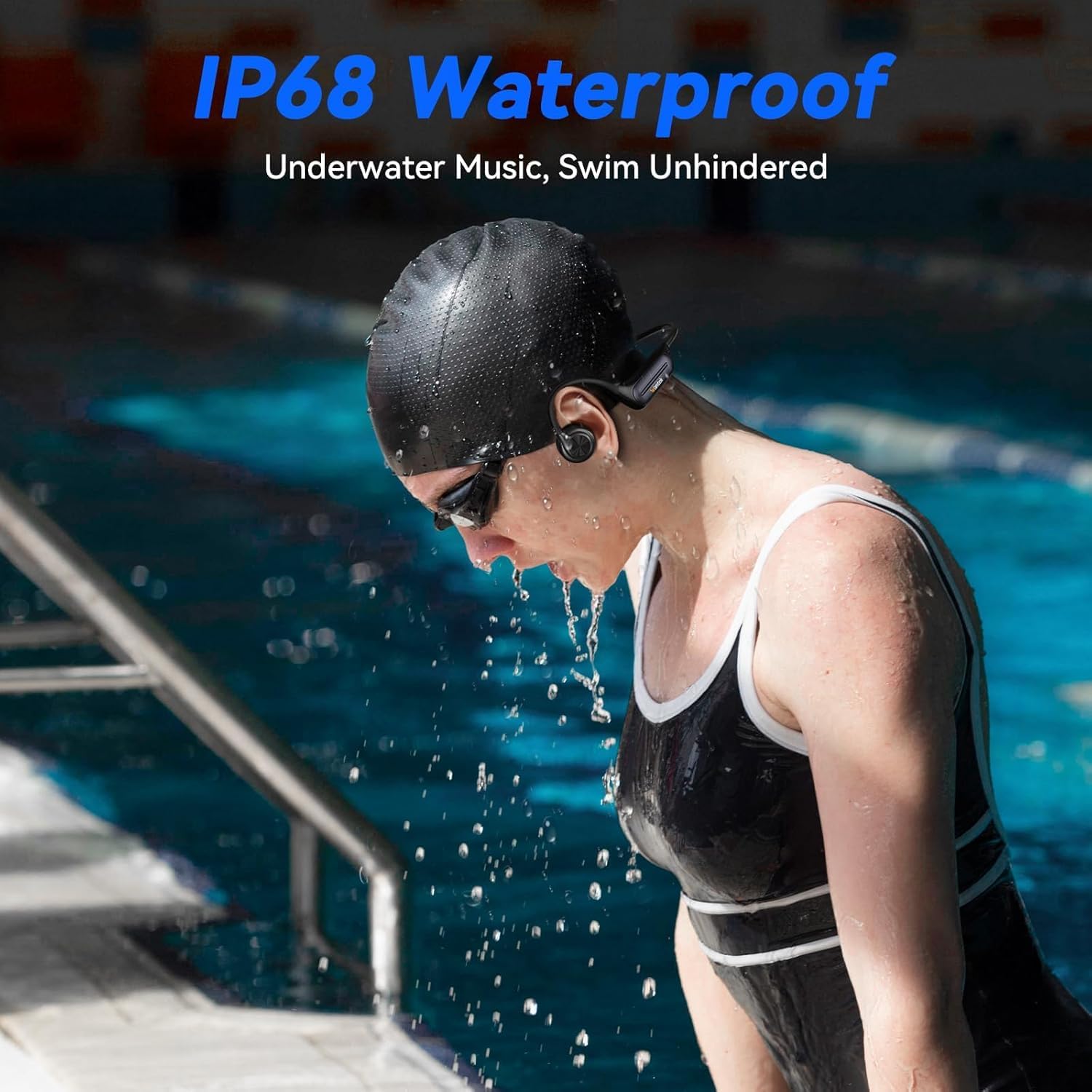
Figure 6.1: Headphones in use during swimming, showcasing IP68 waterproof feature.
7. Troubleshooting
- No Power: Ensure the headphones are charged. Connect to a power source and check the charging indicator.
- Cannot Pair: Ensure the headphones are in pairing mode (flashing blue and red light). Turn off and on your device's Bluetooth, then try pairing again.
- No Sound: Check the volume level on both the headphones and your connected device. Ensure the headphones are correctly paired.
- Poor Sound Quality: Ensure the transducers are positioned correctly on your cheekbones. Check for interference or move closer to your connected device.
- MP3 Mode Issues: Ensure MP3 files are correctly loaded onto the 32GB internal storage. Double-check that the headphones are switched to MP3 mode.
8. Specifications
| Feature | Specification |
|---|---|
| Model Name | 2025 Blue |
| Connectivity Technology | Wireless (Bluetooth 5.3) |
| Water Resistance Level | IP68 Waterproof |
| Internal Storage | 32GB (for MP3 Player) |
| Battery Life (Bluetooth) | Up to 8 Hours |
| Battery Life (MP3) | Up to 6 Hours |
| Charging Time | 1.5 Hours |
| Fast Charging | 5 min charge for 3 hours use |
| Bluetooth Range | 10 Meters |
| Frequency Response | 20 KHz |
| Sensitivity | 88 dB |
| Impedance | 8 Ohm |
| Item Weight | 1.14 Ounces |
| Product Dimensions | 5.91 x 6.89 x 2.17 inches |
| Material | Acrylonitrile Butadiene Styrene (ABS), Aluminum, Silicone |
| Control Type | Button Control, Touch |
| Voice Assistant Support | Google Assistant, Siri, Amazon Alexa |
9. Warranty and Support
Voistek products are manufactured to high quality standards. For warranty information or technical support, please refer to the contact details provided with your purchase or visit the official Voistek website. Please have your model number (2025 Blue) and purchase details available when contacting support.