
1. Introduction
Welcome to the MUSE S Athena, an advanced brain-sensing headband designed to help you understand and improve your mental fitness. This device utilizes cutting-edge EEG (Electroencephalography) and fNIRS (functional Near-Infrared Spectroscopy) sensors to provide real-time biofeedback, guiding you towards deeper meditation, improved focus, and enhanced sleep.
This manual provides essential information for setting up, operating, and maintaining your MUSE S Athena headband. Please read it thoroughly before first use to ensure optimal performance and safety.

Figure 1: The MUSE S Athena headband and its accompanying mobile application interface.
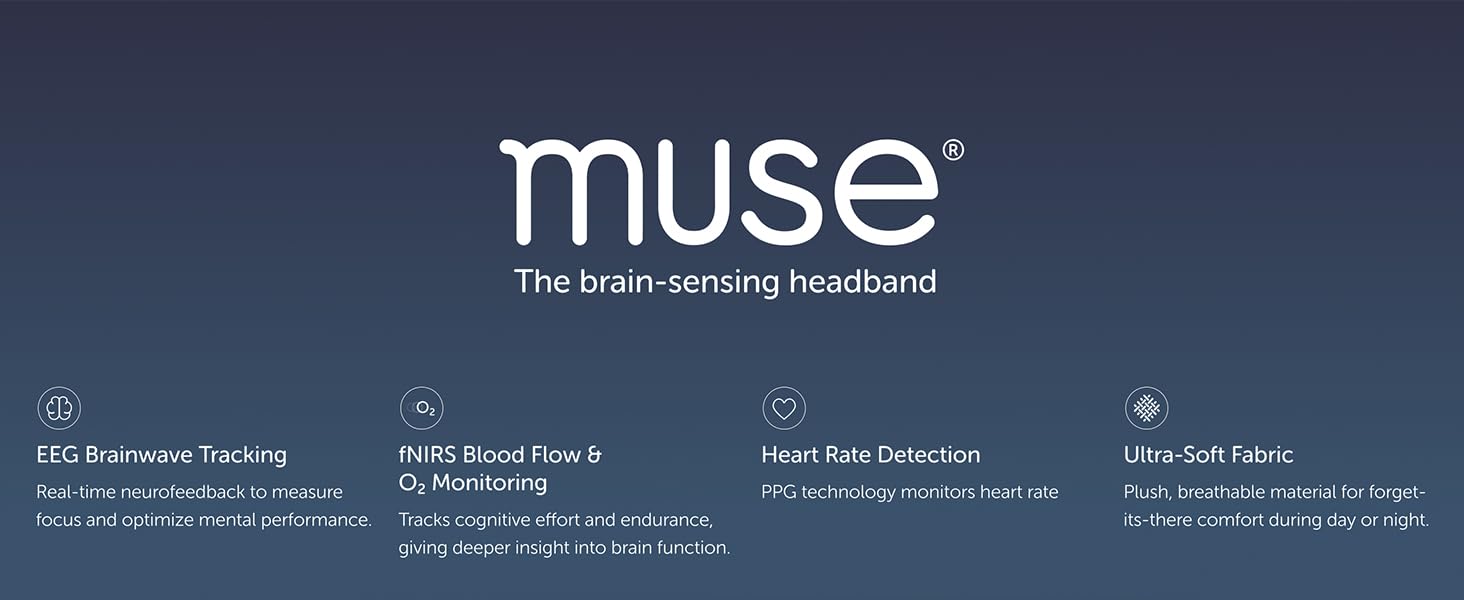
Figure 2: Overview of MUSE S Athena's core functionalities.
2. Package Contents
Ensure all items are present in your MUSE S Athena package:
- MUSE S Athena Brain Sensing Headband
- USB-C Charging Cable
- Quick Start Guide
- Safety and Regulatory Information
3. Device Overview
The MUSE S Athena headband is designed for comfort and functionality, featuring multiple sensors and an adjustable strap.
3.1 Components
- Sensor Module: Houses the EEG and fNIRS sensors, located at the front of the headband.
- Adjustable Strap: Soft, stretchable fabric for comfortable wear during day or night.
- LED Indicator: Displays battery status and connection.
- USB-C Port: For charging the device.
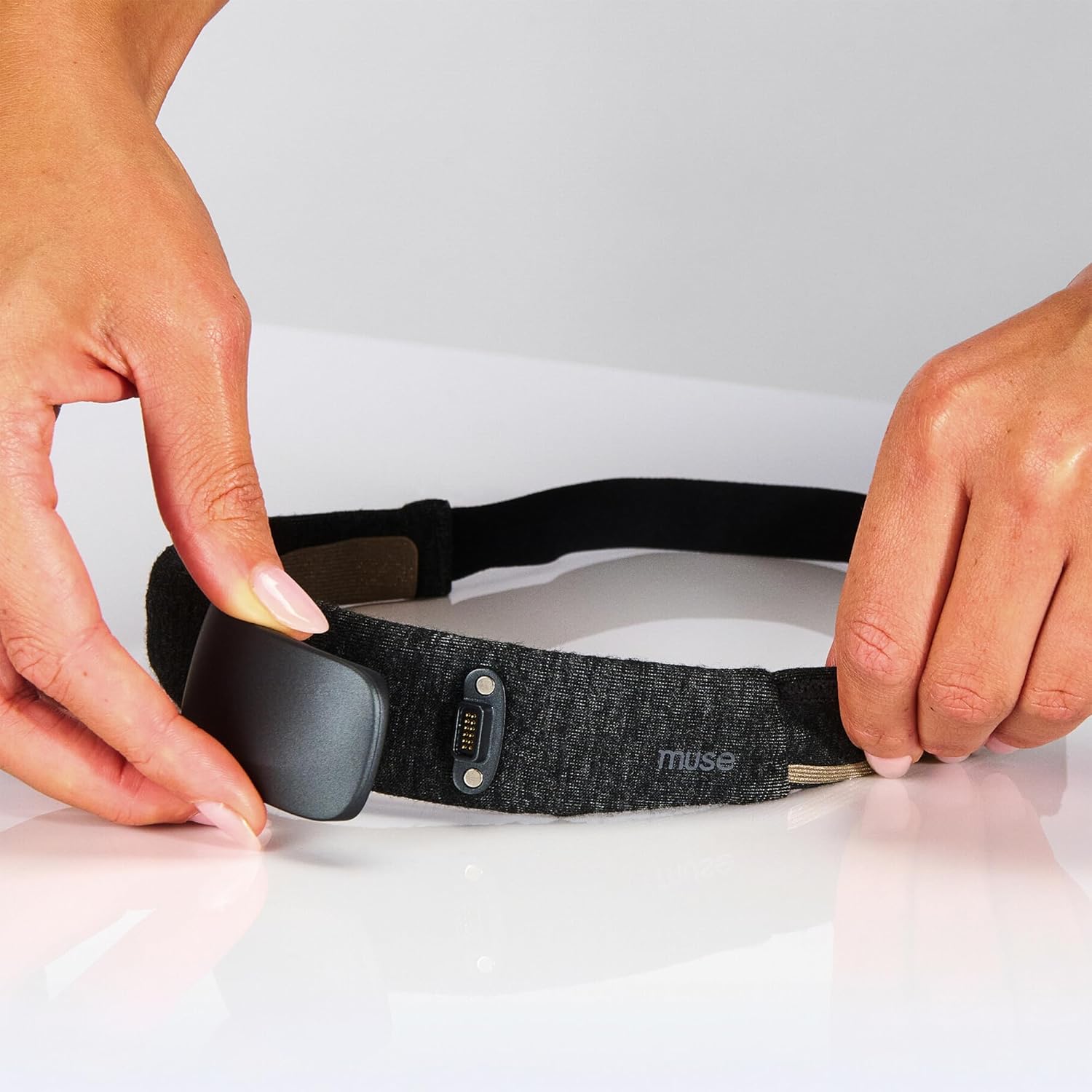
Figure 3: Attaching the sensor module to the headband.

Figure 4: Detailed view of the headband's sensor technology and comfort features.
4. Setup
4.1 Charging the Headband
Before first use, fully charge your MUSE S Athena headband. Connect the provided USB-C cable to the headband's charging port and plug the other end into a USB power adapter (not included).
- The LED indicator will show charging status.
- A full charge provides approximately 10 hours of battery life.
4.2 App Installation and Connection
The MUSE S Athena requires the Muse app for full functionality.
- Download the Muse app from your smartphone's app store (compatible with iPhone 12 or later, Android Pixel 6/equivalent or higher).
- Create an account or log in.
- Ensure your headband is charged and powered on.
- Enable Bluetooth on your smartphone.
- Follow the in-app instructions to pair your MUSE S Athena headband via Bluetooth BLE 5.3, 2.4 GHz.
5. Operating Instructions
5.1 Wearing the Headband
Place the soft, adjustable headband on your head, ensuring the sensor module rests comfortably on your forehead. Adjust the strap for a snug fit that allows the sensors to make good skin contact.
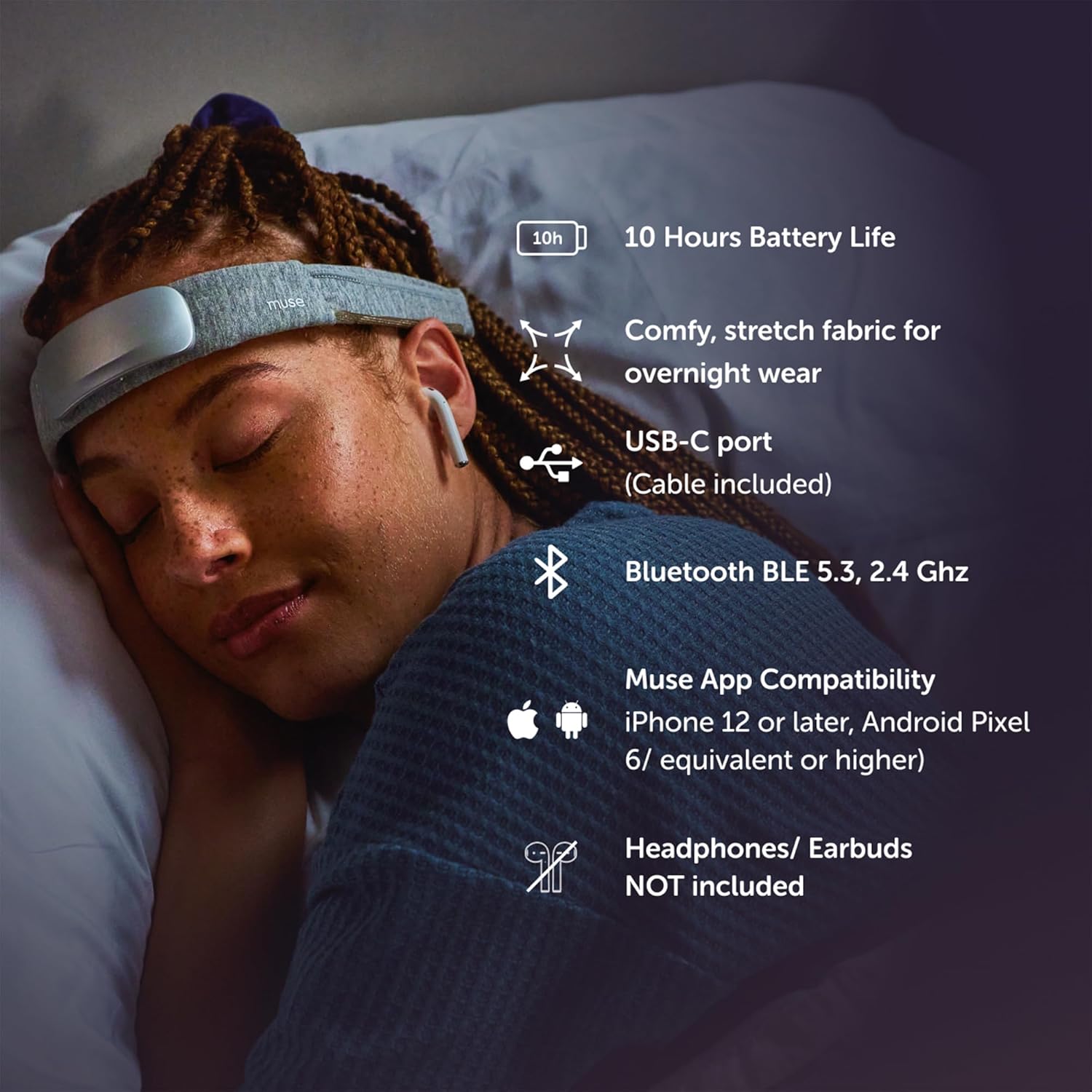
Figure 5: Proper placement of the MUSE S Athena headband for sleep tracking.
5.2 Using the Muse App
The Muse app is your interface for selecting experiences and tracking progress.
- Mind Biofeedback (EEG): Learn focused attention through real-time audio feedback that responds to your brain activity.
- Endurance & Strength (EEG + fNIRS): Train your brain to sustain peak cognitive effort and reduce fatigue.
- Breath Biofeedback (PPG + Gyroscope): Build confidence and control over your breath to energize or relax.
- Sleep Tracking & DSP (EEG + PPG + Accelerometer): Tracks sleep stages, deep sleep intensity, and positions. Offers real-time digital sleeping pills to aid sleep.
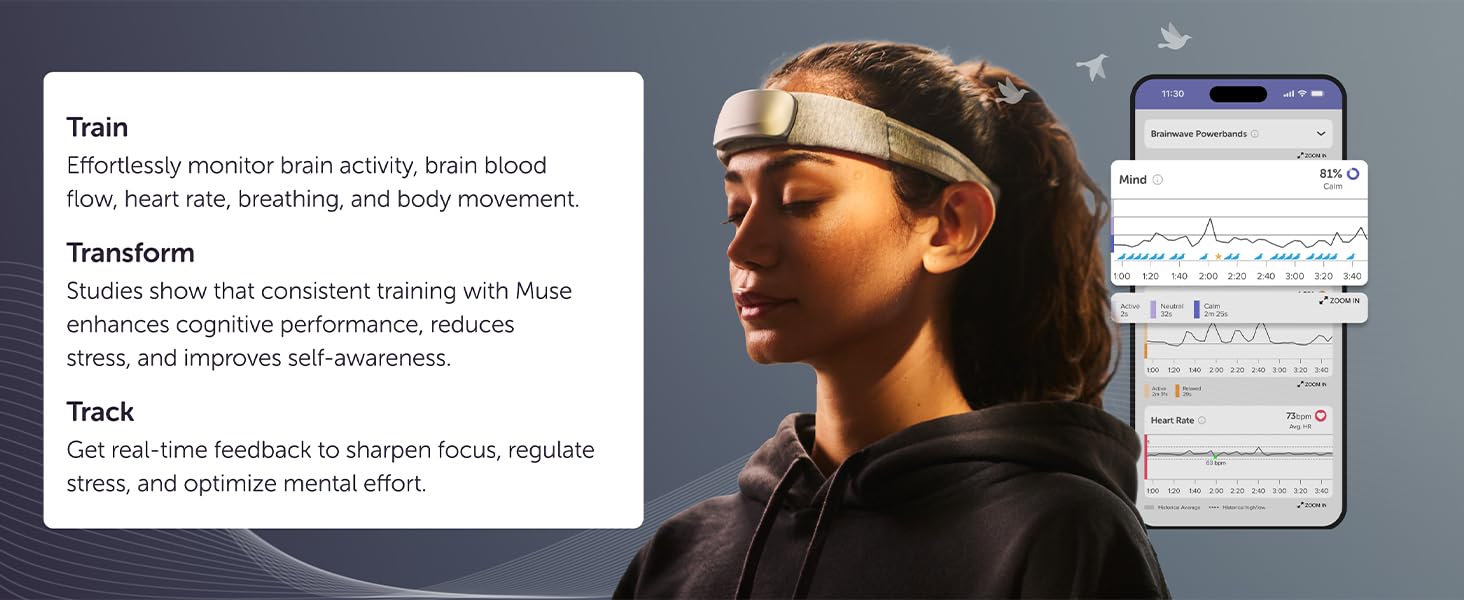
Figure 6: The four core experiences available with your headband purchase.
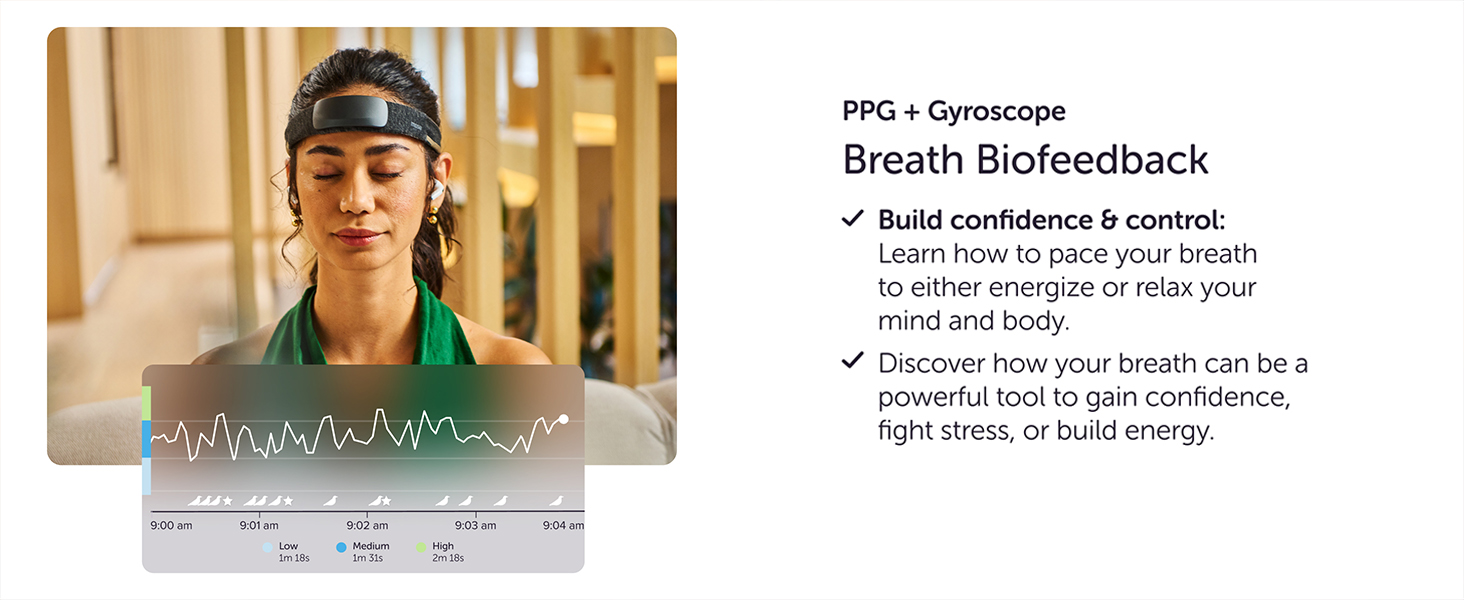
Figure 7: Accelerated learning through real-time feedback in the Muse app.
5.3 Session Management
- Select your desired meditation, sleep, or brain training experience from the app.
- Follow the on-screen prompts for sensor calibration.
- Begin your session. The app will provide real-time audio feedback.
- After your session, review your calm/sleep score, brain activity, effort, and performance insights.
Official Product Video: Bio/Brain Sensing Headband for Focus and Relaxation
Video 1: An overview of the MUSE S Athena's brain-sensing capabilities for focus and relaxation.
Official Product Video: Brain Spa Sleep Aid
Video 2: A brief demonstration of a sleep aid device, showcasing features that may be similar to Muse S Athena's sleep functions.
6. Maintenance
6.1 Cleaning
To maintain optimal sensor performance and hygiene:
- Wipe the sensor module gently with a soft, damp cloth after each use.
- Ensure no moisture enters the charging port or other openings.
- The fabric headband can be hand-washed with mild soap and air-dried. Remove the sensor module before washing the fabric.
6.2 Storage
Store your MUSE S Athena in a cool, dry place away from direct sunlight and extreme temperatures.
7. Troubleshooting
If you encounter issues with your MUSE S Athena, try the following:
- No Power: Ensure the headband is fully charged.
- Connection Issues: Verify Bluetooth is enabled on your device and the headband is within range. Try restarting both the headband and your smartphone.
- Poor Sensor Signal: Adjust the headband to ensure good skin contact with all sensors. Clean the sensors if necessary.
- App Not Responding: Close and restart the Muse app. If the issue persists, reinstall the app.
For further assistance, refer to the official MUSE support resources.
8. Specifications
| Brand | MUSE |
| Model | Muse S Athena |
| Color | Black |
| Compatible Devices | Smartphones |
| Item Weight | 0.75 Pounds |
| Battery Life | 10 Hours |
| Sensor Type | EEG, fNIRS |
| Battery Description | Lithium-Ion |
| UPC | 629230731111 |
| Manufacturer | MUSE |
| Size | One Size |
| Item Package Dimensions L x W x H | 9.76 x 3.58 x 1.5 inches |
| Package Weight | 0.13 Kilograms |
| Date First Available | April 10, 2025 |
9. Safety Information
Please observe the following safety guidelines:
- Do not use the device while driving or operating heavy machinery.
- Keep the device away from water and extreme temperatures.
- Consult a healthcare professional before use if you have any pre-existing medical conditions, especially neurological disorders.
- This device is not intended to diagnose, treat, cure, or prevent any disease.
- Keep out of reach of children.
10. Warranty and Support
For warranty information, technical support, or to access additional resources, please visit the official MUSE website or contact their customer service. Details can typically be found in the packaging or on the brand's online store.
Visit the MUSE Store for more products and information.