
Introduction
The ByteWave Android Auto Wireless Adapter is designed to convert your car's wired Android Auto connection into a wireless experience. This compact device utilizes 5.8GHz WiFi and Bluetooth 5.3 technology to provide stable and low-latency connectivity for navigation, music streaming, calls, and messages directly on your car's display. It features a versatile dual-port design (USB-A and USB-C) for broad compatibility and supports both NFC and Bluetooth for effortless pairing.
What's in the Box
- Wireless Android Auto Adapter x1
- User Guide x1
- ByteWave Card x1
- 3M Sticker NFC Sensing Gadget x1
- Double-sided NFC Tag Sensing Gadget x1
- USB-A Extension Cable x1
- USB-C Extension Cable x1
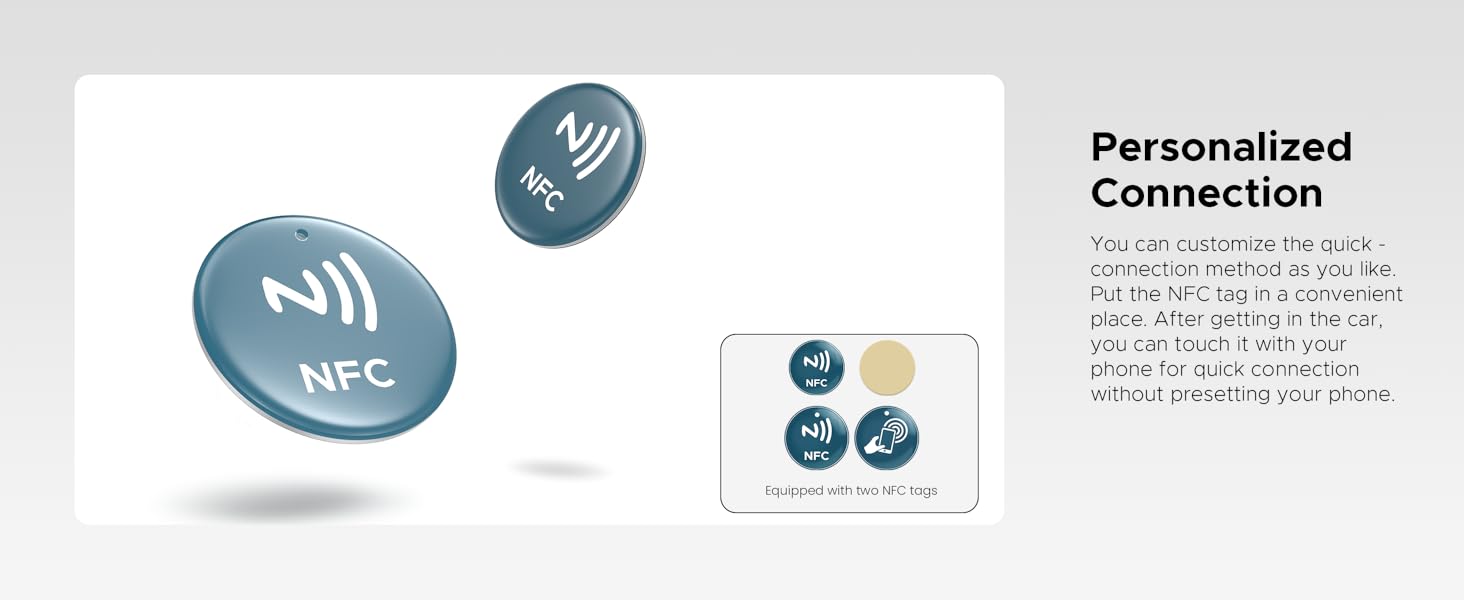
Image: Contents of the ByteWave Android Auto Wireless Adapter package, showing the adapter, user guide, NFC tags, and USB extension cables.
Setup Instructions
Follow these steps for initial setup and pairing of your ByteWave Android Auto Wireless Adapter.
- Plug & Play: Insert the adapter into your vehicle's USB port (either USB-A or USB-C). The adapter is designed for quick recognition, typically within 8 seconds.
- Pair & Connect: You can connect your phone using either NFC or Bluetooth.

Image: The ByteWave Android Auto Wireless Adapter being inserted into a car's USB port, illustrating the plug-and-play setup.
NFC Connection Method
- Step 1: Turn on the NFC function on your Android phone.
- Step 2: Place the NFC area of your phone on one of the included NFC sensing gadgets.
- Step 3: Follow the prompts on your phone to allow pairing and connect to the device. You may need to tap twice to confirm.
Video: Demonstration of connecting the ByteWave Android Auto Wireless Adapter using the NFC function on a smartphone.
Manual Connection Method (Bluetooth & Wi-Fi)
- Step 1: Turn on both Wi-Fi and Bluetooth on your Android phone.
- Step 2: Search for and pair your phone's Bluetooth with the device named 'Android-Auto-XXXX' (where XXXX is a unique identifier).
- Step 3: Once Bluetooth is paired, the adapter will automatically establish a Wi-Fi connection for Android Auto functionality.
Video: Instructions on how to connect the ByteWave Android Auto Wireless Adapter via USB-A and USB-C ports, demonstrating its dual-port design.
Operating Instructions
After the initial setup, the adapter will automatically connect to your phone within 5-10 seconds of starting your car. You can then seamlessly access all Android Auto features on your car's display.
- Automatic Connection: Once paired, the adapter will automatically connect to your phone when you start your vehicle, typically within 5 to 10 seconds.
- Access Android Auto: Your car's display will show the Android Auto interface, allowing you to use navigation (Google Maps), music streaming (Spotify), make calls, send messages, and utilize other compatible apps.
- Maintain Original Controls: The adapter supports your car's original control system, including touchscreens, OEM knobs, and steering wheel controls. You can also use Google Assistant for voice commands.

Image: The Android Auto interface displayed on a car's infotainment screen, showcasing various applications like Google Maps and Spotify.

Image: A driver interacting with the car's infotainment system, demonstrating that the adapter supports original car controls like touchscreen, OEM knob, and steering wheel controls.
Video: An overview of the ByteWave Wireless Android Auto Adapter, highlighting its features and ease of use in a car environment.
Compatibility
To ensure optimal performance, please verify the following compatibility requirements:
- Vehicle Compatibility: Supports 98% of Android Auto-equipped vehicles manufactured in 2016 or later. Your car must have a factory-installed wired Android Auto system.
- Phone Compatibility: Requires an Android phone running Android 12 or above.
- Important Note: This wireless adapter is not compatible with Apple CarPlay or iPhones. Huawei and Xiaomi phones are not supported.

Image: A visual guide to checking phone and car compatibility for the Android Auto Wireless Adapter, specifying Android 12+ phones and 2016+ vehicles with factory Android Auto.
Troubleshooting
If you encounter issues with your ByteWave Android Auto Wireless Adapter, consider the following:
- Connection Issues: Ensure both Wi-Fi and Bluetooth are enabled on your phone and not connected to other devices that might interfere. Try restarting your phone and the car's infotainment system.
- Automatic Connection Failure: After initial pairing, if the adapter does not auto-connect, manually check your phone's Bluetooth and Wi-Fi settings to ensure it's attempting to connect to the adapter.
- Compatibility Check: Double-check that your phone meets the Android 12+ requirement and your vehicle is a 2016+ model with factory-installed wired Android Auto.
- Software Updates: The adapter supports online upgrades. Regularly check for and install updates to ensure optimal performance and compatibility.
Specifications
| Feature | Detail |
|---|---|
| Model Number | DT-AW04 |
| Connectivity Technology | Bluetooth 5.3 & 5.8GHz Wi-Fi, NFC |
| Connector Type | USB Type A, USB Type-C (2-in-1 design) |
| Compatible Devices | Cars with Android Auto (2016+), Android 12+ phones |
| Special Feature | Integrated USB-A and Type-C, Chill Flow Design |
| Audio Output Mode | Stereo |
| Video Encoding | H.264, H.265/HEVC |
| Color | Black |
| Item Weight | 2.08 ounces (0.06 Kilograms) |
| Package Dimensions | 3.54 x 2.68 x 0.67 inches |

Image: Three ByteWave Android Auto Wireless Adapters in different colors (grey, beige, and black), highlighting their compact and sleek design.

Image: A close-up of two ByteWave Android Auto Wireless Adapters, illustrating their dual USB-C and USB-A port design for broad compatibility.
Maintenance
To ensure the longevity and optimal performance of your ByteWave Android Auto Wireless Adapter, please follow these maintenance guidelines:
- Cleaning: Use a soft, dry cloth to clean the adapter. Avoid using liquid cleaners or solvents, as they may damage the device.
- Storage: When not in use, store the adapter in a cool, dry place away from direct sunlight and extreme temperatures.
- Handling: Handle the adapter with care. Avoid dropping it or subjecting it to strong impacts.
- Firmware Updates: Periodically check for online firmware updates to ensure the adapter has the latest features and bug fixes.
Warranty and Support
Your ByteWave Android Auto Wireless Adapter is protected by a 24-month warranty from the date of purchase. This warranty covers manufacturing defects and ensures a smooth Android Auto experience.
For any questions or support needs, our dedicated support team is available to assist you. We aim to answer all inquiries within 18 hours.
The product also supports Online Upgrades to address most device problems and enhance functionality.
Manufacturer: Shenzhen Yiteng Technology Co., Ltd.
