
Introduction
This user manual provides comprehensive instructions for setting up, operating, and maintaining your SOAYAN Mini PC MN-N1. Please read this manual carefully before using the device to ensure optimal performance and longevity.

Image: The SOAYAN Mini PC MN-N1, a compact desktop computer with a blue and wood-grain finish, featuring front-facing USB ports and power button.
What's in the Box
Verify that all items are present in the package:
- 1 x SOAYAN Mini PC
- 1 x User Manual
- 1 x VESA Mount with Screws
- 1 x Power Adapter
- 1 x HDMI Cable
Product Overview
The SOAYAN Mini PC MN-N1 is designed for efficiency and versatility. It features a compact form factor with essential ports for connectivity.

Image: Diagram illustrating the front and rear ports of the SOAYAN Mini PC, including USB 3.2 Gen 2, HDMI 2.0, Gigabit Ethernet, audio jack, and power input.
Front Panel:
- CLR CMOS Button: Used to clear CMOS settings.
- USB 3.2 Gen 2 Ports (x2): For high-speed data transfer with peripherals.
- Audio Jack: For headphones or microphones.
- Power Button: To turn the device on/off.
Rear Panel:
- Locking Slot: For security locks.
- USB 3.2 Gen 2 Ports (x2): Additional high-speed USB ports.
- HDMI 2.0 Ports (x2): For connecting displays, supporting up to 4K@60Hz.
- DC Jack: Power input.
- Gigabit Ethernet Port: For wired network connection.
Setup
Follow these steps to set up your Mini PC:
- Connect Peripherals: Connect your keyboard, mouse, and monitor(s) to the appropriate USB and HDMI ports on the Mini PC.
- Connect to Power: Plug the power adapter into the DC jack on the Mini PC, then plug the adapter into a power outlet.
- Power On: Press the power button on the front panel. The system will boot up.
- Initial Setup (Ubuntu Linux): The Mini PC comes pre-installed with Ubuntu Linux. Follow the on-screen prompts to complete the initial operating system setup, including language, time zone, and user account creation.

Image: A user working at a desk with the SOAYAN Mini PC connected to two monitors, demonstrating its dual display capability.
Operating Instructions
Dual 4K Display Setup:
The Mini PC supports dual 4K@60Hz displays via its two HDMI 2.0 ports. Connect your monitors to these ports for extended desktop or mirrored display configurations. Adjust display settings within the Ubuntu operating system.

Image: A desk setup featuring the SOAYAN Mini PC connected to two large monitors, showcasing its ability to drive dual 4K displays for enhanced productivity.
Network Connectivity:
The Mini PC offers both wired and wireless network options:
- Wi-Fi 5: Connect to wireless networks through the built-in Wi-Fi module. Configure Wi-Fi settings in Ubuntu's network manager.
- Gigabit Ethernet: For a stable and high-speed wired connection, plug an Ethernet cable into the Gigabit Ethernet port.
Bluetooth Connectivity:
Built-in Bluetooth 4.2 allows for wireless connection to compatible devices such as keyboards, mice, and audio peripherals. Enable and pair Bluetooth devices through Ubuntu's Bluetooth settings.
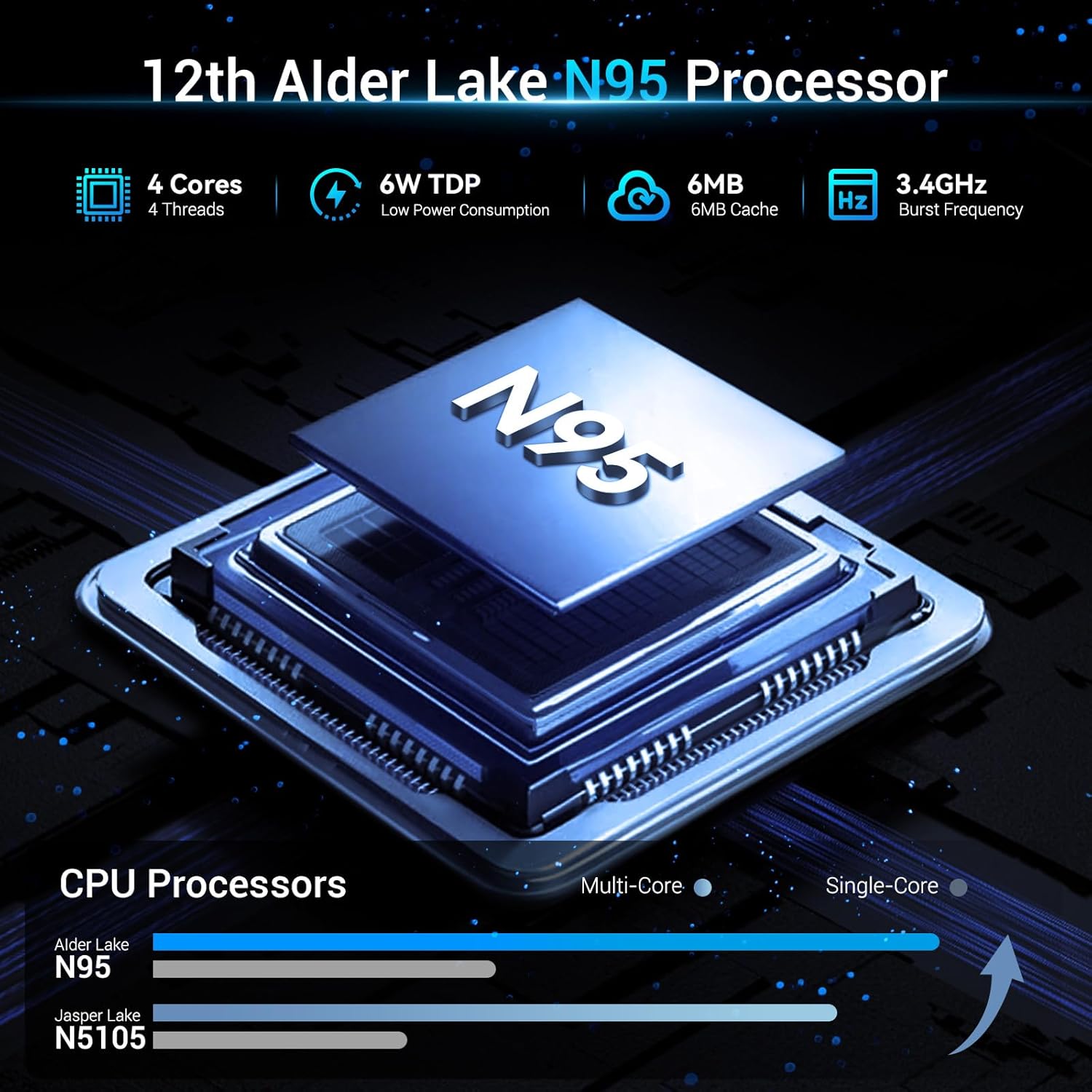
Image: A visual representation of the SOAYAN Mini PC's connectivity features, including Wi-Fi 5, Gigabit Ethernet, and Bluetooth 4.2, with icons indicating stable and fast data transmission.
Storage Expansion:
The Mini PC comes with a 256GB M.2 2280 SSD. For additional storage, you can replace the existing SSD with a larger one (up to 2TB) or add a 2.5-inch 7mm HDD/SSD (up to 2TB) in the available bay. Refer to the internal layout diagram for drive bay location.

Image: Close-up view of the SOAYAN Mini PC's internal components, highlighting the 16GB DDR4 SO-DIMM RAM and the M.2 2280 SSD, illustrating its expandable storage capabilities.
Maintenance
Cooling System:
The Mini PC features an ultra-quiet fan and an efficient heat sink to maintain optimal operating temperatures. Ensure proper airflow around the device by keeping vents clear of obstructions. Regular dusting of the vents can help maintain cooling efficiency.

Image: An exploded view diagram of the SOAYAN Mini PC, illustrating the internal silent system fan and heat sink components that contribute to efficient heat dissipation and quiet operation.
General Care:
- Keep the device in a clean, dry environment away from direct sunlight and extreme temperatures.
- Avoid spilling liquids on the device.
- Do not attempt to open the casing unless performing a supported upgrade (e.g., storage expansion).
Troubleshooting
| Problem | Possible Cause | Solution |
|---|---|---|
| No power/Does not turn on | Power adapter not connected, faulty outlet, power button issue. | Ensure power adapter is securely connected to both the Mini PC and a working power outlet. Try a different outlet. |
| No display on monitor | HDMI cable loose/faulty, incorrect monitor input, monitor off. | Check HDMI cable connections. Ensure monitor is on and set to the correct input source. Try a different HDMI cable or port. |
| No network connection (wired) | Ethernet cable loose/faulty, router issue, network settings. | Check Ethernet cable connection. Restart router/modem. Verify network settings in Ubuntu. |
| No Wi-Fi connection | Wi-Fi disabled, incorrect password, router issue. | Ensure Wi-Fi is enabled in Ubuntu settings. Re-enter Wi-Fi password. Restart router. |
| System slow or unresponsive | Too many applications open, low disk space, overheating. | Close unnecessary applications. Check disk space and free up if needed. Ensure proper ventilation for cooling. |
For advanced users, driver updates or operating system reinstallation may require sourcing generic drivers compatible with the Intel Alder Lake N95 platform, as direct manufacturer support resources may be limited.
Specifications
| Feature | Detail |
|---|---|
| Processor | Intel Alder Lake N95 (up to 3.4GHz, 4 Cores/4 Threads, 6MB L3 Cache, 6W TDP) |
| RAM | 16GB DDR4 (up to 3200 MHz) |
| Storage | 256GB M.2 2280 SSD (Expandable to 2TB); Supports 2.5-inch 7mm HDD/SSD (up to 2TB, not included) |
| Graphics | Integrated Intel UHD Graphics (up to 1000MHz) |
| Display Output | 2 x HDMI 2.0 (supports Dual 4K@60Hz) |
| USB Ports | 4 x USB 3.2 Gen 2 (10Gbps) |
| Network | Gigabit Ethernet, Wi-Fi 5 |
| Bluetooth | Bluetooth 4.2 |
| Operating System | Ubuntu Linux |
| Dimensions | 4.41 x 4.41 x 1.54 inches (11.2 x 11.2 x 3.9 cm) |
| Weight | 0.72 lbs (0.33 kg) |
Warranty and Support
For warranty claims and technical support, please refer to the seller or the platform where the product was purchased. Specific warranty terms and support channels are typically provided at the point of sale. As per available information, direct manufacturer support details are not publicly provided.
It is recommended to retain your proof of purchase for any warranty-related inquiries.


