
Introduction
This user manual provides essential information for the safe and effective use of your Kircuit 24V 1.5A Power Adapter. This adapter is designed to convert AC power from electrical outlets into the DC power required by compatible devices, such as the ICE-Cool CT07, Aopvui FZ-608G, and FZ608 Hair Removal Devices. It serves as a reliable power source for operating your device or charging its battery at home, in the office, or on the go.

Figure 1: Kircuit 24V 1.5A Power Adapter. This image shows the main unit of the power adapter, which plugs into a wall outlet, and its attached DC barrel connector cable.
Setup Instructions
- Unpack the Adapter: Carefully remove the Kircuit power adapter from its packaging. Inspect it for any signs of damage.
- Identify Components: The package should contain the Kircuit 24V 1.5A AC/DC power adapter with its integrated output cable and DC barrel connector.
- Connect to Device: Locate the power input port on your compatible device (e.g., ICE-Cool CT07, Aopvui FZ-608G, FZ608 Hair Removal Device). Insert the DC barrel connector from the adapter's cable firmly into this port. Ensure a secure connection.
- Connect to Power Outlet: Plug the AC prongs of the Kircuit power adapter into a standard electrical wall outlet (100-240VAC, 50/60Hz). Ensure the outlet is easily accessible.

Figure 2: Adapter connected to a power strip. This image illustrates the power adapter plugged into a multi-outlet power strip, demonstrating how it connects to an electrical source.
Operating Instructions
- Powering On: Once connected to both the device and a live electrical outlet, the adapter will begin supplying power to your device. If your device has an indicator light, it should illuminate.
- Compatibility: This adapter is specifically designed for devices requiring 24V DC input with a current draw of up to 1.5A. Always verify your device's power requirements before connecting to prevent damage.
- Safety Precautions:
- Do not expose the adapter to water, moisture, or extreme temperatures.
- Avoid dropping or subjecting the adapter to strong impacts.
- Do not attempt to open or modify the adapter.
- Unplug the adapter from the wall outlet when not in use for extended periods.

Figure 3: Multiple views of the Kircuit power adapter. This image displays two adapters, highlighting the AC input prongs and the overall compact design.
Maintenance
- Cleaning: Disconnect the adapter from all power sources and devices before cleaning. Use a soft, dry cloth to wipe the exterior. Do not use liquid cleaners or abrasive materials.
- Storage: When not in use, store the adapter in a cool, dry place away from direct sunlight and extreme temperatures. Avoid tightly coiling the cable to prevent damage.
- Cable Care: Regularly inspect the power cable and connectors for any signs of fraying, cuts, or damage. If damage is observed, discontinue use immediately.
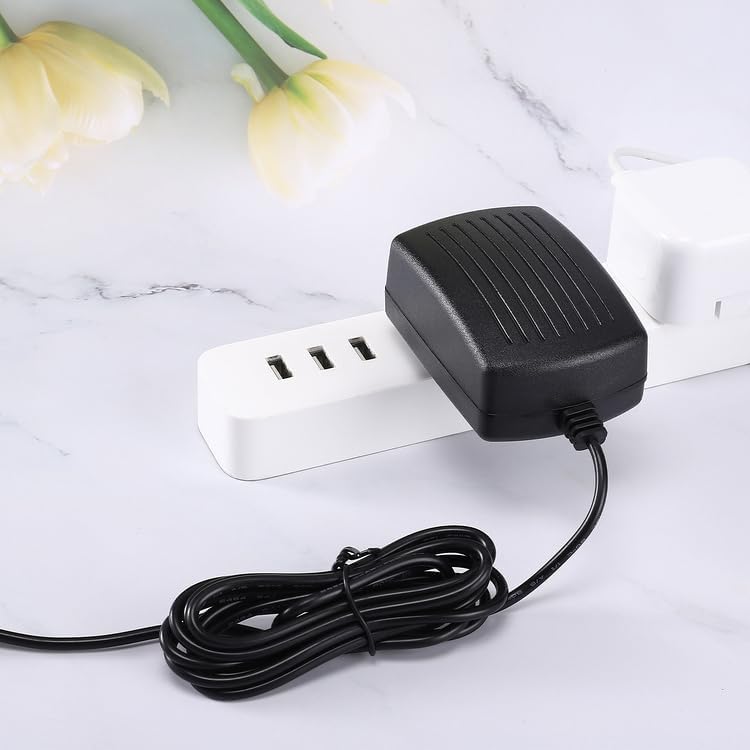
Figure 4: Adapter with coiled cable. This image shows the power adapter with its 6.5-foot cable neatly coiled, illustrating its compact storage potential.
Troubleshooting
| Problem | Possible Cause | Solution |
|---|---|---|
| Adapter not supplying power. |
|
|
| Device not charging/operating correctly. |
|
|
| Adapter feels excessively hot. |
|
|
Specifications
- Brand: Kircuit
- Model: LY030SPS-240150U
- Input Voltage: 100-240VAC, 50/60Hz
- Output Voltage: 24V DC
- Output Current: 1.5A
- Power Output: 36W
- Protection Features: Over Voltage Protection (OVP), Over Current Protection (OCP), Short Circuit Protection (SCP)
- Compatible Devices: ICE-Cool CT07, Aopvui FZ-608G, FZ608 Hair Removal Device, and other devices requiring 24V 1.5A DC power with compatible barrel connector.
- Cord Length: Approximately 6.5 feet
- Color: Black
- Manufacturer: Shenzhen Waweis Technology Co., Ltd
Warranty Information
Specific warranty details for this Kircuit power adapter may vary depending on the retailer and region of purchase. Please refer to your purchase documentation or contact the seller directly for information regarding warranty coverage, terms, and conditions.
Customer Support
For technical assistance, troubleshooting beyond this manual, or inquiries regarding your Kircuit 24V 1.5A Power Adapter, please contact the seller or manufacturer through the platform where the product was purchased. Provide your order number and a detailed description of the issue for prompt support.