
Product Overview
The RAINPOINT WiFi Sprinkler Timer 4 Zone is an outdoor smart water timer designed for garden hoses, featuring a durable brass inlet. It allows for custom watering programs via a mobile application and voice control, enabling an automatic watering system for your garden.
Key features include:
- Smart Watering, Zero Effort: Offers 5 customizable watering frequencies (daily, weekly, odd/even dates, custom) and 3 watering modes (Normal, Interval, Cycle&Soak). App override provides flexible control.
- Stronger WiFi, Higher Connectivity: Equipped with the latest gateway HWG023WBRF, providing wider and more reliable wireless coverage up to 492 feet, even through walls.
- Smarter Than The Weatherman: Set smart scenarios based on weather, humidity, or temperature for automated watering adjustments.
- No Wi-Fi? No Problem: Manual watering is available directly from the timer if the signal drops.
- All-in-One Smart Control: Control via phone or voice, automatic rain delay, and low battery reminders via text or email.
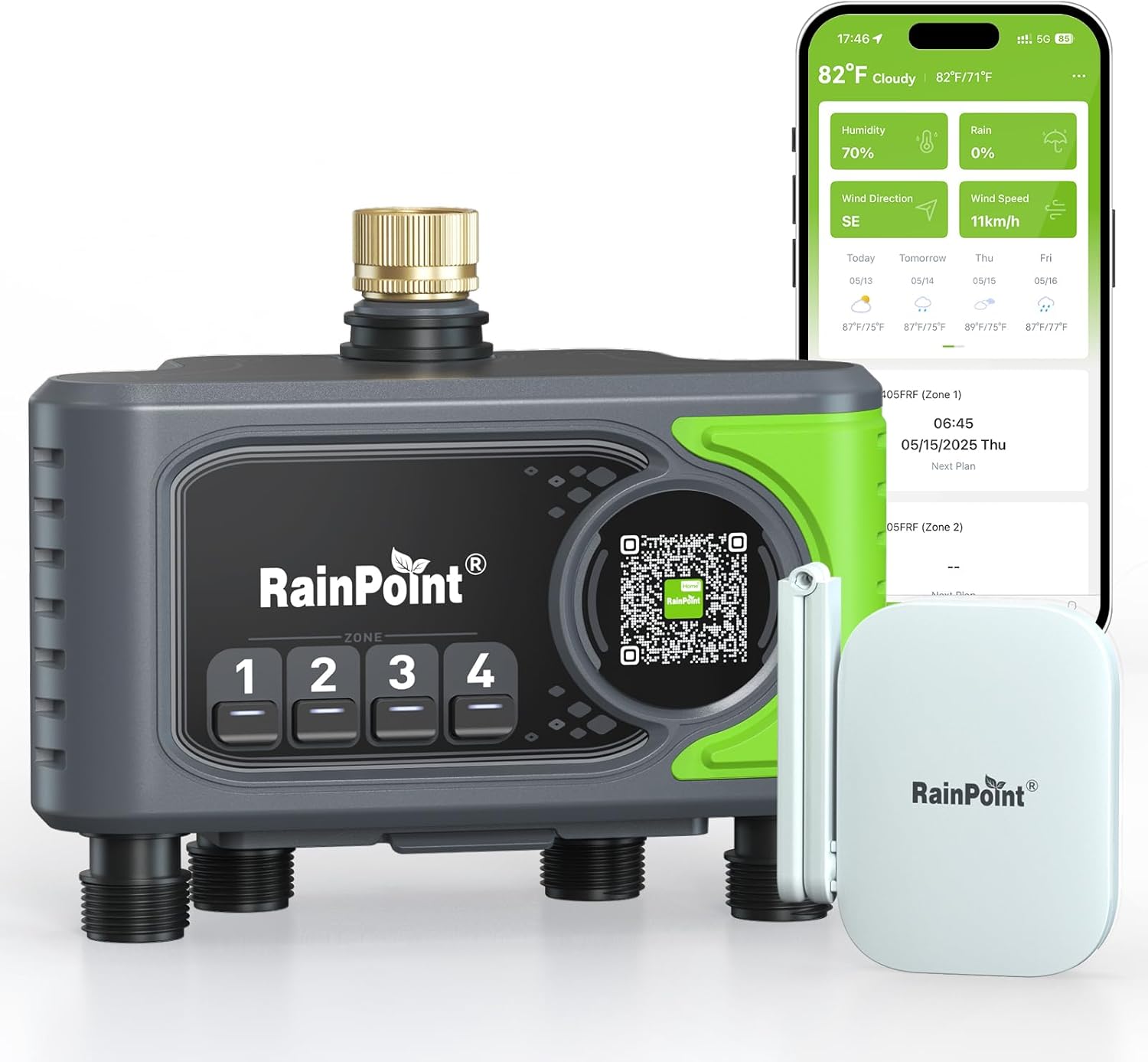
Image: RAINPOINT WiFi Sprinkler Timer 4 Zone with its accompanying WiFi Gateway and a smartphone displaying the control application.
Setup Guide
1. Pre-Installation Checklist
- 1 x WiFi Water Timer
- 1 x WiFi Gateway (HWG023WBRF)
- 4 x AA batteries (not included)
- 1 x Adapter (not included)
- 1 x USB-C Cable
- 1 x Teflon Tape
- 2 x Filters
- Installation Tools (e.g., drill, screwdriver)
Note: Some accessories may not be included in the package. Ensure you have all necessary components before starting installation.
2. App Download & Login
- Connect your phone to a 2.4GHz WiFi network. (5GHz WiFi is not supported).
- Download the "RainPoint Home" app by scanning the QR code on the timer surface or searching for it on the App Store or Google Play.
- Register a new account or log in with an existing one. Carefully read and accept the User Agreement and Privacy Policy.
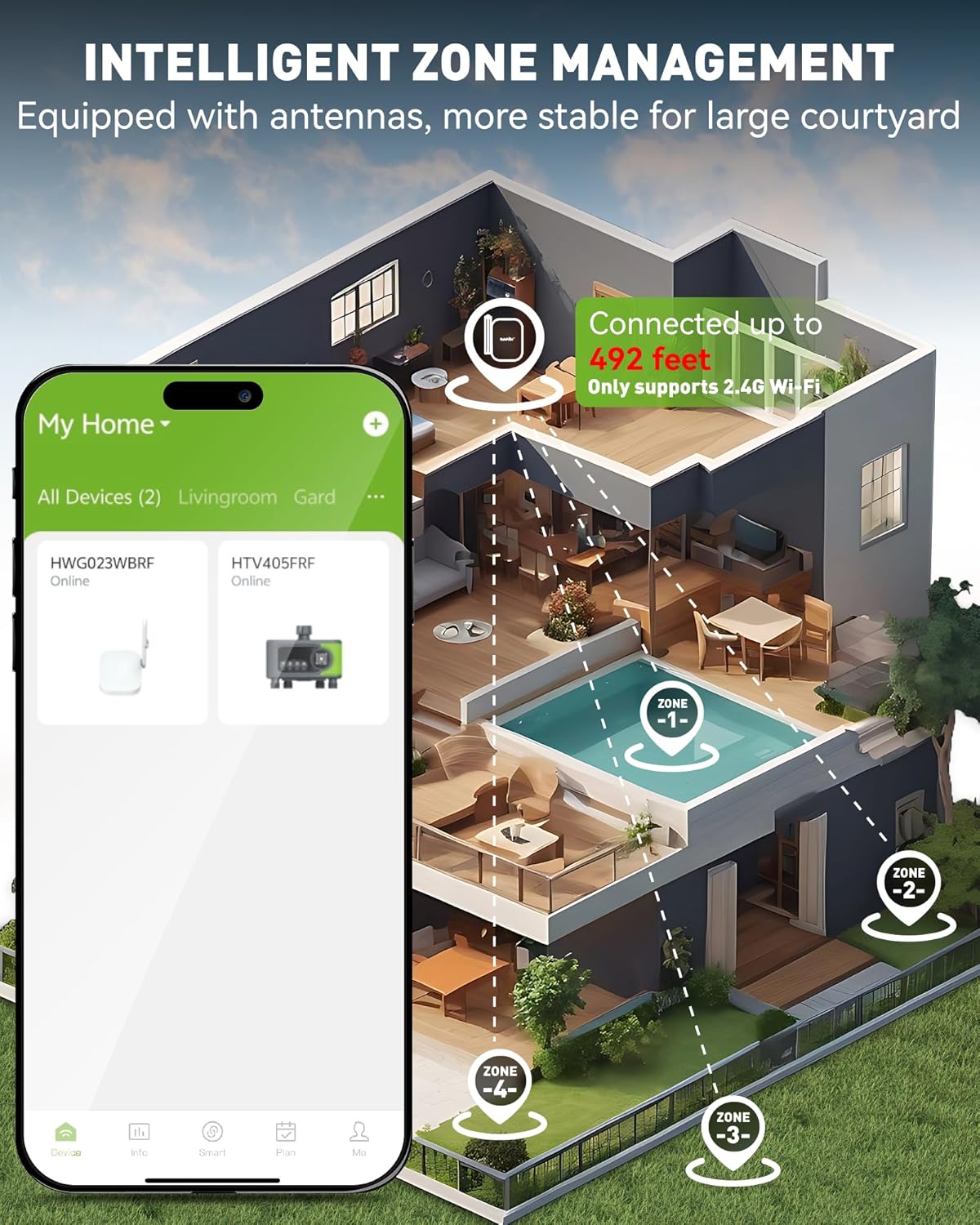
Image: Smartphone displaying the RainPoint Home app, showing weather information and a watering plan, indicating smart control capabilities.
3. Gateway Connection
- Power on the WiFi Gateway using the Type-C USB cable. Place it close to your WiFi router and the sprinkler timer for optimal signal.
- In the "RainPoint Home" app, click "Add Device". Select the gateway model "HWG023WBRF".
- Hold the button on the gateway until the WiFi indicator flashes blue rapidly.
- Click "Next" on the app. The gateway should automatically be added successfully.

Image: Diagram illustrating the extended range of the WiFi Gateway (up to 492 feet) for connecting to the router and controlling multiple sprinkler zones.
4. Timer Pairing
- Insert 4 new AA alkaline batteries into the battery compartment of the timer.
- In the app, click the gateway icon, then tap "Add Device" and "Add New Devices". Select "HTV405FRF" to add the timer.
- Long press any button on the timer until its red light flashes.
- Click "NEXT" in the app to enter the countdown. The device should be added successfully.
Video: Official RAINPOINT video demonstrating the setup and pairing process of the 4-Zone WiFi Sprinkler Timer with the mobile application.
5. Physical Installation
- Screw the supporting brace onto the back of the water timer. This brace is designed to support the heavy-duty machine.
- Apply Teflon tape to the faucet threads and insert a filter into the timer's inlet.
- Tighten the water timer onto the faucet.
- Drill a hole for screwing the brace into a stable surface (e.g., wooden post) and attach the brace with a screw, ensuring it faces the correct direction for support.

Image: The RAINPOINT Sprinkler Timer securely installed on an outdoor faucet, with multiple hoses connected to its four zones.
Operating Instructions
Watering Modes
The RAINPOINT WiFi Sprinkler Timer offers three distinct watering modes to suit various irrigation needs:
- Normal Irrigation: Continuous one-time watering. Set a start time, duration, and repeat frequency (e.g., every 3 days, odd/even dates).
- Interval Irrigation: Intermittent watering, ideal for cooling, dust removal, or water-saving. Valves switch on and off at set intervals.
- Cycle & Soak: Splits the total watering time into multiple short cycles with breaks in between. This allows soil to absorb water more effectively and improves watering efficiency.

Image: Infographic detailing the three watering modes: Normal Irrigation, Interval Irrigation, and Cycle & Soak, with examples of their application.
Setting a Watering Schedule
Use the "RainPoint Home" app to program your watering schedules. You can define start times, water duration (from 1 minute to 12 hours), and watering frequencies (Everyday, Odd Days, Even Days, Interval, or Custom).
The app also provides Smart Plan Recommendations for water-efficient schedules based on your plant and soil profile.
Manual Watering
You can initiate manual watering in two ways:
- Via Timer Button: Long press the timer button on the device to manually water for 10 minutes.
- Via App: Use the manual control option within the "RainPoint Home" app for immediate watering.

Image: Illustration of the two methods for manual watering: directly pressing the timer button or controlling via the smartphone app.
Smart Scenarios & Seasonal Adjustment
- Smart Scenarios: Configure the timer to adjust watering based on real-time weather conditions (temperature, humidity, rain). For example, it can skip watering on rainy days or boost hydration during hot spells.
- Seasonal Adjustment: Adjust watering duration from 10% to 200% to match the irrigation needs of different seasons.

Image: The smartphone app interface demonstrating intelligent watering scenarios that adjust based on temperature, humidity, and rain conditions.
Maintenance
- Battery Replacement: The app will send text message or email reminders when the battery is low. Replace the 4 AA alkaline batteries as needed to ensure continuous operation.
- Filter Cleaning: The timer features a precision filter screen at the brass inlet. Regularly check and clean this filter to prevent clogs and maintain optimal water flow.
- Waterproof & Dustproof: The device is IP65 waterproof and dustproof, designed for outdoor use. However, ensure proper installation to prevent water ingress.

Image: Close-up view of the RAINPOINT timer highlighting its precision filter screen, 360° enhanced brass inlet, and IP65 waterproof and dustproof rating.
Troubleshooting
- Connectivity Issues: Ensure the WiFi Gateway is placed close to your router and the timer (within 492 feet). Verify your phone is connected to a 2.4GHz WiFi network.
- Watering Not Starting: Check battery levels in the timer. Ensure the faucet is turned on. Verify your watering schedule in the app is active and correctly configured.
- Low Water Flow: Inspect the precision filter screen for debris and clean if necessary. Ensure hoses are not kinked or blocked.
- Repetitive Watering: Note that each zone will execute its watering plan in sequence. Do not set repetitive watering times for a single zone within a short period.
Specifications
| Attribute | Detail |
|---|---|
| Brand | RAINPOINT |
| Model | HTV405FRF+HWG023WBRF |
| Color | Green |
| Material | Plastic |
| Product Dimensions | 4"D x 8"W x 7"H |
| Item Weight | 2.7 pounds |
| Number of Zones | 4 |
| Wireless Connectivity | 2.4GHz WiFi (up to 492 feet) |
| Watering Modes | Normal, Interval, Cycle&Soak |
| Watering Frequencies | Daily, Weekly, Odd/Even Dates, Custom |
| Waterproof Rating | IP65 |
Warranty & Support
RAINPOINT offers a 5-year warranty for this product, as mentioned in customer reviews. For any support inquiries, technical assistance, or to claim your Amazon code, please contact RAINPOINT customer service.
Email: service@rainpointonline.com
You can also visit the official RAINPOINT store on Amazon for more products and information.


