
STRICH SDP-P7 Digital Piano Instruction Manual
Model: SDP-P7
1. Introduction
Thank you for choosing the STRICH SDP-P7 Digital Piano. This 88-key weighted keyboard is designed to provide an authentic playing experience for beginners and experienced musicians alike. Featuring hammer-action keys, a rich sound engine, and versatile connectivity, the SDP-P7 is suitable for various musical environments. Please read this manual thoroughly to ensure proper setup, operation, and maintenance of your instrument.
2. What's in the Box
Upon unpacking, please ensure all the following items are included:
- STRICH SDP-P7 Digital Piano
- Sustain Pedal
- Piano Stickers
- Music Rest
- Power Adapter
- User Manual

Image: All components included in the STRICH SDP-P7 Digital Piano package.
3. Setup Instructions
3.1 Assembling the Stand (Optional)
If you are using a separate keyboard stand, ensure it is stable and correctly assembled according to its own instructions. The SDP-P7 is compatible with most standard X-style or Z-style keyboard stands.
Video: A seller demonstrates the assembly process for the keyboard stand and highlights key features of the STRICH Digital Piano.
3.2 Connecting Power and Accessories
- Power Adapter: Connect the power adapter to the DC 12V input port on the rear panel of the piano. Plug the other end into a standard wall outlet.
- Sustain Pedal: Plug the included sustain pedal into the 'SUSTAIN' jack on the rear panel.
- Music Rest: Insert the music rest into the designated slots on the top panel of the piano.
- Piano Stickers (Optional): For beginners, carefully apply the piano stickers to the keys as indicated in the included guide.
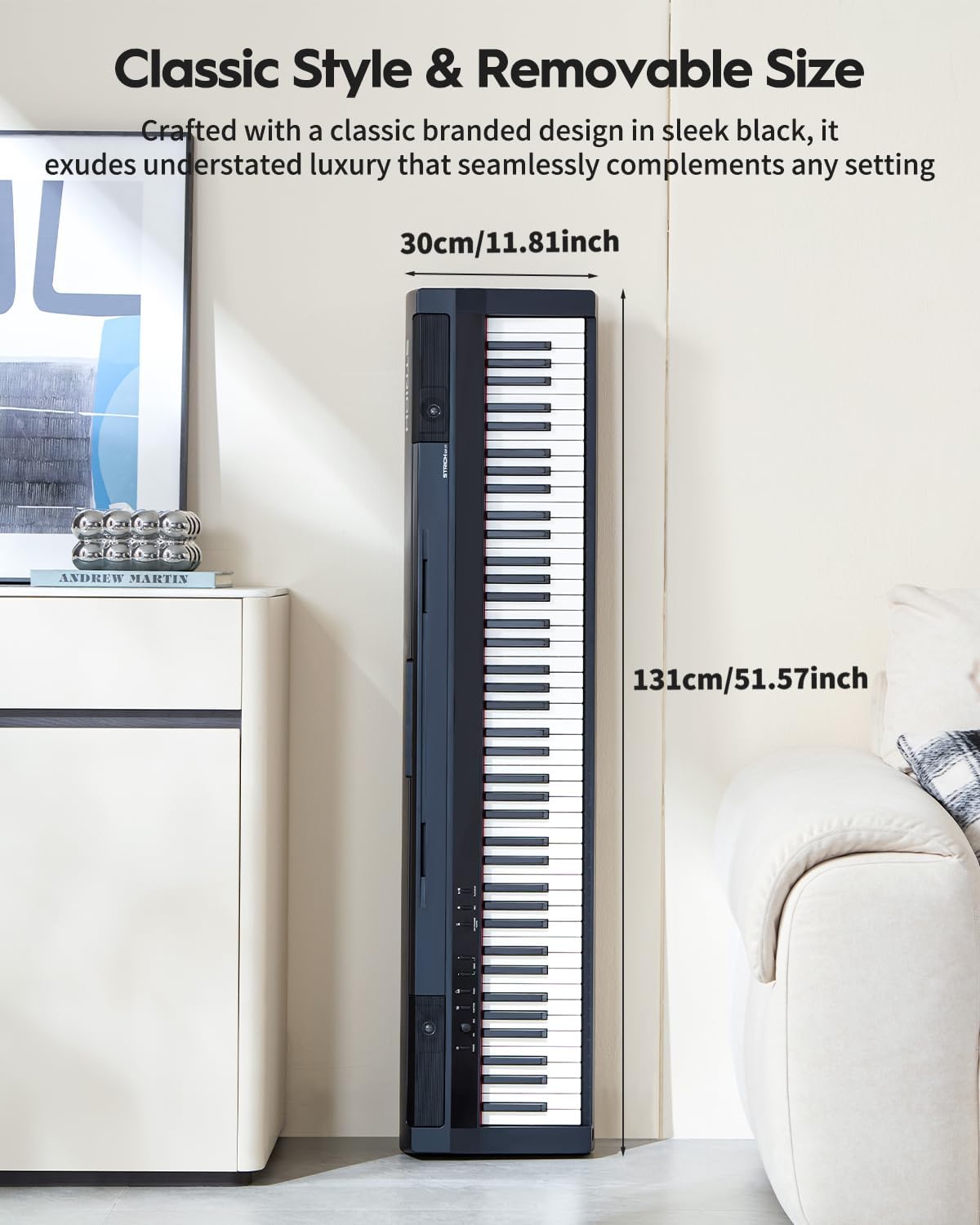
Image: The rear panel of the STRICH SDP-P7 Digital Piano, illustrating the various input and output ports including power, sustain pedal, line out, headphone, and USB MIDI.
4. Operating Instructions
4.1 Power On/Off and Volume Control
- Power: Press the 'POWER' button on the control panel to turn the piano on or off.
- Volume: Use the 'MASTER VOLUME' knob to adjust the overall sound level.
4.2 Selecting Tones and Features
The SDP-P7 offers 200 tones and various functions for enhanced playability:
- Tone Selection: Use the 'VOICE SELECT' buttons (e.g., PIANO, ELECTRIC PIANO, ORGAN, SYNTH) to choose different instrument sounds.
- Metronome: Press the 'METRONOME' button to activate the metronome for rhythm practice. Adjust tempo using the VALUE knob.
- Transpose: Use the 'TRANSPOSE' buttons to shift the pitch of the keyboard up or down.
- Dual Keyboard Mode: Allows splitting the keyboard into two identical pitch ranges for duet play.
- Layering: Combine two different tones to play simultaneously.
- Wireless Connect: Pair your piano with a phone, tablet, or computer to stream music or transfer MIDI files wirelessly.
- Headphone Use: Connect headphones to one of the two 6.35mm jacks on the rear panel for silent practice.

Image: The control panel of the STRICH SDP-P7 Digital Piano, showing buttons for voice selection and effect controls.
5. Key Features
- 88 Weighted Hammer-Action Keys: Experience an authentic piano feel with keys that are heavier in the lower register and lighter in the upper register, mimicking an acoustic piano.
- Rich Sound Quality: Piano tones are sampled from European German-style grand pianos, enhanced with STRICH's multi-layer dynamic sampling technology and dual DSP processors for lossless sound reproduction.
- 2-Way Speaker System: Equipped with 5W×2 tweeters and 20W×2 woofers, delivering full-spectrum audio with clear highs and deep lows.
- Versatile Tones and Rhythms: Explore 200 tones and 60 demo songs, along with functions like dual keyboard mode, layering, metronome, and transpose.
- Wireless Connectivity: Seamlessly connect to phones, tablets, or computers for music streaming and MIDI file transfer.
- Dual Headphone Jacks: Practice privately without disturbing others.
- Portable Design: Lightweight and easy to move, ideal for various settings from home practice to outdoor performances.

Image: The STRICH SDP-P7 Digital Piano highlighting its authentic and rich sound with 128 max polyphony, 200 tones, and 60 demo songs.

Image: A graphic illustrating the true-to-acoustic piano touch of the STRICH SDP-P7's hammer-action keyboard, showing dynamic force curves from soft (PPP) to loud (FFF).
6. Maintenance
To ensure the longevity and optimal performance of your STRICH SDP-P7 Digital Piano, follow these maintenance guidelines:
- Cleaning: Use a soft, dry cloth to wipe the surface of the piano. For stubborn dirt, slightly dampen the cloth with water and a mild soap solution, then wipe dry immediately. Avoid abrasive cleaners or solvents.
- Storage: When not in use for extended periods, cover the piano with a dust cover to protect it from dust and debris. Store in a cool, dry place away from direct sunlight and extreme temperatures.
- Handling: Always handle the piano with care. Avoid dropping it or subjecting it to strong impacts, which can damage internal components or the casing.
7. Troubleshooting
If you encounter any issues with your STRICH SDP-P7, please refer to the following common solutions:
- No Sound:
- Ensure the power adapter is securely connected and the piano is turned on.
- Check the 'MASTER VOLUME' knob and increase the volume.
- If headphones are connected, disconnect them to check speaker output.
- Keys Not Responding:
- Ensure the piano is powered on.
- If using MIDI, check all connections and software settings.
- Distorted Sound:
- Check for loose cable connections.
- Reduce the volume to see if distortion persists.
- Wireless Connectivity Issues:
- Ensure the piano's wireless function is enabled.
- Check the Bluetooth settings on your external device and ensure it is discoverable.
- Move the piano closer to the external device to improve signal strength.
If the problem persists after trying these steps, please contact customer support for further assistance.
8. Specifications
| Feature | Specification |
|---|---|
| Model Name | SDP-P7 |
| Brand | STRICH |
| Number of Keys | 88 |
| Key Type | Weighted Hammer-Action |
| Tones | 200 |
| Demo Songs | 60 |
| Speaker System | 2-Way (5W×2 tweeters + 20W×2 woofers) |
| Connectivity | Wireless Connect, MIDI USB |
| Headphones Jack | 6.35mm Jack (x2) |
| Power Source | Corded Electric |
| Product Dimensions | 11.8"D x 51.6"W x 6.5"H |
| Item Weight | 33 pounds (15 Kilograms) |
9. Warranty and Support
For warranty information, technical support, or service inquiries, please refer to the contact details provided in your product packaging or visit the official STRICH website. Keep your purchase receipt as proof of purchase.


