
Radius HP-H10BT
Radius HP-H10BT Fully Wireless Earbuds Instruction Manual
Model: HP-H10BT
1. Introduction
Thank you for purchasing the Radius HP-H10BT Fully Wireless Earbuds. These earbuds are designed to provide a comfortable and immersive audio experience with an open-ear design, allowing you to enjoy music while remaining aware of your surroundings. This manual provides essential information for the proper setup, operation, and maintenance of your device.
Key features include:
- Stress-free wearing experience with an ear-hug design.
- Open-ear listening structure for daily use.
- Up to 25 hours of total battery life with the charging case.
- IPX4 splash-proof rating.
- Intuitive touch controls.
2. Package Contents
Please ensure all items are present in the package:
- Radius HP-H10BT Fully Wireless Earbuds (Left and Right)
- Charging Case
- Charging Cable (USB-C to USB-A)
- Instruction Manual
3. Product Overview
The Radius HP-H10BT earbuds feature a unique ear-cuff design for secure and comfortable wear. The compact charging case allows for convenient portability and extended battery life.
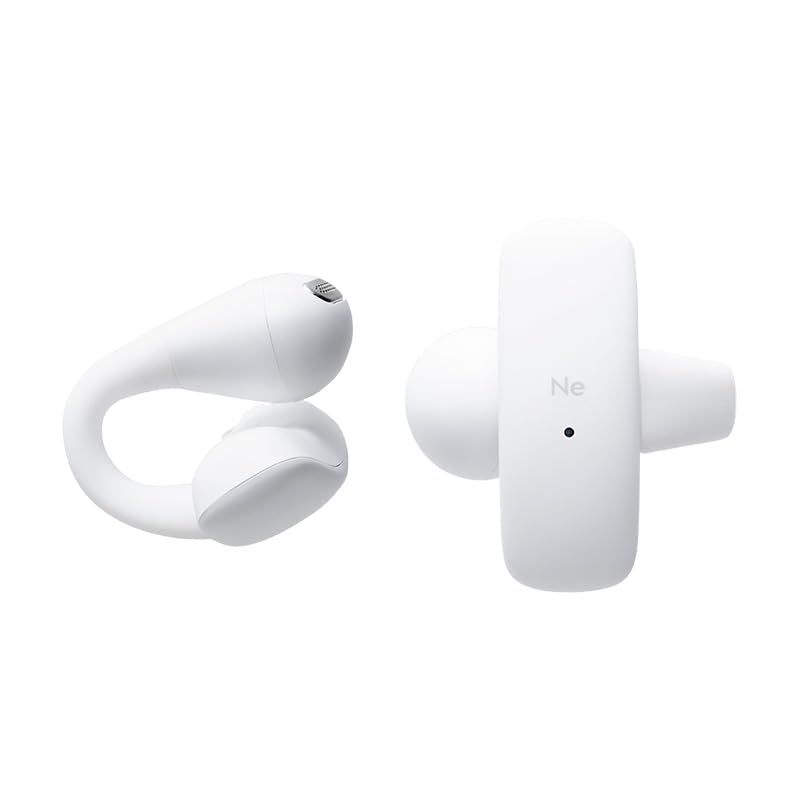
Image: The Radius HP-H10BT earbuds and their compact charging case, shown in white.

Image: A side view of the earbuds and charging case, highlighting their ergonomic shape.
Earbud Design
The earbuds utilize a flexible bridge made of soft silicone, which gently clips onto the ear. This design distributes pressure evenly, reducing the burden on the ear and ensuring a stable fit. This allows for comfortable listening while maintaining awareness of your surroundings.
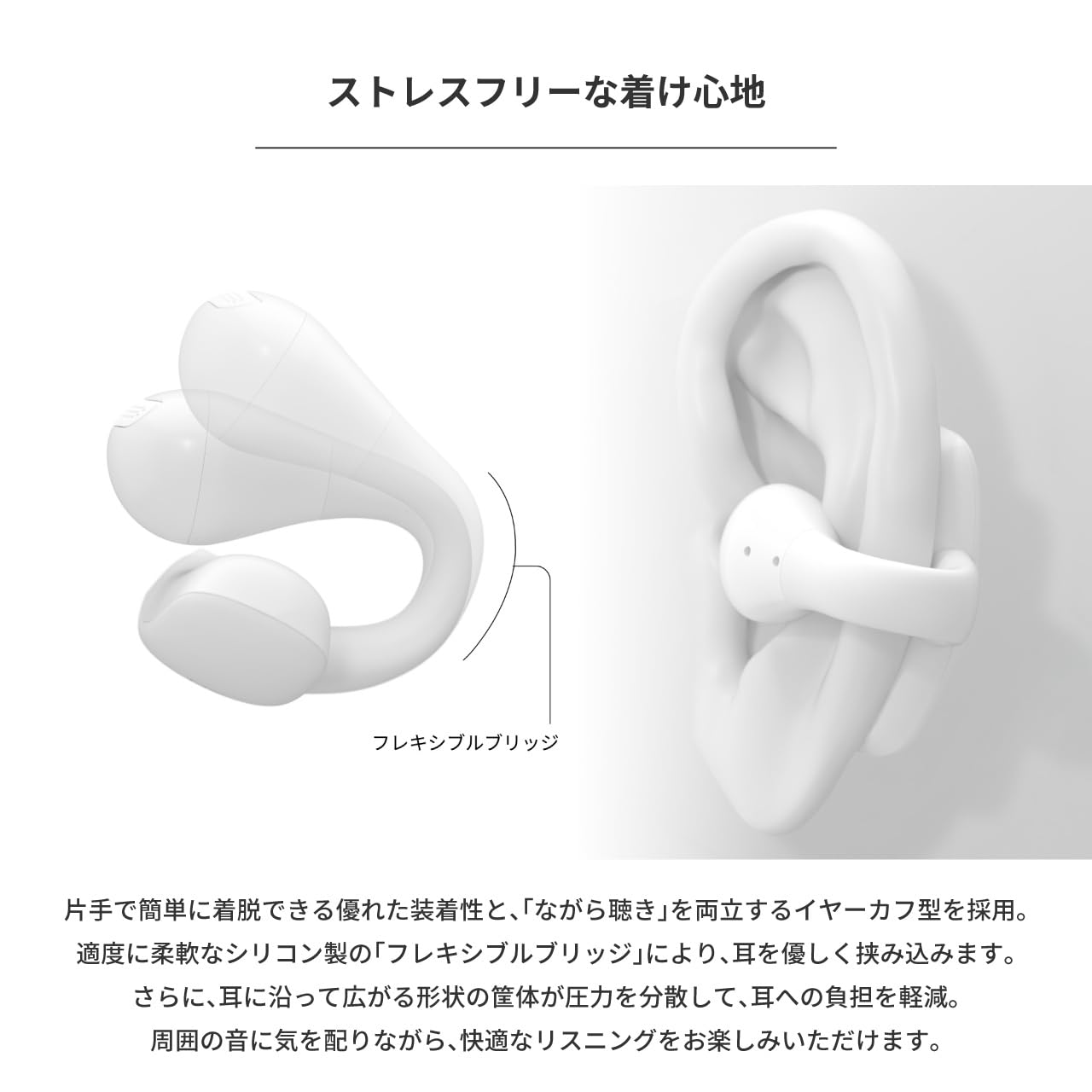
Image: An earbud worn on an ear, illustrating the flexible bridge design that secures it comfortably.
4. Setup
4.1. Charging the Earbuds and Case
Before first use, fully charge the earbuds and the charging case.
- Place the earbuds into the charging case. Ensure they are correctly seated to make contact with the charging pins.
- Connect the provided USB-C to USB-A charging cable to the charging port on the case and to a USB power adapter (not included) or a computer's USB port.
- The indicator light on the charging case will show the charging status. Refer to the indicator light section (if available in a separate diagram) for details.
- Charging is complete when the indicator light changes or turns off.
The earbuds provide up to 10 hours of continuous playback, and the charging case extends this to a total of 25 hours.

Image: The earbuds are placed inside their charging case, which is open and positioned next to a laptop, indicating charging or storage.
4.2. Bluetooth Pairing
To connect your earbuds to a device:
- Ensure the earbuds are charged.
- Open the charging case. The earbuds will automatically enter pairing mode, and an indicator light (if present) will flash.
- On your device (smartphone, tablet, computer), go to Bluetooth settings and turn Bluetooth on.
- Search for available devices. Select "Radius HP-H10BT" from the list.
- Once connected, a confirmation sound or message may be heard, and the indicator light on the earbuds will change.
The earbuds will automatically reconnect to the last paired device when removed from the case, if Bluetooth is enabled on the device.
5. Operating Instructions
5.1. Wearing the Earbuds
Gently place the earbuds onto your ears, ensuring the flexible bridge wraps around the ear for a secure and comfortable fit. Adjust as needed for optimal sound and comfort.
5.2. Power On/Off
- Power On: Open the charging case, and the earbuds will automatically power on.
- Power Off: Place the earbuds back into the charging case and close the lid. They will automatically power off and begin charging.
5.3. Touch Controls
The earbuds feature intuitive touch sensors for controlling playback, calls, and voice assistants. The touch sensor is located on the outer surface of each earbud.
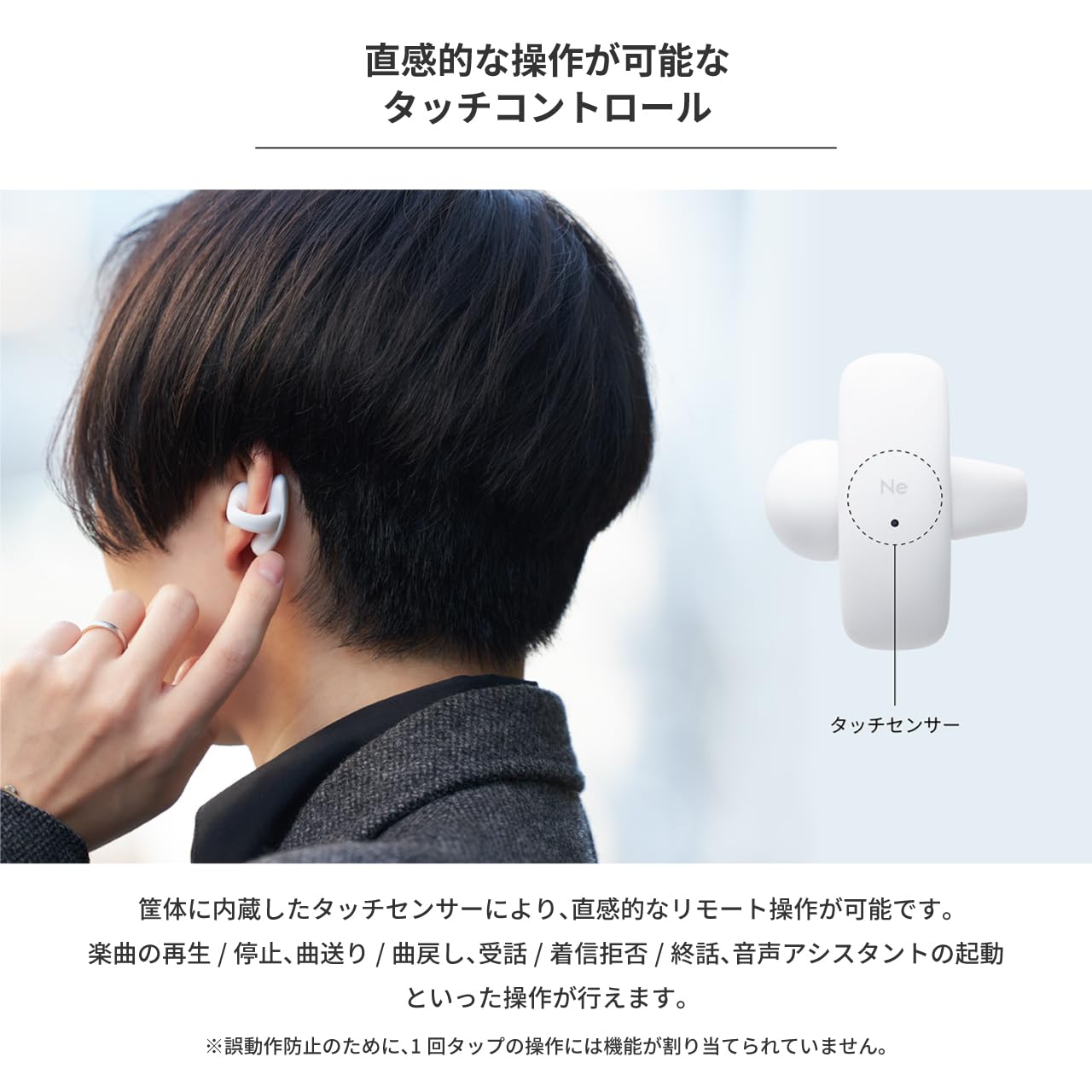
Image: A person demonstrating the touch control feature by tapping the side of an earbud.
Refer to the table below for specific touch operations:
| Function | Left Earbud | Right Earbud |
|---|---|---|
| Play / Pause | 2 Taps | |
| Next Track | 3 Taps | |
| Previous Track | 3 Taps | |
| Answer Call | 2 Taps | 2 Taps |
| Reject Incoming Call | 3 Taps | 3 Taps |
| End Call | 2 Taps | 2 Taps |
| Activate Voice Assistant | 2 Taps | 2 Taps |
Note: Single taps are not assigned a function to prevent accidental operations.
6. Maintenance
6.1. Cleaning
Regular cleaning helps maintain optimal performance and hygiene:
- Gently wipe the earbuds and charging case with a soft, dry, lint-free cloth.
- Do not use abrasive cleaners, solvents, or aerosol sprays.
- Ensure charging contacts on both earbuds and case are clean and dry.
6.2. Water Resistance (IPX4)
The earbuds are IPX4 splash-proof, meaning they are resistant to water splashes from any direction. This makes them suitable for activities like walking or camping where they might encounter light rain or sweat.

Image: The earbuds are shown with water droplets on their surface, demonstrating their IPX4 splash-proof capability.
Important: The earbuds are not completely waterproof. Do not submerge them in water.
7. Troubleshooting
If you encounter issues with your Radius HP-H10BT earbuds, refer to the following common solutions:
- Earbuds not charging: Ensure the earbuds are properly seated in the charging case and that the charging contacts are clean. Verify the charging cable is securely connected to both the case and the power source.
- Cannot pair with device: Make sure Bluetooth is enabled on your device and the earbuds are in pairing mode (open the case). Try turning Bluetooth off and on again on your device, or restarting both the earbuds (by placing them in the case and closing/opening) and your device.
- No sound from one earbud: Check if both earbuds are charged. Try placing both earbuds back in the case, closing it, and then reopening it to reset the connection.
- Low volume: Adjust the volume on both your connected device and ensure the earbuds are properly positioned on your ears.
- Intermittent connection: Ensure there are no obstructions between the earbuds and your device. Keep the device within the recommended Bluetooth range.
If the problem persists, consult the Radius support website for further assistance.
8. Specifications
| Feature | Specification |
|---|---|
| Model Name | HP-H10BT |
| Connectivity Technology | Wireless (Bluetooth) |
| Ear Placement | Open Ear |
| Form Factor | True Wireless |
| Controller Type | Touch |
| Water Resistance Level | IPX4 (Water Resistant) |
| Noise Control | None |
| Battery Life (Earbuds) | Up to 10 hours |
| Total Battery Life (with Case) | Up to 25 hours |
| Battery Type | Lithium Ion (Nonstandard Battery) |
| Impedance | 16 Ohm |
| Item Weight | 150 g |
| Included Components | Charging Cable (USB-C to USB-A), Instruction Manual |
9. Safety Information
Please read and follow these safety guidelines to ensure safe operation of your earbuds:
- Do not listen at high volume levels for extended periods to prevent hearing damage.
- Do not use the earbuds in situations where inability to hear ambient sounds could be dangerous, such as while driving, cycling, or walking in traffic.
- Keep the earbuds and charging case away from extreme temperatures, direct sunlight, and moisture.
- Do not attempt to disassemble, repair, or modify the product. This may void the warranty and cause injury.
- Keep out of reach of children and pets. Small parts may pose a choking hazard.
- Dispose of the product and batteries according to local regulations. Do not dispose of batteries in fire.
10. Warranty and Support
This Radius product is covered by a manufacturer's warranty. Please refer to the warranty card included in your package or visit the official Radius website for detailed warranty terms and conditions.
For technical support, troubleshooting assistance, or inquiries about your product, please contact Radius customer service through their official website or the contact information provided with your purchase.
Related documentsHP-H10BT


Ask a question about this manual
Ask about setup, troubleshooting, compatibility, parts, safety, or missing instructions. Manuals+ will review the question and use this page’s manual context to help answer it.