
POCREATION POCREATIONo5tsfg4kcr-01
POCREATION Switching Power Supply User Manual
Model: POCREATIONo5tsfg4kcr-01 (5V 2A)
1. Introduction
This manual provides essential information for the safe and efficient operation of your POCREATION Switching Power Supply. Please read this manual thoroughly before installation and use, and retain it for future reference.
The POCREATION Switching Power Supply is designed for various applications including LED lighting, security monitoring, 3D printing, automation equipment, industrial control, petrochemical, and network communication. It features high temperature copper enameled wire, double winding U-shaped iron core for strong anti-interference, and comprehensive protection mechanisms.
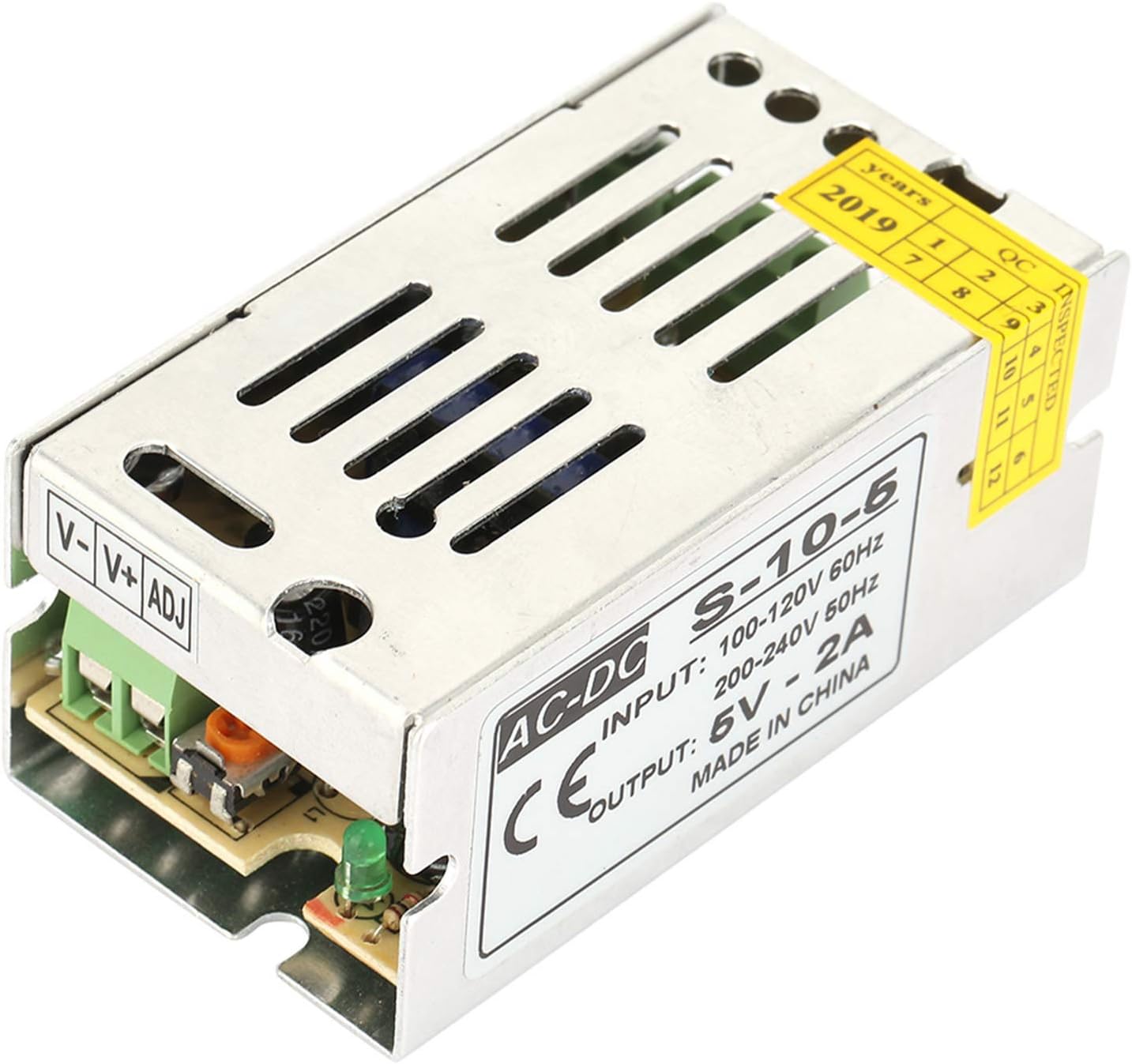
Image: The POCREATION 5V 2A Switching Power Supply, showcasing its compact metal casing and terminal block.
2. Safety Precautions
To ensure safe operation and prevent damage, observe the following precautions:
- Input Voltage: Ensure the input voltage is within the specified operating range (110V-220V AC).
- Environment: Do not use in high-temperature environments. Ensure adequate space and heat dissipation.
- Flammable Materials: Do not install the power supply on flammable materials. Keep away from gas stations or areas where smoking is prohibited.
- Power Usage: The power supply is rated for full capacity, but some power is lost during wiring. It is recommended to use 80-85% of the rated power to ensure optimal performance and longevity.
- Installation: Installation should be performed by qualified personnel. Ensure proper grounding.
- Protection Features: The unit includes short circuit, overload, and overvoltage protection. However, do not intentionally trigger these protections.
3. Specifications
| Parameter | Value |
|---|---|
| Input Voltage | 110V-220V AC |
| Output Voltage | 5V DC |
| Output Current (5V 2A model) | 2A |
| Output Power (5V 2A model) | 10W |
| Protection Functions | Overload, Overvoltage, Short Circuit |
| Safety Certifications | CE, ROHS, FCC |
| Operating Humidity and Temperature | -15°C to +70°C; 20% - 90% RH |
| Product Dimensions | 70 x 40 x 30 mm (2.76 x 1.57 x 1.18 inch) |
| Item Weight | 2.29 ounces |
| Model Number | POCREATIONo5tsfg4kcr-01 |

Image: Product dimensions showing length (70mm/2.76in), width (40mm/1.57in), and height (30mm/1.18in).
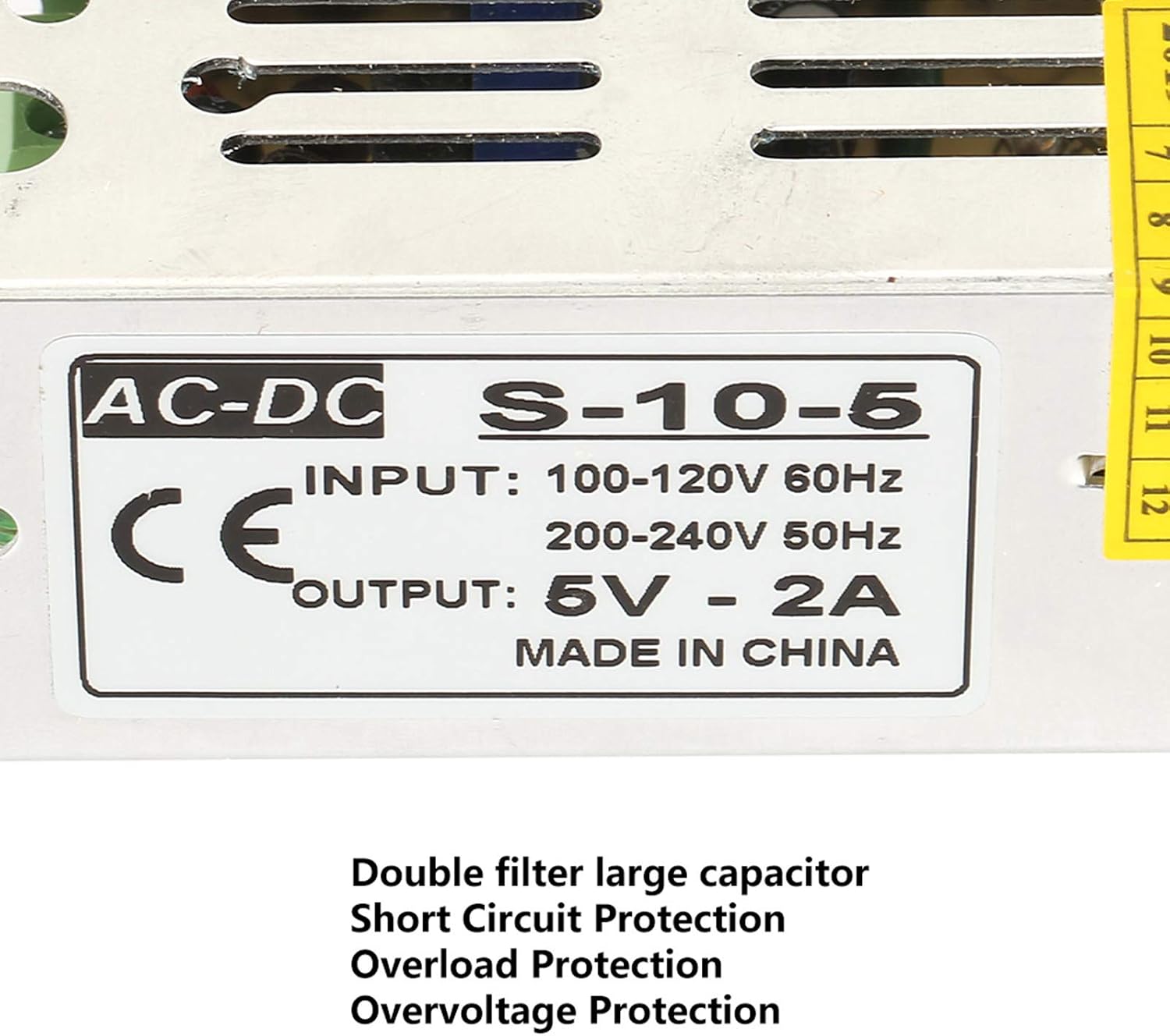
Image: A close-up view highlighting the double filter large capacitor and text indicating Short Circuit Protection, Overload Protection, and Overvoltage Protection.
4. Setup and Installation
Follow these steps for proper setup and installation:
- Unpacking: Carefully remove the power supply from its packaging. Inspect for any visible damage.
- Mounting: Securely mount the power supply in a well-ventilated area. Ensure there is sufficient clearance around the unit for heat dissipation. The aluminum casing with mesh holes is designed for effective heat dissipation.
- Wiring Connections:
- Connect the AC input (110V-220V) to the designated input terminals.
- Connect the DC output (5V) to your display or automation equipment using the V- and V+ terminals.
- Ensure all connections are tight and secure to prevent loose contacts and potential hazards.
- Grounding: Ensure the power supply is properly grounded according to local electrical codes.
- Initial Check: Before applying power, double-check all connections and ensure no wires are exposed or short-circuited.

Image: A detailed view of the V-, V+, and ADJ terminals, highlighting the connection points for the power supply. Also visible is text indicating "Security Certification: CE, ROHS, FCC" and "High temperature resistant copper enameled wire".

Image: Top view of the power supply, clearly showing the AC-DC S-10-5 label with input (100-120V 60Hz, 200-240V 50Hz) and output (5V - 2A) specifications. A "QC INSPECTED" sticker from 2019 is also visible.
5. Operating Instructions
Once installed, operating the power supply is straightforward:
- Power On: Apply AC power to the input terminals. The power supply will automatically convert it to 5V DC output.
- Voltage Adjustment (if applicable): If your model includes an adjustable voltage potentiometer (ADJ), you can fine-tune the output voltage within a small range. Refer to the specific product label for details.
- Monitoring: The power supply is designed for stable operation. No continuous monitoring is typically required under normal operating conditions.
- Protection Activation: In case of overload, overvoltage, or short circuit, the internal protection mechanisms will activate to prevent damage to the unit and connected devices. Address the cause of the fault before resuming operation.

Image: Side view of the power supply, emphasizing the ventilation slots on the metal casing for heat dissipation.
6. Maintenance
The POCREATION Switching Power Supply requires minimal maintenance:
- Cleaning: Periodically clean the exterior of the power supply with a dry, soft cloth. Ensure the ventilation holes are free from dust and debris to maintain optimal heat dissipation. Do not use liquid cleaners.
- Connection Check: Occasionally inspect all wiring connections to ensure they remain secure and free from corrosion.
- Environmental Conditions: Ensure the operating environment remains within the specified temperature and humidity ranges.
- No User Serviceable Parts: Do not attempt to open or repair the power supply. There are no user-serviceable parts inside. Unauthorized opening will void any warranty.
7. Troubleshooting
If you encounter issues with your power supply, refer to the following common problems and solutions:
| Problem | Possible Cause | Solution |
|---|---|---|
| No output voltage | No input power; Loose connections; Internal fault; Overload/Short circuit protection activated. | Check AC input power. Verify all wiring connections. Disconnect load and re-test. If problem persists, contact support. |
| Output voltage unstable or low | Overload; Poor connections; Input voltage fluctuation. | Reduce load. Check and secure all connections. Ensure stable input voltage. |
| Unit is overheating | Insufficient ventilation; Excessive load; High ambient temperature. | Ensure adequate airflow around the unit. Reduce load. Relocate to a cooler environment. Clean ventilation holes. |
| Protection features frequently activate | Overload; Short circuit in connected device; Overvoltage condition. | Verify the load does not exceed the power supply's capacity. Check connected devices for short circuits. Ensure input voltage is stable. |
If the issue persists after attempting these solutions, please contact POCREATION customer support.
8. Warranty and Support
For warranty information and customer support, please refer to the official POCREATION website or contact your point of purchase. Keep your purchase receipt as proof of purchase.
Manufacturer: POCREATION
Date First Available: April 10, 2025
For further assistance, you may visit the POCREATION Store on Amazon.
Ask a question about this manual
Ask about setup, troubleshooting, compatibility, parts, safety, or missing instructions. Manuals+ will review the question and use this page’s manual context to help answer it.