
ANXRE NT99
ANXRE NT99 Phone Tripod with Light User Manual
Model: NT99 | Brand: ANXRE
Introduction
This manual provides detailed instructions for the safe and effective use of your ANXRE NT99 Phone Tripod with Light. Please read this manual thoroughly before operating the device and retain it for future reference.
Package Contents
Verify that all items listed below are included in your package:
- 1 x ANXRE NT99 Phone Tripod
- 1 x Fill Light (LED)
- 1 x Wireless Remote Shutter
- 1 x 1/4-inch Screw Mount
- 1 x User Manual
Product Overview
The ANXRE NT99 is a versatile all-in-one phone tripod and selfie stick designed for various recording needs. It features an integrated LED fill light, universal compatibility, and a detachable wireless remote control.
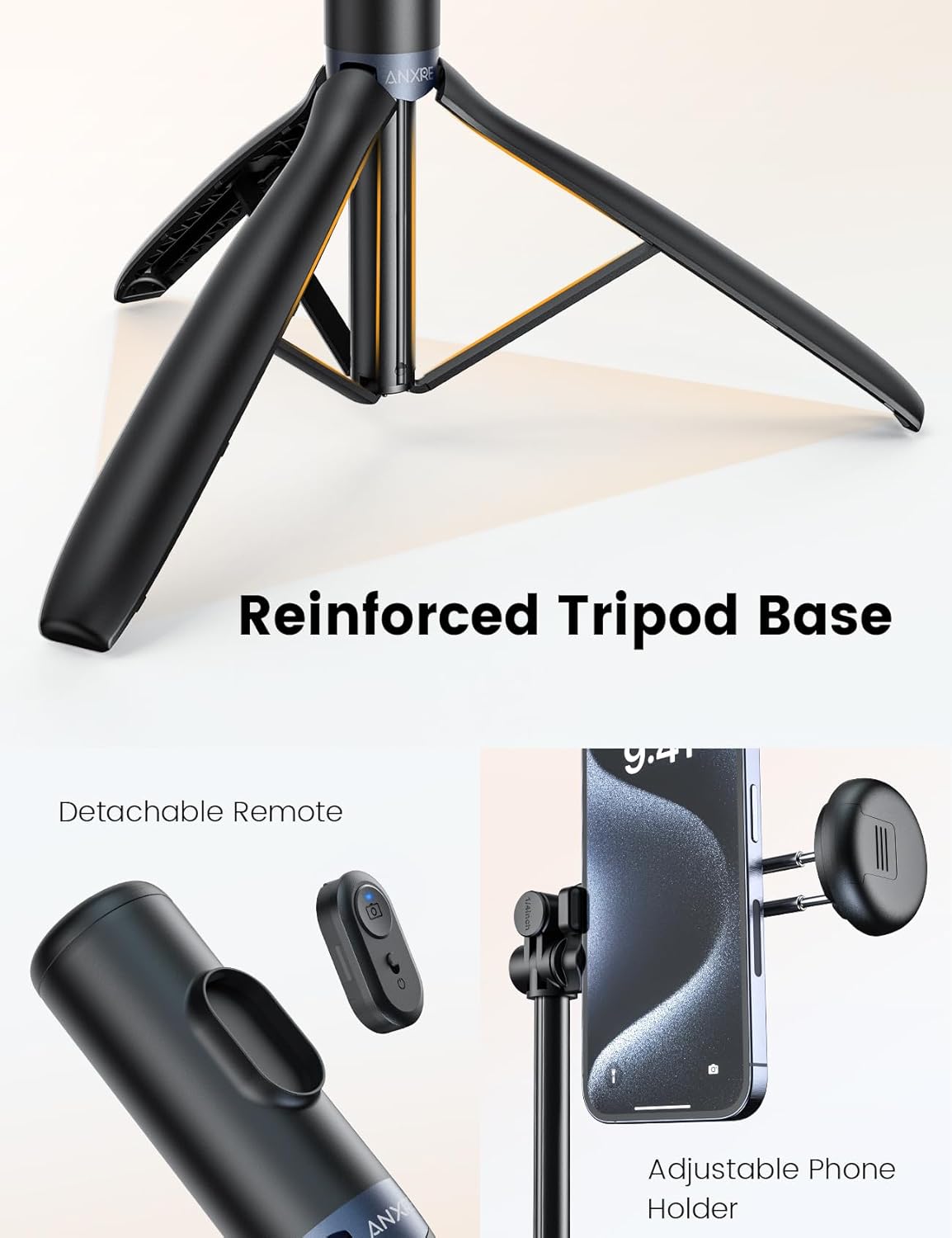
Image: Overview of the ANXRE NT99 tripod, highlighting its reinforced base, the detachable remote control, and the adjustable phone holder.
Key Features:
- Integrated LED Fill Light: Features 3 color temperatures and 2 brightness levels for optimal lighting in various environments.
- Adjustable Height: Extends up to 172 cm (67.7 inches) and collapses to 33 cm (12.9 inches).
- 180° Rotatable Head: Allows for flexible horizontal, vertical, and angled shots.
- Universal Compatibility: Supports smartphones, cameras, and GoPro devices via a 1/4-inch screw mount.
- Detachable Wireless Remote: For convenient hands-free operation.
- Reinforced Tripod Base: Provides stability on various surfaces.
- Compact and Portable Design: Lightweight and easy to carry.
Setup Instructions
- Unfold the Tripod: Gently pull the legs of the tripod base outwards until they are fully extended and stable.
- Extend the Pole: Pull the telescopic pole upwards to extend it to your desired height. Ensure all sections are securely locked.
- Attach Device Holder:
- For Smartphones: Open the adjustable phone holder and securely place your smartphone. Ensure it is centered and stable.
- For Cameras/GoPro: Use the provided 1/4-inch screw mount to attach your camera or GoPro to the tripod head. Tighten securely.

Image: Demonstrates how to attach various devices like smartphones, cameras, and GoPro to the tripod head using the universal mount.
- Attach Fill Light: Slide the LED fill light onto the cold shoe mount located on the device holder.
- Pair Remote Control:
- Ensure the remote control is charged (if applicable) and powered on.
- Activate Bluetooth on your smartphone.
- Search for "ANXRE Remote" or similar in your Bluetooth settings and pair.
Operating Instructions
1. Adjusting Height and Angle
- Height Adjustment: Loosen the locking mechanisms on the telescopic pole sections, extend or retract to the desired height (up to 172 cm), and then securely tighten the locks.
- Head Rotation: The tripod head allows for 180° rotation. Loosen the adjustment knob, position your device to the desired horizontal, vertical, or angled orientation, and then tighten the knob to secure it.

Image: The ANXRE NT99 tripod fully extended, illustrating its maximum height of 172 cm (67.7 inches) and minimum folded height of 33 cm (12.9 inches).

Image: Detailed view of the rotatable head, demonstrating the mechanism for multi-angle adjustments and the importance of tightening the knob.
2. Using the LED Fill Light
- Power On/Off: Press and hold the power button on the fill light to turn it on or off.
- Change Color Temperature: Short press the power button to cycle through 3 color temperatures: White, Natural, and Warm.
- Adjust Brightness: Use the brightness adjustment buttons (if available, or short press the power button again after selecting color temperature) to select between 2 brightness levels.

Image: A smartphone attached to the tripod with the LED fill light active, demonstrating the three available color temperature settings: White, Natural, and Warm, for improved night shots.
3. Using the Wireless Remote Control
- Ensure the remote is paired with your device (refer to Setup Instructions).
- Open your device's camera application.
- Press the button on the remote control to trigger the shutter for photos or to start/stop video recording.
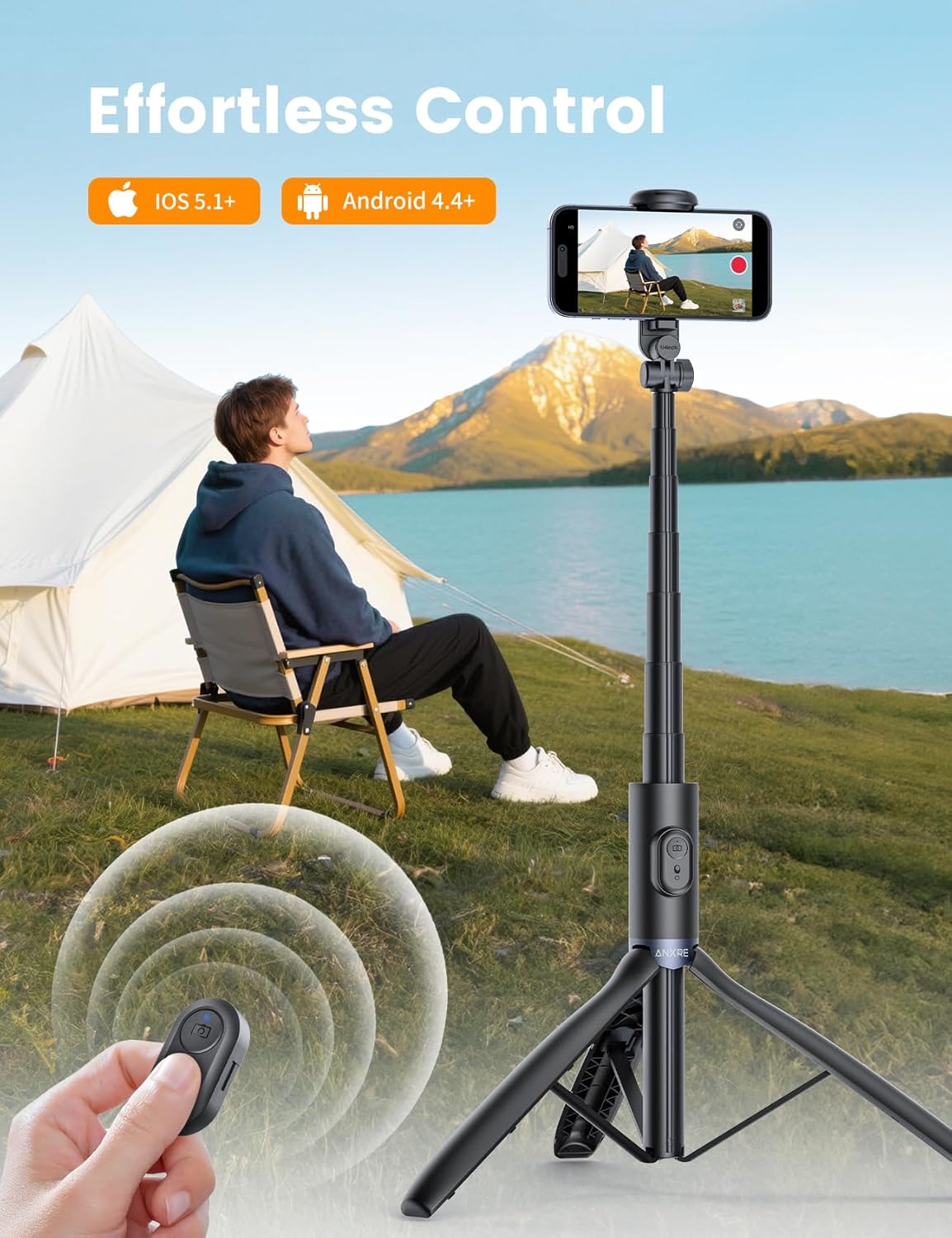
Image: A user operating the ANXRE NT99 tripod with the wireless remote control, enabling hands-free photo and video capture.
Maintenance
- Cleaning: Wipe the tripod and light with a soft, dry cloth. Do not use abrasive cleaners or solvents.
- Storage: When not in use, collapse the tripod to its compact size and store it in a dry, cool place away from direct sunlight.
- Battery Care (Remote/Light): If the remote or light uses a rechargeable battery, ensure it is charged periodically even when not in use to maintain battery health. Avoid extreme temperatures.
- Inspection: Regularly check all locking mechanisms and connections for tightness and wear.

Image: The ANXRE NT99 tripod in its folded state, easily fitting into a backpack, illustrating its compact and travel-friendly design for convenient storage and transport.
Troubleshooting
| Problem | Possible Cause | Solution |
|---|---|---|
| Tripod is unstable. | Legs not fully extended or locked; uneven surface. | Ensure tripod legs are fully extended and locking mechanisms are engaged. Place on a flat, stable surface. |
| Remote control not connecting. | Remote battery low; not paired; Bluetooth off on device. | Charge or replace remote battery. Ensure Bluetooth is enabled on your phone and re-pair the remote. |
| Fill light not turning on. | Light battery low; not properly attached. | Charge the fill light. Ensure it is securely attached to the cold shoe mount. |
| Device holder not holding phone securely. | Phone not centered; holder not tightened. | Ensure phone is centered in the holder. Tighten the holder's grip if adjustable. |
Specifications
| Feature | Detail |
|---|---|
| Model Number | NT99 |
| Brand | ANXRE |
| Maximum Height | 172 Centimeters (67.7 inches) |
| Minimum Height | 33 Centimeters (12.9 inches) |
| Folded Size | 13.58 inches |
| Material | Aluminium, Acrylonitrile Butadiene Styrene (ABS) |
| Compatible Devices | Camera, GoPro, Smartphone |
| Special Features | Lightweight, Foldable, Telescopic, Remote Control, Integrated LED Light |
| Battery (Remote/Light) | 1 Non-standard Battery (included) |
| Product Dimensions | 38.28 x 5.21 x 4.9 cm (Package) |
| Item Weight | 422 grams |
Warranty and Support
ANXRE provides professional after-sales service for 12 months from the date of purchase. If you encounter any issues with your ANXRE NT99 selfie stick tripod, please contact the ANXRE service team for assistance.
For support, please refer to the contact information provided with your purchase or visit the official ANXRE website.
Ask a question about this manual
Ask about setup, troubleshooting, compatibility, parts, safety, or missing instructions. Manuals+ will review the question and use this page’s manual context to help answer it.