
1. Introduction
Thank you for choosing the SUNTEK SRM2060 Robotic Lawnmower. This advanced robotic lawnmower is designed to provide effortless lawn care for areas up to 600 m². Featuring AI Vision technology, it operates without the need for boundary wires, intelligently navigating your lawn and avoiding obstacles. Its robust design ensures reliable performance, even on slopes, and its smart app control allows for convenient scheduling and management.
2. Safety Instructions
Please read all safety instructions carefully before operating the robotic lawnmower. Failure to follow these instructions may result in injury or damage to the product.
- Read the Manual: Always read the entire user manual before initial operation.
- Children and Pets: Keep children and pets away from the working area when the lawnmower is in operation.
- Sharp Blades: The lawnmower contains sharp blades. Exercise extreme caution when handling or performing maintenance. Always turn off the device and disconnect power before touching the blades.
- Obstacle Clearance: Clear the lawn of any foreign objects such as stones, toys, or wires before operation to prevent damage to the mower or injury.
- Weather Conditions: The mower is IPX5 water-resistant, but it is recommended to avoid operation during heavy rain or thunderstorms. The integrated rain sensor will automatically return the mower to its charging station during rain.
- Slopes: The mower can handle slopes up to 35%. Ensure stable footing if you need to interact with the mower on an incline.
- Charging: Only use the original charging station and power adapter provided with the product.
- Maintenance: Perform regular maintenance as described in this manual to ensure safe and efficient operation.
3. Package Contents
Upon unpacking, please verify that all components are present and in good condition:
- SUNTEK SRM2060 Robotic Lawnmower
- Charging Station
- Power Adapter
- User Manual
- Spare Blades (if included)
- Mounting Screws for Charging Station
4. Setup
The SUNTEK SRM2060 is designed for easy, wire-free installation, eliminating the need for complex boundary wire setup.
4.1. Charging Station Placement
Select a suitable location for the charging station. It should be on a flat surface, preferably in a shaded area, with access to a power outlet. Ensure there is enough clear space around the station for the mower to dock easily.
4.2. Initial Charging
Place the robotic lawnmower on the charging station. Ensure the charging contacts align. The mower will begin charging automatically. Allow for a full charge before the first operation.
4.3. App Connection and Area Mapping
Download the official SUNTEK app from your smartphone's app store. Follow the in-app instructions to connect your mower via Bluetooth and Wi-Fi. The mower utilizes AI Vision technology to automatically detect and map your working area, distinguishing between grass and non-grass areas without the need for physical boundary wires.
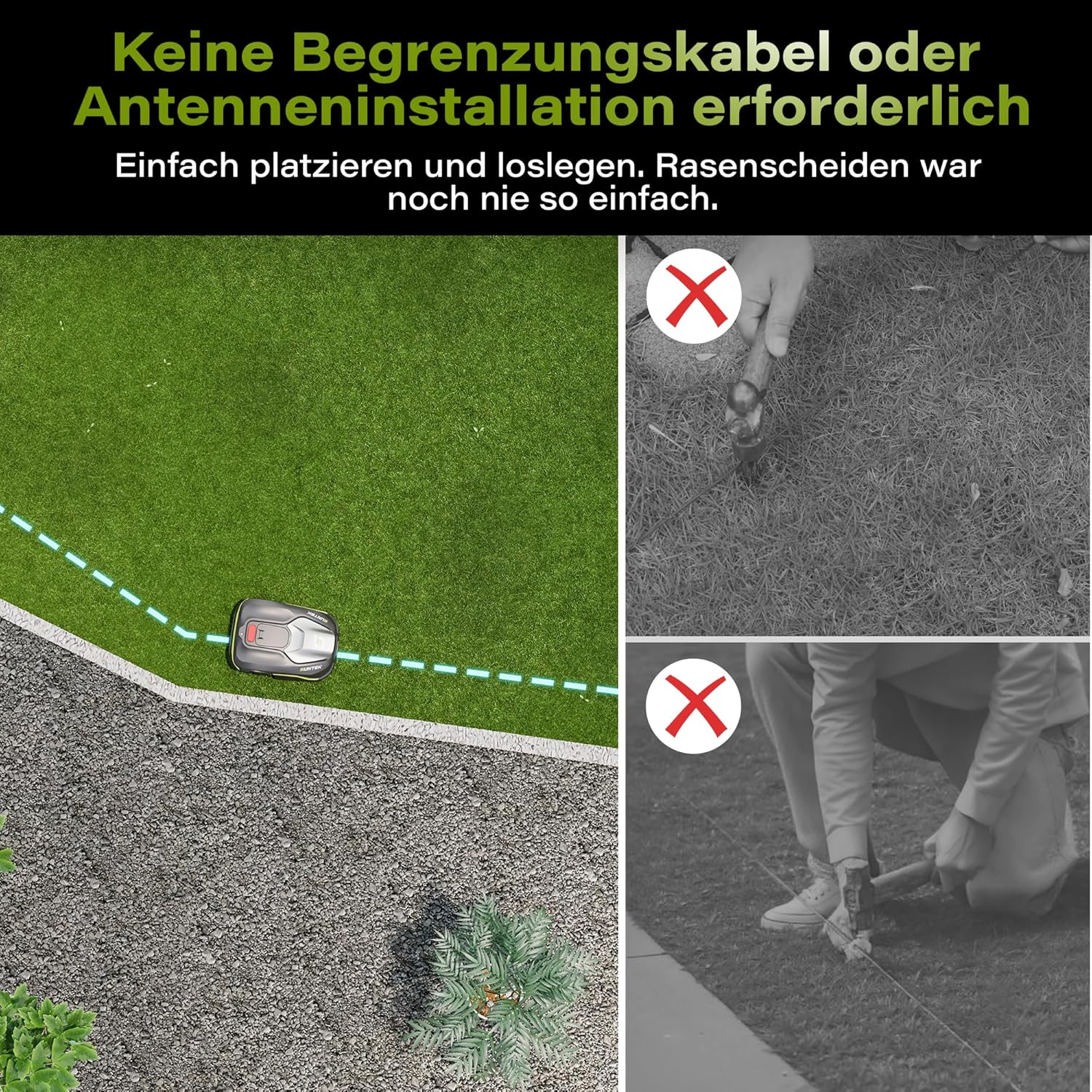
The SUNTEK SRM2060 requires no boundary wire or antenna installation, simplifying setup significantly.

The mower intelligently detects the boundary of its working area, differentiating between grass and non-grass surfaces.
5. Operating
The SUNTEK SRM2060 offers intelligent and flexible operation modes.
5.1. Smart App Control
Manage your lawnmower conveniently through the mobile app. You can set mowing schedules, define specific mowing zones, initiate manual mowing, and monitor the mower's status from anywhere. The app allows for flexible planning based on your daily routine and lawn growth.

Control and customize your mowing plans easily via the intelligent app, connecting through Bluetooth and Wi-Fi.
5.2. Obstacle Avoidance
Equipped with advanced AI visual technology, the mower can precisely identify and avoid over 200 different types of obstacles in advance, ensuring a smooth and uninterrupted mowing process.

The mower's AI deep learning technology allows it to recognize and avoid over 200 different obstacles.
5.3. Slope Handling
The brushless rear-wheel drive provides strong power, allowing the mower to easily handle lawns with up to a 35% incline and navigate uneven terrain.

The mower can effortlessly manage slopes up to 35%, as well as rough and dense grass.
5.4. Night Mowing
The mower is equipped with built-in lights, allowing it to operate and maintain visibility even after dark, ensuring continuous lawn care.

Mow your lawn after dark with built-in lights for improved visibility and performance.
5.5. Adjustable Cutting Height
The cutting height can be adjusted to suit your lawn's needs, ensuring a perfect and even cut every time. The maximum adjustable cutting height is 60 millimeters.

Easily adjust the cutting height to meet your lawn's specific requirements.
6. Maintenance
Regular maintenance ensures the longevity and optimal performance of your SUNTEK SRM2060.
6.1. Cleaning
The mower features IPX5 water resistance, allowing for easy cleaning with a garden hose. This simplifies the cleaning process and helps maintain the device's lifespan and performance.
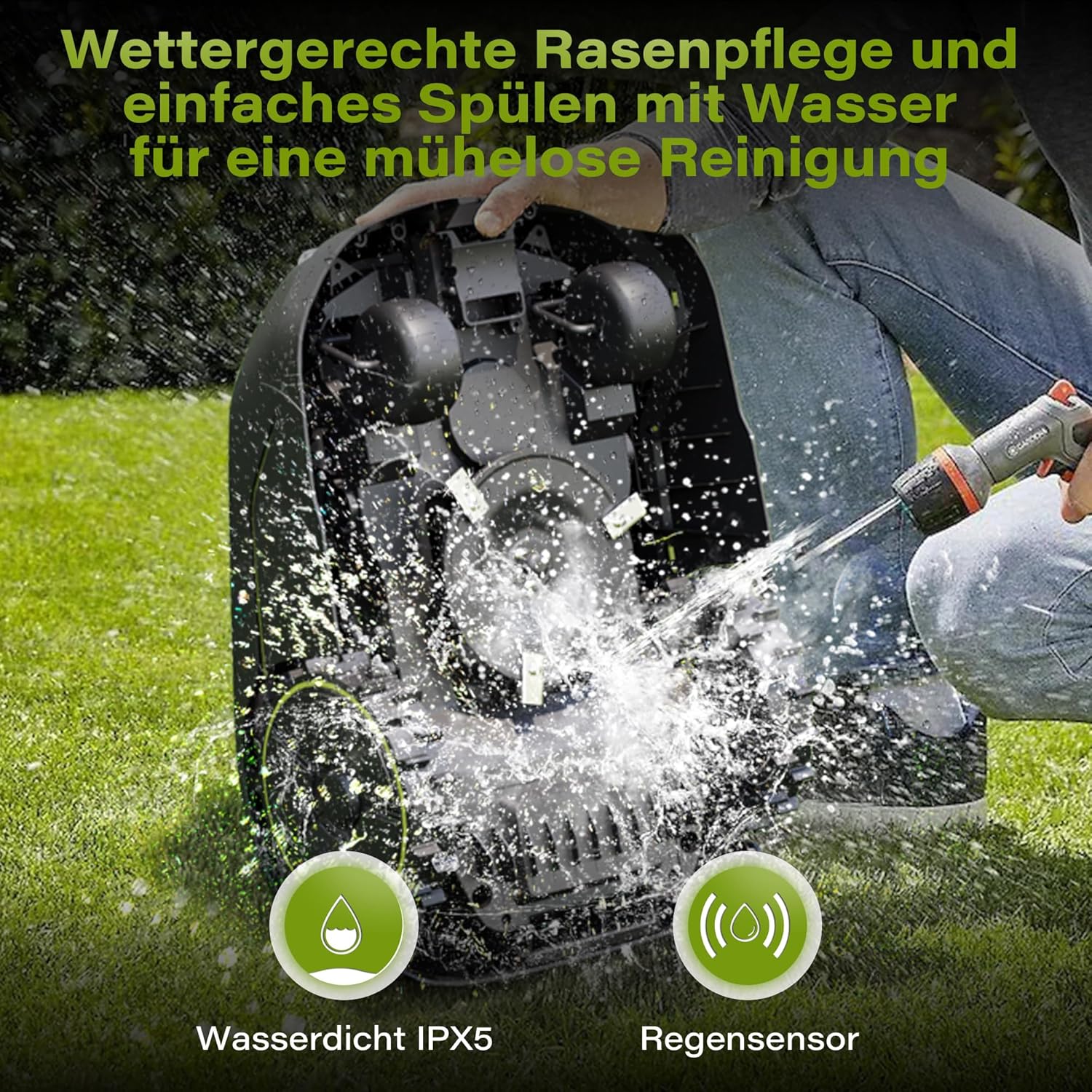
The IPX5 water resistance allows for easy rinsing with water for effortless cleaning.
6.2. Blade Replacement
Inspect the blades regularly for wear and tear. Replace dull or damaged blades to ensure a clean and efficient cut. Refer to the specific instructions in the full manual for blade replacement procedures.
6.3. Software Updates
Periodically check the app for available software updates. Updates can improve performance, add new features, and enhance obstacle detection capabilities.
7. Troubleshooting
This section provides solutions to common issues you might encounter with your SUNTEK SRM2060 Robotic Lawnmower.
7.1. Mower Not Starting
- Check if the battery is charged.
- Ensure the safety switch is engaged.
- Verify that the mower is within its designated working area.
7.2. Mower Not Charging
- Ensure the charging station is powered on.
- Clean the charging contacts on both the mower and the station.
- Verify the mower is correctly docked.
7.3. Poor Mowing Performance
- Check if the blades are dull or damaged and replace them if necessary.
- Adjust the cutting height to suit the grass length.
- Ensure the lawn is clear of debris that might interfere with mowing.
7.4. Mower Getting Stuck Frequently
- Ensure the lawn is free of excessive obstacles or uneven terrain.
- Check for any software updates that might improve navigation.
- If the issue persists, contact customer support.
For more detailed troubleshooting steps, please refer to the comprehensive manual available on the SUNTEK website or through the app.
8. Specifications
| Model Number | SRM2060 |
| Brand | SUNTEK |
| Maximum Mowing Area | 600 m² |
| Power Source | Battery Powered (Lithium-Ion) |
| Material | Alloy Steel, Plastic |
| Water Resistance | IPX5 |
| Max. Adjustable Cutting Height | 60 mm |
| Product Dimensions (L x W x H) | 56T x 40B x 25H cm |
| Item Weight | 18.3 Kilograms |
| Operating Mode | Automatic |
9. Warranty and Support
For warranty information, technical support, or service inquiries, please refer to the official SUNTEK website or contact SUNTEK customer service directly. Details can typically be found on the product packaging or within the mobile application.
Manufacturer: SUNTEK

