
1. Introduction
This manual provides essential information for the proper use and maintenance of your KSIX LYA Smartwatch. Please read it carefully before using the device to ensure optimal performance and longevity.
2. Package Contents
Verify that all items are present in your product package:
- KSIX LYA Smartwatch (Model BXSW29P)
- Silicone Watch Strap (18mm)
- Metal Watch Strap (18mm)
- Charging Cable
- User Manual

Image: KSIX LYA Smartwatch with both metal and silicone straps, showcasing the main device and an alternative strap.
3. Setup
3.1 Charging the Smartwatch
Before initial use, fully charge your KSIX LYA Smartwatch. Connect the charging cable to the charging port on the back of the watch and to a standard USB power adapter (not included). A full charge takes approximately 2.5 hours and provides an average battery life of 5 days, depending on usage.
3.2 App Installation and Pairing
- Download the FitCloudPro application from your smartphone's app store (available for Android and iOS).
- Open the FitCloudPro app and follow the on-screen instructions to create an account or log in.
- Enable Bluetooth on your smartphone.
- In the FitCloudPro app, navigate to the device pairing section and search for your KSIX LYA Smartwatch.
- Select your smartwatch from the list of available devices to establish a Bluetooth connection. Confirm any pairing requests on both your phone and the smartwatch.
4. Operating Instructions
4.1 Basic Navigation
The KSIX LYA Smartwatch features a 1.19-inch AMOLED multi-touch display for intuitive interaction.
- Swipe Up/Down: Navigate through menus and notifications.
- Swipe Left/Right: Access quick functions or widgets.
- Tap: Select an item or confirm an action.
- Side Button: Press to return to the home screen or wake the device.
4.2 Voice Assistant
Utilize the integrated voice control feature for hands-free operation. Activate the voice assistant through the watch interface and issue commands for various functions.
5. Key Features
5.1 AMOLED Display
The smartwatch features a vibrant 1.19-inch AMOLED display with a resolution of 320 x 320 pixels, offering clear visuals and rich colors.
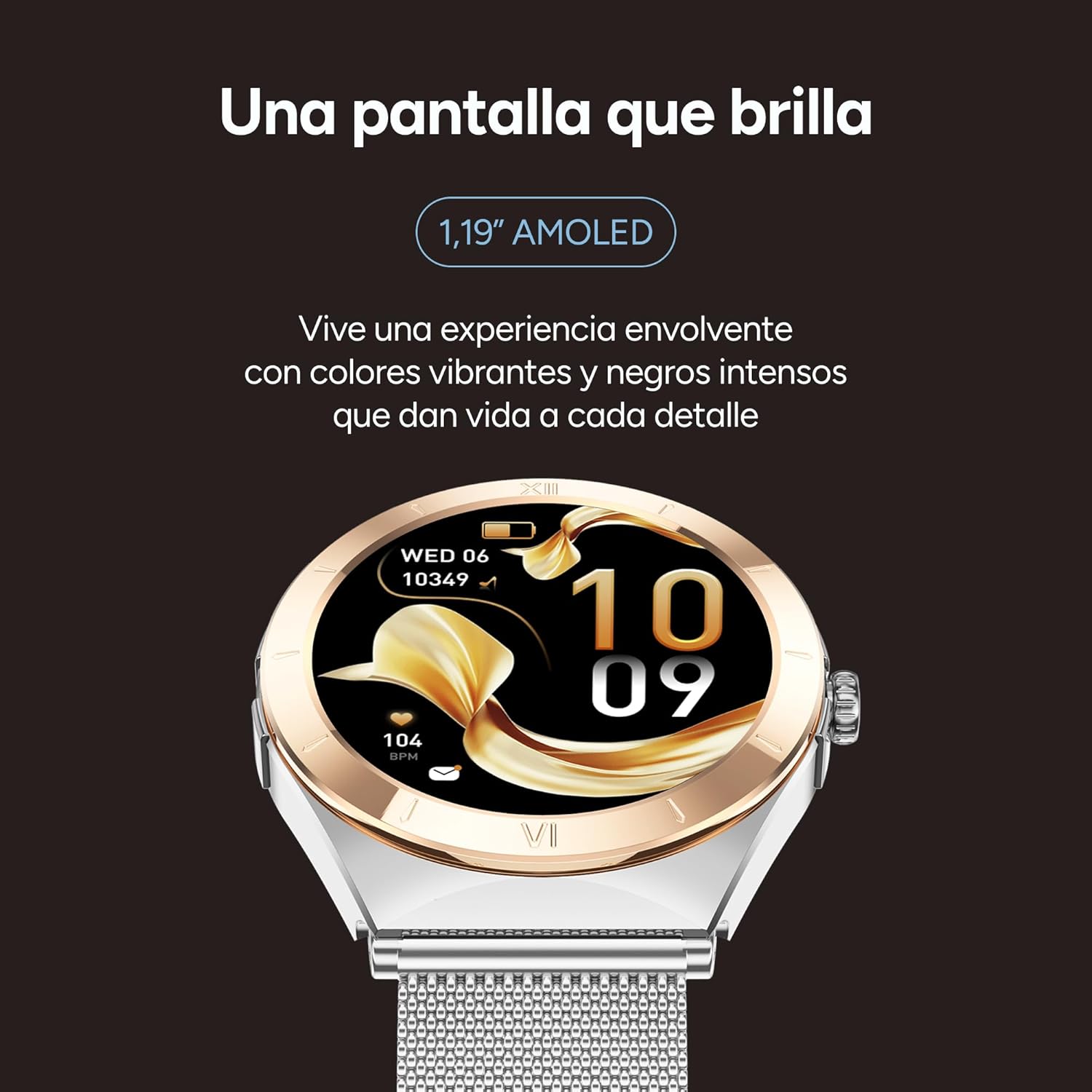
Image: Close-up of the KSIX LYA Smartwatch's 1.19-inch AMOLED display, highlighting its vibrant colors and sharp details.
5.2 Health Monitoring
Monitor your well-being with comprehensive health tracking features:
- Heart Rate Monitoring: Continuous tracking of your heart rate.
- Blood Pressure Measurement: Provides estimates of your blood pressure levels.
- Sleep Tracking: Analyzes sleep patterns, including deep sleep, light sleep, and wake times.
- Menstrual Cycle Tracking: Helps monitor and predict menstrual cycles.
- Blood Oxygen (SpO2) Monitoring: Measures blood oxygen saturation levels.

Image: The KSIX LYA Smartwatch screen showing various health metrics, including daily steps, calories burned, distance covered, heart rate, and blood oxygen levels.
5.3 Sport Modes
The smartwatch acts as your personal trainer, offering multiple sport modes to track your activities with detailed metrics. Select your preferred sport mode to record data such as duration, distance, calories burned, and heart rate during exercise.

Image: An infographic illustrating the KSIX LYA Smartwatch's main features, such as its AMOLED display, interchangeable straps, call functionality, health monitoring, music playback, notification alerts, and various sport modes.
5.4 Call Management and Notifications
Stay connected directly from your wrist:
- Hands-Free Calls: Make, answer, and reject calls without needing to take out your smartphone.
- Contact List: Access call history, dial numbers, or manage a personalized contact list.
- App Notifications: Receive alerts from your favorite applications (e.g., WhatsApp, Instagram, Facebook, Spotify) directly on your smartwatch.

Image: The KSIX LYA Smartwatch screen showing an incoming call notification with options to accept or decline the call.

Image: The KSIX LYA Smartwatch displaying icons for various social media and messaging applications, indicating its notification capabilities.
5.5 Music Player
Control music playback directly from your smartwatch. Play, pause, skip tracks, and adjust volume for your smartphone's music.
5.6 Additional Functions
- Weather Forecast: Get real-time weather updates.
- Reminders and Alarms: Set alarms and reminders for important events.
- Find My Phone: Locate your paired smartphone if it's within Bluetooth range.

Image: The KSIX LYA Smartwatch showcasing additional features such as a music player interface, weather forecast display, reminder settings, and the 'Find My Phone' function.
6. Customization
6.1 Interchangeable Straps
The KSIX LYA Smartwatch comes with two interchangeable 18mm straps: one silicone strap for active use and one metal strap for a more elegant look. To change the strap, locate the quick-release pins on the underside of the watch and gently slide them to detach the current strap. Align the new strap and secure the pins.

Image: A visual comparison of the two interchangeable straps included with the KSIX LYA Smartwatch: a pink silicone strap and a silver metal mesh strap.
6.2 Watch Faces
Personalize your smartwatch by choosing from a variety of pre-installed watch faces or download more through the FitCloudPro app. This allows you to match your watch's appearance to your style or mood.

Image: A selection of diverse watch faces available for the KSIX LYA Smartwatch, demonstrating customization options.
7. Maintenance
To ensure the longevity and proper functioning of your KSIX LYA Smartwatch, follow these maintenance guidelines:
- Cleaning: Regularly wipe the watch screen and straps with a soft, dry cloth. For stubborn dirt, a slightly damp cloth can be used, but ensure the watch is dry before wearing or charging.
- Avoid Extreme Conditions: Do not expose the smartwatch to extreme temperatures, direct sunlight for prolonged periods, or harsh chemicals.
- Water Resistance: While the watch may have some water resistance, avoid submerging it in water or exposing it to high-pressure water streams unless explicitly stated otherwise in the specifications.
- Charging: Use only the provided charging cable. Avoid using damaged cables or chargers.
8. Troubleshooting
If you encounter issues with your KSIX LYA Smartwatch, try the following steps:
- Device Not Turning On: Ensure the watch is fully charged. Connect it to the charger for at least 30 minutes.
- Pairing Issues: Make sure Bluetooth is enabled on your smartphone and the smartwatch. Restart both devices and try pairing again through the FitCloudPro app.
- Inaccurate Health Data: Ensure the watch is worn snugly on your wrist, not too tight or too loose. Clean the sensors on the back of the watch.
- Notifications Not Appearing: Check notification settings within the FitCloudPro app and your smartphone's system settings to ensure permissions are granted.
- App Freezing/Crashing: Close and restart the FitCloudPro app. If the issue persists, reinstall the app.
For further assistance, refer to the support section or contact KSIX customer service.
9. Specifications
| Feature | Specification |
|---|---|
| Brand | KSIX smart your tech |
| Model | BXSW29P |
| Display Size | 1.19 Inches |
| Display Type | AMOLED |
| Resolution | 320 x 320 |
| Operating System | FitCloudPro |
| Connectivity | Bluetooth |
| Battery Capacity | 230 mAh |
| Average Battery Life | 5 Days |
| Charging Time | 2.5 Hours |
| Material | Zinc Alloy |
| Weight | 90 g |
| Compatible Devices | Smartphone |
| Special Features | Voice control, alarm clock, touch screen, multi-sport tracker, personalized activity tracking |
10. Warranty and Support
Your KSIX LYA Smartwatch is covered by a manufacturer's warranty. Please refer to the warranty card included in your package or visit the official KSIX website for detailed warranty terms and conditions.
For technical support, troubleshooting assistance, or general inquiries, please contact KSIX customer service through their official website or the contact information provided with your product.
Online Resources: Visit the KSIX Store on Amazon


