
Introduction
This manual provides detailed instructions for the installation, operation, and maintenance of your TWSYOXPR IPC-HFW2449S-S-IL 4MP POE IP Camera. Please read this manual thoroughly before using the product to ensure proper and safe operation. This camera features 4MP resolution, Smart Dual Light for full-color and IR night vision, a built-in microphone, and Power over Ethernet (PoE) for simplified installation.
Safety Information
Always follow these safety precautions to prevent damage to the product or injury to yourself and others:
- Ensure the power supply meets the camera's requirements (12V DC/PoE 802.3af).
- Do not expose the camera to extreme temperatures, humidity, or corrosive environments.
- Avoid direct exposure of the lens to strong light sources.
- Handle the camera with care; do not drop or subject it to strong impacts.
- Installation should be performed by qualified personnel if you are unsure.
Package Contents
Verify that all items are present in your package:
- TWSYOXPR IPC-HFW2449S-S-IL IP Camera
- Mounting Screws and Wall Plugs
- Waterproof Connector for Ethernet Cable
- Quick Start Guide (if applicable)
- Drill Template (if applicable)
Product Overview
The TWSYOXPR IPC-HFW2449S-S-IL is a bullet-style IP camera designed for both indoor and outdoor surveillance. It features advanced imaging and communication capabilities.
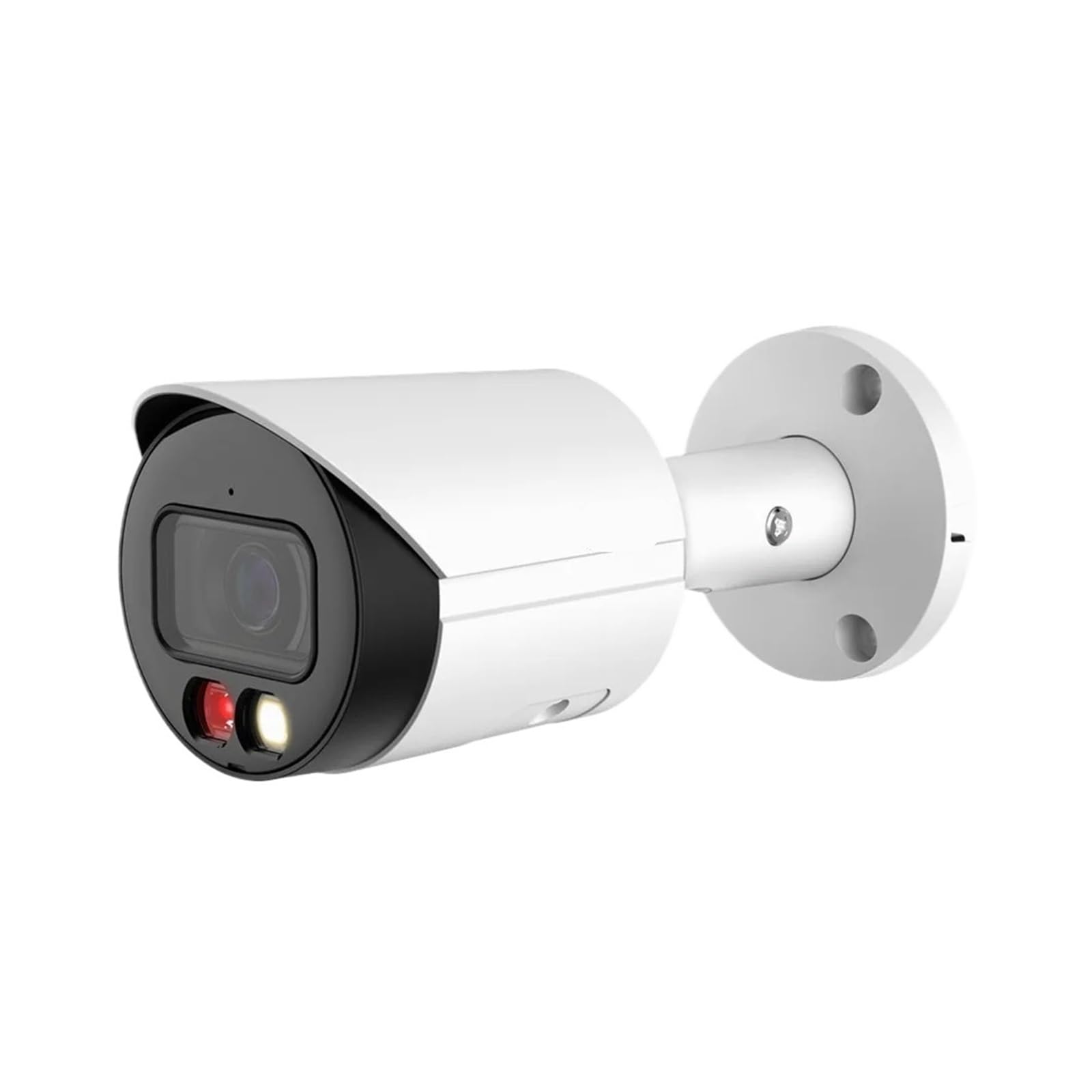
Figure 1: Front view of the TWSYOXPR IPC-HFW2449S-S-IL 4MP POE IP Camera, showing the lens, IR illuminators, and white light illuminators.
Key Components:
- Lens: Available in 3.6mm or 2.8mm focal lengths.
- Dual Light Illuminators: Includes infrared (IR) LEDs for black and white night vision and white light LEDs for full-color night vision.
- Microphone: Built-in for audio capture and two-way communication.
- Ethernet Port (RJ45): Supports Power over Ethernet (PoE) for data and power transmission.
- Mounting Bracket: Adjustable for flexible installation angles.
Setup
1. Mounting the Camera
- Choose a suitable location for installation, ensuring a clear field of view and stable mounting surface. The camera is IP67 rated for outdoor use.
- Use the provided drill template (if available) to mark the screw holes on the wall or ceiling.
- Drill pilot holes and insert wall plugs if mounting on masonry.
- Secure the mounting bracket to the surface using the provided screws.
- Attach the camera to the bracket and adjust its angle for optimal coverage.
2. Connecting the Camera (PoE)
- Connect one end of an Ethernet cable to the camera's RJ45 port. Use the waterproof connector for outdoor installations.
- Connect the other end of the Ethernet cable to a PoE-enabled switch or NVR.
- The camera will power on automatically once connected to a PoE source.
- Alternatively, if not using PoE, connect a 12V DC power adapter (not included) to the camera's power input and an Ethernet cable to a standard network switch/router.
3. Initial Configuration
Refer to your NVR or surveillance software manual for adding and configuring IP cameras. Typically, the camera will obtain an IP address via DHCP. You may need to use a manufacturer-provided tool to discover the camera on your network and set a static IP address or change default credentials.
Operating Instructions
1. Accessing Live View and Playback
Access the camera's live feed and recorded footage through a compatible Network Video Recorder (NVR) or a dedicated mobile application/desktop software provided by the manufacturer. Ensure your device is connected to the same network as the camera or configured for remote access.
2. Dual Light Full-Color Night Vision
The camera features intelligent dual light technology:
- Infrared (IR) Mode: In low light, the camera automatically switches to IR mode, providing clear black and white images up to 30 meters.
- Full-Color Mode: When motion is detected or configured, the camera can activate its white light illuminators to capture full-color video at night. This mode provides more detail and accurate color representation.
You can typically configure the night vision mode (IR only, full-color, or smart mode) within the camera's settings via your NVR or software.
3. Two-Way Audio Communication
The built-in microphone allows for audio monitoring. Through the mobile application, you can also use the two-way audio function to speak through the camera's speaker (if equipped) and listen to the environment. This is useful for deterring intruders or communicating with visitors.
4. Human Detection and Alarms
The camera supports AI-based human detection. When a human figure is detected, the camera can trigger various alarm actions:
- Push notifications to your mobile device.
- Email alerts with snapshots.
- Recording to NVR or cloud storage.
Configure detection zones and sensitivity settings within the camera's web interface or NVR settings.
5. Video Recording and Storage (H.265+)
The camera utilizes H.265+ video compression technology, which efficiently reduces file sizes while maintaining high video quality. This optimizes storage space on your NVR or other storage solutions. Ensure your NVR supports H.265+ for maximum efficiency.
Maintenance
1. Cleaning the Camera
- Gently wipe the camera lens and body with a soft, damp cloth.
- Do not use harsh chemicals, abrasive cleaners, or solvents.
- Ensure the camera is powered off before cleaning.
2. Firmware Updates
Periodically check the manufacturer's website for firmware updates. Firmware updates can improve performance, add new features, and enhance security. Follow the provided instructions carefully when performing updates.
Troubleshooting
| Problem | Possible Cause | Solution |
|---|---|---|
| No image/No power | No power from PoE switch/NVR; faulty cable; camera malfunction. | Check PoE connection and power source. Test with a different Ethernet cable. Verify PoE switch/NVR is functioning correctly. |
| Image is blurry/unclear | Dirty lens; condensation; incorrect focus (if adjustable); low light conditions. | Clean the lens. Ensure proper lighting. Check camera settings for image quality. |
| Cannot connect to camera | Incorrect IP address; network issue; firewall blocking; wrong credentials. | Verify IP address and network settings. Check network cables. Disable firewalls temporarily for testing. Ensure correct username/password. |
| Night vision not working | IR/white lights blocked; night vision mode disabled; insufficient power. | Ensure nothing is obstructing the illuminators. Check camera settings for night vision mode. Verify adequate power supply. |
| Two-way audio not working | Microphone/speaker disabled; volume too low; network latency. | Check audio settings in the camera's interface. Adjust volume levels. Ensure stable network connection. |
Specifications
| Feature | Detail |
|---|---|
| Model | IPC-HFW2449S-S-IL |
| Megapixels | 4 million pixels |
| Lens | 3.6mm, 2.8mm (selectable) |
| Night Vision | Smart Dual Light (Full-Color & IR30M) |
| Audio | Built-in Microphone, Two-way intercom support |
| Power Supply | PoE (802.3af) / 12V DC |
| Power Consumption | 5.2W |
| Protection Level | IP67 (Waterproof/Weatherproof) |
| Video Compression | H.264, H.265 |
| AI Function | Human detection |
| Dimensions (L x W x D) | 166.2 x 70 x 70 mm |
| Case Material | Metal |
| Storage | Supports up to 256GB |
Warranty and Support
For warranty information and technical support, please refer to the documentation provided with your purchase or visit the official TWSYOXPR website. Keep your proof of purchase for warranty claims.