
WeCool FW-5100-R1
WeCool Fairwhale Sports Analog Digital Watch
Model: FW-5100-R1
Introduction
This manual provides detailed instructions for the setup, operation, maintenance, and troubleshooting of your WeCool Fairwhale Sports Analog Digital Watch, model FW-5100-R1. Please read this manual thoroughly to ensure proper use and to maximize the lifespan of your watch.
Safety Precautions
- Avoid exposing the watch to extreme temperatures (hot or cold) for prolonged periods.
- Do not operate buttons underwater to maintain water resistance.
- Keep the watch away from strong magnetic fields, which can affect timekeeping accuracy.
- Clean the watch regularly with a soft, dry cloth. Avoid chemical cleaners.
- Battery replacement should be performed by a qualified technician to ensure proper sealing and water resistance.
Product Overview
Your WeCool Fairwhale Sports Watch features a robust design with both analog and digital displays, offering multiple functions for daily use and outdoor activities.
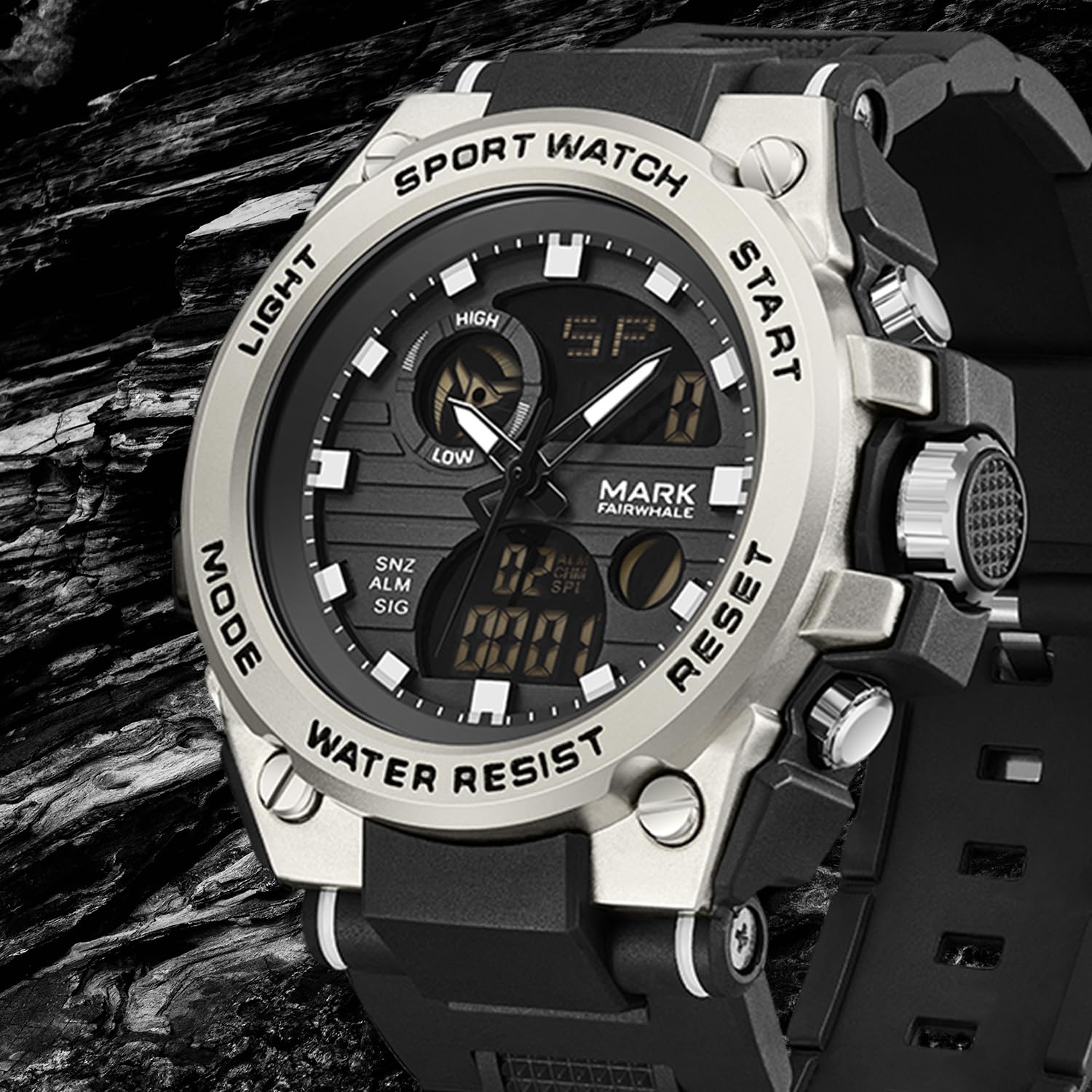
Figure 1: Front view of the WeCool Fairwhale Sports Analog Digital Watch FW-5100-R1.
Watch Components and Buttons

Figure 2: Watch button functions.
- Light Button: Activates the LED backlight for visibility in low-light conditions.
- Mode Button: Cycles through different modes (Time, Alarm, Stopwatch, Dual Time).
- Start Button: Used to start/pause functions (e.g., stopwatch) and adjust settings.
- Reset Button: Used to reset functions (e.g., stopwatch) and switch between hour, minute, week modes during setting.
Setup and Initial Configuration
1. Setting Analog Time
- Pull out the crown (the knob on the right side of the watch case) to the first click position.
- Rotate the crown to adjust the hour and minute hands to the desired time.
- Push the crown back in to secure the time setting.
2. Setting Digital Time and Date
- Press the Mode button repeatedly until the digital time display starts flashing, indicating it's in setting mode.
- Press the Reset button to cycle through the settings: seconds, hour, minute, month, date, day of the week.
- Use the Start button to adjust the flashing value.
- Once all settings are correct, press the Mode button to exit the setting mode.
3. 12/24 Hour Format Selection
In the digital time setting mode (when the hour is flashing), press the Start button to toggle between 12-hour (with AM/PM indicator) and 24-hour formats.
Operating Instructions
1. LED Backlight

Figure 3: Watch display with LED backlight.
Press the Light button (top-left) to illuminate the digital display. The backlight will remain active for a few seconds.
2. Stopwatch Function
- Press the Mode button until "ST" or "STOP" appears on the digital display.
- Press the Start button to begin timing.
- Press the Start button again to pause timing.
- To resume, press the Start button.
- To reset the stopwatch to zero, press the Reset button while the stopwatch is paused.
3. Alarm Function
- Press the Mode button until "AL" or "ALARM" appears on the digital display.
- Press the Reset button to select the hour or minute setting. The selected value will flash.
- Use the Start button to adjust the flashing hour or minute.
- Press the Mode button to confirm and exit the alarm setting.
- To turn the alarm ON/OFF, press the Start button while in alarm mode (not in setting mode). An alarm icon will appear/disappear.
- To activate the hourly chime, press the Reset button while in alarm mode (not in setting mode). A chime icon will appear/disappear.
4. Dual Time Display
This watch supports displaying two different time zones. To set the second time zone:
- Press the Mode button until "DT" or "DUAL TIME" appears on the digital display.
- Press the Reset button to select the hour or minute setting. The selected value will flash.
- Use the Start button to adjust the flashing hour or minute for the second time zone.
- Press the Mode button to confirm and exit the dual time setting.
Maintenance
1. Water Resistance (50M)
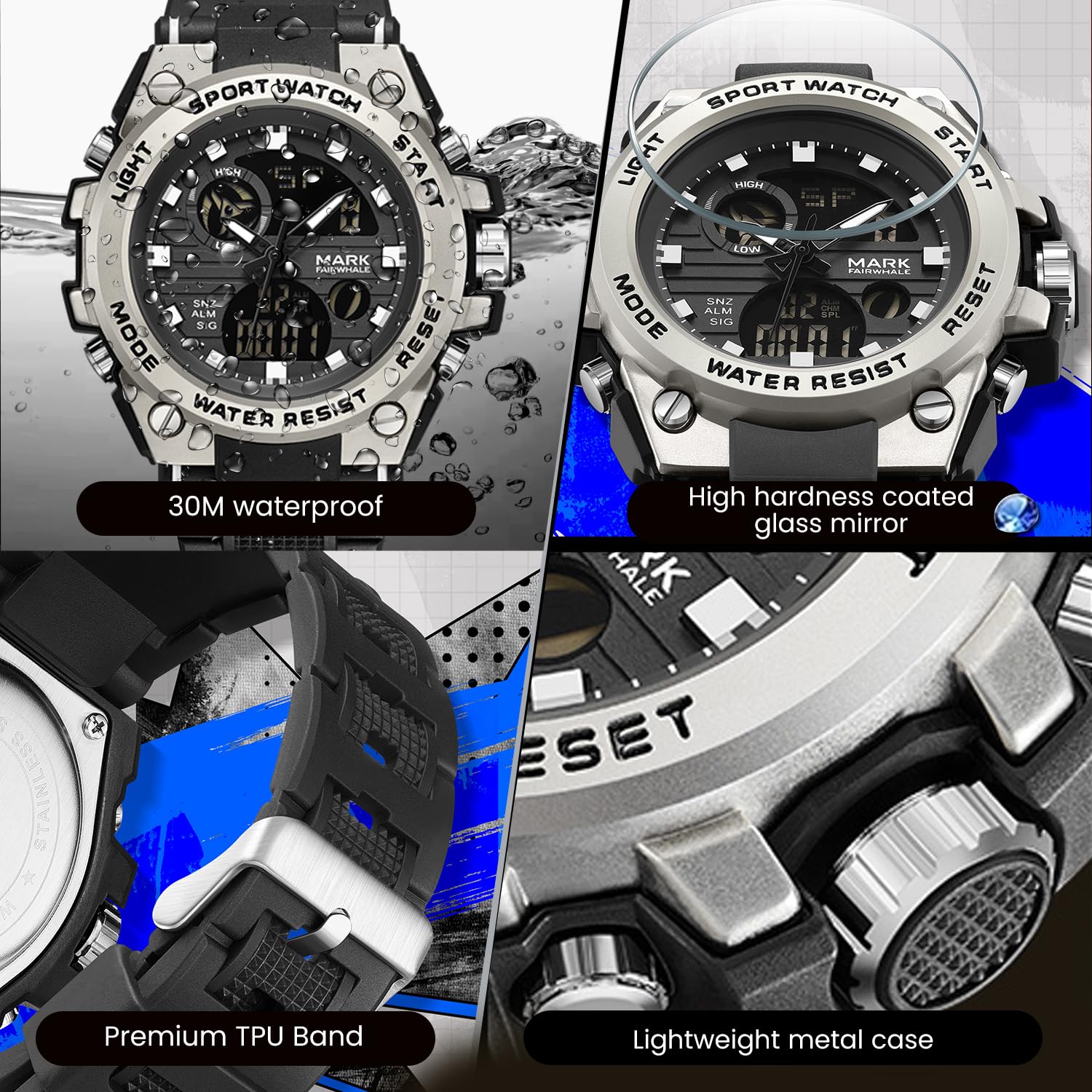
Figure 4: Key features including water resistance.
Your watch is water-resistant up to 50 meters (5 ATM). This means it is suitable for cold water, rain, and swimming. However, it is not suitable for diving, snorkeling, or hot water activities (e.g., hot showers, saunas) as steam can damage the waterproof seals. Do not operate buttons while the watch is wet or submerged.
2. Cleaning
Wipe the watch case and band regularly with a soft, slightly damp cloth. For stubborn dirt, a mild soap solution can be used, followed by rinsing with clean water and thorough drying. Avoid harsh chemicals, solvents, or abrasive cleaners.
3. Battery Replacement
The watch uses 1 AAA battery (included). When the display dims or functions become erratic, the battery may need replacement. It is recommended to have the battery replaced by a professional watch technician to ensure the watch's water resistance is maintained after opening the case back.
4. Storage
When not in use for extended periods, store the watch in a cool, dry place away from direct sunlight and extreme temperatures.
Troubleshooting
| Problem | Possible Cause | Solution |
|---|---|---|
| Analog hands not moving or incorrect time. | Crown is pulled out; low battery. | Push the crown back in. If issue persists, battery may need replacement. |
| Digital display is blank or dim. | Low battery. | Replace the battery. |
| Buttons are unresponsive. | Watch is wet; internal malfunction. | Ensure watch is dry before operating buttons. If issue persists, contact support. |
| Water condensation inside the watch. | Exposure to extreme temperature changes; damaged seal. | Avoid hot water/steam. Seek professional inspection immediately to prevent damage. |
Specifications

Figure 5: Detailed watch parameters.
| Feature | Detail |
|---|---|
| Model Number | FW-5100-R1 |
| Movement Type | Quartz (Analog) / Electronic (Digital) |
| Mirror Material | Mineral Reinforced Coated Glass |
| Case Material | Metal |
| Strap Material | Polyurethane (TPU) |
| Dial Diameter | 50 mm |
| Dial Thickness | 18 mm |
| Water Resistance | 50 Meters (5 ATM) |
| Battery Type | 1 AAA battery (included) |
| Item Weight | 50 g |
| Country of Origin | China |
Warranty Information
This WeCool Fairwhale Sports Analog Digital Watch comes with a Limited Warranty. Please refer to the warranty card included with your purchase for specific terms, conditions, and duration of coverage. The warranty typically covers manufacturing defects but may not cover damage resulting from improper use, accidents, or unauthorized repairs.
Customer Support
For any questions, technical assistance, or warranty claims regarding your WeCool Fairwhale Sports Analog Digital Watch, please contact WeCool customer support. You can reach us through the Amazon platform where you made your purchase. Our professional after-sales team is available to assist you.
Online Support: Visit the WeCool Store on Amazon
Related documentsFW-5100-R1

Ask a question about this manual
Ask about setup, troubleshooting, compatibility, parts, safety, or missing instructions. Manuals+ will review the question and use this page’s manual context to help answer it.