1. Introduction
This manual provides detailed instructions for the installation, operation, and maintenance of your ANNKE H800 4K PoE Security Camera System. Please read this manual thoroughly before using the product to ensure proper setup and functionality. Keep this manual for future reference.
2. Package Contents
Verify that all items listed below are included in your package. If any items are missing or damaged, please contact ANNKE support.
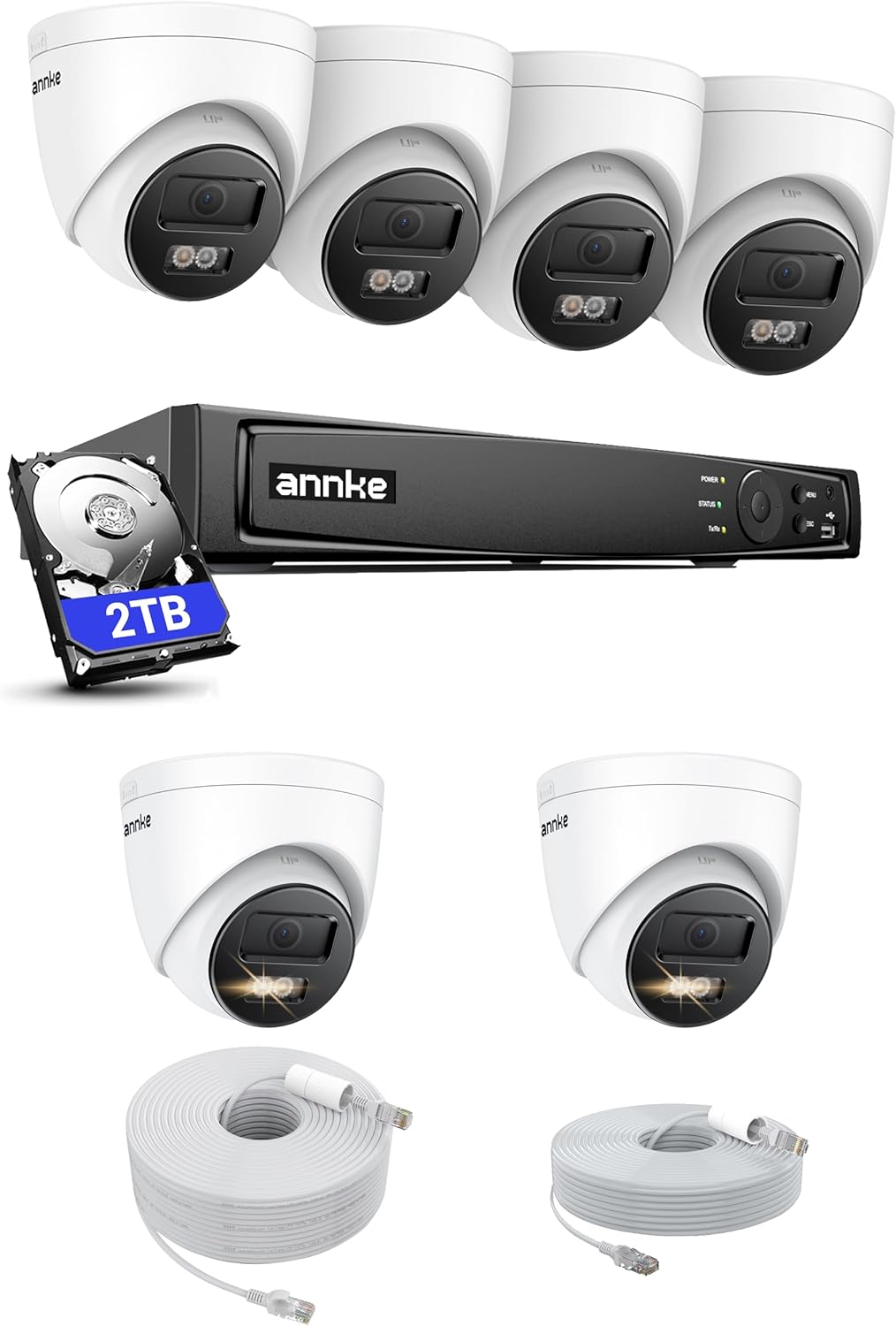
Image: The complete ANNKE H800 4K PoE Security Camera System package, including the NVR, six 8MP IP turret cameras, a 2TB hard drive, and Ethernet cables.
- ANNKE 8-Channel 4K H.265+ NVR
- 6 x ANNKE 8MP IP Turret Cameras
- 2TB Hard Disk Drive (pre-installed in NVR)
- Ethernet Cables (for camera connection)
- Power Adapter for NVR
- USB Mouse
- HDMI Cable
- Quick Start Guide
3. Product Overview
Key Features
- 4K UHD Video Resolution: Captures clear and detailed images with 8-megapixel sensors.
- PoE (Power over Ethernet): Simplifies installation by providing power and data through a single Ethernet cable.
- H.265+ Video Compression: Reduces bandwidth and storage requirements by up to 75% without compromising video quality.
- EXIR 2.0 Night Vision: Provides up to 100 feet of clear night vision with Smart IR technology.
- Audio Recording: Built-in microphone for noise-cancelling audio capture.
- IP67 Weatherproof: Cameras are designed for outdoor use, resistant to dust and water.
- Intelligent Motion Detection: Advanced detection capabilities for human and vehicle recognition.
- Wide-Angle Lens: 4.0mm lens provides a 96° diagonal viewing angle.
- Remote Access: View live footage and recordings via the ANNKE Vision App or third-party platforms.
Camera Features

Image: A close-up of an ANNKE 4K turret camera, highlighting its 4mm lens and 3840x2160 (4K) resolution capabilities for crisp image quality.
The 8MP IP turret cameras deliver 4K UHD (3840x2160) resolution, ensuring high-quality video capture. The 4.0mm lens offers a wide 96° diagonal field of view, suitable for various surveillance needs.

Image: An illustration demonstrating the intelligent motion detection feature of the ANNKE camera, capable of distinguishing between human and vehicle movement, triggering app notifications, email alerts, and a buzzer.
Intelligent motion detection allows the system to differentiate between human and vehicle movement, reducing false alarms and providing more accurate alerts via app push notifications, email, or a buzzer.

Image: A split image showcasing two key camera features: a 'Listen-In Mic' for noise-cancelling audio recording and 'IP67 Dust & Weatherproof' rating, indicating suitability for extreme temperatures (-22°F/-30°C to 140°F/60°C).
Each camera includes a built-in noise-cancelling microphone for clear audio recording. With an IP67 weatherproof rating, the cameras are designed to withstand harsh outdoor conditions, operating reliably in temperatures from -22°F (-30°C) to 140°F (60°C).
4. Setup Guide
PoE Installation
The ANNKE H800 system utilizes Power over Ethernet (PoE) for simplified installation. A single Ethernet cable provides both power and data connection to each camera.

Image: A three-step visual guide for PoE installation, showing a person installing a camera, a network cable being connected, and the cable plugging into the NVR.
- Install Cameras: Mount the cameras in desired locations, ensuring a clear line of sight and optimal coverage.
- Connect Network Cable: Run an Ethernet cable from each camera to the NVR. Ensure the cable is securely connected at both ends. No separate power cables are needed for the cameras.
- Connect NVR: Plug the NVR into a power outlet and connect it to your router using an Ethernet cable. Connect the NVR to a monitor via HDMI for initial setup.

Image: A diagram illustrating the simple connection path of a PoE camera to the NVR using a single Ethernet cable, indicating support for cables up to 100ft (30m).
The PoE setup simplifies wiring, allowing for flexible camera placement with Ethernet cables up to 330ft (100m) in length.
5. Operating Instructions
Remote Access
Access your security system remotely using the ANNKE Vision App or integrate with compatible third-party platforms.

Image: A smartphone displaying the ANNKE Vision App interface, showing live camera feeds. The image also indicates support for Android (Google Play) and iOS (App Store) and remote access for up to 32 users.
- ANNKE Vision App: Download the free ANNKE Vision App from Google Play Store (Android) or Apple App Store (iOS). Follow the in-app instructions to add your NVR and view live feeds, playback recordings, and receive alerts. The system supports remote access for up to 32 users.
- Third-Party Integration: The system is compatible with platforms such as Blue Iris, Synology, Milestone, Home Assistant, and Apple HomeKit. Refer to the respective platform's documentation for integration steps.
Night Modes
The cameras offer multiple night vision modes to adapt to different lighting conditions.

Image: A comparison of three night vision modes: 'Motion Activated' (showing a human detected in color), 'Black & White' (standard infrared night vision), and 'Color' (full-color night vision in low light).
- Motion Activated: The camera can switch to color night vision or activate spotlights upon detecting motion, providing detailed footage.
- Black & White: Standard infrared (IR) night vision for clear black and white images in complete darkness.
- Color: Utilizes advanced sensors and supplementary lighting to provide full-color images even in low-light conditions.
Audio Recording
The built-in microphone in each camera captures audio, providing an additional layer of security. Audio recording settings can be configured via the NVR interface or the ANNKE Vision App.
6. Maintenance
- Cleaning: Regularly clean the camera lenses with a soft, dry cloth to ensure clear image quality. Do not use harsh chemicals.
- Firmware Updates: Check the ANNKE website or the ANNKE Vision App periodically for firmware updates to ensure optimal performance and access to new features.
- Cable Inspection: Periodically inspect all cables for any signs of wear or damage, especially for outdoor installations.
- Hard Drive Health: The NVR's hard drive health can be monitored through the system settings. Consider regular backups of critical footage.
7. Troubleshooting
- No Video/Offline Camera:
- Check the Ethernet cable connection between the camera and NVR.
- Ensure the NVR is powered on and connected to the network.
- Verify the camera's IP address settings on the NVR.
- Poor Image Quality:
- Clean the camera lens.
- Check for obstructions in the camera's field of view.
- Ensure sufficient lighting for optimal night vision performance.
- No Remote Access:
- Verify the NVR has internet access.
- Ensure the ANNKE Vision App is updated to the latest version.
- Check network firewall settings if applicable.
- False Motion Alerts:
- Adjust motion detection sensitivity settings.
- Configure motion detection zones to exclude areas with frequent irrelevant movement (e.g., trees swaying).
For further assistance, refer to the ANNKE support website or contact customer service.
8. Specifications
| Feature | Specification |
|---|---|
| Brand | ANNKE |
| Model | H800 |
| Connectivity Technology | Wired (PoE) |
| Video Capture Resolution | 4K UHD (2160p) |
| Number of Channels | 8 |
| Memory Storage Capacity | 2 TB HDD |
| Compatible Devices | Smartphones, Personal Computers, TV, Laptops, Tablets, Home Assistant, Apple HomeKit, Blue Iris, Synology, Milestone |
| Camera Features | 8MP IP Turret Cameras with 4.0mm lens, EXIR 2.0 Night Vision, Audio Recording |
| Night Vision Range | 100 Feet |
| Frame Rate | 30 fps |
| Recording Mode | Continuous, Motion Detection |
| Hardware Interface | Ethernet, HDMI, USB |
| Lens Type | Wide Angle |
| Viewing Angle | 96 Degrees |
| Weatherproof Rating | IP67 |
9. Warranty and Support
ANNKE provides a 2-year warranty for your device, covering manufacturing defects and malfunctions under normal use. Additionally, lifetime technical support is available to assist you with any questions or issues you may encounter.
For warranty claims, technical assistance, or further inquiries, please visit the official ANNKE support website or contact their customer service team directly.


