
LEOBOG Hero 68
LEOBOG AULA HERO 68 HE 60% Gaming Keyboard
User Manual
Model: Hero 68 | Brand: LEOBOG
Introduction
Product Overview
The LEOBOG AULA HERO 68 HE is a high-performance 60% gaming keyboard designed for competitive play and efficient daily use. It features Hall Effect magnetic switches, offering ultra-fast response times and customizable actuation points. With its compact 68-key layout, it saves desk space while retaining essential keys for gaming and productivity.
This keyboard boasts an 8K Hz polling rate and an ultra-low latency of 0.125ms, ensuring every keystroke is registered with extreme precision. The rapid trigger mode allows for adjustable actuation from 0.1mm to 3.4mm, providing unparalleled control. Equipped with durable side-printed PBT keycaps and vibrant RGB backlighting, the AULA HERO 68 HE combines robust construction with aesthetic appeal.
The keyboard connects via a detachable USB-C cable, ensuring a stable and reliable wired connection for an uninterrupted gaming experience.
Setup Guide
What's in the Box
- 1x LEOBOG AULA HERO 68 HE Gaming Keyboard
- 4x Additional Keycaps for customization
- 1x USB-C Cable
- 1x English Manual
Connecting Your Keyboard
- Unpack the keyboard and all accessories from the box.
- Locate the USB-C port on the keyboard, typically on the left side.
- Connect one end of the provided USB-C cable to the keyboard's USB-C port.
- Connect the other end of the USB-C cable to an available USB port on your computer (PC or Laptop).
- The keyboard will automatically be recognized by your operating system. Drivers will install if necessary.
- The RGB backlighting should illuminate, indicating the keyboard is powered on and ready for use.

Figure 1: LEOBOG AULA HERO 68 HE 60% Gaming Keyboard (Black Lighthouse variant).

Figure 2: Detail of the USB-C connection port on the keyboard.
Operating Instructions
Key Features and Functions
- Hall Effect Magnetic Switches: Experience precise and rapid keystrokes with magnetic switches. These switches allow for customizable actuation points, enhancing responsiveness for gaming.
- Rapid Trigger Mode: Adjust the actuation range from 0.1mm to 3.4mm with 0.01mm accuracy. This feature allows keys to reset instantly upon release, enabling faster repeated inputs.
- 60% Compact Layout: The 68-key layout provides a minimalist design, saving valuable desk space. It includes dedicated arrow keys and a 'Del' key for convenience without sacrificing functionality.
- RGB Backlighting: Customize your typing and gaming environment with vibrant RGB lighting. Brightness and speed can be adjusted via the dedicated knob or FN+key combinations.
- Side-Printed PBT Keycaps: Durable PBT keycaps with side-printed legends ensure longevity and prevent fading. The side legends allow the RGB lighting to shine through, enhancing visibility and aesthetics.
- Programmable Web Driver: Utilize the dedicated software (Windows only) to customize trigger travel, RGB lighting settings, create custom shortcut keys, record macros, and fine-tune magnetic switch performance.
- Hot-Swappable Design: The keyboard supports a variety of magnetic switch replacements, allowing for personalized customization and easy maintenance.
- Five Layers of Padding: Internal padding ensures a more solid typing feel and contributes to a clearer, purer sound profile for each keystroke.
Function Key Combinations (FN Keys)
The AULA HERO 68 HE utilizes FN key combinations to access secondary functions due to its compact layout. Refer to the included English Manual for a complete list of FN key functions, including media controls, lighting adjustments, and profile switching.

Figure 3: Visual representation of the keyboard's ultra-fast response and accuracy features.

Figure 4: Details of the magnetic switch performance, including stroke and pressure values.
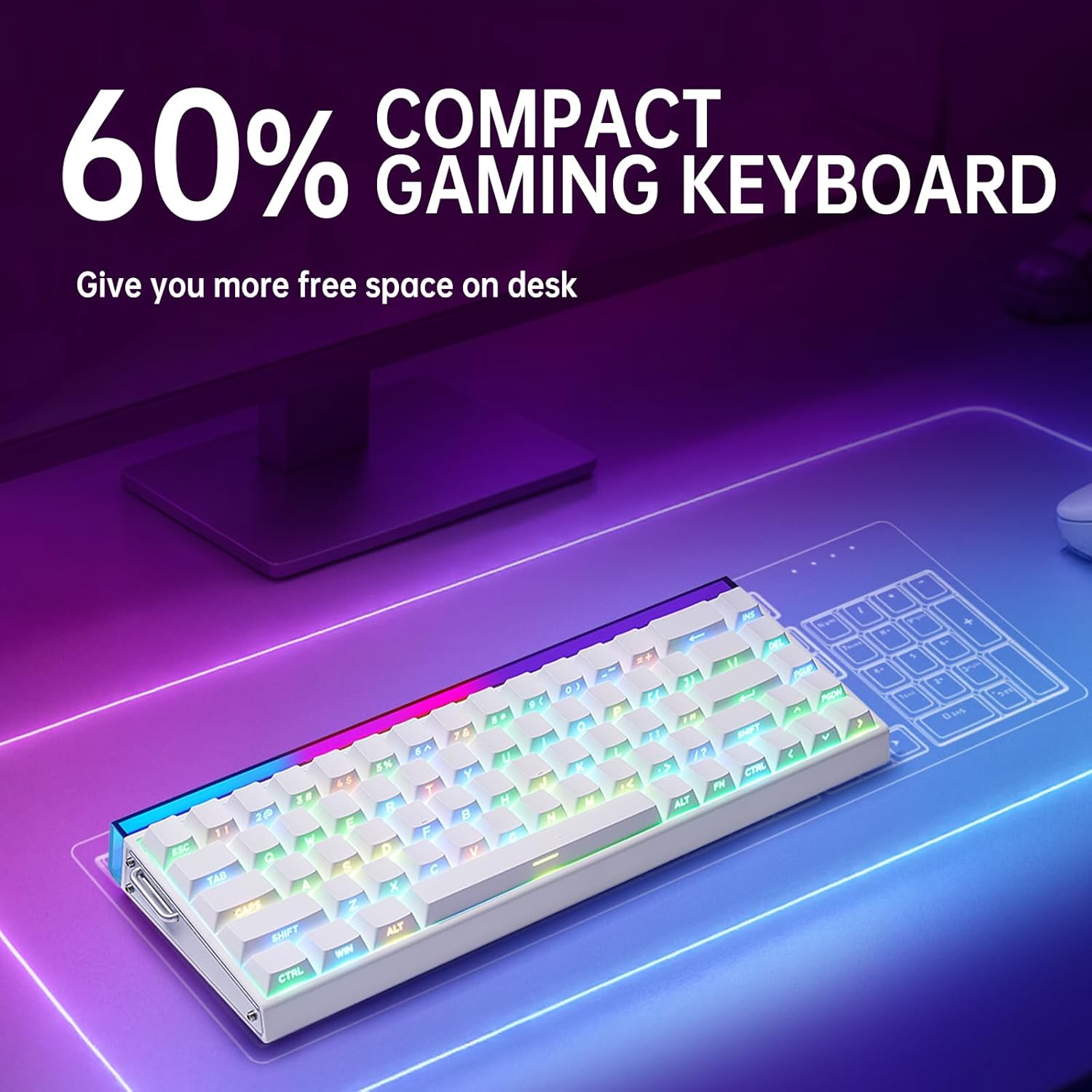
Figure 5: The compact 60% layout of the keyboard, designed to save desk space.

Figure 6: Overview of the programmable web driver software for customization.

Figure 7: Features including hot-swappable switches, side-engraved PBT keycaps, and the five layers of internal padding.

Figure 8: Detail of a keycap removed, illustrating the hot-swappable switch design.

Figure 9: Close-up view of the dedicated arrow keys and 'Del' key on the 68-key layout.
Maintenance and Care
General Cleaning
- Dust Removal: Regularly use compressed air to blow away dust and debris from between the keycaps.
- Surface Cleaning: Wipe the keycaps and keyboard surface with a soft, slightly damp, lint-free cloth. Avoid using harsh chemicals or abrasive materials.
- Deep Cleaning (Keycaps): For deeper cleaning, keycaps can be carefully removed using a keycap puller (not included) and washed with mild soap and water. Ensure they are completely dry before reattaching.
Storage
When not in use, store the keyboard in a cool, dry place away from direct sunlight and extreme temperatures. Protect it from spills and excessive dust.
Troubleshooting
Common Issues and Solutions
- Keyboard Not Responding:
- Ensure the USB-C cable is securely connected to both the keyboard and the computer.
- Try connecting the keyboard to a different USB port on your computer.
- Restart your computer.
- Test the keyboard on another computer to rule out system-specific issues.
- RGB Backlighting Not Working/Incorrect:
- Check the lighting brightness settings using the dedicated knob or FN+key combinations.
- Ensure the keyboard's software (if installed) is not overriding the lighting settings.
- If using the programmable web driver, ensure the settings are correctly applied and saved.
- Keys Not Registering or Double-Typing:
- Clean around and under the affected keycap to remove any debris.
- If the issue persists, it may indicate a switch problem. As the keyboard is hot-swappable, consider replacing the affected switch if you have spares.
- Ensure the rapid trigger settings in the software are not set to an overly sensitive level that might cause unintended inputs.
If you encounter issues not covered here, please refer to the official LEOBOG support resources.
Technical Specifications
| Model Number | Hero 68 |
| Item Weight | 2.42 pounds |
| Product Dimensions | 13.94 x 6.38 x 2 inches |
| Country of Origin | China |
| Color Name | Black Lighthouse |
| Compatible Devices | Laptop, PC, Gaming Console, Tablet, Smartphone |
| Material Type | Silicone, Plastic, Acrylonitrile Butadiene Styrene |
| Number of Keyboard Keys | 68 |
| Hardware Platform | PC |
| Power Source | Corded Electric |
| Connectivity Technology | USB-C |
| Keyboard Description | Gaming |
| Special Feature | Backlit, Programmable Keys, Integrated Stand, Rechargeable, Hot-Swappable |
| Keyboard Backlighting | RGB |
| Style | Contemporary |
Warranty and Support
Product Warranty
This LEOBOG product comes with a standard manufacturer's warranty. Please refer to the warranty card included in your product packaging or visit the official LEOBOG website for detailed warranty terms and conditions.
Customer Support
For technical assistance, troubleshooting, or any inquiries regarding your LEOBOG AULA HERO 68 HE keyboard, please contact LEOBOG customer support through their official website or the contact information provided in your product documentation.
When contacting support, please have your product model number (Hero 68) and purchase details ready to facilitate faster service.
Ask a question about this manual
Ask about setup, troubleshooting, compatibility, parts, safety, or missing instructions. Manuals+ will review the question and use this page’s manual context to help answer it.