
1. Overview
The Coralife SMART BioCube Jr. is an all-in-one aquarium system designed for both beginners and experienced enthusiasts. This 14-gallon tank provides a complete environment for freshwater or saltwater aquatic life, featuring integrated filtration, customizable LED lighting, and smart control capabilities via the Aqueon BlueIQ app.
Key components include a modern hood, white and blue LED lights, a compact filtration system with a quiet submersible pump, dual intakes, and an adjustable return nozzle. The LED lighting system offers three distinct BioZones to support various coral types by providing appropriate light spectrum and intensity.
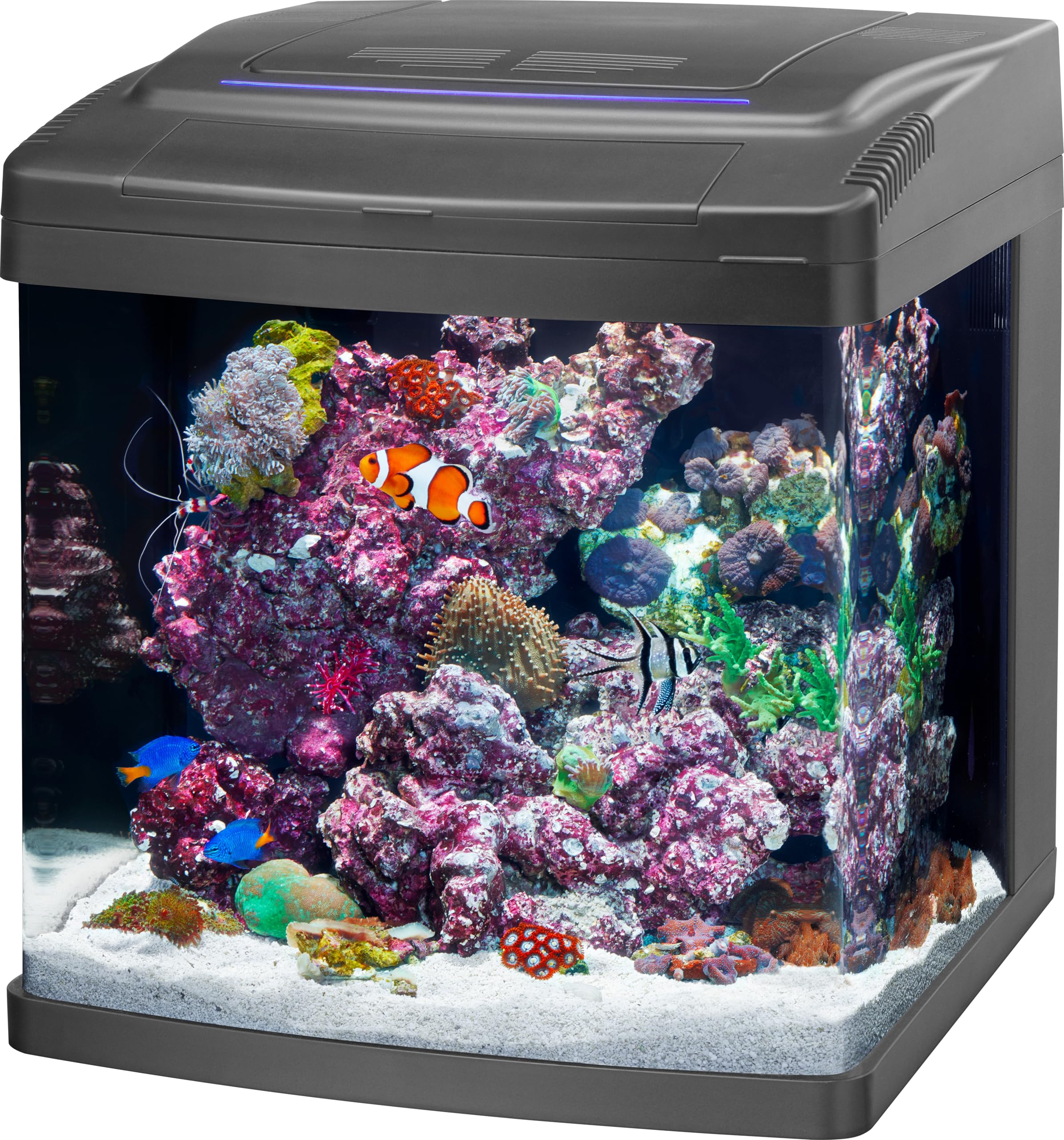
Figure 1: The Coralife SMART BioCube Jr. 14 Gallon Aquarium. This image shows the complete aquarium unit with a vibrant coral and fish display.
Product Features
- All-in-One System: Includes hood, LED lights, filter, pump, dual intakes, and adjustable nozzle for easy setup.
- Smart LED Lighting: Control white and blue LEDs, program 24/7 schedules, and set feeding reminders via the Aqueon BlueIQ app.
- Optimal Growth BioZones: Three distinct zones provide specific light spectrum and intensity for various corals.
- Versatile Use: Suitable for both freshwater and saltwater environments.
Video 1: Coralife SMART BioCube Jr. Product Information. This video provides an overview of the aquarium's features and benefits.
2. Setup Instructions
Careful setup ensures optimal performance and a healthy aquatic environment. Follow these steps for initial installation.
2.1 Unpacking and Placement
- Carefully remove all components from the packaging. Inspect for any damage.
- Choose a sturdy, level surface capable of supporting the full weight of the aquarium (approximately 14 gallons of water plus substrate and decorations).
- Ensure the chosen location is away from direct sunlight, heat sources, and areas with significant temperature fluctuations.
2.2 Filtration System Installation
The BioCube Jr. features an integrated compact filtration system located at the back of the aquarium.
- Locate the filter cartridge (included). Remove it from its packaging.
- Insert the filter cartridge into the designated slot within the backwall filtration chambers. Ensure it is seated correctly.
- Position the quiet submersible pump in its chamber and connect it to the return nozzle.
- Adjust the return nozzle to direct water flow as desired.
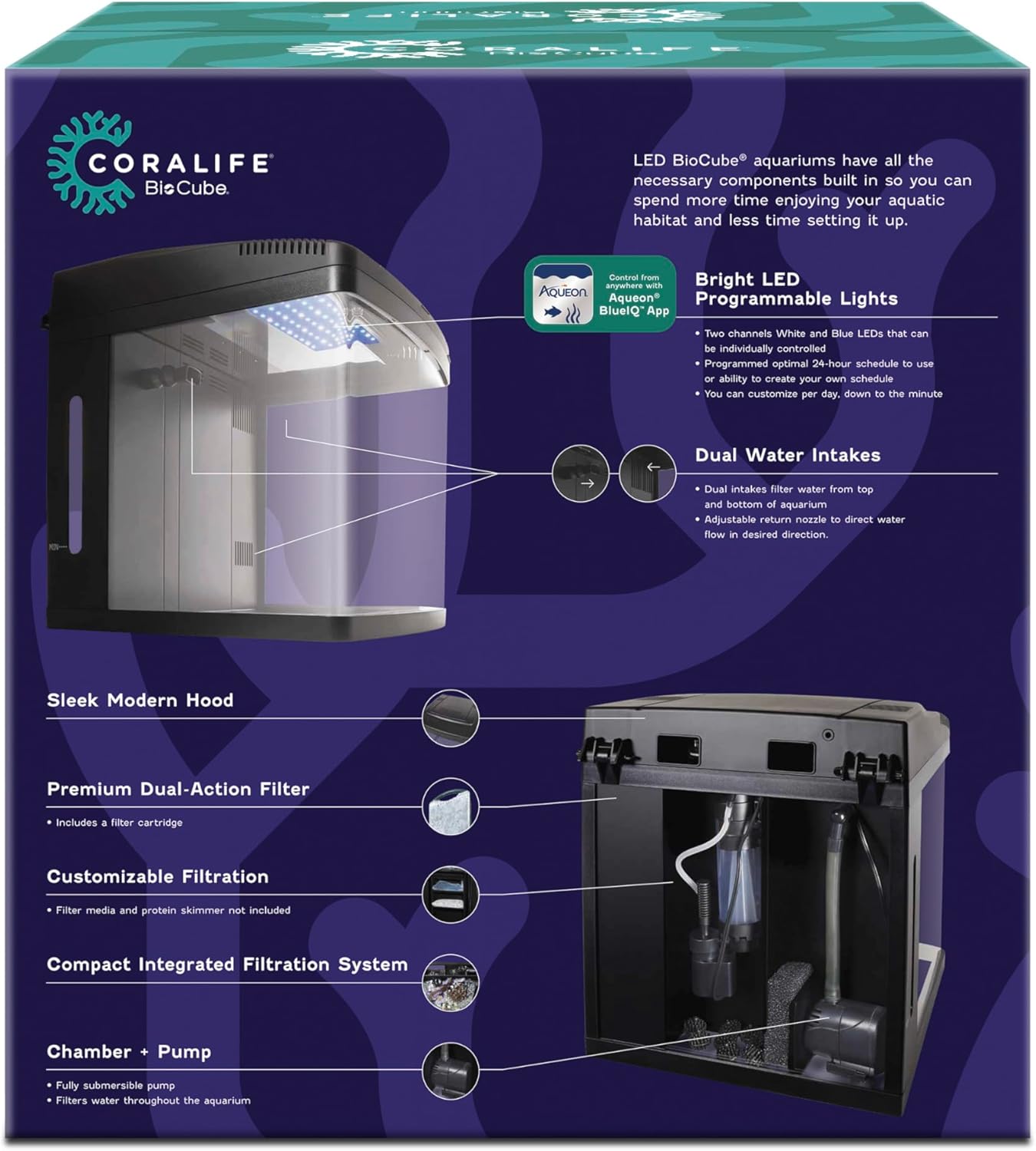
Figure 2: Rear view of the BioCube Jr. showing the integrated filtration system, pump, and adjustable return nozzle.
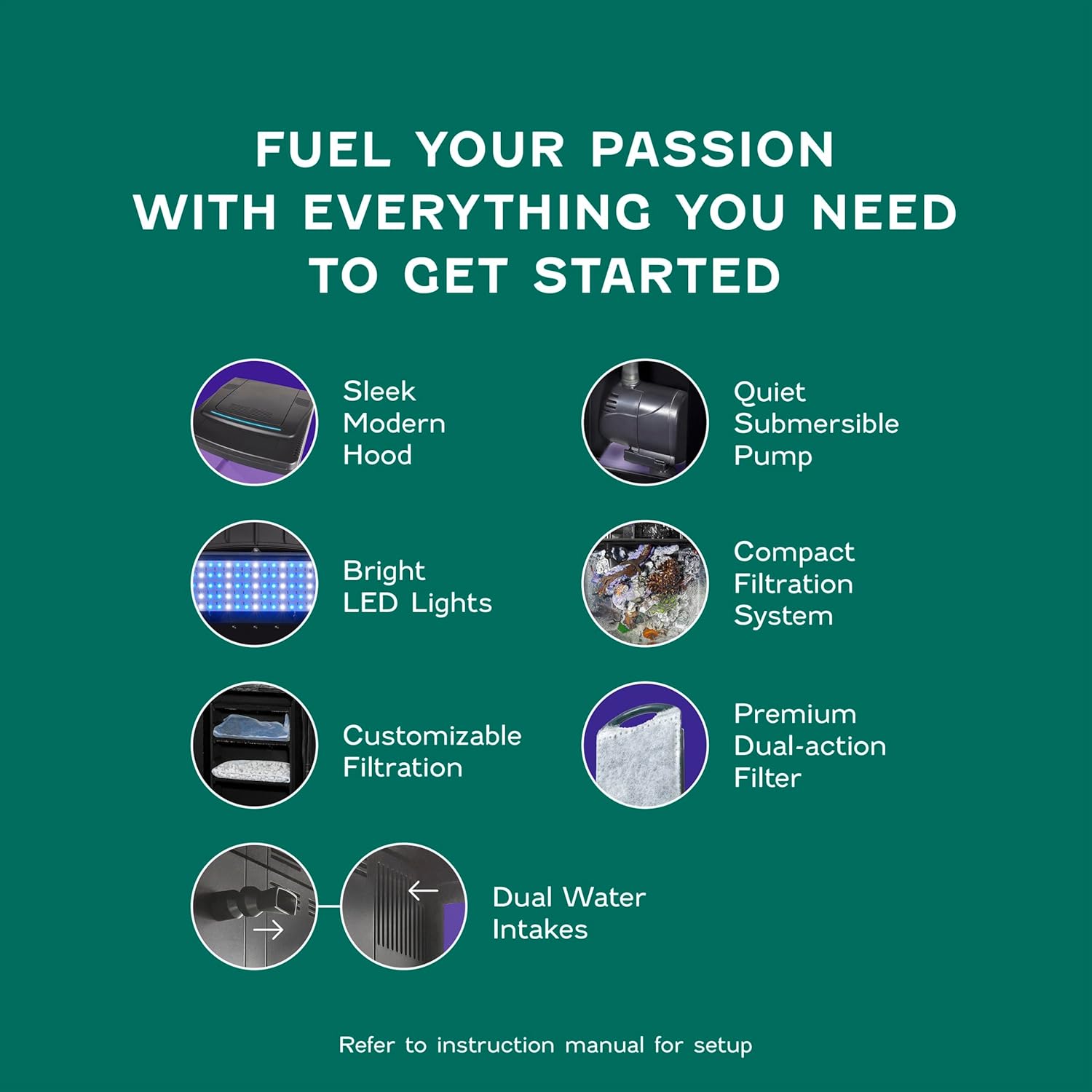
Figure 3: Diagram illustrating the key components of the BioCube Jr., including the hood, pump, LED lights, filtration, and dual water intakes.
2.3 Filling the Aquarium
- Add your chosen substrate (sand or gravel) to the bottom of the tank. Rinse thoroughly before adding.
- Carefully add water to the aquarium. For saltwater setups, ensure proper salinity levels.
- Once filled, plug in the pump and LED lighting system.
3. Operating the Aquarium
The Coralife SMART BioCube Jr. offers advanced control over its lighting system through the Aqueon BlueIQ app.
3.1 Aqueon BlueIQ App Connectivity
- Download the Aqueon BlueIQ app from your device's app store.
- Open the app and navigate to the "Equipment" section.
- Tap "pair" on the pop-up, then select your BioCube Jr. fixture.
- Choose to connect via Wi-Fi or Bluetooth. Wi-Fi is recommended for full functionality and remote access.
- Enter your Wi-Fi network credentials if prompted.
- Once connected, you can customize lighting programs, set feeding reminders, and manage other smart features.

Figure 4: The BioCube Jr. being controlled remotely via the Aqueon BlueIQ app, showcasing Wi-Fi and Bluetooth connectivity.
3.2 LED Lighting and BioZones
The aquarium's LED lighting system is designed to support coral growth with three distinct BioZones:
- Zone 1: High light intensity for corals requiring strong light and water turbulence.
- Zone 2: Medium light intensity for delicate corals.
- Zone 3: Low light intensity for corals that prefer less water turbulence.
Use the Aqueon BlueIQ app to adjust light channels and intensity to match the needs of your specific aquatic inhabitants.

Figure 5: A close-up view of the bright white and blue LED lights integrated into the BioCube Jr. hood.

Figure 6: Diagram illustrating the three BioZones within the aquarium, indicating different light and turbulence levels for coral placement.
4. Maintenance
Regular maintenance is crucial for a healthy and clear aquarium environment.
4.1 Filter Cartridge Replacement
- The BioCube filter cartridge provides mechanical and chemical filtration.
- Replace the filter cartridge regularly, typically every 2-4 weeks, or as needed based on water clarity and biological load.
- To replace, unplug the aquarium, remove the old cartridge from the back chamber, and insert a new one.

Figure 7: A close-up view of the pump and filtration area within the BioCube Jr.'s back chambers, showing where the filter cartridge is inserted.
4.2 General Cleaning
- Perform regular water changes (e.g., 10-20% weekly or bi-weekly) to maintain water quality.
- Clean the aquarium glass using an aquarium-safe algae magnet or scraper.
- Periodically clean the pump impeller and housing to ensure optimal water flow.
- Consider using BioCube accessories like the BioCube Protein Skimmer for enhanced filtration or the Algae Cleaning Magnet and Pad for easier maintenance.
5. Troubleshooting
This section addresses common issues you might encounter with your Coralife SMART BioCube Jr.
5.1 Connectivity Issues (Wi-Fi/Bluetooth)
- Problem: Aquarium fixture does not connect to the Aqueon BlueIQ app via Wi-Fi.
- Solution:
- Ensure your mobile device is within range of the aquarium and your Wi-Fi network.
- Verify that your Wi-Fi credentials are entered correctly in the app.
- Try restarting your Wi-Fi router and the aquarium's power.
- If issues persist, perform a factory reset on the aquarium's smart module.
Video 2: Coralife Factory Reset Instructions. This video demonstrates how to perform a factory reset on your smart BioCube product.
5.2 Water Flow and Filtration
- Problem: Weak water flow from the return nozzle.
- Solution:
- Check if the filter cartridge is clogged and needs replacement.
- Inspect the submersible pump for debris or blockages around the impeller. Clean if necessary.
- Ensure the water level in the back chambers is adequate for the pump to operate efficiently.
- Problem: Filter flow is too strong for small inhabitants (e.g., shrimp).
- Solution: While the pump is designed for optimal circulation, if the flow is too strong for specific delicate species, consider adding a pre-filter sponge to the intake or adjusting the return nozzle to diffuse the flow.
6. Specifications
| Product Dimensions | 18.11"L x 16.73"W x 18.9"H |
| Item Weight | 30 pounds |
| Tank Volume | 14 gallons |
| Material | Acrylic |
| Color | Black |
| Model Number | 100551991 |
| UPC | 096316003743, 096316003323 |
| Special Feature | Coralife SMART BioCube Jr. (Smart Control via Aqueon BlueIQ App) |
| Included Components | SMART BioCube Jr Aquarium, filter cartridge |
| Manufacturer | Central Garden & Pet |
| Date First Available | September 2, 2024 |
7. Warranty Information
LIMITED WARRANTY: Central Aquatics warrants that this product shall be free from defective electrical components and leaks or cracks due to defects in materials or workmanship for a period of twelve months from the date of purchase. If a defect is shown, Central Aquatics will, at Central Aquatics' sole discretion, either repair or replace the product without charge. No cash refunds will be made. This warranty is provided solely to the original consumer purchaser of the product and may not be transferred or assigned.
8. Customer Support
For further assistance, technical support, or inquiries regarding your Coralife SMART BioCube Jr. aquarium, please refer to the contact information provided in your product packaging or visit the official Coralife website.
Always ensure to have your model number (100551991) and date of purchase available when contacting support.
