Introduction
Welcome to the instruction manual for your Kingston Fury Renegade G5 PCIe 5.0 NVMe M.2 SSD. This document provides essential information for the proper installation, operation, and maintenance of your new solid-state drive. The Kingston FURY Renegade G5 PCIe 5.0 NVMe M.2 SSD is designed for high-power users, hardware enthusiasts, and gamers seeking the latest Gen 5x4 performance.
Safety Information
Safety Precautions
- Always power off your computer and disconnect the power supply before installing or removing any hardware components.
- Discharge any static electricity from your body by touching a grounded metal object before handling the SSD.
- Handle the SSD by its edges to avoid touching the gold connectors or components.
- Ensure your motherboard supports PCIe 5.0 NVMe M.2 SSDs to prevent compatibility issues.
Setup and Installation
Physical Installation
- Power off your computer and disconnect all cables.
- Open your computer case to access the motherboard.
- Locate an available M.2 slot on your motherboard. Consult your motherboard's manual for exact locations.
- Remove the mounting screw or clip from the M.2 slot.
- Gently insert the Kingston Fury Renegade G5 SSD into the M.2 slot at a 30-degree angle, ensuring the gold connectors are fully seated.
- Press the SSD down and secure it with the mounting screw or clip.
- If your motherboard or system includes a heatsink or cover for the M.2 slot, reattach it for optimal thermal management.
- Close your computer case and reconnect all cables.
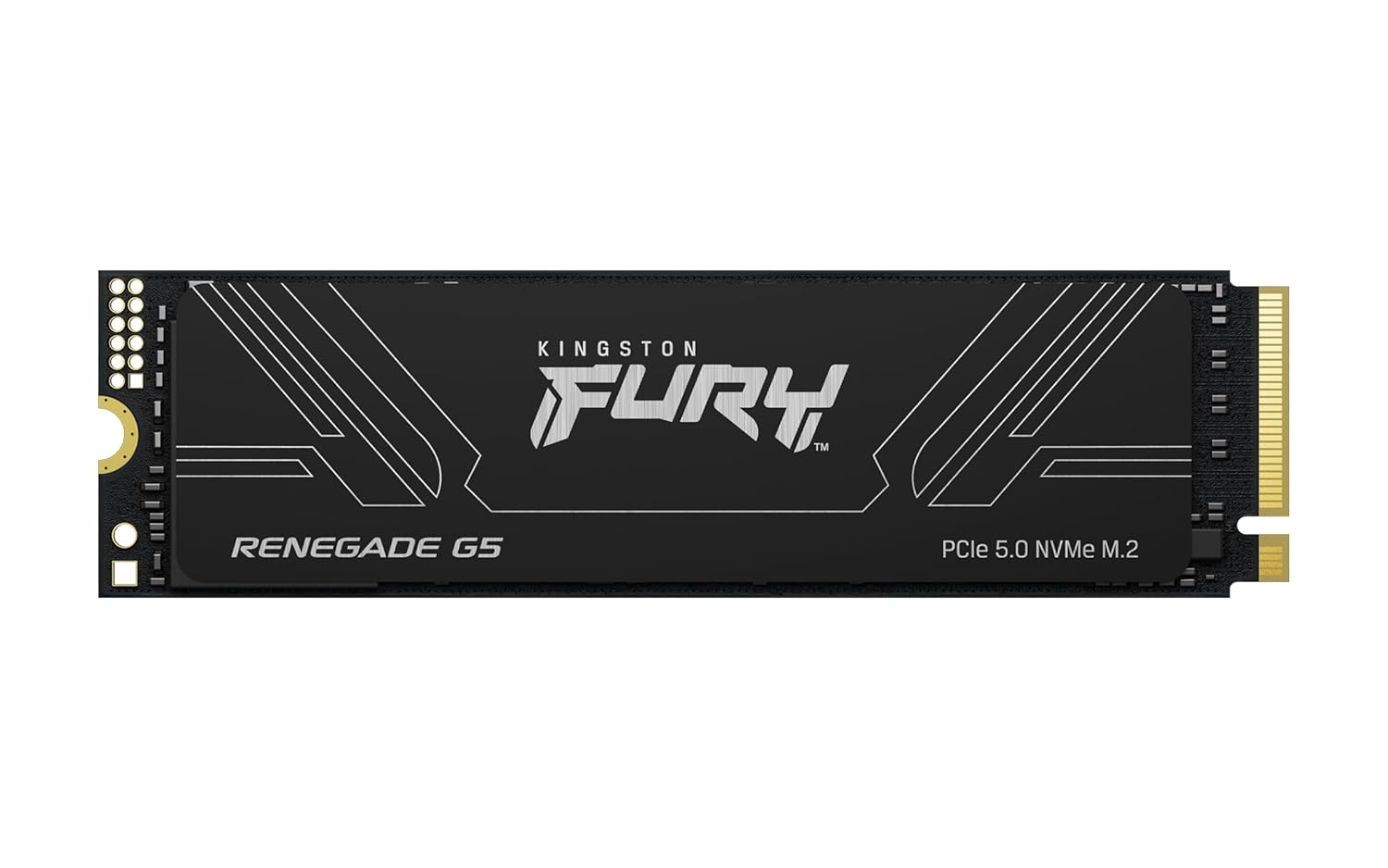
Figure 1: Kingston Fury Renegade G5 NVMe SSD (front view).

Figure 2: Kingston Fury Renegade G5 SSD installed in a motherboard with a heatsink for thermal management.
Video 1: Official Kingston FURY Renegade G5 overview, demonstrating the product's features and appearance.
Software Setup
- Power on your computer and enter the BIOS/UEFI settings.
- Verify that the newly installed SSD is recognized by the system.
- Save changes and exit BIOS/UEFI.
- Boot into your operating system.
- Initialize and format the SSD using Disk Management (Windows) or Disk Utility (macOS) before use.
- You can now install your operating system or use the SSD for high-speed data storage.
Operating Instructions
Basic Operation
The Kingston Fury Renegade G5 SSD is designed for high-performance tasks, offering blazing speeds for various applications.
- High-Speed Storage: Utilize the SSD for your operating system, frequently accessed applications, and large files to experience ultra-fast boot times and application loading.
- Gaming: Install your games on the SSD to significantly reduce load times and improve overall responsiveness during gameplay.
- Content Creation: Benefit from rapid data transfer speeds for demanding applications like video editing, 3D rendering, and large file transfers.
Maintenance
Care and Maintenance
- Keep your system's internal components clean and free of dust to ensure optimal airflow and prevent overheating.
- Ensure proper ventilation within your computer case.
- Regularly check for firmware updates for your SSD from the Kingston website to maintain performance and stability.
- Avoid physical shock or extreme temperatures, as these can damage the drive.
Troubleshooting
Common Issues and Solutions
- SSD Not Detected:
- Verify the SSD is correctly seated in the M.2 slot.
- Check BIOS/UEFI settings to ensure the M.2 slot is enabled and the drive is recognized.
- Ensure your motherboard supports PCIe 5.0 NVMe SSDs.
- Slow Performance:
- Confirm your motherboard's M.2 slot supports PCIe 5.0 speeds. If it's a lower generation (e.g., PCIe 4.0), the SSD will operate at the maximum speed of that generation.
- Check for updated drivers and firmware for your motherboard and SSD.
- Ensure your system has adequate cooling to prevent thermal throttling.
- Overheating:
- Verify that any M.2 heatsink or cover is properly installed.
- Ensure good airflow within your computer case.
- Monitor temperatures using system monitoring software.
Specifications
Product Specifications
| Feature | Detail |
|---|---|
| Model Number | SFYR2S/2T0 |
| Capacity | 2048GB |
| Interface | PCIe 5.0 NVMe M.2 |
| Form Factor | M.2 2280 |
| Read Speed | Up to 14,800MB/s |
| Write Speed | Up to 14,000MB/s |
| Dimensions | 3.15 x 0.09 x 0.87 inches |
| Item Weight | 0.32 ounces |
| Manufacturer | Kingston Digital, Inc. |
Warranty and Technical Support
Kingston products are backed by a limited warranty. For detailed warranty information, please visit the official Kingston website.
For technical assistance, troubleshooting guides, or to contact customer support, please visit the Kingston support page at www.kingston.com/support.


