
EZON R7
EZON R7 GPS Sports Watch User Manual
Model: R7
Introduction
The EZON R7 GPS Sports Watch is a lightweight, multisport watch designed for athletes and fitness enthusiasts. It features dual-band GNSS for accurate positioning, an optical heart rate sensor for precise readings, and comprehensive tracking capabilities for various activities including triathlon, marathon, and running. With a long battery life and intuitive controls, the R7 helps you monitor your performance, assess training status, and track sleep for optimized recovery.

The EZON R7 GPS Sports Watch, showcasing its sleek design and clear display.
Setup
1. Charging the Device
Before first use, fully charge your EZON R7 watch. Connect the provided charging cable to the watch's charging port and a USB power source. The watch display will indicate charging status. A full charge provides up to 20 hours of continuous GPS use or 20 days of daily use.

Illustration of the EZON R7's long-lasting battery and charging time.
2. Initial Setup and App Connection
Upon first power-on or after a factory reset, the watch will display a QR code. Scan this QR code with your smartphone to download the official EZON companion app. Follow the on-screen instructions within the app to create an account or log in, and pair your watch. The app is essential for full functionality, data synchronization, and personalized settings.
Operating Instructions
Basic Navigation
The EZON R7 features a photoelectric rotary crown for precise and smooth menu navigation. Rotate the crown to scroll through options and press it to select. Additional buttons may be present for specific functions like back, sport mode activation, or power.

Key features of the EZON R7, including its photoelectric knob for navigation.
Heart Rate Monitoring
The R7 utilizes a next-gen 4-channel optical heart rate sensor for accurate real-time heart rate readings. To view your heart rate, navigate to the heart rate screen on your watch. For continuous monitoring during workouts, ensure the watch is worn snugly on your wrist.
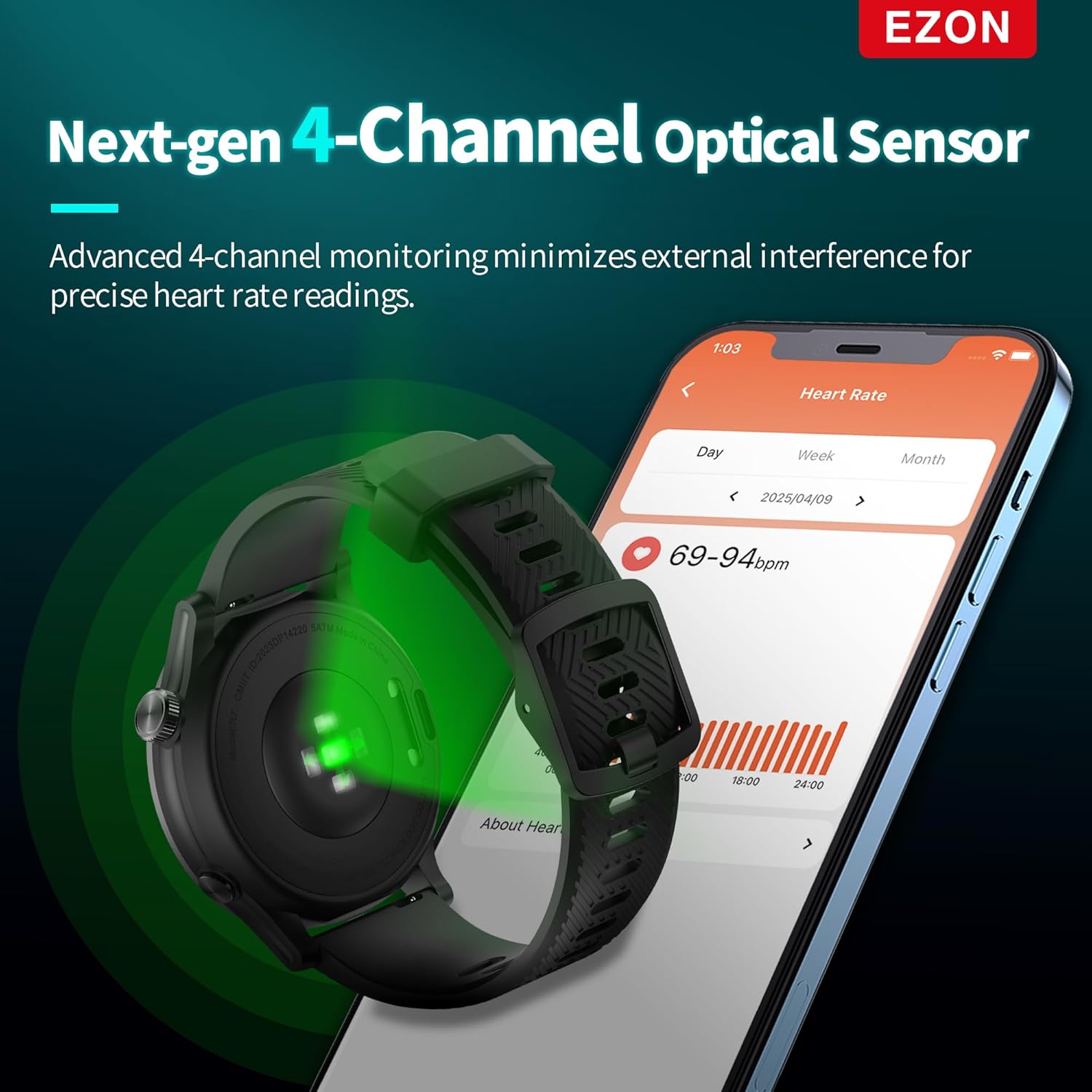
The advanced 4-channel optical heart rate sensor on the EZON R7.
GPS Tracking
The dual-band global GNSS supports L1 + L5 frequencies across five satellite systems (GPS, GLONASS, Galileo, BeiDou, QZSS) for superior positioning accuracy. Before starting an outdoor activity, ensure the watch has acquired a GPS signal for precise route and distance tracking.
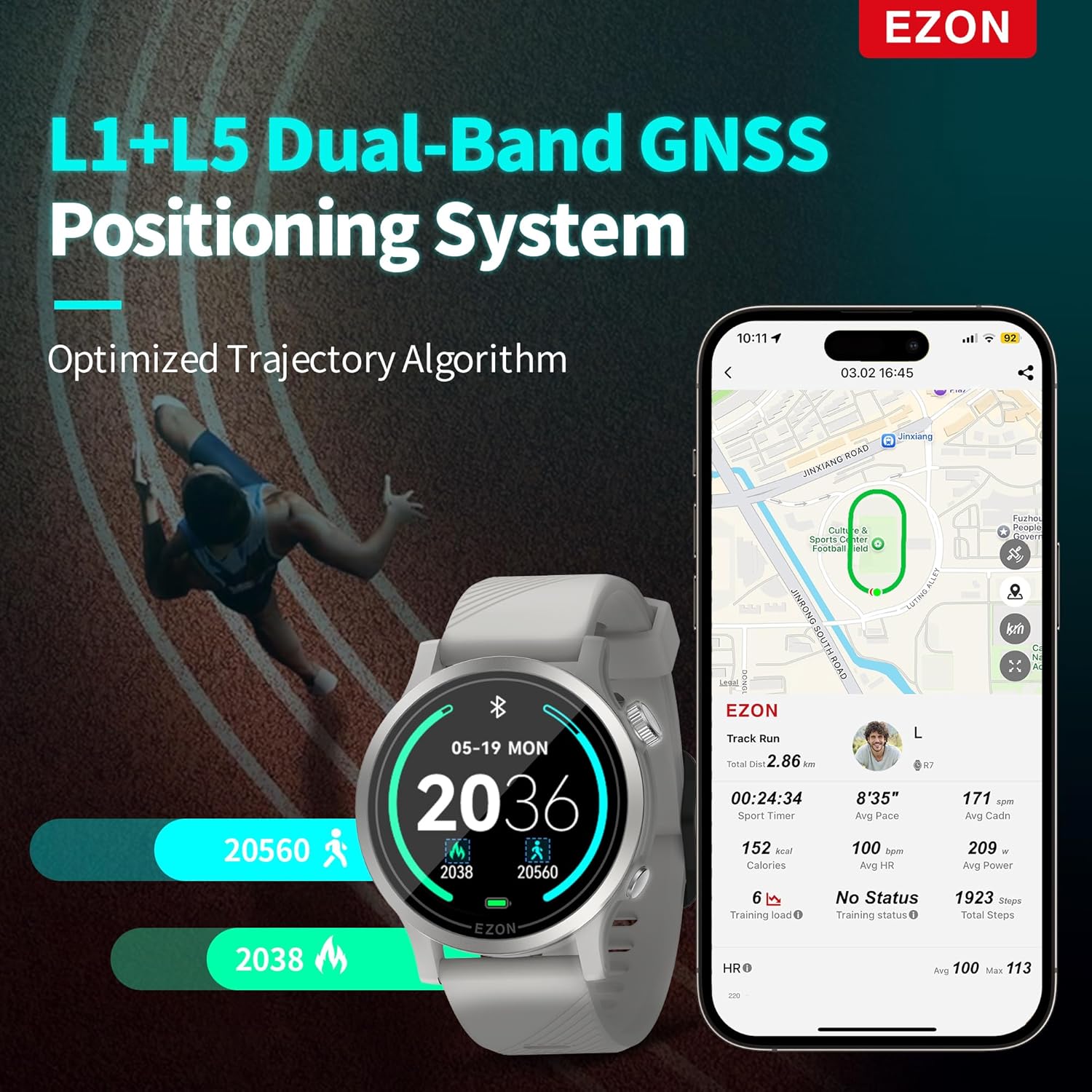
The EZON R7's L1+L5 Dual-Band GNSS Positioning System in action.
2-Minute Quick Health Check
Access the Quick Health Check feature to get a comprehensive snapshot of your body's vitals in just two minutes. This includes resting heart rate, stress level, respiratory rate, blood oxygen (SpO₂), and HRV (Heart Rate Variability).

The EZON R7 provides extensive body data for detailed analysis.
Sport Modes
The R7 supports 28 professional sport modes, including Triathlon, Marathon, Trail Run, Hike, Cycling, Swimming, and Indoor Training. Select the appropriate mode before starting your activity for tailored tracking and metrics.

A selection of the 28 built-in sport modes available on the EZON R7.
Advanced Training Insights
The watch provides advanced training insights such as training load trends, recovery timer, training status, exercise effect, and MET (Metabolic Equivalent). These metrics help you understand your performance and optimize your training regimen.

The EZON R7 provides insights across all phases of your workout.
Comprehensive Sleep Tracking
Wear the watch to bed for automatic sleep tracking. It monitors your sleep stages (deep sleep, light sleep, REM, and awake time) to provide a complete picture of your nightly rest, aiding in recovery optimization.
Data Synchronization and View
Synchronize your watch data with the EZON app on your smartphone for detailed analysis and historical tracking. The app provides a comprehensive view of your activities, health metrics, and progress.
This video demonstrates the EZON R7's features, including professional sport modes, 5ATM waterproofing, and one-click data view on the companion app.
Maintenance
Cleaning Your Watch
Regularly clean your watch and strap with a soft, damp cloth. Avoid using harsh chemicals or abrasive materials. Ensure the charging contacts are clean and dry before charging.
Water Resistance
The EZON R7 is 5ATM waterproof, suitable for splashes, rain, showering, and shallow-water swimming. It is not recommended for diving or high-pressure water activities. Avoid operating buttons underwater.
Troubleshooting
App Sign-Up/Login Issues
If you encounter issues during app sign-up, such as not receiving a verification email:
- Check your spam or junk mail folder.
- Ensure you have a stable internet connection.
- Verify that the email address entered is correct.
- Try restarting the app and your smartphone.
- If the issue persists, contact EZON customer support for assistance.
GPS Signal Acquisition
If the watch struggles to acquire a GPS signal, ensure you are in an open outdoor area away from tall buildings or dense foliage. Allow a few minutes for the watch to connect to satellites.
Inaccurate Heart Rate Readings
For optimal heart rate accuracy, ensure the watch is worn snugly on your wrist, about one finger-width above your wrist bone. Clean the sensor regularly to remove dirt or sweat buildup.
Specifications
| Feature | Detail |
|---|---|
| Model | R7 |
| Display Type | 1.2" MIP Display |
| Connectivity | Bluetooth |
| GPS | Dual-Band GNSS (L1+L5), Built-in GPS |
| Heart Rate Sensor | Next-Gen 4-Channel Optical |
| Battery Life (GPS Mode) | Up to 20 hours |
| Battery Life (Daily Use) | Up to 20 days |
| Water Resistance | 5ATM |
| Weight (excluding strap) | 29g |
| Compatible Devices | Smartphone |
Warranty and Support
Warranty Information
The EZON R7 GPS Sports Watch comes with a 1-Year Free Replacement policy for manufacturing defects. Please retain your proof of purchase for warranty claims.
Return Policy
A 30-Day Return Policy is available for eligible purchases. Refer to your retailer's specific return guidelines for details.
Customer Support
EZON is committed to providing lifetime support for its products. For technical assistance, troubleshooting, or general inquiries, please contact our customer service team. We aim for a 24-hour response time to all inquiries.

Related documentsR7

Ask a question about this manual
Ask about setup, troubleshooting, compatibility, parts, safety, or missing instructions. Manuals+ will review the question and use this page’s manual context to help answer it.