
Introduction
The EZON R7 GPS Running Watch is a sophisticated sports watch designed for athletes and fitness enthusiasts. It features a next-generation 4-channel optical heart rate monitor, dual-band global GNSS for precise positioning, and over 28 built-in workout modes. This manual provides essential information for setting up, operating, maintaining, and troubleshooting your EZON R7 watch.

Figure 1: The EZON R7 GPS Running Watch, showcasing its sleek design and vibrant display.
What's in the Box
Upon opening your EZON R7 package, please ensure all the following items are present:
- EZON R7 GPS Running Watch
- Charging Cable
- User Manual (this document)
Setup Guide
1. Initial Charging
Before first use, fully charge your EZON R7 watch using the provided charging cable. Connect the magnetic end of the cable to the charging port on the back of the watch and the USB end to a power adapter (not included) or a computer USB port. A full charge typically takes approximately 2 hours.
2. Powering On/Off
- To Power On: Press and hold the power button (usually the top right button) until the EZON logo appears.
- To Power Off: From the watch face, press and hold the power button, then select 'Power Off' from the options.
3. Pairing with Your Smartphone
To unlock the full potential of your EZON R7, pair it with the EZON companion app on your smartphone. The app is compatible with iOS devices.
- Download the EZON app from your smartphone's app store.
- Enable Bluetooth on your smartphone.
- Open the EZON app and follow the on-screen instructions to add a new device.
- On your watch, navigate to the settings menu and select 'Pair Device' or 'Bluetooth'.
- Confirm the pairing request on both your watch and smartphone.
4. Basic Navigation
The EZON R7 features a photoelectric rotary crown for precise and smooth menu navigation, alongside physical buttons.

Figure 2: The photoelectric rotary crown allows for intuitive menu navigation and selection.
Key Features and Operation
1. Next-Gen 4-Channel Heart Rate Monitor
The R7 utilizes an advanced 4-channel optical heart rate sensor and an optimized HRM algorithm to provide fast, accurate, and stable heart rate readings during various activities, including high-intensity workouts. Real-time heart rate data helps you train effectively and monitor recovery.
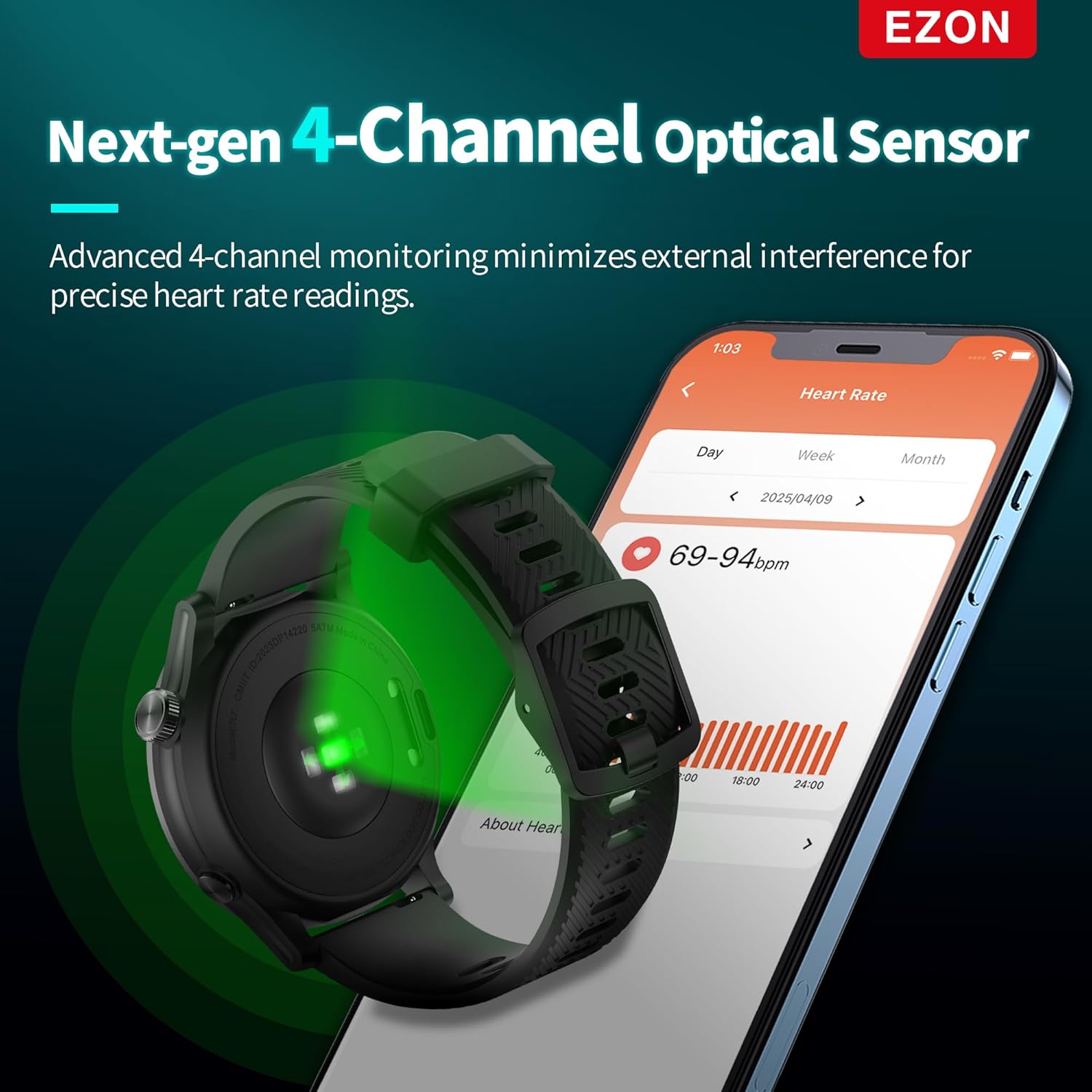
Figure 3: The advanced 4-channel optical heart rate sensor on the back of the watch.
2. Dual-Band Global GNSS
Equipped with L1 + L5 dual-frequency signals across five global satellite systems (GPS, GLONASS, Galileo, BeiDou, QZSS), the R7 ensures faster and more stable positioning. This feature, combined with an optimized trajectory algorithm, accurately records your movement even in challenging environments like dense cities or forested trails.
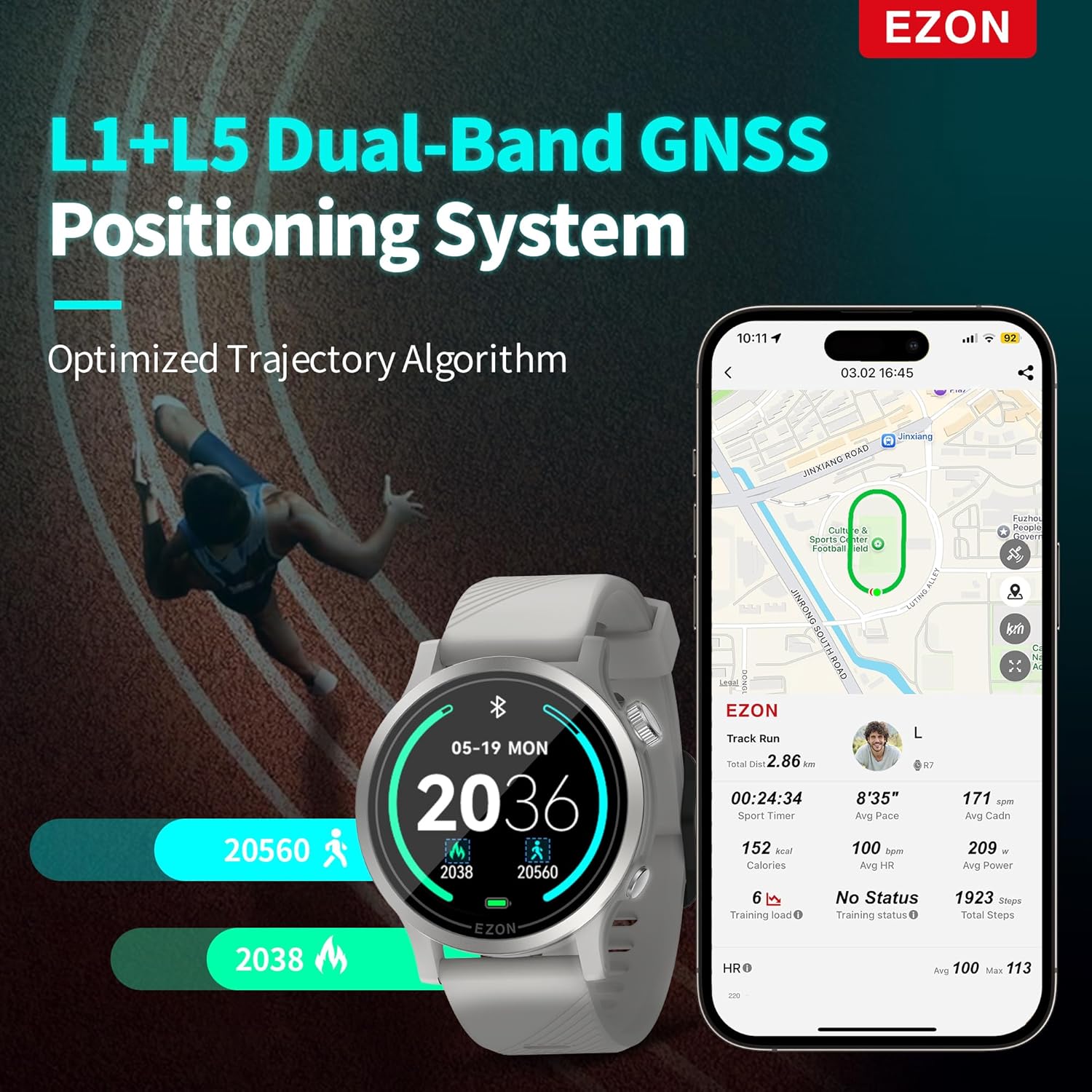
Figure 4: The watch displaying precise GPS tracking data for distance and time.
3. 2-Minute Quick Health Check
Obtain a comprehensive snapshot of your body's current state in just two minutes. This feature measures resting heart rate, stress level, respiratory rate, blood oxygen (SpO₂), and HRV (Heart Rate Variability) with a single tap, ideal for daily wellness tracking and recovery monitoring.

Figure 5: Quick health check displaying multiple vital signs on the watch face.
4. Advanced Running Dynamics & Training Insights
The R7 captures detailed running dynamics such as vertical oscillation, ground contact time, stride length, and vertical ratio, helping you analyze and refine your running form. It also provides advanced training insights like training load trends, recovery timer, and exercise effect to help you train scientifically and achieve your goals.
5. Comprehensive Sleep Tracking
Monitor your sleep stages, including deep sleep, light sleep, REM, and awake time, to gain a complete understanding of your nightly rest. This data helps optimize recovery and improve overall performance.
6. Built-in 28 Sport Modes
The watch supports 28 professional sport modes, catering to a wide range of activities from endurance events to daily training. Modes include Triathlon, Marathon, Trail Run, Hike, Interval Run, Outdoor Fat-Burning Run, Cycling, Swimming, Rowing, and Indoor Training.

Figure 6: A selection of the 28 professional sport modes available on the EZON R7.
Product Overview Video
Video 1: An official overview of the EZON R7 GPS Running Watch, highlighting its key features and benefits for various sports and daily use.
Maintenance
Cleaning Your Watch
Regularly clean your EZON R7 watch to ensure optimal performance and hygiene. Use a soft, damp cloth to wipe the watch face, body, and strap. For the optical heart rate sensor on the back, gently wipe with a clean, dry cloth. Avoid using harsh chemicals or abrasive materials.
Water Resistance
The EZON R7 GPS Running Watch is rated for 5 ATM water resistance. This means it can withstand pressures equivalent to a depth of 50 meters. It is suitable for splashes, rain, showering, and shallow-water swimming. However, it is not recommended for diving or high-pressure water activities.
Battery Life and Charging
The R7 offers impressive battery life: up to 20 hours of continuous use with dual-band GPS enabled, and up to 20 days in everyday use mode. To maximize battery longevity, avoid extreme temperatures and fully charge the device before long periods of inactivity.
Troubleshooting
- Watch not turning on: Ensure the watch is fully charged. If it still doesn't turn on, try holding the power button for 10-15 seconds for a forced restart.
- GPS signal acquisition is slow/inaccurate: Ensure you are in an open area with a clear view of the sky. Syncing the watch with the EZON app regularly can help update satellite data for faster acquisition.
- Heart rate readings are inconsistent: Ensure the watch is worn snugly on your wrist, about one finger's width above the wrist bone. Clean the sensor regularly.
- Bluetooth connectivity issues: Ensure Bluetooth is enabled on both the watch and your smartphone. Try unpairing and re-pairing the devices. Restarting both devices can also resolve minor connectivity glitches.
- Screen not responding: If the screen is unresponsive, try restarting the watch. If the issue persists, ensure the screen is clean and dry.
Specifications
| Feature | Detail |
|---|---|
| Package Dimensions | 4.3 x 4.3 x 1.7 inches |
| Item Weight | 10.6 ounces |
| ASIN | B0F441BDBW |
| Batteries | 1 Nonstandard Battery batteries required. (included) |
| Date First Available | April 8, 2025 |
| Manufacturer | EZON |
| Standing screen display size | 1.2 Inches |
| Operating System | IOS |
| Special Feature | GPS |
| Connectivity Technology | Bluetooth |
| Battery Cell Composition | Lithium Polymer |
| GPS | Built-in GPS |
| Shape | Round |
| Screen Size | 1.2 Inches |
| Brand | EZON |
| Color | Platinum |
| Compatible Devices | Smartphone |
Warranty and Support
EZON stands behind the quality of its products. The EZON R7 GPS Running Watch comes with a 1-Year Free Replacement policy. Additionally, a 30-Day Return Policy is available for your peace of mind. For any technical assistance or warranty claims, please refer to the contact information provided on the EZON official website or through your point of purchase.
