
FanttikRide N7 Ultra
FanttikRide N7 Ultra Electric Wiggle Car Instruction Manual
Model: N7 Ultra
Introduction
Thank you for choosing the FanttikRide N7 Ultra Electric Wiggle Car. This manual provides essential information for the safe assembly, operation, and maintenance of your new electric ride-on toy. Please read it thoroughly before use and retain it for future reference.
Important Safety Information
- Suitable for ages: 36+ months.
- Maximum user weight is 150 lbs.
- Keep away from fire.
- To reduce the risk of injury, adult supervision is required. Never use in roadways, near motor vehicles, on or near steep inclines or steps, swimming pools, or other bodies of water.
- Always wear protective clothing and shoes.
Setup
1. Unboxing and Components
Carefully remove all components from the packaging. Ensure all parts listed below are present:
- 1 x FanttikRide N7 Ultra Electric Wiggle Car (Pinkish White)
- 1 x Type-C Fast-charging Cable
- Steering wheel assembly
- Drive device
- Nut locking tool
- Instruction Manual
2. Assembly
Follow these steps to assemble your N7 Ultra:
- Insert the square tube of the steering assembly into the vehicle body.
- Secure the steering wheel to the square tube using the provided nut locking tool and M8 nut.
- Attach the drive device to the bottom of the vehicle, ensuring the square tube passes through the round hole.
- Use the nut locking tool to secure the drive device with the M8 nut.
Video: A quick guide to assembling the FanttikRide N7 Ultra Electric Wiggle Car.
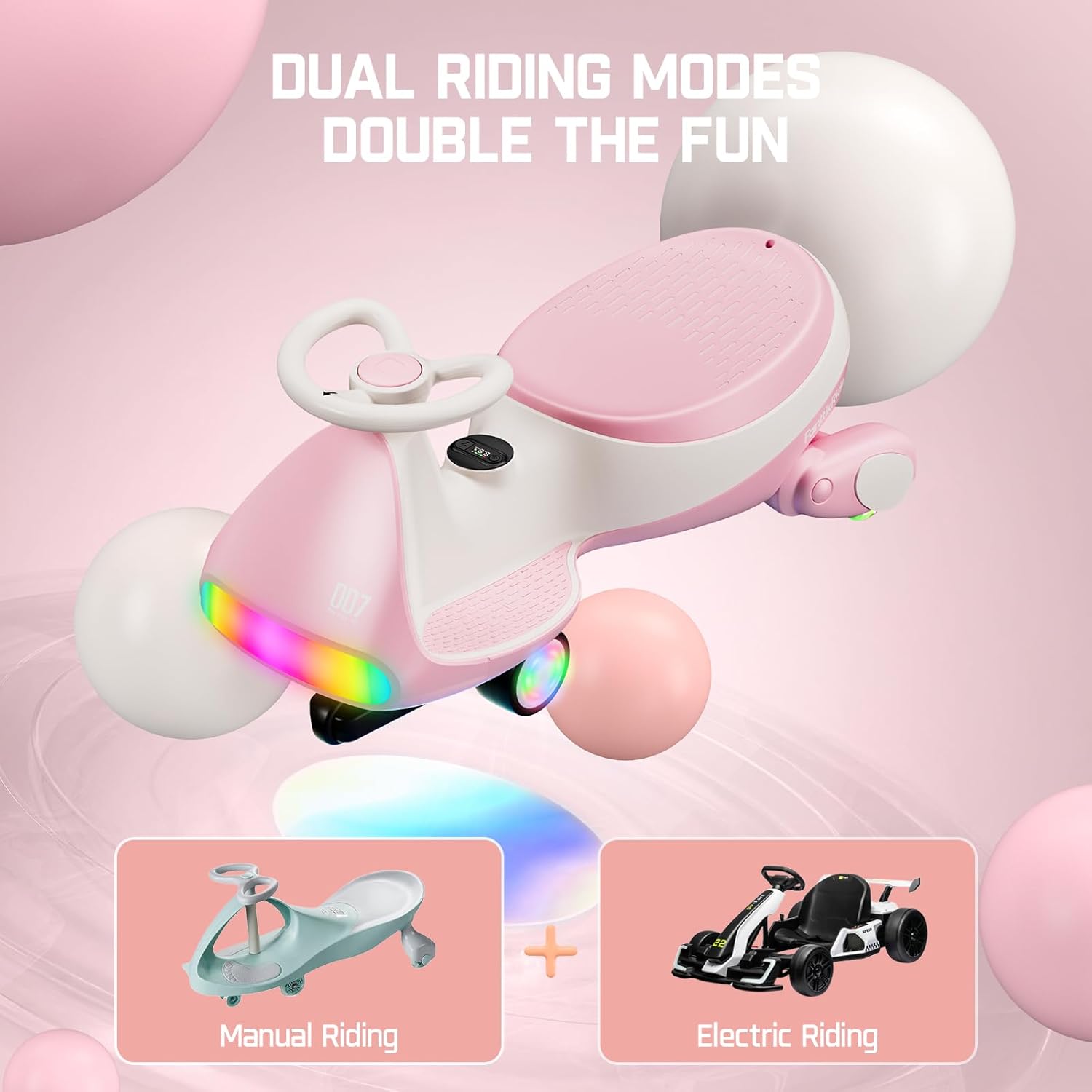
Image: All components of the FanttikRide N7 Ultra Electric Wiggle Car, including the vehicle body, steering wheel, drive device, and charging cable, laid out for assembly.
3. Battery Installation and Initial Charge
The N7 Ultra comes with a pre-installed rechargeable battery. Before first use, ensure the battery is properly connected and fully charged.
- Use a Phillips screwdriver (not included) to unscrew the car seat and open it.
- Locate the docking port inside the vehicle and the battery docking port.
- Connect the two interfaces face up and ensure the connection is tight.
- Install the seat back and secure it with the screw.
- Connect the Type-C fast-charging cable to the charging port. A full charge takes approximately 3-4 hours.
Video: Instructions for installing and connecting the battery in the FanttikRide N7 Ultra Electric Wiggle Car.

Image: The FanttikRide N7 Ultra Electric Wiggle Car with its seat removed, revealing the battery compartment and connection points for proper installation.
Operating Instructions
1. Power On/Off
Long press the power switch on the digital display for 3 seconds to start or turn off the car.
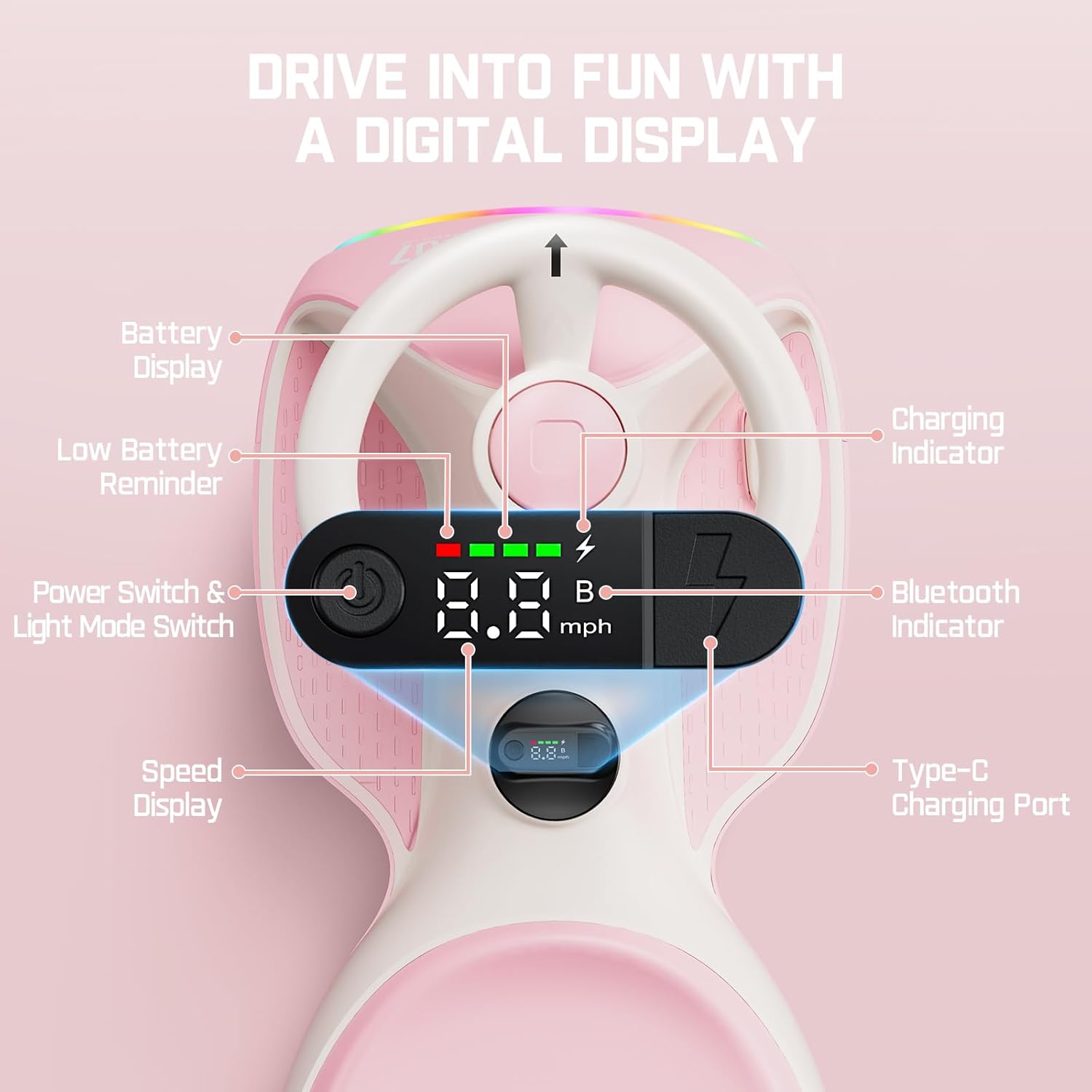
Image: Close-up of the FanttikRide N7 Ultra's digital display, highlighting the power switch, speed display, battery indicator, and Bluetooth indicator.
2. Speed Adjustment
The N7 Ultra offers two speed modes: Low (1.7 MPH) and High (4 MPH). Adjust the speed control switch located on the bottom of the car to select your desired speed.
Video: Demonstrating the speed adjustment feature of the FanttikRide N7 Ultra, showing how to switch between 1.7 mph and 4 mph modes.
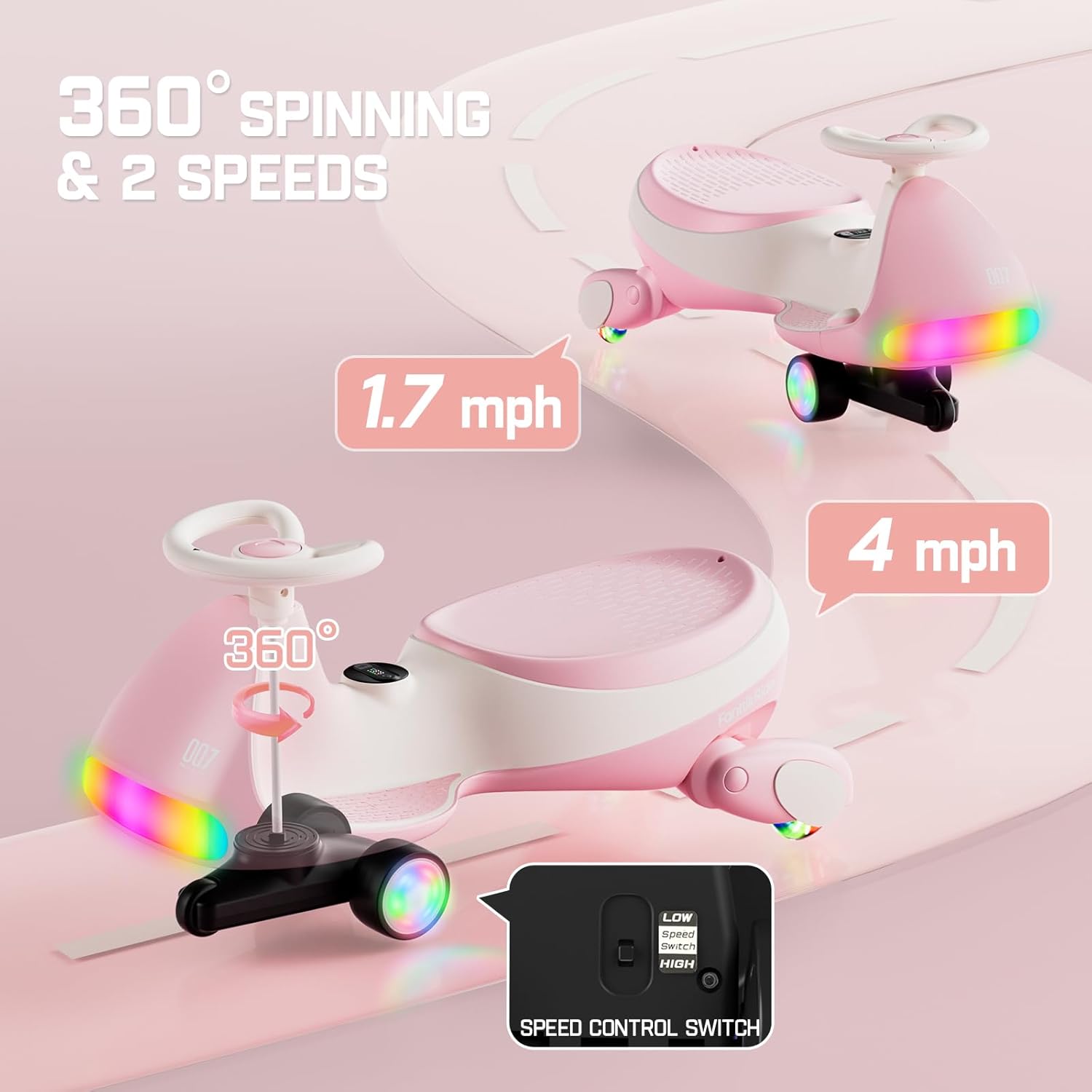
Image: The FanttikRide N7 Ultra illustrating its two speed settings (1.7 mph and 4 mph) and 360-degree spinning function, with a close-up of the speed control switch.
3. Steering and Movement
The 360° steering wheel allows for smooth and free movement. To move, simply turn the steering wheel and use the foot pedal to engage the electric motor. The N7 Ultra utilizes a single-wheel drive system powered by the right front wheel.
4. Digital Display
The integrated digital display shows real-time riding speed (MPH) and battery status, allowing you to monitor performance and charge levels.
5. Bluetooth and Lights
The ride-on toy is equipped with a 3W Bluetooth speaker. To connect, search for "FanttikRide N7" on your phone's Bluetooth settings. Once connected, the nine-color front lights will pulse to the rhythm of the music, enhancing the riding experience. The glowing wheels and lights also improve visibility during evening rides.
Video: Showcasing the dynamic lights and Bluetooth music feature of the FanttikRide N7 Ultra.

Image: The FanttikRide N7 Ultra Electric Wiggle Car displaying its nine dynamic light modes and highlighting the integrated 3W Bluetooth speaker for an immersive sound experience.
Maintenance
1. Charging
Recharge the vehicle using the provided Type-C fast-charging cable. A full charge takes 3-4 hours. The large-capacity rechargeable battery is designed to last for up to 1000 charge cycles, ensuring long-lasting performance.
2. Cleaning
Wipe the surface of the wiggle car with a damp cloth. Avoid using harsh chemicals or abrasive cleaners that could damage the finish or electronic components.
3. Storage
Store the N7 Ultra in a dry, cool place away from direct sunlight and extreme temperatures. Ensure the battery is fully charged before storing for extended periods to maintain battery health.
Troubleshooting
| Problem | Possible Cause | Solution |
|---|---|---|
| Car does not power on. | Battery not connected or discharged. | Check battery connection (refer to Setup section). Charge the battery fully. |
| Car does not move when pedal is pressed. | Speed switch set to "OFF" or low battery. | Ensure the speed switch is set to "LOW" or "HIGH". Charge the battery. |
| "E0" error displayed. | Internal system error or loose connection. | Turn off the car, wait a few seconds, then turn it back on. If the error persists, contact customer support. |
| Charging issues (e.g., not charging, loud noise). | Faulty charging cable, port, or battery. | Ensure the Type-C cable is securely connected. Try a different compatible Type-C cable. If issues persist, contact customer support. |
| Bluetooth not connecting. | Bluetooth not enabled on phone or car, or device too far. | Ensure Bluetooth is enabled on both devices. Keep devices within range. Restart both devices and try again. |
Specifications
- Model: N7 Ultra
- Brand: FanttikRide
- Product Dimensions: 30.25 x 13.94 x 15.89 inches
- Item Weight: 13.78 pounds
- Recommended Age: 3 years and up
- Maximum User Weight: 150 lbs
- Speed Modes: 2 speeds (1.7 MPH and 4 MPH)
- Motor: Low-decibel Hub Motor (MagicMute, 45-50 dB)
- Battery: Type-C Rechargeable Battery (up to 1000 charge cycles)
- Charging Time: 3-4 hours for a full charge
- Lights: 9-color front lights, glowing wheels
- Audio: 3W Bluetooth speaker
- Display: Digital display for speed and battery status
- Safety Features: Wider 47mm tires, pyramid-style anti-tip chassis, meets ASTM safety standards
Warranty and Support
For warranty information, technical support, or any inquiries regarding your FanttikRide N7 Ultra Electric Wiggle Car, please refer to the official FanttikRide website or contact their customer service directly. Contact details can typically be found on the product packaging or the manufacturer's official website.
Related documentsN7 Ultra


Ask a question about this manual
Ask about setup, troubleshooting, compatibility, parts, safety, or missing instructions. Manuals+ will review the question and use this page’s manual context to help answer it.