
1. Introduction
This manual provides instructions for the safe and efficient use of your Energizer Power Bank XP27000PD. This high-capacity portable charger is designed to provide power for a wide range of electronic devices, including laptops, tablets, and smartphones, with advanced charging technologies.
2. Product Overview
The Energizer Power Bank XP27000PD features a robust design with multiple charging ports and an informative digital display.
Key Features:
- 27,000mAh High Capacity: Provides extended power for multiple devices.
- 140W USB-C Power Delivery: Supports fast charging for compatible laptops, smartphones, and tablets.
- 30W Smart USB-A Output: Enables rapid charging for smartphones.
- Triple Outputs: Allows simultaneous charging of up to three devices.
- Smart Digital LCD Display: Shows real-time battery status, input/output wattage, and temperature.
- PowerSafe Management: Integrated protection against short circuit, overcurrent, overcharge, and overdischarge.
Component Identification:
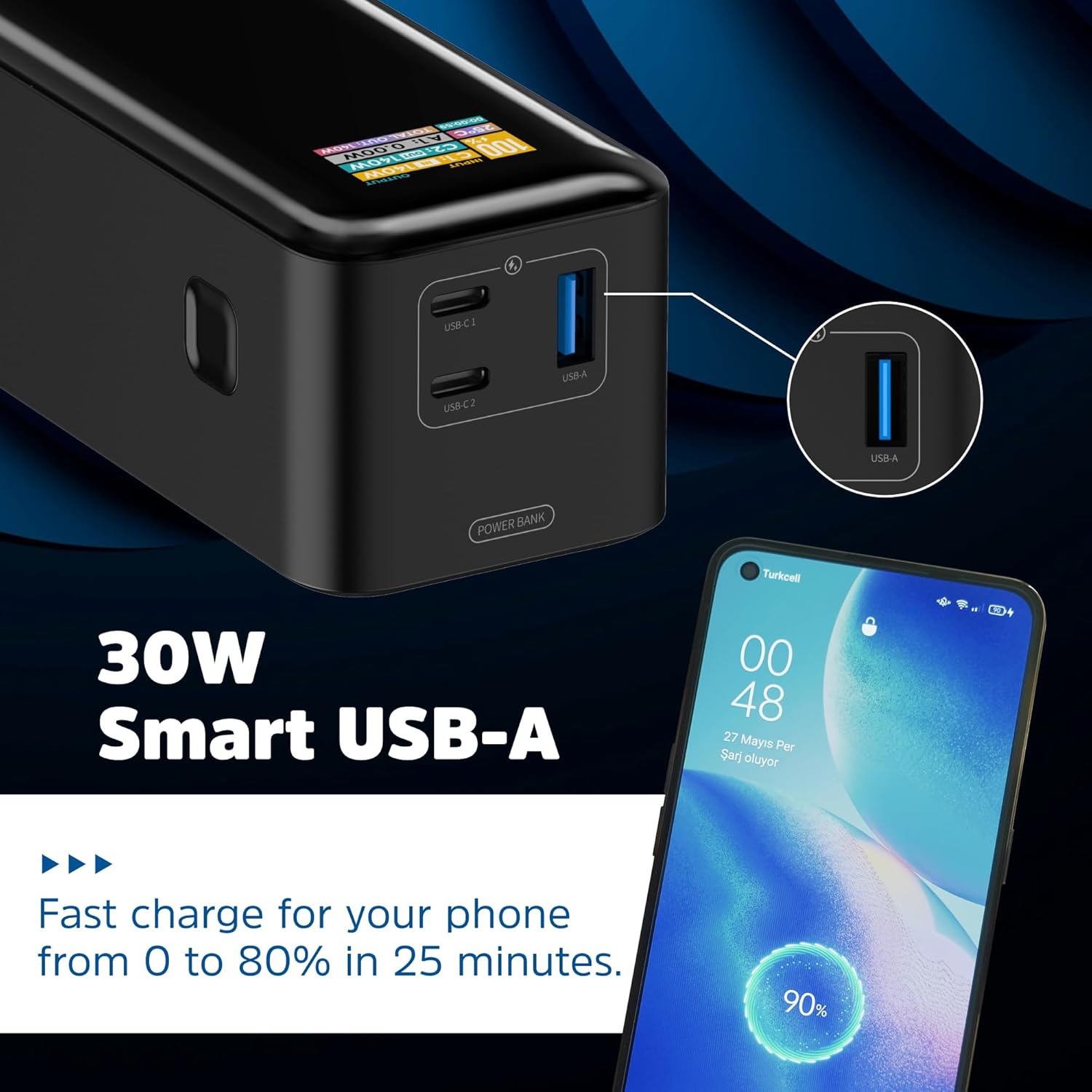
Image: Energizer Power Bank XP27000PD with its USB-C and USB-A ports clearly visible. The device is black with a digital display on top.
- • USB-C 1 (Input/Output): Primary Power Delivery port.
- • USB-C 2 (Input/Output): Secondary Power Delivery port.
- • USB-A (Output): Standard USB output port.
- • Power Check Button: Activates the LCD display.
- • LCD Screen: Displays charging information.

Image: A detailed view of the power bank's LCD screen, showing "INPUT 100%", "C1: IN 140W", "C2: OUT 140W", "25°C", "A1: 0.00W", and "TOTAL OUT: 140W". This display provides real-time charging and discharging information.
Product Video:
Video: An official product video showcasing the key specifications and features of the Energizer Power Bank XP27000PD, including its high capacity, fast charging capabilities, and port layout.
3. Setup: Charging the Power Bank
Before initial use, fully charge your Energizer Power Bank. Use a compatible USB-C Power Delivery wall charger (not included) for optimal charging speed.
- Connect a USB-C cable to either of the power bank's USB-C input/output ports (USB-C 1 or USB-C 2).
- Connect the other end of the USB-C cable to a compatible USB-C Power Delivery wall charger.
- The LCD display will illuminate, showing the input wattage and the current battery percentage.
- Charging is complete when the display shows 100%.
Note: Charging time varies depending on the power output of your wall charger. For fastest charging, use a 140W PD compatible charger.
4. Operating: Charging Your Devices
The power bank can charge up to three devices simultaneously using its USB-C and USB-A ports.
Charging with USB-C Power Delivery:
- Connect a USB-C to USB-C cable to one of the power bank's USB-C ports (USB-C 1 or USB-C 2).
- Connect the other end of the cable to your compatible laptop, tablet, or smartphone.
- The LCD display will show the output wattage for the connected device.
Image: The Energizer Power Bank XP27000PD is shown connected to a laptop via a USB-C cable, demonstrating its capability to charge high-power devices.
Charging with USB-A:
- Connect a USB-A cable to the power bank's USB-A output port.
- Connect the other end of the cable to your smartphone or other compatible device.
- The LCD display will show the output wattage for the connected device.

Image: A smartphone is connected to the Energizer Power Bank XP27000PD using a USB-A cable, illustrating the 30W Smart USB-A fast charging feature.
Simultaneous Charging:
You can charge multiple devices at once. The power bank intelligently distributes power across the connected ports. The LCD display will show the total output wattage.
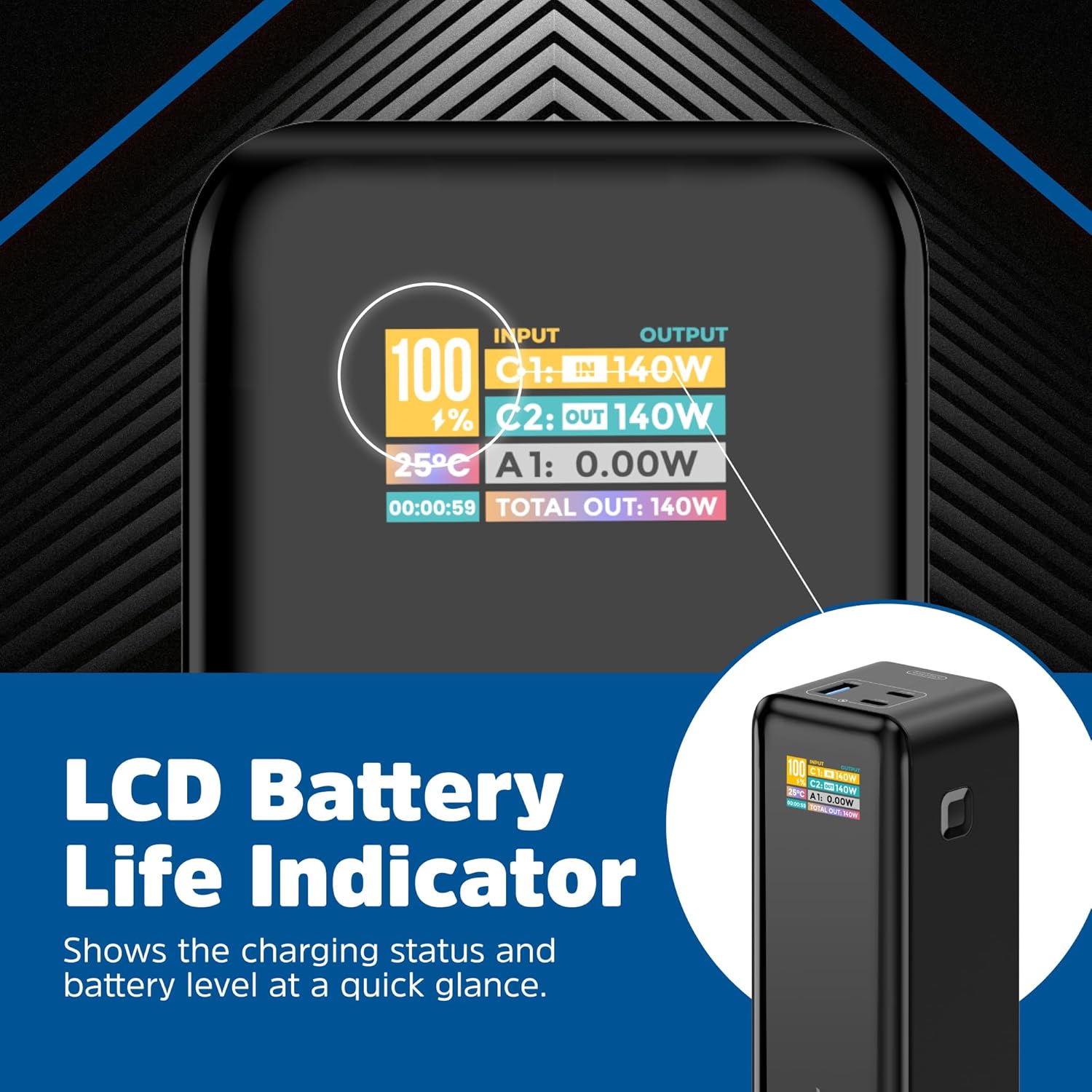
Image: The Energizer Power Bank XP27000PD is depicted charging a laptop, a tablet, and a smartphone simultaneously, highlighting its triple output capability.
5. Maintenance
- Keep the power bank dry and away from moisture.
- Avoid exposing the device to extreme temperatures (hot or cold).
- Clean the power bank with a soft, dry cloth. Do not use harsh chemicals or abrasive materials.
- Store the power bank with approximately 50-75% charge if not used for extended periods to prolong battery life. Recharge every 3-6 months.
- Do not attempt to disassemble, repair, or modify the power bank.
6. Troubleshooting
- Power bank not charging:
- • Ensure the charging cable is securely connected to both the power bank and the wall charger.
- • Verify that the wall charger is functioning correctly and is compatible with USB-C Power Delivery.
- • Try a different USB-C cable or wall charger.
- Devices not charging or charging slowly:
- • Check if the power bank has sufficient charge. Press the power check button to view the battery level on the LCD.
- • Ensure the charging cable is securely connected to both the power bank and your device.
- • Use a high-quality cable that supports fast charging for optimal performance.
- • Some devices may require specific charging protocols; ensure compatibility.
- LCD display is inaccurate or inconsistent:
- • The power bank's battery management system recalibrates over time. Fully discharge and then fully recharge the power bank periodically to help recalibrate the display.
- • Environmental factors like extreme temperatures can affect battery performance and readings.
7. Specifications
| Feature | Detail |
|---|---|
| Model Number | XP27000PD |
| Battery Capacity | 27000 Milliamp Hours (mAh) |
| USB-C Output (PD) | Up to 140W |
| USB-A Output | Up to 30W |
| Input (USB-C) | Up to 140W |
| Product Dimensions | 6.13 x 2.19 x 2.09 inches |
| Item Weight | 1.42 pounds |
| Battery Type | Lithium Polymer |
| Special Features | Digital Display, Fast Charging |
8. Safety Information
- Do not expose the power bank to fire or extreme heat.
- Do not immerse the power bank in water or other liquids.
- Avoid dropping or subjecting the power bank to strong impacts.
- Keep out of reach of children.
- If the power bank shows signs of swelling, leakage, or unusual heat, discontinue use immediately and dispose of it properly.
- Use only original or certified compatible charging cables and adapters.
- This device contains a lithium polymer battery. Follow local regulations for disposal.
9. Warranty and Support
For warranty information and customer support, please refer to the documentation included with your purchase or visit the official Energizer website. Keep your proof of purchase for warranty claims.
Official Energizer Website: www.energizer.com


