
1. Safety Information
Always follow the instructions provided with the product for safe installation and use. Be cautious when adjusting the TV mount to avoid injury. Ensure that the power strip and LED lights are properly connected and do not overload the power strip to prevent electrical hazards. Keep the product away from heat sources and moisture to maintain its longevity and safety.
2. Product Overview
The CHOEZON TV Stand Model TDS12UDBF is designed to accommodate televisions from 32 to 70 inches. It features an adjustable TV mount, integrated power outlets, LED lighting, and multiple storage options. The stand is constructed from particleboard, metal, and non-woven fabric, ensuring stability and durability.

Image 2.1: Overview of the CHOEZON TV Stand with a television mounted and LED lights illuminated.
3. Setup and Assembly
Assembly of the CHOEZON TV Stand is required. Detailed assembly instructions and an accessory kit are included with your product. Please refer to these instructions for step-by-step guidance.
3.1 Adjustable Feet
The TV stand is equipped with 8 adjustable feet to ensure stability on various floor surfaces and prevent scratches. Rotate the feet clockwise or counter-clockwise to adjust the height and level the stand.

Image 3.1: Adjustable feet for leveling the TV stand on uneven surfaces.
4. Operating Instructions
4.1 Adjustable TV Mount
The integrated TV mount supports televisions ranging from 32 to 70 inches. It allows for adjustable height and left-right spacing to achieve optimal viewing angles. Ensure your TV's VESA pattern is compatible with the mount before installation.
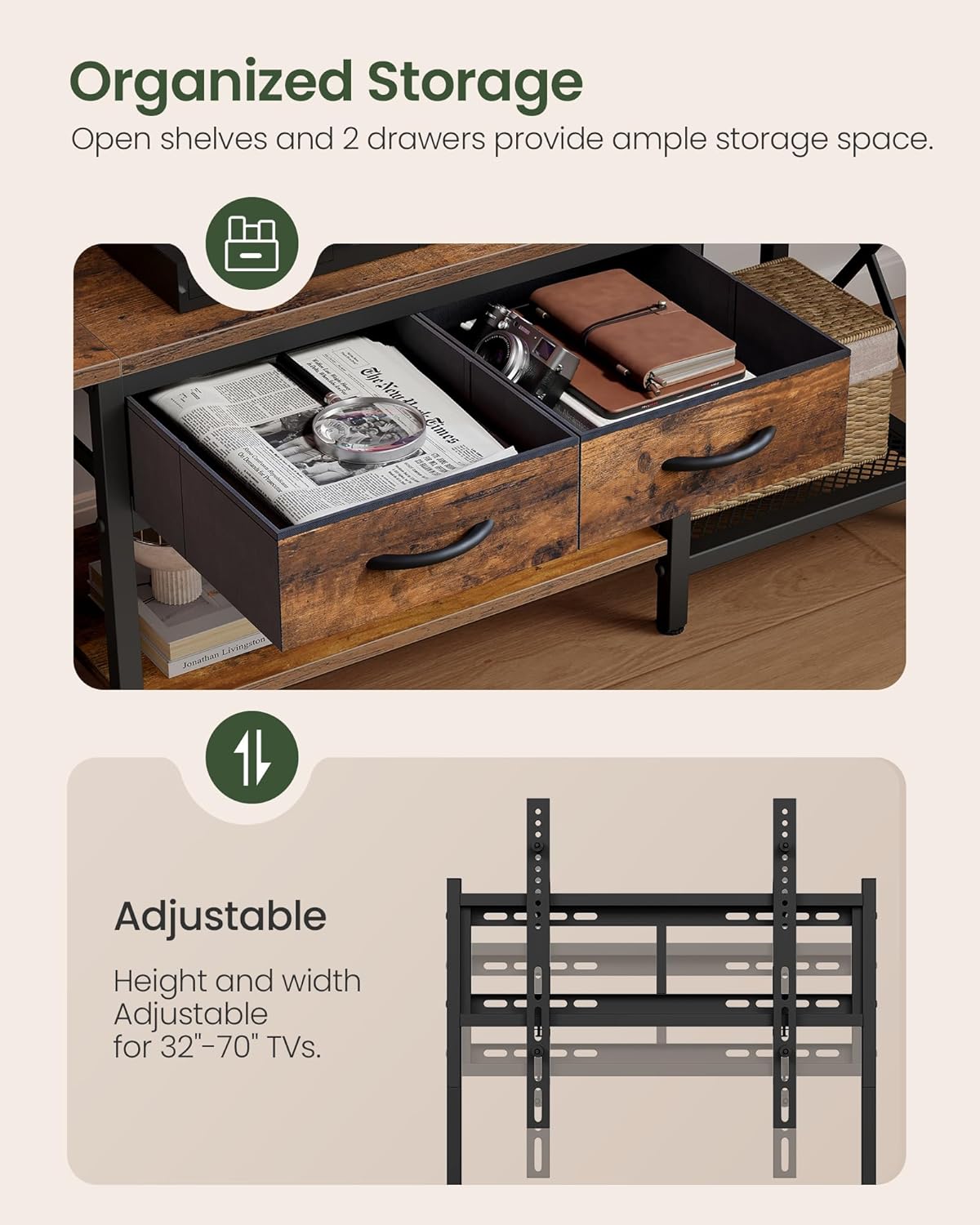
Image 4.1: Illustration of the adjustable TV mount for various TV sizes and positions.
4.2 Practical Charging Station
The TV stand includes a built-in power strip with 2 AC outlets (125V/12A), 1 USB port (5V/2A), and 1 Type-C port (5V/2A). This allows for convenient charging of multiple electronic devices simultaneously. The power cord is 4.9 feet long.

Image 4.2: Detail of the integrated charging station with AC, USB, and Type-C ports.
Video 4.2.1: Demonstration of the charging station in use, showing a phone being charged.
4.3 Adjustable LED Light
The TV stand features built-in RGB LED lights located beneath the top shelf. These lights offer 20 color options, 22 dynamic modes, and 5 brightness levels. Use the included remote control to adjust the lighting to your preference.

Image 4.3: Features of the RGB LED strip, including color options, brightness, and dynamic modes.
Video 4.3.1: Short demonstration of the LED lights changing colors and modes.
4.4 Storage Solutions
The TV stand provides multi-zone storage. It includes two non-woven fabric drawers for smaller items like headphones or game controllers, and metal grids on both sides suitable for speakers or record players. The open shelves offer additional space for media devices and decor.

Image 4.4: Organized storage with drawers and open shelves for various items.
5. Maintenance
To maintain the appearance and longevity of your CHOEZON TV Stand, follow these guidelines:
- Cleaning: Wipe surfaces with a soft, damp cloth. Avoid harsh chemicals or abrasive cleaners, which can damage the particleboard and metal finishes.
- Dusting: Regularly dust all surfaces to prevent buildup.
- Spills: Clean up spills immediately to prevent staining or damage to the material.
- LED Lights: Ensure the LED strip and remote are kept dry. If the lights malfunction, check connections before attempting further troubleshooting.
- Power Outlets: Keep the power strip clean and free of dust. Do not insert foreign objects into the outlets.
6. Troubleshooting
If you encounter issues with your TV stand, refer to the following common troubleshooting steps:
- TV Mount Stability: Ensure all screws and bolts for the TV mount are securely tightened. Verify that the TV's weight and size are within the recommended limits.
- LED Lights Not Working: Check if the LED strip is properly connected to the power source. Ensure the remote control has working batteries and is pointed directly at the receiver. Try unplugging and re-plugging the power to reset the lights.
- Power Outlets Not Functioning: Verify that the main power cord for the charging station is securely plugged into a wall outlet. Check if the wall outlet itself is functional by testing it with another device. Avoid overloading the power strip with too many high-power devices.
- Stand Wobbles: Adjust the leveling feet at the bottom of the stand to ensure all points are making firm contact with the floor. Tighten all assembly screws if necessary.
7. Specifications

Image 7.1: Detailed dimensions of the CHOEZON TV Stand (Model TDS12UDBF).
| Feature | Detail |
|---|---|
| Model Number | TDS12UDBF |
| Dimensions (L x W x H) | 55.5 x 14.1 x 20 inches (141 x 35.7 x 50.8 cm) |
| Item Weight | 34 Pounds |
| Material Type | Particleboard, Metal, Non-Woven Fabric |
| Color | Rustic Brown, Black |
| TV Size Compatibility | 32-70 inches |
| Number of Drawers | 2 |
| Number of Shelves | 2 |
| Power Outlet | 2 AC Outlets (125V/12A), 1 USB Port (5V/2A), 1 Type-C Port (5V/2A) |
| LED Light Features | 20 Colors, 22 Dynamic Modes, 5 Brightness Levels |
| Assembly Required | Yes |
8. Warranty and Support
For specific warranty information and details regarding your CHOEZON TV Stand, please refer to the documentation included with your product or contact CHOEZON customer support directly. Warranty terms typically cover manufacturing defects for a specified period from the date of purchase.
If you require assistance with assembly, operation, or troubleshooting that is not covered in this manual, please reach out to CHOEZON customer service. Contact information can usually be found on the product packaging, the manufacturer's official website, or through your retailer.