
Introduction
This manual provides essential information for the installation and maintenance of your Emiif replacement roller brush and filter kit, designed to maintain the optimal performance of your compatible Shark Stratos vacuum cleaner. Regular replacement of these components is crucial for effective dust filtration and consistent cleaning results.
Product Contents
Your Emiif replacement kit includes the following components:
- 1 x Roller Brush
- 2 x Filters
- 4 x Foam and Felt Filters
- 1 x Cleaning Brush
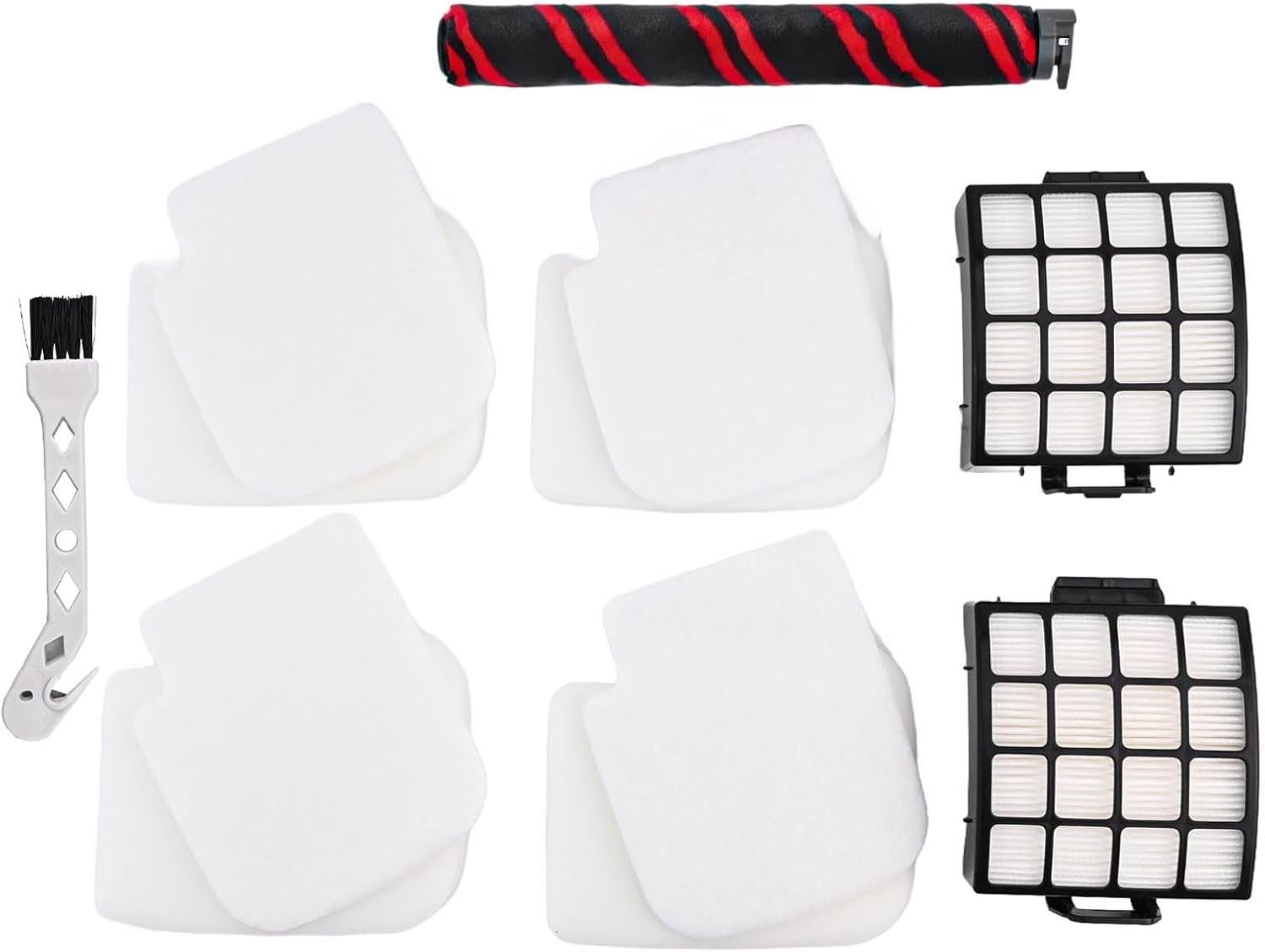
Image: All components included in the Emiif replacement kit.
Compatibility
This replacement kit is compatible with the following Shark Stratos vertical vacuum cleaner models:
- Shark Stratos AZ3002
- Shark Stratos AZ3000
- Shark Stratos AZ3000W
These parts are specifically designed for DuoClean PowerFins models to ensure a perfect fit and seamless integration.
Setup and Installation
Follow these steps to replace the roller brush and filters in your Shark Stratos vacuum cleaner:
- Power Off and Unplug: Before beginning any maintenance, ensure your vacuum cleaner is turned off and unplugged from the power outlet to prevent accidental activation.
- Access the Brush Roll: Lay the vacuum flat and locate the brush roll access panel, usually on the bottom of the cleaner head. Depending on your model, you may need to unlatch or unscrew a cover.
- Remove Old Brush Roll: Carefully lift out the old roller brush. Note its orientation for correct installation of the new one.
- Install New Roller Brush: Insert the new Emiif roller brush into the brush roll housing, ensuring it clicks securely into place. Make sure the ends align with the vacuum's drive mechanism.
- Access Filters: Locate the pre-motor and post-motor filters. The pre-motor filters (foam and felt) are typically located near the dust cup, while the HEPA post-motor filter is often at the base or side of the vacuum.
- Remove Old Filters: Pull out the old foam and felt filters. For the HEPA filter, unlatch its cover and remove it.
- Install New Filters: Place the new Emiif foam and felt filters into their designated slots. Ensure the HEPA filter is inserted correctly and its cover is securely latched.
- Reassemble: Close all access panels and covers securely.

Image: Replacement parts positioned next to a vacuum cleaner for installation context.
Maintenance
To ensure your vacuum cleaner continues to operate at peak performance, regular maintenance of these replacement parts is essential:
- Filter Cleaning: The foam and felt filters can be rinsed with water. Allow them to air dry completely for at least 24 hours before reinserting them into the vacuum. Do not wash the HEPA filter; tap it clean to remove loose debris.
- Roller Brush Cleaning: Use the provided cleaning brush to remove hair, threads, and debris tangled around the roller brush. The hook tool on the cleaning brush can be used to cut through stubborn tangles.
- Replacement Frequency: It is recommended to replace the roller brush and all filters every six months, or more frequently depending on your usage and the level of dirt and debris in your home. This ensures consistent suction power and effective air filtration.

Image: The included cleaning brush for maintaining the roller brush.

Image: A detailed view of a foam and felt filter.
Troubleshooting
If you experience issues after replacing the parts, consider the following:
- Reduced Suction: Ensure all filters are correctly seated and dry. Check for any blockages in the vacuum's hoses or brush roll area that might not be related to the new parts.
- Brush Roll Not Spinning: Verify the new roller brush is properly installed and secured. Check for any debris or hair still caught in the brush roll mechanism or end caps.
- Unusual Noises: Recheck the installation of both the roller brush and filters to ensure they are not loose or rubbing against other components.
If problems persist, consult your original Shark vacuum cleaner manual for further troubleshooting steps or contact the vacuum cleaner manufacturer's support.
Specifications
| Attribute | Detail |
|---|---|
| Brand | Emiif |
| Model Number | QO87L0G2X03G0GU67I1U1RF |
| Compatible Models | Shark Stratos AZ3002, AZ3000, AZ3000W |
| Product Dimensions (L x W x H) | 26 x 15 x 12 cm |
| Color | As pictured (Black/Red roller, White filters) |
Warranty and Support
As these are third-party replacement parts, specific warranty information is not provided in the product details. For any issues or questions regarding the Emiif replacement parts, please contact the seller directly through your purchase platform.