
Introduction
The M-Amazup Portable AM/FM/SW Retro Radio (Model NS-8100BT) is a versatile audio device designed for clear radio reception and modern connectivity. Featuring a classic aesthetic, this radio supports AM, FM, and Shortwave bands, along with Bluetooth 5.3, TF card, and USB playback options. Its compact and lightweight design, coupled with a rechargeable battery, makes it suitable for both indoor and outdoor use.
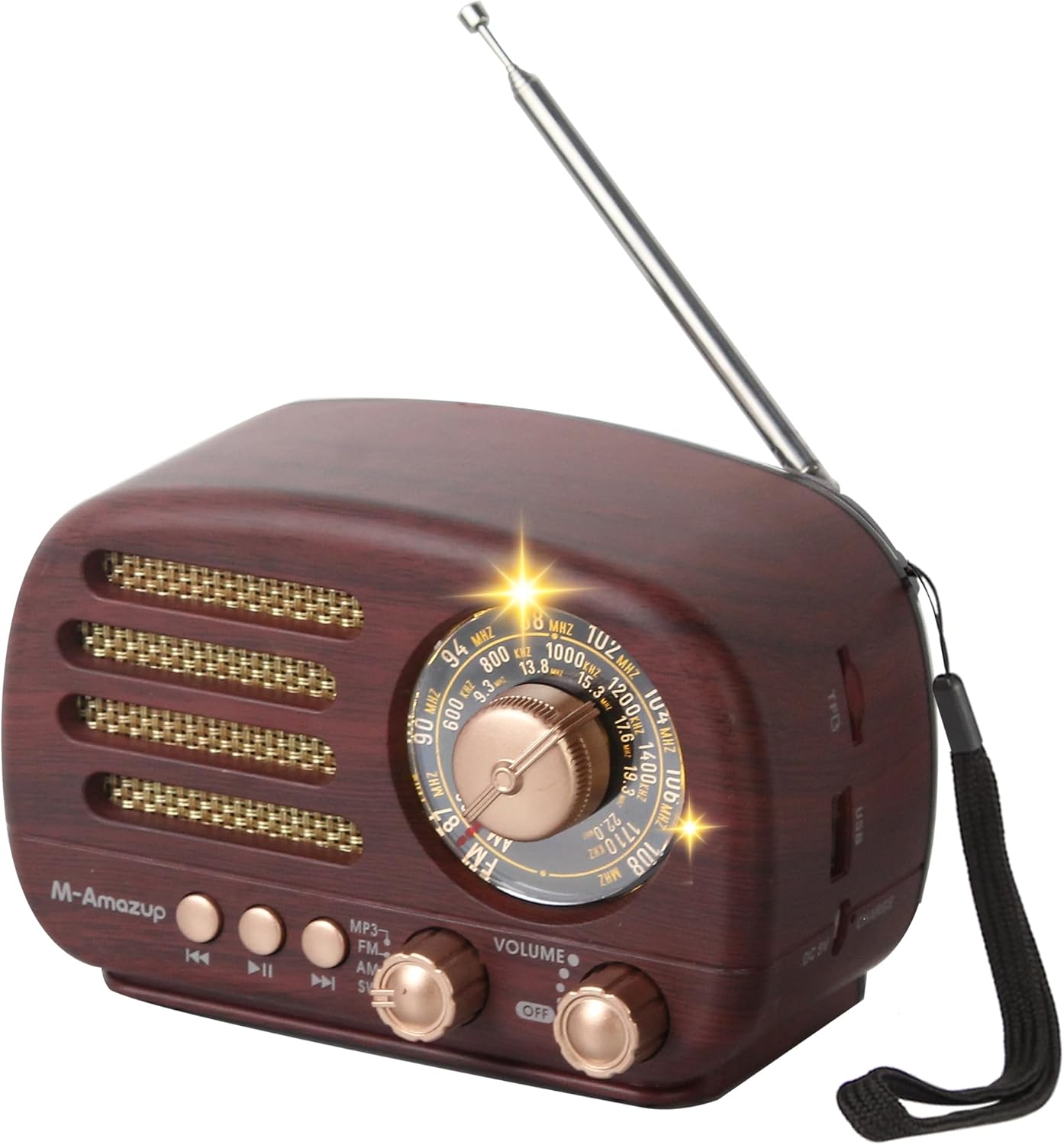
Figure 1: The M-Amazup Portable AM/FM/SW Retro Radio, showcasing its dark wood finish and classic design with an extended antenna.
Product Features
- Clear AM/FM/SW Reception: Equipped with a 16.5-inch retractable antenna for superior signal quality across FM (87-108 MHz), AM (522-1710 kHz), and SW (5.6-22.0 MHz) bands.
- Bluetooth 5.3 Connectivity: Wirelessly stream music from your phone or tablet.
- USB/TF Card Compatibility: Supports offline playback from USB drives and TF cards.
- Dual Charging Modes: Powered by a 1500mAh rechargeable battery, with USB (5V) charging capability.
- Ultra-Portable Design: Compact (6 x 3.2 x 3.6 inches) and lightweight (0.83 lb) with an included lanyard for easy transport.
- Immersive TWS Stereo Sound: Features a powerful speaker for crisp audio. Two units can be paired for TWS 2.0 stereo sound.
- User-Friendly Retro Style: Easy-to-use knobs and a clear dial, suitable for all ages.

Figure 2: Visual representation of the radio's key features, including its loud speaker, Bluetooth connectivity, USB and TF card support, and TWS functionality.
Setup
- Battery Installation:
The radio is powered by a 1500mAh lithium battery. Before first use, ensure to tear off the insulation tape at the bottom of the battery if present. Insert the battery into the compartment located at the back of the radio, ensuring correct polarity.

Figure 3: Illustration of the battery compartment and the USB charging port on the M-Amazup radio. Note the instruction to remove insulation tape from the battery.
- Charging the Battery:
Connect the provided USB cable to the DC 5V charging port on the radio and plug the other end into a compatible USB power source (e.g., wall adapter, computer USB port). The charging indicator light will illuminate. A full charge typically takes a few hours.
- Antenna Setup:
For optimal radio reception, fully extend the 16.5-inch telescopic antenna. Adjust its position for the clearest signal.
Operating Instructions

Figure 4: Detailed view of the radio's front panel, highlighting the tuning knob, band switch, playback control buttons, and volume/power knob.
- Power On/Off and Volume Control:
Rotate the Volume/Power Knob clockwise to turn the radio on and increase the volume. Rotate counter-clockwise to decrease the volume and turn the radio off.
- Mode Selection:
Use the Band Switch to select your desired mode: MP3 (for USB/TF card playback), FM, AM, or SW (Shortwave).
- Radio Tuning (AM/FM/SW):
Once a radio band is selected, slowly rotate the Tuning Knob to scan for stations. The illuminated dial will help you identify the frequency. Extend and adjust the antenna for best reception.
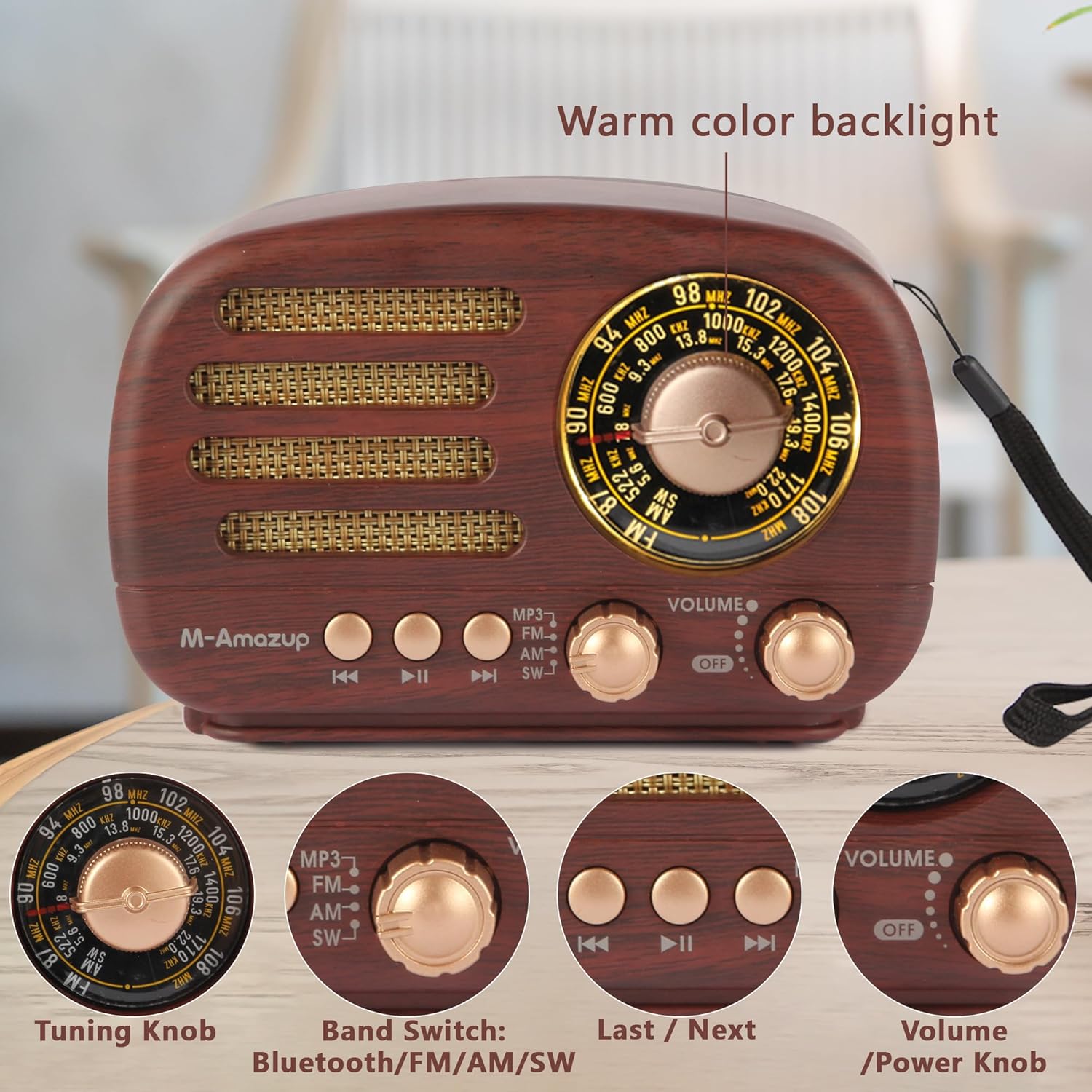
Figure 5: A close-up of the radio's tuning dial, showing the warm color backlight for easy visibility in low light conditions.
- Bluetooth Pairing:
Switch the Band Switch to the Bluetooth mode. The radio will enter pairing mode. On your mobile device, search for "M-Amazup" in the Bluetooth settings and connect. A confirmation sound will indicate successful pairing.

Figure 6: The M-Amazup radio wirelessly connected to a smartphone via Bluetooth, ready for music streaming.
- USB/TF Card Playback:
Insert a USB drive or TF card (with MP3 files) into the respective port. Switch the Band Switch to MP3 mode. The radio will automatically detect and begin playing audio files. Use the Previous/Next buttons to navigate tracks.
- TWS (True Wireless Stereo) Pairing (Requires two M-Amazup radios):
To achieve TWS 2.0 stereo sound, ensure both radios are in Bluetooth mode and not connected to any device. Double-press the "Play/Pause" button on one radio; it will automatically search for and pair with the second radio. Once paired, connect your device to the primary radio via Bluetooth.
Maintenance
- Cleaning: Use a soft, dry cloth to wipe the radio's surface. Avoid using abrasive cleaners or solvents.
- Storage: When not in use for extended periods, store the radio in a cool, dry place away from direct sunlight and extreme temperatures.
- Battery Care: To prolong battery life, avoid fully discharging the battery frequently. Charge the radio regularly, even if not in constant use.
Troubleshooting
| Problem | Possible Cause | Solution |
|---|---|---|
| No power/Radio does not turn on. | Battery is low or not installed correctly. | Charge the battery. Ensure the battery is inserted with correct polarity and insulation tape is removed. |
| Poor radio reception. | Antenna not extended or poor signal area. | Fully extend the antenna and adjust its position. Try moving the radio to a different location. |
| Bluetooth not connecting. | Radio not in Bluetooth mode or device too far. | Ensure radio is in Bluetooth mode. Keep devices within 10 meters. Restart both devices. |
| USB/TF card not playing. | Incorrect mode, unsupported file format, or corrupted card. | Switch to MP3 mode. Ensure files are in MP3 format. Try a different USB/TF card. |
| TWS pairing failed. | Radios not in Bluetooth mode or already connected. | Ensure both radios are in Bluetooth mode and disconnected from other devices before attempting TWS pairing. |
Specifications
- Model Number: NS-8100BT
- Product Dimensions: 6 x 3.23 x 3.62 inches
- Item Weight: 13.2 ounces
- Radio Bands Supported: AM (522-1710 kHz), FM (87-108 MHz), SW (5.6-22.0 MHz)
- Connectivity Technology: Bluetooth 5.3, USB
- Power Source: 1500mAh Rechargeable Battery (included), USB Powered (DC 5V)
- Special Features: Bluetooth Speaker, Lightweight, Portable, Rechargeable, TWS
- Color: Dark Wood
Warranty and Support
For warranty information and customer support, please refer to the owner's manual included in the product packaging. You may also visit the official M-Amazup website or contact their customer service for further assistance.
Note: Specifications are subject to change without prior notice.