
Introduction
This manual provides detailed instructions for the installation, operation, and maintenance of your HBEZON 48x32 Double Door Medicine Cabinet. Please read this manual thoroughly before installation and use to ensure proper function and safety. Keep this manual for future reference.
Safety Information
Observe the following safety precautions to prevent injury or damage to the product:
- Always unplug the cabinet before installation or cleaning.
- Use appropriate safety gear when mounting the cabinet to the wall or recessing it.
- Be cautious of pinch points when adjusting shelves or using the door.
- Do not exceed the weight limit of 76.7 pounds on the shelves.
- Ensure all electrical connections are performed by a qualified electrician if hardwiring.
Product Features
The HBEZON Medicine Cabinet is designed with multiple features for convenience and functionality:
- 3 Color Lighting Modes: Warm (2700K), Natural (4000K), and Cold White (6500K).
- Adjustable Brightness: Dimmable from 10% to 100%.
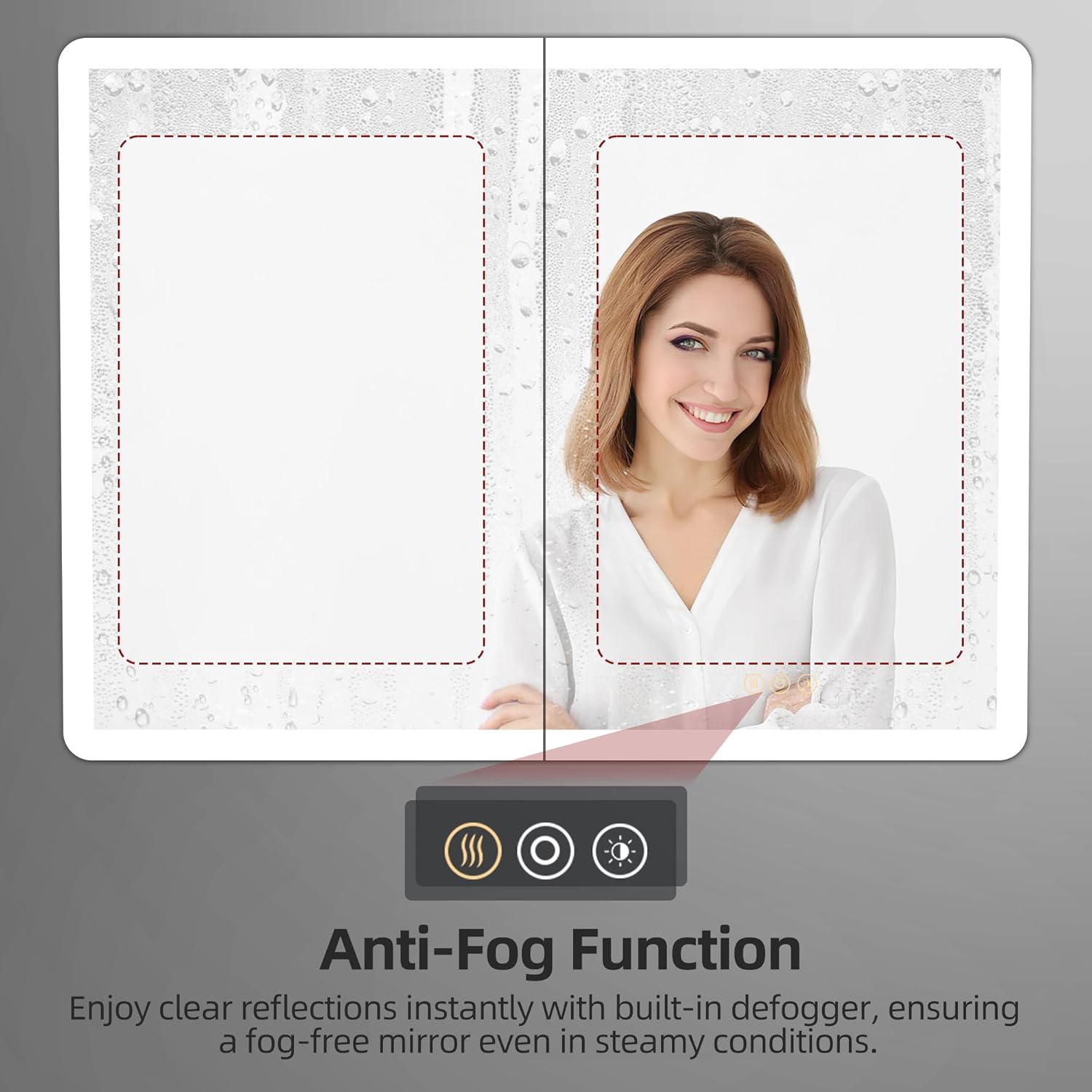
- Anti-Fog Function: Keeps the mirror clear in steamy environments.
- Memory Function: Remembers your last light setting.
- Integrated Electrical Outlet & USB Port: Convenient for charging devices inside the cabinet.
- Soft-Close DTC Hinges: Rustproof and ensure smooth, quiet door closure.
- Adjustable & Removable Tempered Glass Shelves: Two shelves for flexible storage.
- Shatterproof Glass: Enhanced safety.
- ETL Certified: Meets rigorous safety and performance standards.
- Wall Mount or Recessed Installation: Versatile mounting options.
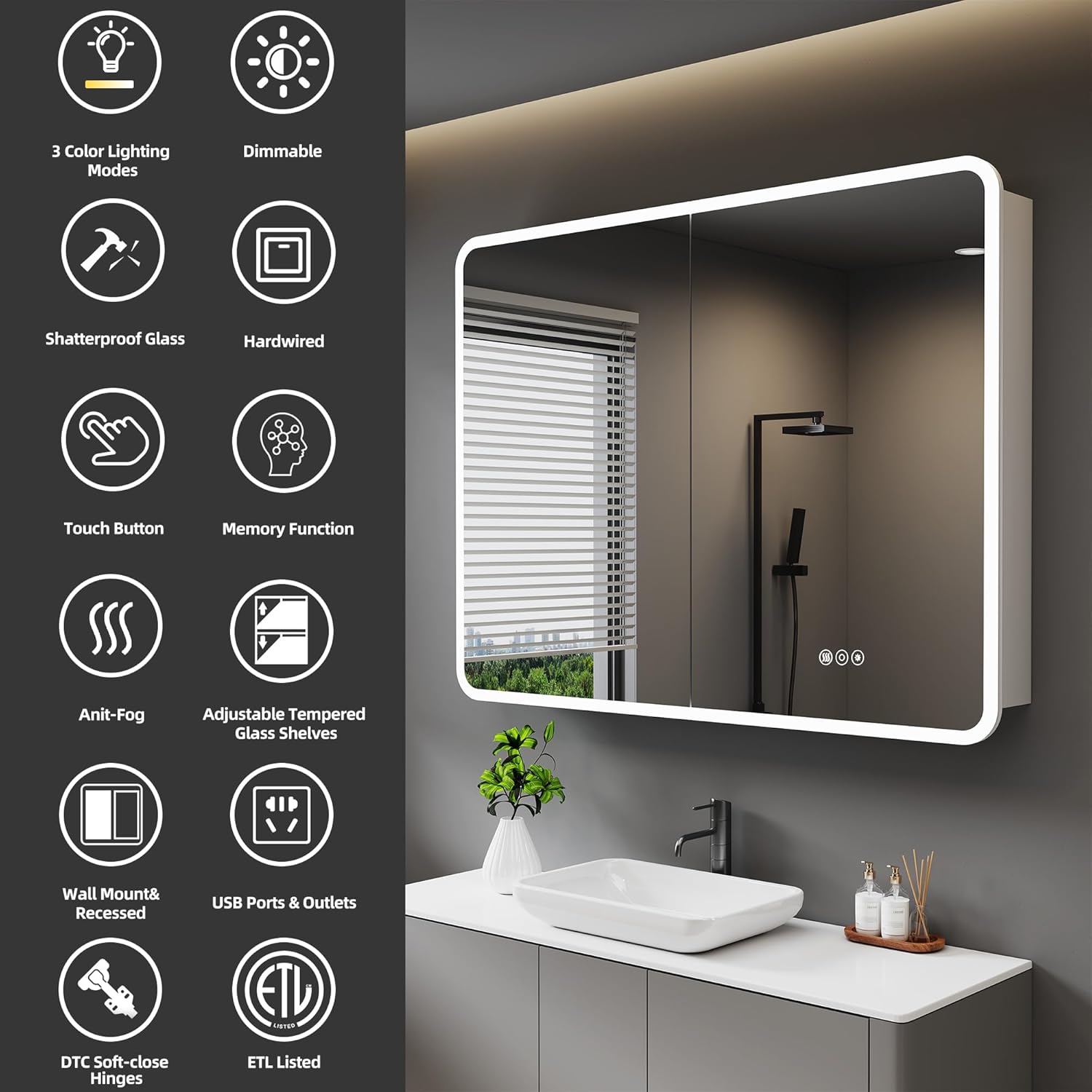
Overview of key features including lighting modes, dimming, anti-fog, and power options.
Details on practical features like internal outlets, adjustable shelves, and soft-close hinges.
Official product video showcasing the HBEZON Medicine Cabinet with LED Lights and Mirror, demonstrating various features such as lighting, storage, and anti-fog functionality.
Dimensions
The HBEZON 48x32 Double Door Medicine Cabinet has the following dimensions:
- Overall Dimensions (W x H x D): 48 inches x 32 inches x 5 inches
- Recessed Cutout Dimensions (W x H x D): Approximately 47 5/16 inches x 27 5/16 inches x 4 3/16 inches (Please refer to the dimension diagram for precise measurements).

Detailed dimensions for both surface and recessed mounting options.
Installation
Your medicine cabinet can be installed either as a surface mount or a recessed mount. Professional installation is recommended for optimal results and safety.
Surface Mount Installation
For surface mounting, the cabinet is mounted directly onto the wall surface. Ensure the wall can support the cabinet's weight (76.7 pounds).
Recessed Mount Installation
For recessed mounting, the cabinet is inserted into a cutout in the wall, providing a flush, integrated look. Remove the side panels before recessed mounting. Refer to the dimension diagram for precise cutout measurements.

Visual comparison of recessed and wall-mounted installations.
Electrical Connection
The cabinet requires a hardwired electrical connection. A wall switch is not included. Ensure all wiring is done according to local electrical codes by a certified professional.
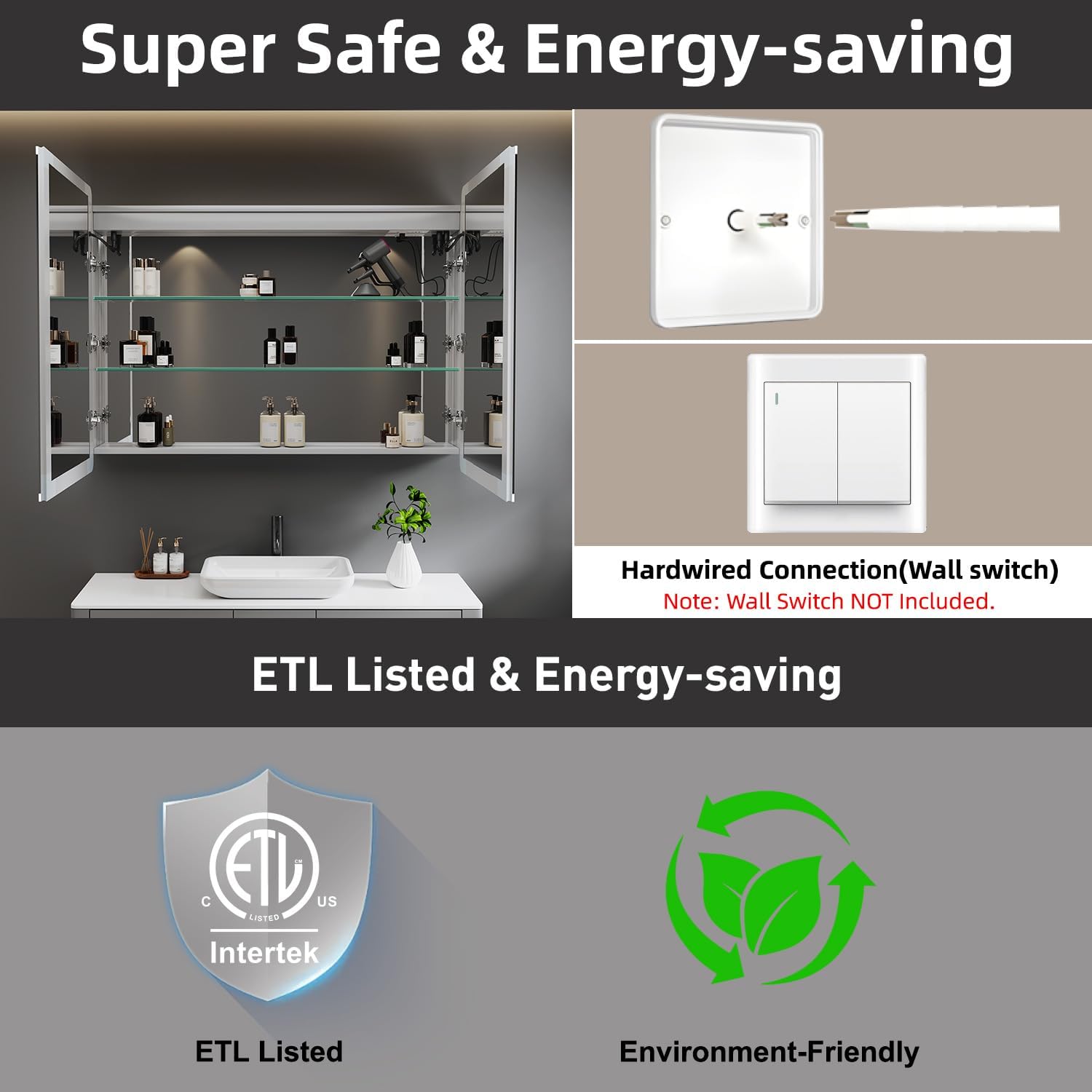
Illustration of the hardwired connection and ETL certification.
Operation
The medicine cabinet features smart touch controls located on the mirror surface.
LED Lighting Control
- Power On/Off: Tap the power icon to turn the LED lights on or off.
- Change Color Mode: Short press the color temperature icon to cycle through Warm (2700K), Natural (4000K), and Cold White (6500K) light modes.
- Adjust Brightness: Long press the brightness icon to dim the lights from 10% to 100%. Release when desired brightness is achieved.
- Memory Function: The cabinet will remember your last chosen light setting (color mode and brightness) when powered on again.

Visual guide to adjusting the LED light color temperature.

Demonstration of the dimmable LED lighting from 10% to 100%.
Anti-Fog Function
- Activate/Deactivate: Tap the anti-fog icon to turn the defogger on or off. This function helps maintain a clear reflection, especially after hot showers.
- For energy efficiency, turn off the anti-fog function when not needed.

Illustration of the anti-fog feature for a clear mirror reflection.
Electrical Outlets and USB Ports
- The internal electrical outlets and USB ports are located inside the cabinet for convenient charging of small appliances like electric toothbrushes, shavers, or mobile devices.
- Ensure devices are compatible with the provided voltage and current.
Maintenance
Regular cleaning and care will ensure the longevity and appearance of your medicine cabinet.
- Cleaning the Mirror: Use a soft, damp cloth with a mild glass cleaner. Avoid abrasive cleaners or harsh chemicals that may damage the mirror surface or LED components.
- Cleaning the Cabinet: Wipe the aluminum frame and glass shelves with a soft, damp cloth. Dry immediately to prevent water spots.
- Electrical Components: Ensure the cabinet is unplugged before cleaning any electrical outlets or USB ports. Keep these areas dry.
- Hinges: The soft-close hinges are designed for durability. Avoid forcing the doors open or closed.
Troubleshooting
If you encounter any issues with your medicine cabinet, refer to the following common solutions:
- Lights Not Working: Check the power connection and ensure the wall switch (if installed) is on. Verify the touch sensor is clean and responsive.
- Anti-Fog Not Activating: Ensure the anti-fog function is turned on via the touch sensor. Allow a few minutes for the defogger to warm up.
- Outlets/USB Ports Not Functioning: Check the main power supply to the cabinet. Ensure devices are properly plugged in.
- Door Not Closing Smoothly: Inspect hinges for any obstructions. If issues persist, contact customer support.
For problems not listed here, or if solutions do not resolve the issue, please contact HBEZON customer support.
Specifications
| Feature | Detail |
|---|---|
| Brand | HBEZON |
| Model Number | 4832 |
| Size | 48x32 Double Door |
| Product Dimensions (D x W x H) | 5"D x 48"W x 32"H |
| Item Weight | 76.7 Pounds |
| Color | Silver |
| Material | Aluminum, Mirror, Tempered glass |
| Installation Type | Wall Mount or Recessed Mount |
| Number of Doors | 2 |
| Number of Shelves | 2 (Adjustable & Removable) |
| Lighting Modes | 3 Color (Warm, Natural, Cold White) |
| Brightness | Dimmable (10% to 100%) |
| Additional Features | Smart Touch Control, Lighting Memory Function, Defogger, Soft-close Hinges, Electrical Outlet & USB Port |
| Certifications | ETL Listed |
Warranty and Support
For warranty information or technical support, please contact HBEZON customer service through the retailer where the product was purchased or visit the official HBEZON website. Please have your model number (4832) and purchase date available when contacting support.


