
AGM AGM_M10 FLIP_4G_US_2025
AGM M10 Rugged Basic Flip Phone User Manual
Model: AGM_M10 FLIP_4G_US_2025 | Brand: AGM
1. Introduction
Welcome to the user manual for the AGM M10 Rugged Basic Flip Phone. This guide provides essential information on how to set up, operate, maintain, and troubleshoot your device. The AGM M10 is designed for durability and simplicity, featuring a rugged build, large buttons, and essential communication functions.
Please note: The AGM M10 FLIP is compatible exclusively with GSM T-Mobile carriers. Confirm compatibility before use. For any carrier-related questions, contact your service provider.
2. Product Overview
The AGM M10 is a compact and robust flip phone built to withstand challenging environments while providing reliable communication. Its design emphasizes ease of use with large physical buttons and a clear display.
2.1 Physical Features and Dimensions
The phone measures 110mm long, 56.4mm wide, and 25mm thick when closed, weighing approximately 139 grams. Its compact size allows for easy portability in pockets or bags.

Image: Front, side, and rear views of the AGM M10 Flip Phone with dimensions (110mm length, 56.4mm width, 25mm thickness) and weight (139 grams) indicated.
2.2 Rugged Design
The AGM M10 is certified with IP68 and IP69K ratings for water, dust, and temperature resistance (5°F - 131°F). It also meets MIL-STD-810G standards for shock resistance, ensuring durability against drops and impacts.

Image: The AGM M10 Flip Phone demonstrating its ruggedness, including being dropped, submerged in water, and covered in sand, highlighting its IP68/IP69K and MIL-STD-810H certifications.
2.3 Key Components and Features
- Large Fonts & Big Buttons: Designed for accessibility, making dialing and texting effortless.
- SOS Button: Located below the camera, this programmable key allows instant calls to emergency services or pre-selected contacts by pressing and holding for 3-5 seconds.
- Speed Dial: Assign numbers to frequently called contacts for quick dialing.
- Dual SIM, Dual Standby: Supports two Nano SIM cards, ideal for separating work and personal calls or for travel. Note: Only one SIM can use 4G at a time.
- 4G Connectivity: Built with 4G VoLTE capabilities for clear calls.
- FM Radio: Integrated FM radio for entertainment.
- Flashlight: Quick-access flashlight for instant illumination.
- Bluetooth 5.0: For wireless connectivity with compatible devices.
- 3.5mm Audio Jack: For wired headphones.
- Expandable Memory: Storage can be expanded up to 128GB with a simple SD card.
- 1200mAh Battery: Ensures long-lasting use throughout the day.
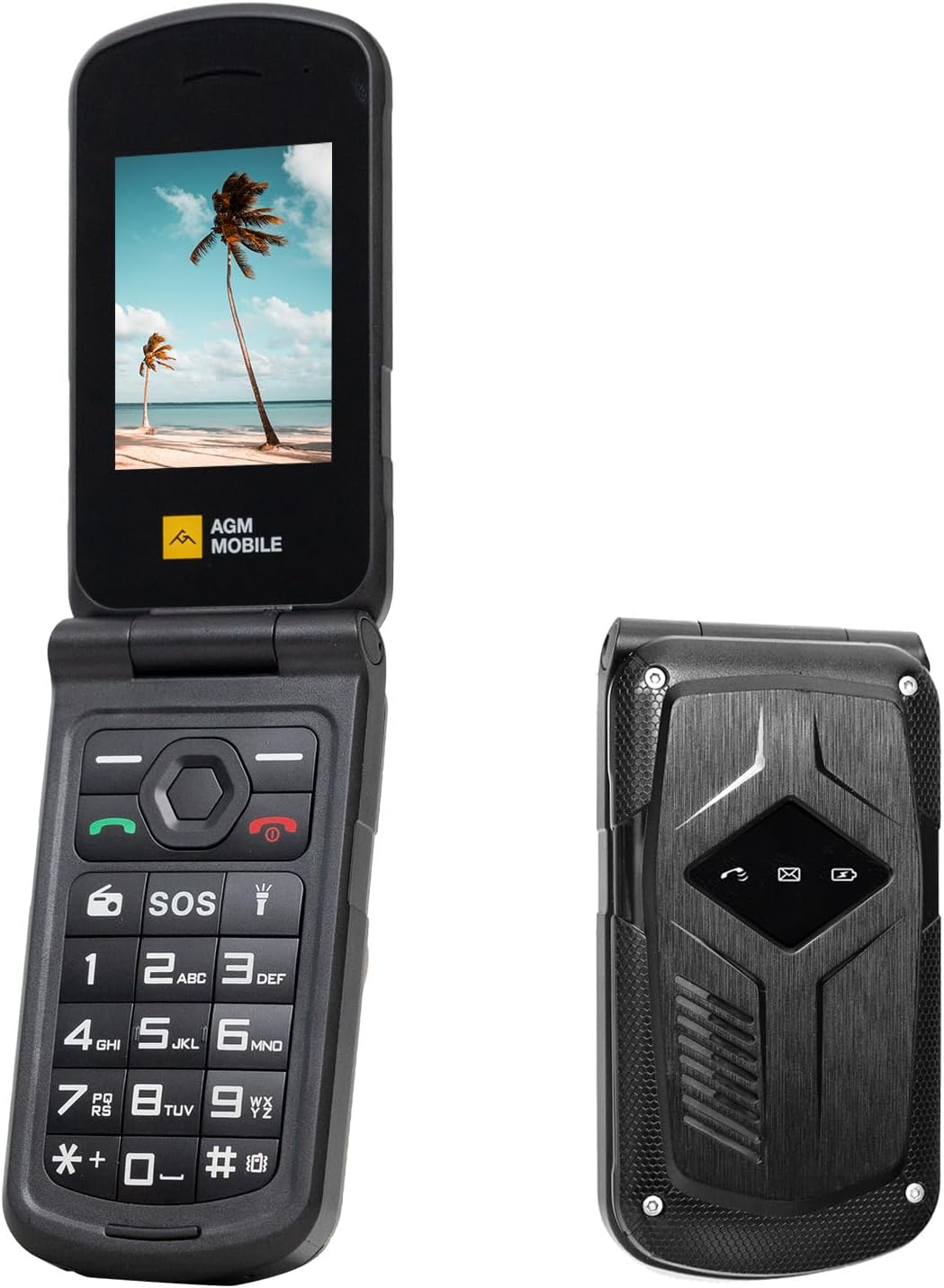
Image: The AGM M10 Flip Phone in both open and closed positions, showcasing its design and keypad.

Image: Detailed view of the AGM M10 keypad, pointing out the SOS button, FM Radio function, and Flashlight feature.
3. Setup Guide
3.1 What's in the Box
Your AGM M10 package includes the following items:
- AGM M10 Flip Phone
- Power Adapter
- USB Cable
- Battery Pack
- Quick Start Guide

Image: A visual representation of the items included in the AGM M10 FLIP box: Power Adapter, USB Cable, Battery Pack, Quick Start Guide, and the phone itself.
3.2 SIM Card Installation
- Activate SIM Card: If you have purchased a new SIM card, ensure it is activated in another phone before inserting it into the M10. Failure to do so may prevent the M10 from recognizing the SIM card.
- Open SIM Slot: Gently open the SIM slot cover on the back of the phone. Refer to the Quick Start Guide for exact location.
- Insert SIM Card: Carefully place the Nano SIM card(s) into the designated slot(s). The M10 supports dual SIM cards. Avoid applying excessive force to prevent damage to the slot.
- Close SIM Slot: Securely close the SIM slot cover.

Image: The AGM M10 Flip Phone's screen showing a number being dialed, with text indicating "4G LTE" and "Dual Nano SIM Slots," illustrating its connectivity and SIM capabilities.
3.3 Battery Installation and Charging
- Install Battery: If the battery is not pre-installed, align the battery contacts with the terminals inside the battery compartment and gently press down until it clicks into place.
- Charge Phone: Connect the USB cable to the phone's charging port and the power adapter. Plug the power adapter into a wall outlet. A charging indicator will appear on the screen.
- First Use: For optimal battery performance, fully charge the phone before its first use.
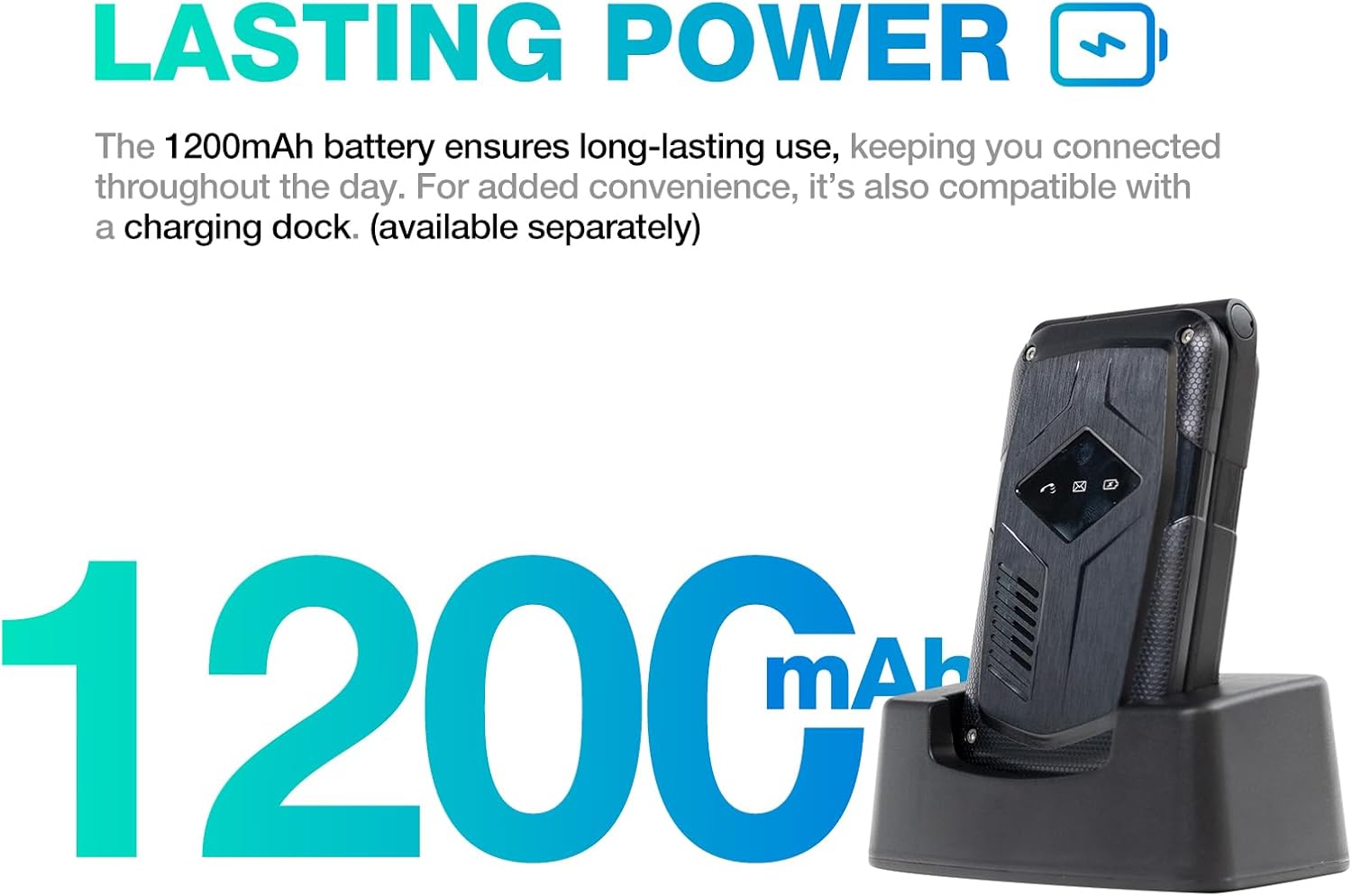
Image: The AGM M10 Flip Phone in a charging dock, emphasizing its 1200mAh battery capacity and long-lasting power.
3.4 Powering On/Off
- Power On: Press and hold the Power/End Call button until the screen lights up.
- Power Off: Press and hold the Power/End Call button, then select "Power Off" from the options on the screen.
4. Operating Instructions
4.1 Making and Receiving Calls
- Dialing: Enter the phone number using the keypad and press the Green Call button.
- Answering: When a call comes in, press the Green Call button to answer.
- Ending Call: Press the Red End Call button to end a call.
4.2 Speed Dial Setup
To set up speed dial numbers:
- Navigate to the "Contacts" or "Settings" menu.
- Select "Speed Dial" or a similar option.
- Choose an available number key (e.g., 2-9) and assign a contact from your phonebook.
- To use, simply press and hold the assigned number key.
4.3 SOS Button Functionality
The SOS button provides quick access to emergency contacts:
- Setting Up: Go to "Settings" or "SOS Settings" to program up to five emergency contacts.
- Activating: In an emergency, press and hold the SOS button (located below the camera) for 3-5 seconds. The phone will automatically call the programmed emergency contacts in sequence until one answers.
4.4 Text Messaging
To send and receive text messages:
- Navigate to the "Messages" menu.
- Select "New Message" to compose a new text.
- Enter the recipient's number or select from contacts.
- Type your message using the keypad. The phone supports T9 input and other styles.
- Press "Send" to transmit the message.
4.5 FM Radio and Flashlight
- FM Radio: Access the FM Radio application from the main menu. You may need to connect wired headphones (not included) to act as an antenna for better reception.
- Flashlight: The flashlight can typically be activated by a dedicated button or a long press of a specific key on the keypad. Refer to your Quick Start Guide for the exact method.
5. Maintenance
Proper maintenance ensures the longevity and optimal performance of your AGM M10 phone.
5.1 Cleaning Your Device
- Use a soft, lint-free cloth to wipe the screen and body of the phone.
- For stubborn dirt, slightly dampen the cloth with water. Avoid harsh chemicals or abrasive materials.
- Ensure all port covers are securely closed before cleaning with any moisture.
5.2 Water, Dust, and Shock Resistance
The AGM M10 is built to be highly resistant to environmental factors:
- Water Resistance (IP68/IP69K): The phone can withstand immersion in water and high-pressure, high-temperature water jets. Ensure all port covers are tightly sealed to maintain water resistance.
- Dust Resistance (IP68/IP69K): The device is fully protected against dust ingress.
- Shock Resistance (MIL-STD-810G): Designed to endure drops and impacts from typical heights. While rugged, avoid intentional abuse.
- Temperature Resistance: Operates reliably in temperatures ranging from 5°F to 131°F (-15°C to 55°C).
Note: While highly durable, extreme conditions or severe impacts can still cause damage. Always ensure port covers are sealed when exposed to water or dust.
5.3 Battery Care
- Use only the provided charger and USB cable.
- Avoid exposing the battery to extreme temperatures.
- Do not puncture, disassemble, or short-circuit the battery.
- If the phone will not be used for an extended period, charge it to about 50% before storing.
6. Troubleshooting
If you encounter issues with your AGM M10, refer to the following common problems and solutions:
| Problem | Possible Cause | Solution |
|---|---|---|
| Phone does not power on. | Low battery; battery not installed correctly. | Charge the phone for at least 30 minutes. Ensure the battery is properly seated. |
| SIM card not recognized. | SIM not activated; SIM incorrectly inserted; SIM slot damage. | Ensure SIM is activated with your carrier. Re-insert SIM card carefully. Avoid excessive force during insertion. |
| Cannot make or receive calls. | No network signal; SIM issue; phone settings. | Check network signal strength. Verify SIM card is properly installed and activated. Check call barring settings. |
| Poor call quality. | Weak signal; environmental interference. | Move to an area with better network coverage. Avoid obstructions. |
| Battery drains quickly. | Heavy usage; background processes; aging battery. | Reduce screen brightness. Close unused applications. If battery life significantly degrades, consider battery replacement. |
If the problem persists after trying these solutions, please contact AGM customer support for further assistance.
7. Specifications
Detailed technical specifications for the AGM M10 Flip Phone:
| Feature | Detail |
|---|---|
| Model Name | AGM_M10 FLIP_4G_US_2025 |
| Product Dimensions | 4.33 x 2.22 x 0.98 inches (110 x 56.4 x 25 mm) |
| Item Weight | 8.7 ounces (247 grams) |
| Operating System | THreadx |
| Screen Size | 2.4 Inches |
| Cellular Technology | 4G |
| Wireless Carrier Compatibility | T-Mobile ONLY (GSM) |
| Battery Capacity | 1200 Milliamp Hours (mAh) |
| RAM Memory Installed Size | 48 MB |
| Memory Storage Capacity | 0.12 GB (Expandable up to 128GB via SD card) |
| Connectivity Technologies | Bluetooth, USB |
| Special Features | Basic Phone, Dual SIM, Expandable Memory, Rugged Body, Water Resistant (IP68/IP69K), SOS Button, Speed Dial, Large Fonts & Big Buttons |
| Human Interface Input | Keypad |
| Audio Jack | 3.5 mm |
| Color | BLACK |
| Manufacturer | AGM MOBILE |
8. Warranty and Support
For warranty information and customer support, please refer to the documentation included with your product or visit the official AGM website. The seller for this product is AGM Official.
Keep your purchase receipt and product packaging for warranty claims.
Related documentsAGM_M10 FLIP_4G_US_2025


Ask a question about this manual
Ask about setup, troubleshooting, compatibility, parts, safety, or missing instructions. Manuals+ will review the question and use this page’s manual context to help answer it.