
Introduction
This manual provides detailed instructions for the setup, operation, maintenance, and troubleshooting of your uleway T1208 4G VoLTE mobile phone. The T1208 is designed for ease of use, featuring a large display, oversized buttons, and a user-friendly interface, making it suitable for seniors or as a reliable backup device.

Image: The uleway T1208 phone securely placed in its charging dock.
The uleway T1208 offers versatile functionality, serving as a digital cordless phone, a dedicated senior phone, or a general feature phone. It supports 4G VoLTE for clear calls and broad network compatibility across European operators.

Image: Overview of uleway T1208 key features including large screen, 4G LTE, charging dock, Bluetooth, flashlight, and FM radio.
1. Setup
1.1 Package Contents
Before proceeding, ensure all items are present in the package:
- uleway T1208 Mobile Phone
- Charging Base
- USB-C Charging Cable
- 1400 mAh Battery
- User Manual

Image: Detailed view of the uleway T1208 package contents, including the phone, charging base, user manual, 1400mAh battery, and USB-C charging cable.
1.2 Installing the SIM Card and SD Card
- Carefully remove the back cover of the phone.
- Insert your Nano-SIM card into the designated SIM card slot. Ensure it is correctly oriented.
- (Optional) Insert a MicroSD card (up to 32 GB) into the SD card slot for expanded storage.
- Replace the back cover securely.

Image: The back of the uleway T1208 phone with the cover removed, clearly showing the slots for a nano-SIM card and an SD memory card.
1.3 Installing the Battery
- After inserting the SIM/SD cards, place the 1400 mAh battery into its compartment, aligning the gold contacts.
- Ensure the battery is seated firmly.
1.4 Initial Charging
Before first use, fully charge the phone. You have two charging options:
- Using the Charging Base: Place the phone upright into the charging base. Ensure the charging contacts align.
- Using the USB-C Cable: Connect the USB-C cable directly to the phone's charging port.
The charging base is particularly convenient for seniors, eliminating the need to frequently plug and unplug cables.

Image: The uleway T1208 phone demonstrating both charging methods: direct USB-C cable connection and placement in the charging base.
2. Operating Instructions
2.1 Power On/Off
- To power on, press and hold the Power/End Call button until the screen lights up.
- To power off, press and hold the Power/End Call button, then confirm shutdown on the screen.
2.2 Basic Navigation
The phone features a 2.4-inch LCD display and large, easy-to-read buttons. Use the navigation keys (up, down, left, right) and the central 'OK' button to navigate through menus and select options.

Image: A visual comparison highlighting the uleway T1208's larger 2.4-inch display compared to a standard 1.8-inch screen, enhancing readability.

Image: A banner illustrating the uleway T1208's 2.4-inch HD screen with large characters for easy reading, contrasted with a smaller 1.77-inch screen.
2.3 Making and Receiving Calls
- To make a call: Enter the phone number using the keypad and press the Green Call button.
- To receive a call: Press the Green Call button when the phone rings.
- To end a call: Press the Red End Call button.
2.4 Sending SMS Messages
- Navigate to the 'Messaging' menu.
- Select 'New Message' or 'Write Message'.
- Enter your message using the keypad.
- Enter the recipient's number or select from contacts.
- Send the message.
2.5 Multifunctional Features
The uleway T1208 includes several useful features:
- Bluetooth: For connecting to wireless headsets or other devices.
- Audio Player: Play music stored on your SD card.
- FM Radio: Listen to local radio stations.
- Calculator: Basic arithmetic functions.
- Alarm: Set multiple alarms.
- Calendar: Keep track of dates and events.
- Flashlight: Activate by long-pressing the '0' key.

Image: The uleway T1208's main menu displaying icons for various functions such as messaging, contacts, call log, FM radio, multimedia, tools, settings, and alarm.
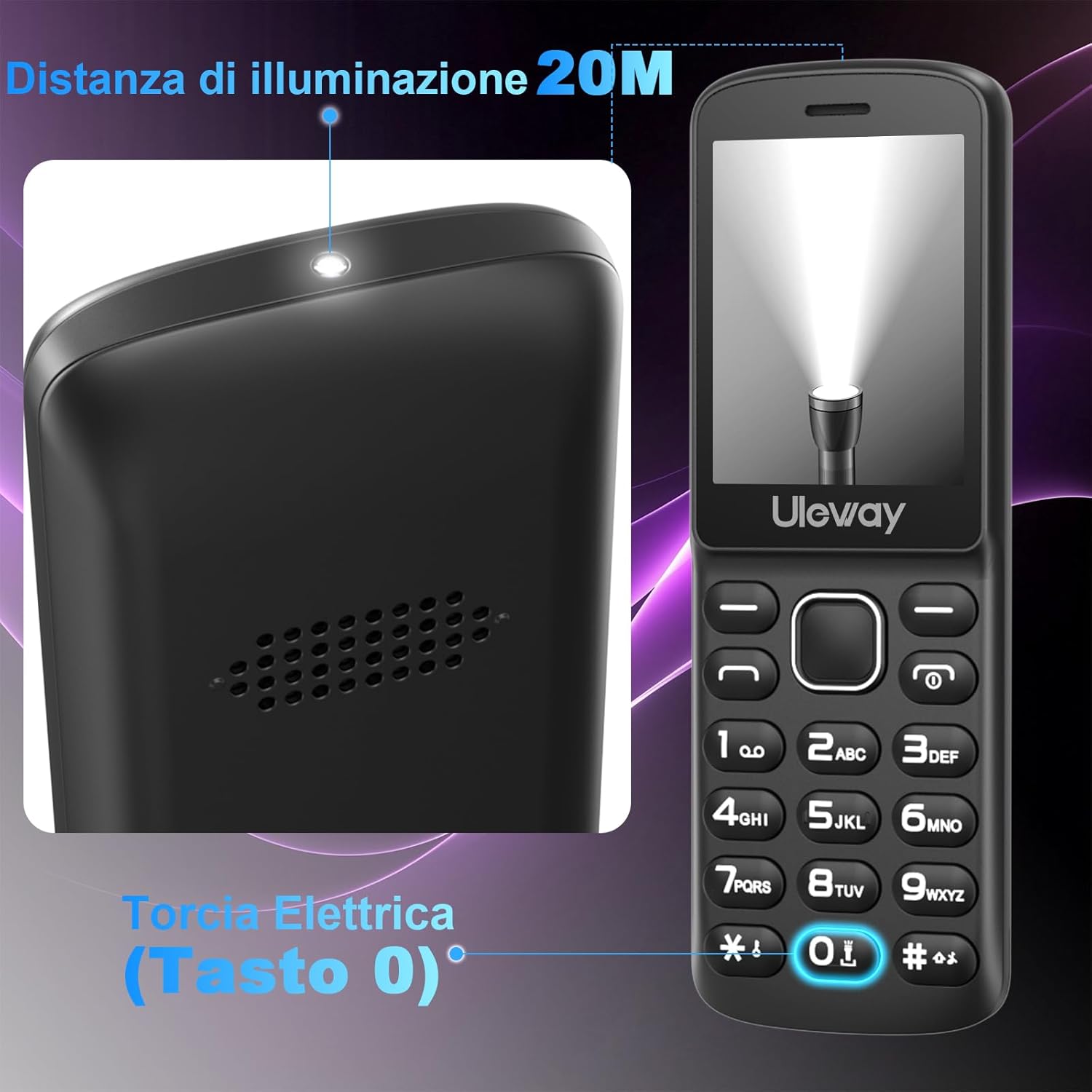
Image: A close-up view of the uleway T1208 demonstrating its flashlight function, activated by long-pressing the '0' key.
2.6 Language Settings
The phone supports multiple languages, including English, German, French, Spanish, Italian, Portuguese, and Dutch. To change the language:
- Go to 'Settings'.
- Select 'Phone Settings' or 'Language'.
- Choose your preferred language from the list.

Image: The uleway T1208 displaying its language selection menu (English, French, Portuguese, Spanish, Italian, Dutch) alongside an illustration of its high volume and large buttons.
2.7 Volume Adjustment
Adjust call and media volume using the dedicated volume keys on the side of the phone or through the 'Settings' menu. The phone is designed to provide a high volume output for users with hearing difficulties.
3. Maintenance
3.1 Battery Care
The uleway T1208 is equipped with a 1400 mAh battery, offering approximately 300 minutes of talk time and 300-360 hours of standby time. To maximize battery life:
- Charge the phone regularly, preferably before the battery is completely depleted.
- Avoid exposing the phone to extreme temperatures.
- Use only the provided charging cable and base.
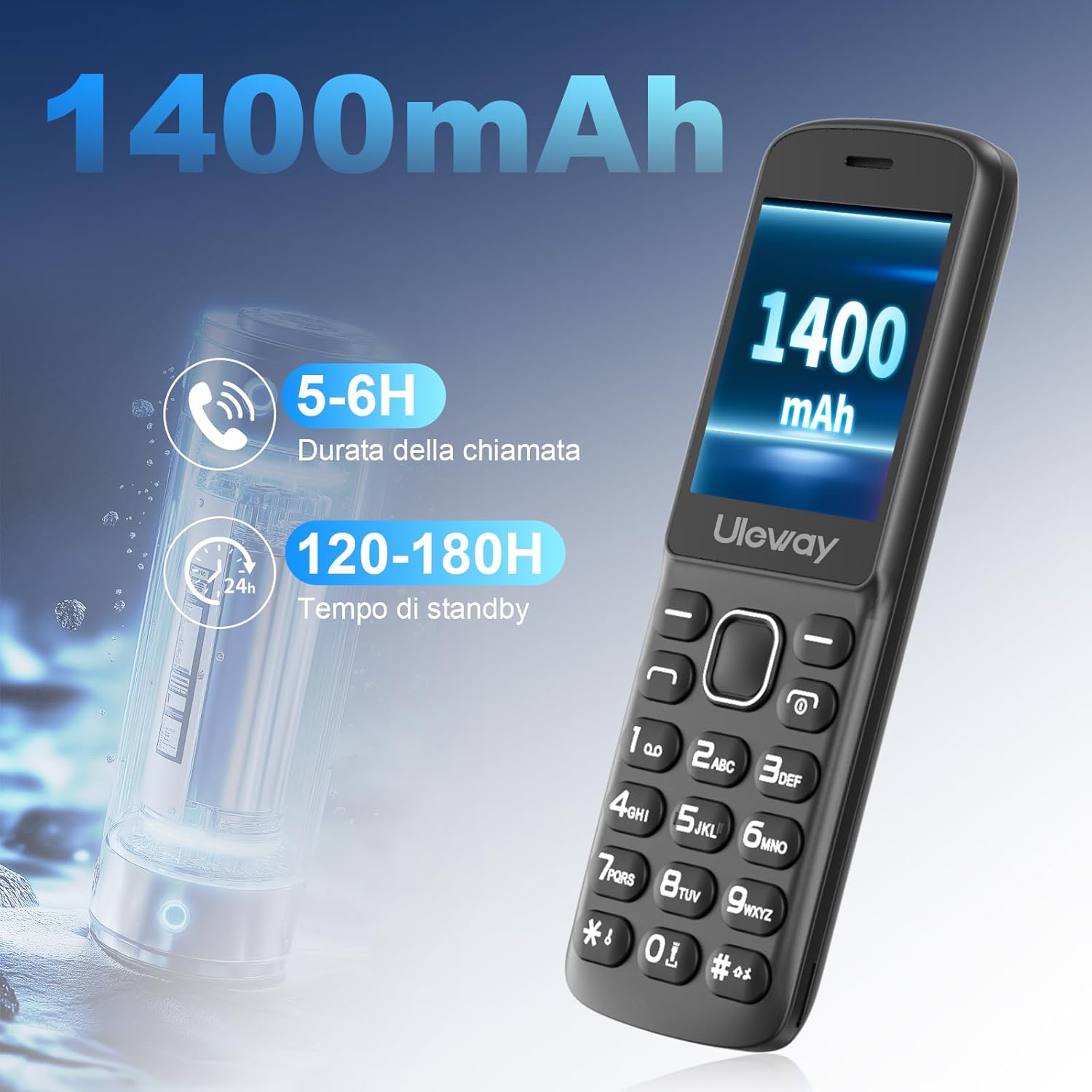
Image: The uleway T1208 phone highlighting its 1400mAh battery, capable of providing 5-6 hours of call time and 120-180 hours of standby time.
3.2 General Care
- Keep the phone clean by wiping it with a soft, dry cloth.
- Avoid dropping the phone or exposing it to water.
- Store the phone in a cool, dry place when not in use.
4. Troubleshooting
If you encounter issues with your uleway T1208, refer to the following common problems and solutions:
| Problem | Possible Solution |
|---|---|
| Phone does not power on | Ensure the battery is correctly installed and charged. Connect to charger for at least 30 minutes. |
| No network signal | Check if the SIM card is properly inserted. Ensure you are in an area with network coverage. Restart the phone. |
| Low call volume | Adjust the volume using the side keys during a call. Check volume settings in the menu. Ensure the speaker is not obstructed. |
| Menu navigation issues (e.g., central button not responding correctly) | Restart the phone. If the issue persists, contact customer support for assistance. |
| Phone not charging | Verify the charging cable and adapter are working. Ensure the phone is correctly placed in the charging base or the USB-C cable is fully inserted. Check for debris in the charging port. |
For issues not listed here, please refer to the 'Support' section.
5. Specifications
| Feature | Detail |
|---|---|
| Model | T1208 |
| Display | 2.4-inch LCD, 480 x 270 resolution |
| Battery Capacity | 1400 mAh |
| Talk Time | Up to 300 minutes |
| Standby Time | Up to 300-360 hours |
| Network Compatibility | 4G VoLTE, 3G WCDMA, 2G GSM (compatible with all European operators) |
| SIM Card Type | Nano-SIM |
| Expandable Memory | Up to 32 GB (MicroSD card) |
| Operating System | KaiOS |
| Connectivity | Bluetooth, USB Type-C |
| Dimensions (L x W x T) | 15.3 cm x 5.3 cm x 1.4 cm (approximate) |
| Weight | 290 grams |
| Supported Languages | English, German, French, Spanish, Italian, Portuguese, Dutch |
6. Warranty and Support
6.1 Warranty Information
Your uleway T1208 mobile phone is covered by a standard manufacturer's warranty. Please retain your proof of purchase for warranty claims. For specific warranty duration and terms, refer to the documentation included in your product packaging or contact uleway customer service.
6.2 Customer Support
If you require further assistance or encounter issues not covered in this manual, please contact uleway customer support. Contact details can typically be found on the official uleway website or on the product packaging.
