
1. Introduction
Thank you for purchasing the Accutime Teenage Mutant Ninja Turtles Group Flashing Kid's Watch. This digital watch features a fun TMNT Group character design and a unique flashing light function. This manual provides essential information for the proper setup, operation, and care of your new watch.
2. Product Features
- Officially Licensed: Authentic Teenage Mutant Ninja Turtles product.
- Digital Time Display: Clear and easy-to-read digital time.
- Flashing Light Function: Activates a flashing light feature.
- Durable Design: Made with a comfortable rubber strap.
- Character Design: Features a vibrant TMNT Group character design on the watch face.
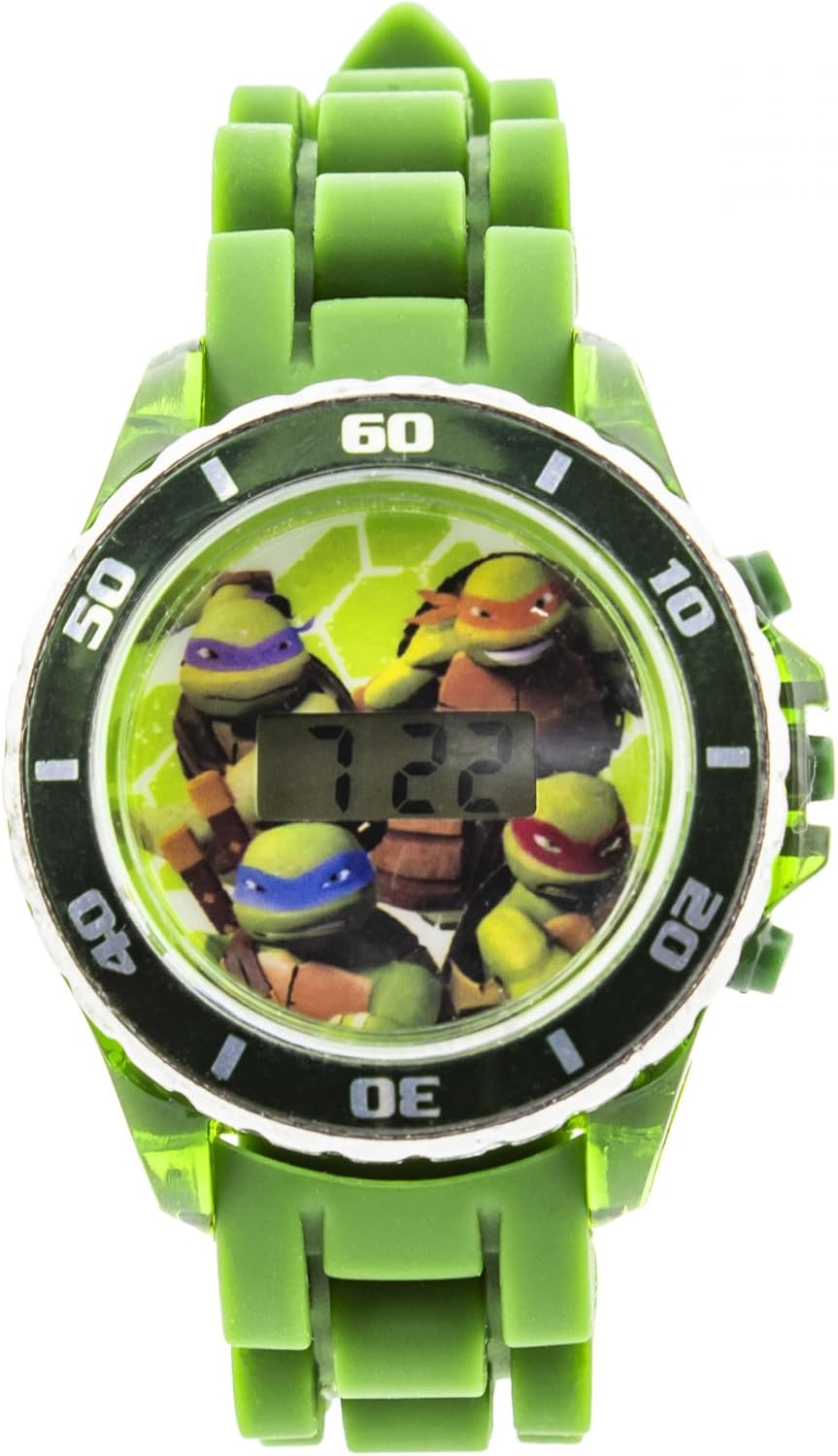
Figure 1: Front view of the Accutime TMNT Group Flashing Kid's Watch.
3. Setup
3.1 Initial Activation
- Upon receiving your watch, locate the small plastic tab inserted into the side button (crown).
- Gently pull and remove this plastic tab. This activates the watch battery.
- The digital display should now be active.
3.2 Setting the Time
The watch typically has two buttons for setting the time. Refer to the specific instructions below:
- Button A (usually top right): Press and hold to enter time setting mode.
- While in setting mode, press Button A repeatedly to cycle through hours, minutes, and other settings (if available).
- Button B (usually bottom right): Press to adjust the selected value (e.g., increase hour, minute).
- Once the desired time is set, allow the watch to exit setting mode automatically or press Button A to confirm and exit.
4. Operating Instructions
4.1 Viewing the Time
Press the main button (often the top right button or the watch face itself if it's a single button design) briefly to illuminate the digital display and show the current time.
4.2 Activating the Flashing Light
To activate the flashing light feature, press the dedicated button on the side of the watch (often opposite the time-setting buttons). The watch face will illuminate and flash, showcasing the TMNT characters.
4.3 Adjusting the Strap
The watch features a rubber strap with a buckle clasp. Adjust the strap by selecting the appropriate hole for a comfortable and secure fit on the wrist.

Figure 2: Side view of the watch, illustrating the rubber strap and buckle clasp.
5. Maintenance
5.1 Cleaning
Wipe the watch with a soft, damp cloth. Avoid using harsh chemicals or abrasive materials, as these can damage the watch's finish or electronic components.
5.2 Water Resistance
This watch is not designed to be waterproof. Avoid submerging it in water or exposing it to excessive moisture to prevent damage.
5.3 Battery
The watch uses a non-rechargeable battery. When the battery runs low, the display may dim or stop functioning. Battery replacement should be performed by a qualified technician or by following specific instructions provided by Accutime Watch Corp. if user-replaceable.
6. Troubleshooting
- Watch not turning on: Ensure the plastic battery tab has been removed. If the issue persists, the battery may need replacement.
- Time not displaying correctly: Follow the 'Setting the Time' instructions in Section 3.2 to reset the time.
- Flashing light not working: Check the battery level. If the battery is low, the flashing function may be affected.
7. Specifications
- Brand: Accutime
- Model Number: SF20250920B0F3ZCW7Y9_B0F3ZCW7Y9_1_syPGrY
- Product Type: Kid's Digital Flashing Watch
- Strap Material: Rubber
- Clasp Type: Buckle
- Department: Unisex
- Manufacturer: Accutime Watch Corp.
8. Warranty and Support
For warranty information or technical support, please refer to the packaging or contact Accutime Watch Corp. directly. Keep your purchase receipt as proof of purchase.