
1. Introduction
The DOOGEE Fire 3 Ultra is a robust and versatile rugged smartphone designed for demanding environments and extended use. Featuring a large battery, advanced processing capabilities, and a durable build, it is engineered to provide reliable performance in various conditions. This manual provides essential information for setting up, operating, maintaining, and troubleshooting your device.
2. Package Contents
Please verify that all items listed below are included in your product package:
- 1 x FIRE 3 ULTRA Rugged Smartphone
- 1 x Type-C USB Cable and 18W Charger
- 1 x Screen-printed Protective Film (Pre-applied)
- 1 x SIM Card Removal Needle
- 1 x Packing Box
- 1 x User Manual
- 1 x Warranty Card

Image: Contents of the DOOGEE Fire 3 Ultra package.
3. Device Overview
The DOOGEE Fire 3 Ultra is built with a focus on durability and user comfort. Its compact design houses powerful components, making it suitable for both everyday use and challenging environments.

Image: Front and back view of the DOOGEE Fire 3 Ultra.

Image: The DOOGEE Fire 3 Ultra held in hand, demonstrating its compact form factor.
4. Initial Setup
4.1. SIM Card and TF Card Installation
The device supports dual SIM cards and expandable storage via a TF card (up to 2TB, sold separately). Locate the SIM card tray on the side of the phone. Use the provided SIM card removal needle to eject the tray. Insert your Nano-SIM cards and/or TF card into the designated slots, ensuring correct orientation. Gently push the tray back into the phone until it clicks into place.
4.2. Charging the Device
Before first use, fully charge your DOOGEE Fire 3 Ultra. Connect the provided Type-C USB cable to the phone's charging port and the 18W charger to a power outlet. The 8350mAh battery provides extended usage times, including up to 1,415 hours of standby and 31 hours of music playback. The device also supports OTG reverse charging, allowing it to function as a power bank for other devices.
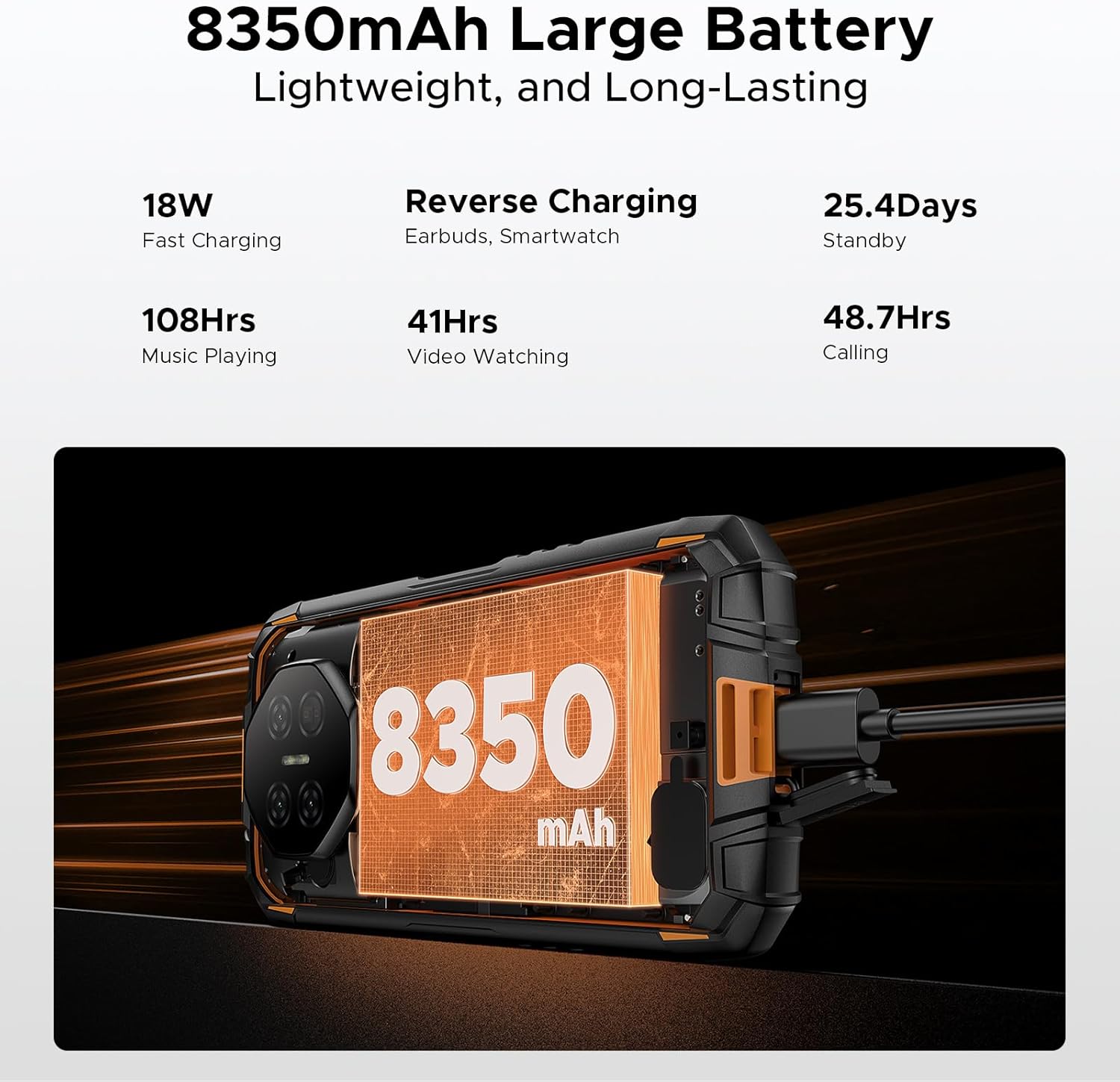
Image: The DOOGEE Fire 3 Ultra connected to its charger, emphasizing battery capacity.
5. Operating Your Device
5.1. Display
The Fire 3 Ultra features a 5.5-inch HD+ IPS display, offering clear visuals and comfortable one-handed operation. The display provides a resolution of 720x1440 pixels and 400 nits brightness for good visibility.

Image: The DOOGEE Fire 3 Ultra display in use.
5.2. Performance
Powered by the Unisoc T7200 octa-core processor (12nm) and running Android 15, the device ensures smooth and responsive performance for various applications and multitasking. The processor operates at an ultimate frequency of 1.6GHz and includes a Mali-G57 GPU.
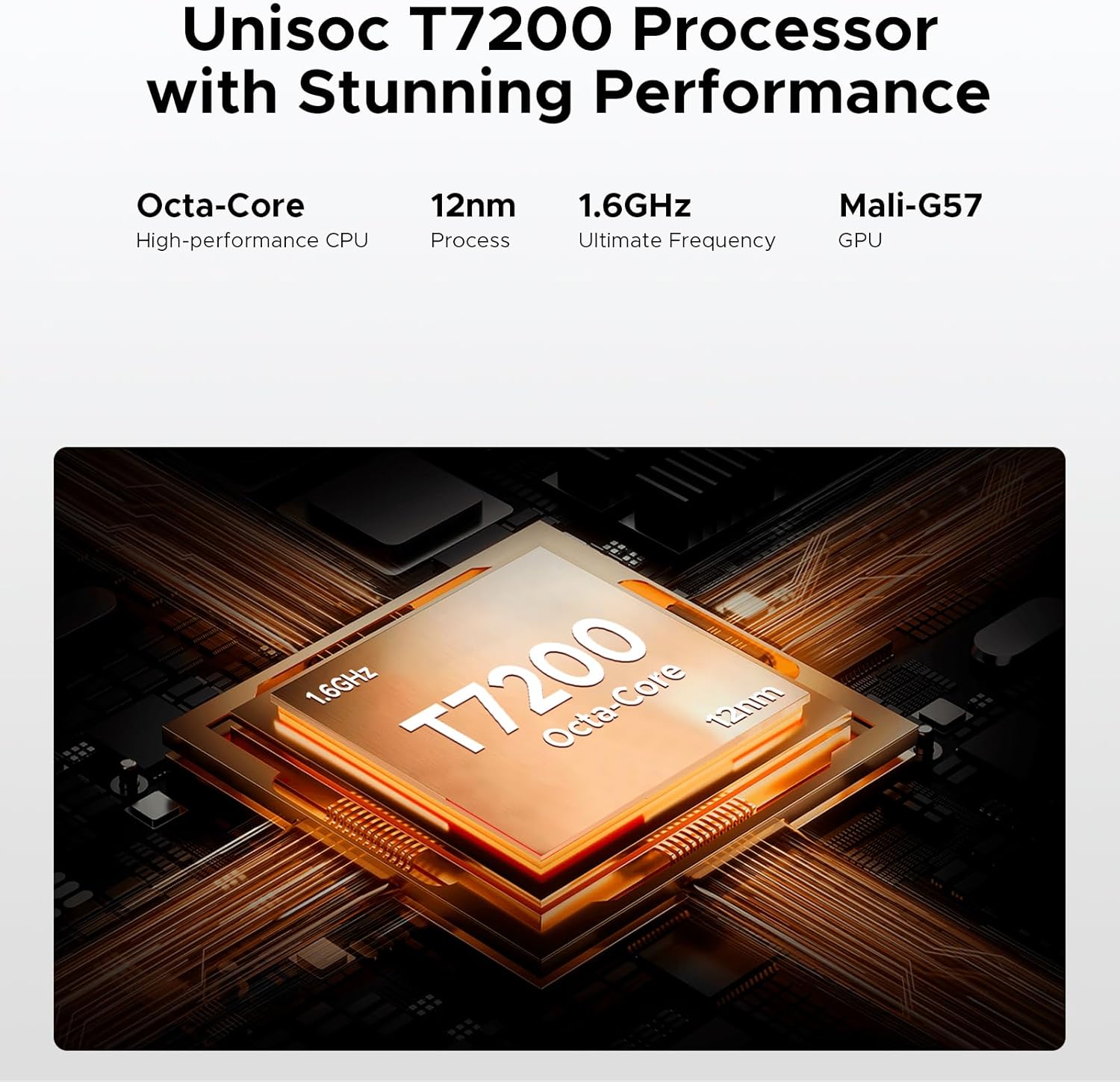
Image: Visual representation of the Unisoc T7200 processor.
5.3. Storage
The Fire 3 Ultra comes with 24GB of RAM (6GB physical + 18GB virtual) and 256GB of internal storage. Storage can be expanded up to 2TB using a TF card, providing ample space for applications, photos, videos, and other data.
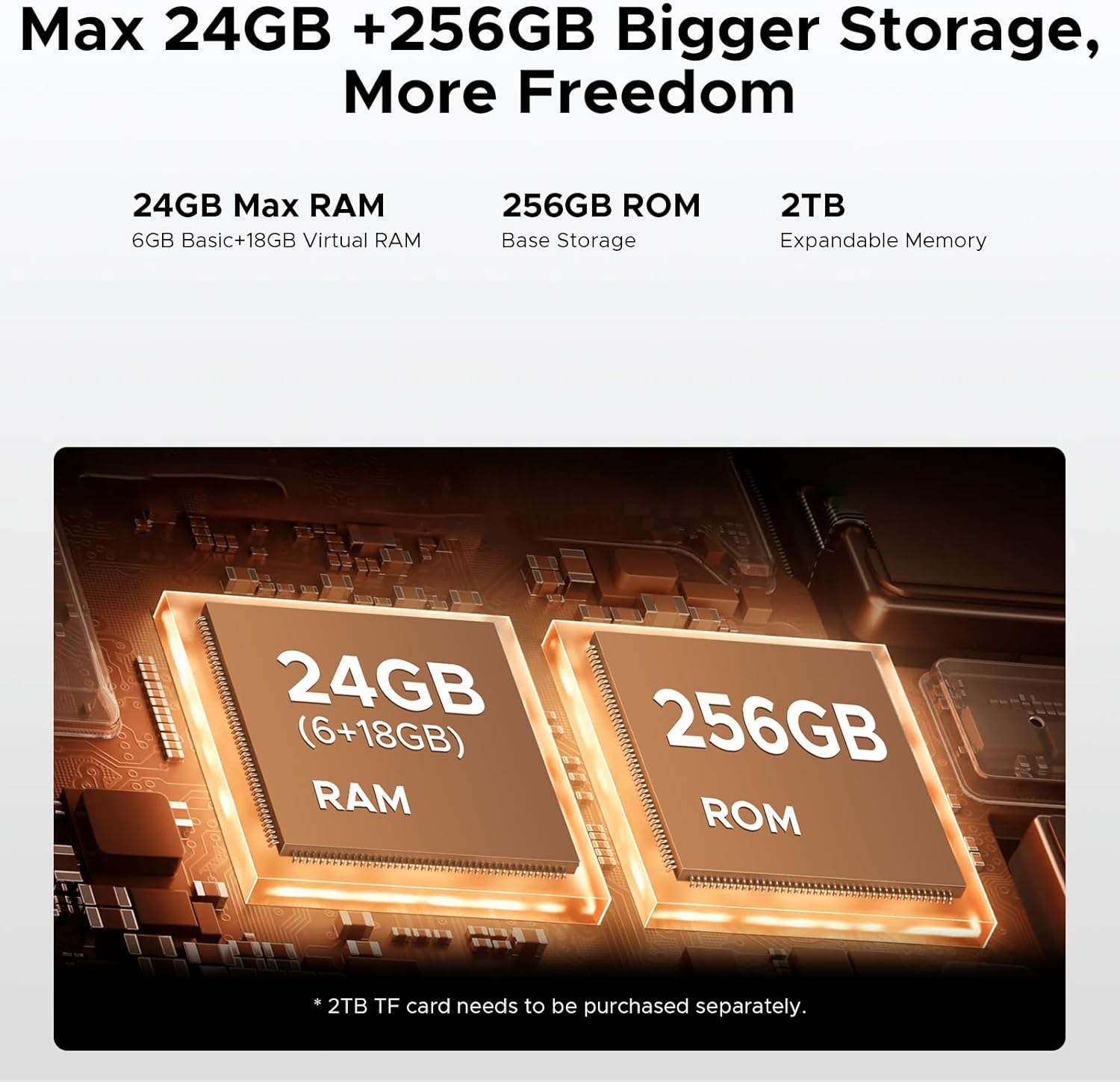
Image: Representation of the phone's RAM and ROM.
5.4. Camera System
Capture moments with the 16MP AI main camera, designed for crisp and vibrant photos in various lighting conditions. The 20MP infrared night vision camera allows for clear visibility in complete darkness, suitable for security or wildlife observation. An 8MP front camera is included for video calls and selfies. The camera system supports various modes including HDR, Panorama, and Night Mode.

Image: Overview of the DOOGEE Fire 3 Ultra's camera features.
5.5. Connectivity and Security
The device offers comprehensive connectivity options including 4G LTE, Wi-Fi, Bluetooth 5.0, and NFC for quick payments via Google Pay. Navigation is supported by GPS, Glonass, Galileo, and Beidou for accurate positioning. For security, the phone features both side fingerprint and face unlock capabilities for fast and reliable access. A 3.5mm headphone jack is also included.
5.6. Built-in Gemini AI
The DOOGEE Fire 3 Ultra integrates Gemini AI, enhancing various functionalities such as content creation, image analysis, code development, language learning, and smart assistant features, aiming to streamline user experience.

Image: Examples of Gemini AI functionalities.
6. Durability and Protection
The DOOGEE Fire 3 Ultra is built to withstand harsh conditions. It is certified with IP68/IP69K ratings, indicating high resistance to dust and water immersion up to 1.5 meters. Additionally, it meets MIL-STD-810H military-grade standards for drop resistance, ensuring durability against impacts and extreme temperatures.
7. Specifications
| Feature | Specification |
|---|---|
| Model Name | Fire 3 Ultra |
| Operating System | Android 15 |
| Processor | Unisoc T7200 Octa-Core |
| RAM | 24 GB (6GB physical + 18GB virtual) |
| Internal Storage | 256 GB |
| Expandable Memory | Up to 2 TB via TF card |
| Screen Size | 5.5 Inches |
| Display Type | IPS HD+ |
| Refresh Rate | 90 Hz |
| Main Camera | 16 MP AI |
| Night Vision Camera | 20 MP Infrared |
| Front Camera | 8 MP |
| Battery Capacity | 8350 mAh |
| Charging | 18W Fast Charging, OTG Reverse Charging |
| Durability Ratings | IP68/IP69K, MIL-STD-810H |
| Connectivity | 4G LTE, Wi-Fi, Bluetooth 5.0, NFC, USB Type-C |
| Navigation | GPS, Glonass, Galileo, Beidou |
| Security | Side Fingerprint, Face Unlock |
| Audio Jack | 3.5 mm |
| Weight | 1.21 pounds |
| Dimensions | 7.64 x 4.09 x 2.24 inches |
8. Troubleshooting
This section addresses common issues you might encounter with your DOOGEE Fire 3 Ultra.
- Network Compatibility: If you experience network issues, ensure your carrier's frequency bands are supported by the device. The phone supports 4G TDD-LTE: B34/38/39/40/41; FDD-LTE: B1/2/3/4/5/7/8/18/19/20/25/26/28A/28B/66; 3G WCDMA: B1/2/4/5/8; 2G GSM: B2/3/5/8. Confirm compatibility with your carrier before purchasing.
- Battery Draining Quickly: While the 8350mAh battery offers long life, heavy usage of GPS, streaming, or demanding apps can increase consumption. Reduce screen brightness, close background apps, and limit data usage when not needed. Ensure the phone is fully charged using the provided 18W charger.
- Slow Performance: If the phone feels sluggish, clear recent apps, restart the device, or check for system updates. Ensure sufficient storage space is available, as low storage can impact performance.
- Fingerprint/Face Unlock Issues: Ensure your fingers are clean and dry for fingerprint recognition. For face unlock, ensure adequate lighting and that your face is clearly visible to the front camera. Re-register your fingerprint or face data if issues persist.
- Water/Dust Exposure: Although the phone is IP68/IP69K and MIL-STD-810H certified, always ensure all port covers are securely closed before exposing the device to water or dust. If the phone gets wet, dry it thoroughly before charging.
9. Warranty and Support
Your DOOGEE Fire 3 Ultra comes with a warranty. Please refer to the included Warranty Card in your package for detailed terms and conditions, including coverage period and service procedures. For technical support or further assistance, please contact DOOGEE customer service through their official channels, which can typically be found on the manufacturer's website or the contact information provided in the warranty documentation.


