
1. Introduction
Thank you for choosing the OSCAL 400W Foldable Solar Panel. This high-efficiency solar panel is designed to provide reliable power for various outdoor activities, including RV trips, camping, and off-grid power solutions. Its foldable design and robust construction make it an ideal companion for portable energy needs. Please read this manual thoroughly before using the product to ensure proper operation and longevity.
2. Safety Instructions
To ensure safe operation and extend the lifespan of your solar panel, please observe the following precautions:
- Do not attempt to disassemble, repair, or modify the solar panel. This may cause damage and void the warranty.
- Avoid exposing the solar panel to extreme temperatures or direct flame.
- Handle the panel with care. Do not drop or subject it to strong impacts.
- Ensure all connections are secure and correct before use. Incorrect connections can cause damage.
- Keep the solar panel away from water and moisture during storage, although it features IP65 water resistance during operation.
- Do not step on the solar panel or place heavy objects on it.
- Keep out of reach of children.
3. Package Contents
Upon opening the package, verify that all items listed below are present and in good condition:
- OSCAL PM400 Foldable Solar Panel
- MC4 to 5-in-1 Charging Cable (includes Anderson, DC7909, XT60, DC5521, DC6530 connectors)
- User Manual (this document)

Figure 3.1: OSCAL PM400 Foldable Solar Panel with MC4 cable and various adapters.
4. Product Features
The OSCAL PM400 solar panel is engineered with advanced features for optimal performance and durability:
- High Efficiency: Features top-tier monocrystalline silicone cells with up to 22.7% conversion efficiency, maximizing power output.
- Robust Construction: Improved ETFE shielding layer provides IP65 water and dust resistance, ensuring durability in various outdoor conditions.
- Portable Design: Briefcase-style foldable design with a rugged PC handle for easy transport and storage.
- Adjustable Kickstand: Integrated kickstand allows for angle adjustment from 15-65 degrees to optimize sunlight absorption.
- Wide Compatibility: Equipped with an MC4 to 5-in-1 solar charging cable, compatible with 98% of portable power stations on the market, including OSCAL PowerMax 3600 and PowerMax 6000.
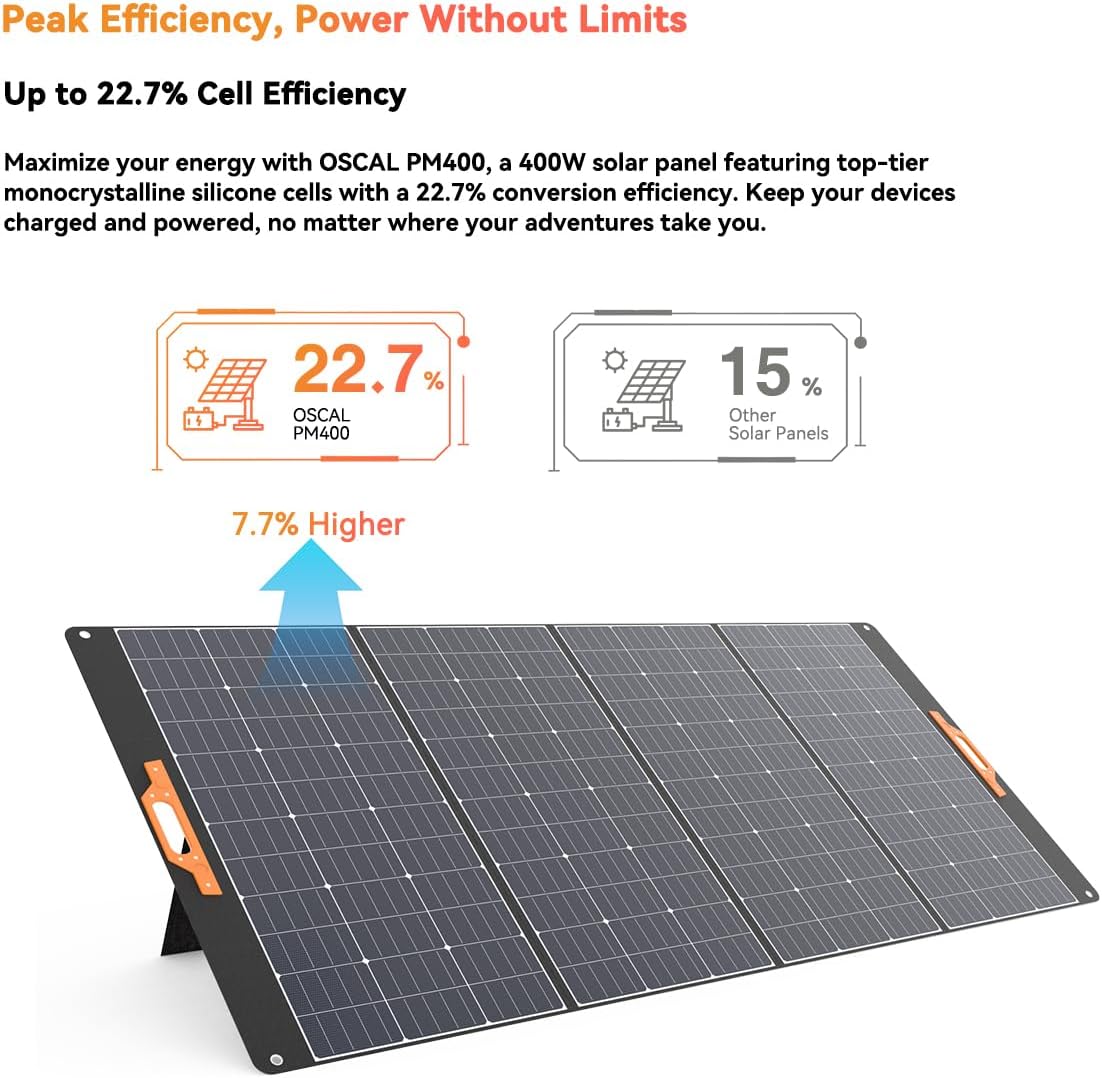
Figure 4.1: High efficiency of OSCAL PM400 solar cells.

Figure 4.2: Improved ETFE shielding layer for durability.

Figure 4.3: Key design and structural features of the solar panel.

Figure 4.4: Folded and unfolded dimensions for portability.

Figure 4.5: Demonstrating IP65 waterproof and dustproof performance.

Figure 4.6: MC4 to 5-in-1 charging cable for broad compatibility.
5. Setup
Follow these steps to set up your OSCAL 400W Foldable Solar Panel:
- Unfold the Panel: Carefully unfold the solar panel completely on a flat, stable surface.
- Position for Sunlight: Place the solar panel in an area with direct, unobstructed sunlight. Avoid shaded areas from trees, buildings, or other objects.
- Adjust Kickstand: Extend the integrated kickstand at the back of the panel. Adjust the angle (between 15-65 degrees) to face the sun directly for maximum efficiency. The optimal angle will vary depending on your location and the time of day/year.
- Secure Placement: Ensure the panel is stable and will not be blown over by wind.
6. Operating Instructions
Once the solar panel is set up, connect it to your power station or device:
- Identify Connectors: Locate the MC4 connectors on the solar panel's output cable.
- Select Adapter: Choose the appropriate adapter from the MC4 to 5-in-1 charging cable that matches the input port of your portable power station or device (e.g., Anderson, DC7909, XT60, DC5521, DC6530).
- Connect: Connect the MC4 connectors from the solar panel to the MC4 end of the 5-in-1 charging cable. Then, connect the selected adapter end to your power station's input port.
- Verify Charging: Most power stations will indicate when they are receiving a charge. Monitor your power station's display to confirm that charging has begun.
- Optimize Position: Periodically adjust the solar panel's angle throughout the day to maintain optimal exposure to the sun.

Figure 6.1: Common applications for the OSCAL PM400 solar panel.
7. Maintenance
Proper maintenance ensures the longevity and efficiency of your solar panel:
- Cleaning: Regularly clean the surface of the solar panel with a soft, damp cloth to remove dust, dirt, or debris. Avoid abrasive cleaners or harsh chemicals. Ensure the panel is dry before folding or storing.
- Inspection: Periodically inspect the cables and connectors for any signs of wear, damage, or corrosion. Replace any damaged components immediately.
- Storage: When not in use, fold the solar panel and store it in a cool, dry place away from direct sunlight and extreme temperatures. Use the integrated handle for easy carrying.
- Avoid Obstructions: Ensure no objects are placed on the panel during storage that could cause pressure or damage to the cells.
8. Troubleshooting
If you encounter issues with your solar panel, refer to the following common problems and solutions:
| Problem | Possible Cause | Solution |
|---|---|---|
| No power output / Low power output |
|
|
| Panel overheating |
|
|
If the problem persists after trying these solutions, please contact customer support.
9. Specifications
| Attribute | Value |
|---|---|
| Brand | OSCAL |
| Model Number | PM400 |
| Power Output | 400W (Peak) |
| Cell Efficiency | Up to 22.7% |
| Product Dimensions (Unfolded) | 104.8"L x 91.9"W x 0.98"H (266.2 cm L x 233.4 cm W x 2.5 cm H) |
| Product Dimensions (Folded) | 20.9"L x 41.2"W x 2.5"H (53.2 cm L x 104.8 cm W x 6.3 cm H) |
| Weight | 19.2 kg (approx.) |
| Color | Black |
| Special Feature | Flexible, Foldable, IP65 Waterproof & Dustproof |
| Connector Type | MC4 (with 5-in-1 adapter cable) |
| Included Components | PM400 solar panel, MC4 to 5-in-1 charging cable |
10. Warranty and Support
OSCAL products come with a standard warranty. For detailed warranty information, please refer to the warranty card included with your purchase or visit the official OSCAL website. If you have any questions, require technical assistance, or need to report an issue, please contact OSCAL customer support through their official channels.
Please retain your proof of purchase for warranty claims.
