
Introduction
This manual provides detailed instructions for the assembly, operation, and maintenance of your J.Fkne Queen Platform Bed Frame. This bed frame features integrated LED lighting, a convenient charging station, and ample under-bed storage. Please read this manual thoroughly before assembly and use to ensure safe and proper operation.
Safety Information
Important Safety Warnings:
- Do not exceed the maximum weight limit of 3,500 lbs. Overloading can cause structural damage and injury.
- Exercise caution during assembly and handling of metal components to avoid sharp edges and potential injury.
- Ensure all screws and bolts are securely tightened before use. Periodically check and re-tighten fasteners.
- Keep children and pets away from the assembly area. Small parts can be a choking hazard.
- Do not modify the bed frame or its electrical components. Use only original or approved replacement parts.
- Unplug the charging station from the wall outlet before cleaning or if any electrical issues arise.
Package Contents
Verify that all components are present before beginning assembly. If any parts are missing or damaged, contact customer support.
- Headboard with integrated LED lights and charging station
- Metal frame components (side rails, support beams, legs)
- Metal slats
- Assembly hardware (screws, bolts, washers, Allen wrench)
- Remote control for LED lights
- Installation Manual
Setup and Assembly
Assembly typically requires two adults. Follow the step-by-step instructions provided in the included Installation Manual. A general overview of the assembly process is as follows:
- Unpack and Identify Parts: Lay out all components on a clean, soft surface (e.g., a rug or blanket) to prevent scratches. Compare parts with the list in the Installation Manual.
- Assemble the Headboard: Attach the headboard sections, ensuring the LED light strips and charging station are correctly oriented.
- Construct the Frame: Connect the side rails and support beams to the headboard and footboard (if applicable). Secure all connections with the provided hardware.
- Install Support Legs: Attach the central support legs and any additional legs to the frame for stability.
- Place Slats: Distribute and secure the metal slats across the frame. Ensure memory foam strips are correctly positioned on the center crossbar to prevent noise.
- Connect Electrical Components: Plug the LED lights and charging station into a power outlet.
- Final Check: Verify all connections are tight and the frame is stable before placing a mattress on it.

Image: Fully assembled J.Fkne Queen Bed Frame with LED lights illuminating the headboard and under-bed area, and devices charging on the headboard station.

Image: Detailed diagram showing the dimensions of the Queen bed frame (85.43"L x 60.24"W x 39.76"H), 3500 lbs weight capacity, LED lights, and charging station.
Operating Instructions
LED Lights Operation
The integrated LED lights can be controlled via a mobile application or the included remote control.
- Mobile App Control: Download the designated mobile application (refer to the Installation Manual for app name and QR code). Connect your device to the bed frame's LED system via Bluetooth. The app allows for adjustment of color (over 60,000 options), brightness, various modes (e.g., music sync, mic mode), and timer functions.
- Remote Control: Use the provided remote to power the lights on/off, change colors, adjust brightness, and select preset modes. Ensure the remote has working batteries and is pointed towards the LED receiver.

Image: Illustration of the LED lights in operation, alongside the mobile application interface and the physical remote control for managing light settings.
Charging Station Usage
The headboard includes a built-in power outlet with 2 USB ports and 1 Type-C port for convenient charging of electronic devices.
- Ensure the bed frame's power cord is securely plugged into a functional wall outlet.
- Connect your devices (e.g., smartphones, tablets) to the available USB-A or Type-C ports.
- The power outlet can be used for other small electronic devices. Do not exceed the maximum power rating of the outlet.

Image: Close-up view of the headboard's integrated charging station, showing 2 USB ports, 1 Type-C port, and 2 standard power outlets, with various devices connected for charging.
Maintenance
- Cleaning: Wipe metal surfaces with a soft, damp cloth. Avoid abrasive cleaners or harsh chemicals that could damage the finish. For the upholstered headboard sections, use a fabric cleaner suitable for the material.
- Fastener Check: Periodically (e.g., every 3-6 months) inspect all screws and bolts and re-tighten them as necessary to maintain stability and prevent noise.
- Electrical Components: Keep the charging station and LED light connections dry and free from dust. Do not attempt to repair damaged electrical components; contact customer support.
Troubleshooting
| Problem | Possible Cause | Solution |
|---|---|---|
| Bed frame is noisy/squeaks. | Loose fasteners; metal-on-metal friction. | Tighten all screws and bolts. Ensure memory foam strips are correctly placed on the center crossbar. |
| LED lights not working. | Power connection issue; remote control battery dead; app not connected. | Check if the power cord is plugged in. Replace remote control batteries. Reconnect the mobile app via Bluetooth. |
| Charging station not providing power. | Power cord unplugged; device cable faulty; power surge protection activated. | Ensure the bed frame's power cord is fully plugged into a wall outlet. Try a different charging cable or device. Check household circuit breaker. |
| Missing or damaged parts. | Shipping damage; packaging error. | Do not proceed with assembly. Contact J.Fkne customer service immediately for replacement parts. |
Specifications
| Feature | Detail |
|---|---|
| Model | Queen Platform Bed Frame |
| ASIN | B0F3XKZZDB |
| Size | Queen |
| Product Dimensions (L x W x H) | 85.43" x 60.24" x 39.76" |
| Color | Black |
| Material | Metal (Powder Coated Finish) |
| Weight Capacity | Up to 3,500 lbs |
| Support Legs | 9 |
| Headboard Features | 2-Tier Storage Shelves, RGB LED Lights, Built-in Charging Station (2 USB-A, 1 Type-C, 2 AC Outlets) |
| Under-Bed Clearance | Approximately 13.58 inches |
| Assembly Required | Yes |

Image: Diagram illustrating the ergonomic headboard design with 6.69 inches of convenient storage space and 10.63 inches of hidden storage, along with a comfortable 95-degree recline angle.
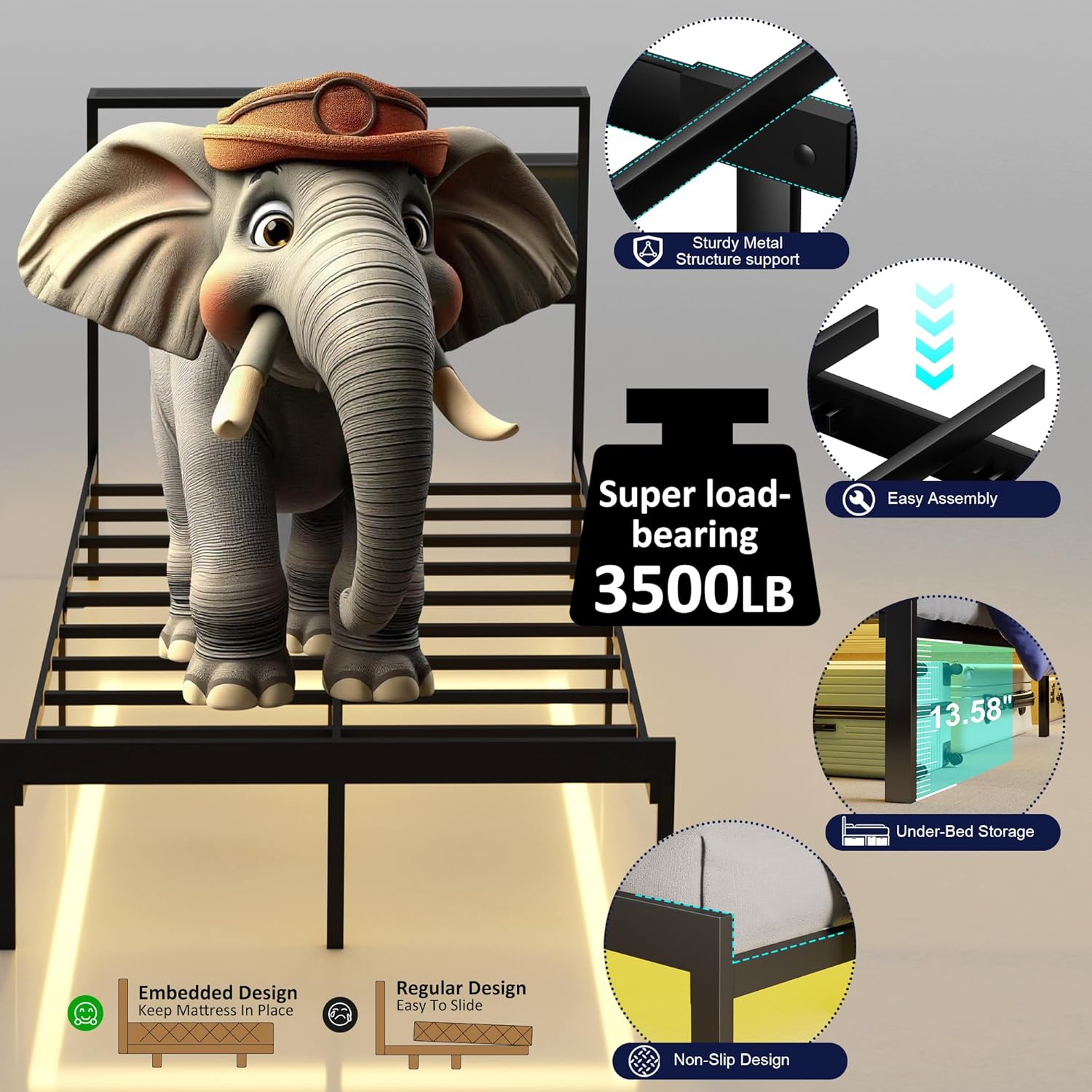
Image: Visual representation of the bed frame's structural features, including a 3500 lbs load capacity, sturdy metal construction, easy assembly, 13.58 inches of under-bed storage, embedded mattress design, and non-slip design.
Warranty and Support
J.Fkne is committed to providing high-quality products. For any issues regarding product damage, missing parts, or operational concerns, please contact our customer service team.
Customer Service: Refer to the contact information provided in your purchase documentation or visit the official J.Fkne website for support. Please have your purchase receipt and product model information (ASIN: B0F3XKZZDB) ready when contacting support.
We aim to resolve any problems within 24 hours.